





Login
Signup


You have items (0)
No items

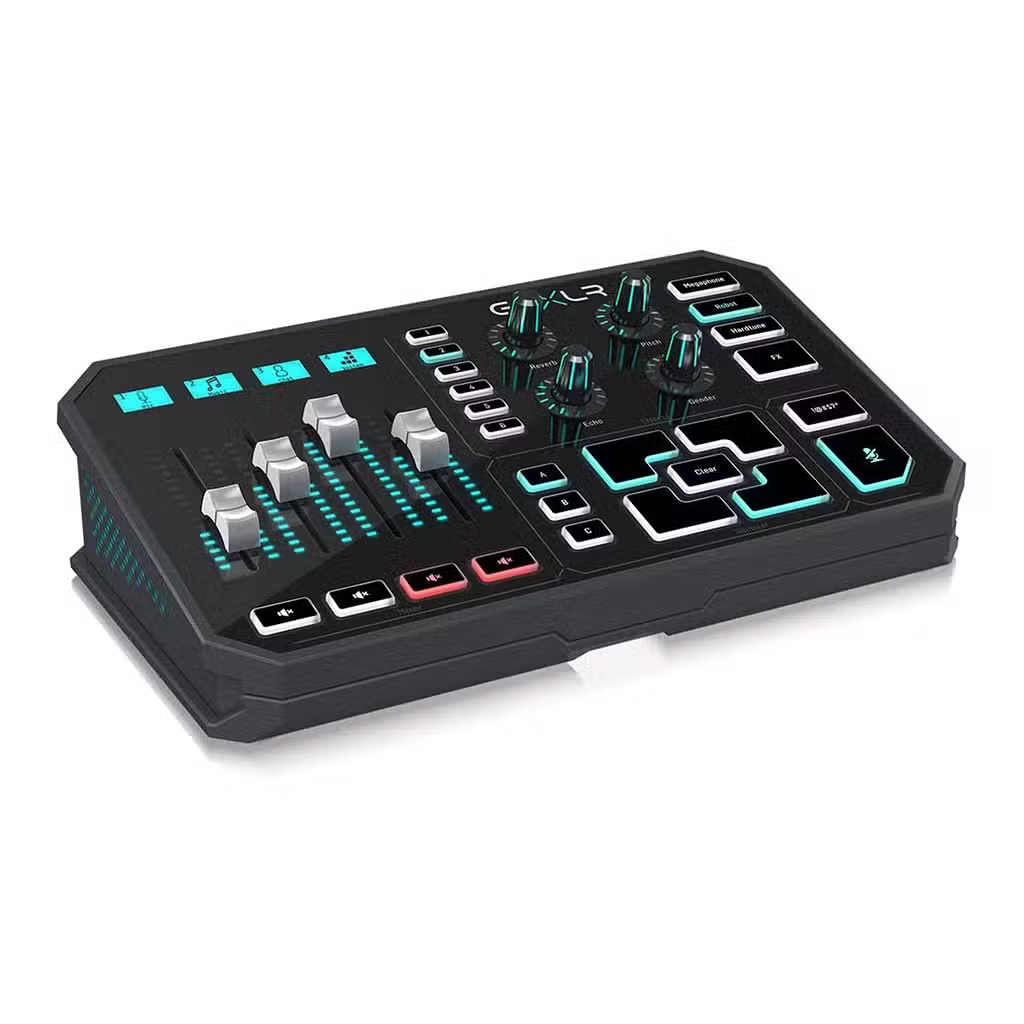
TC Helicon GoXLR Mixer – 4-Channel USB Streaming & Voice FX
119.900 د.ك
TC Helicon GoXLR Mixer for Streaming
Control your microphone, game, chat and music from one desktop setup.
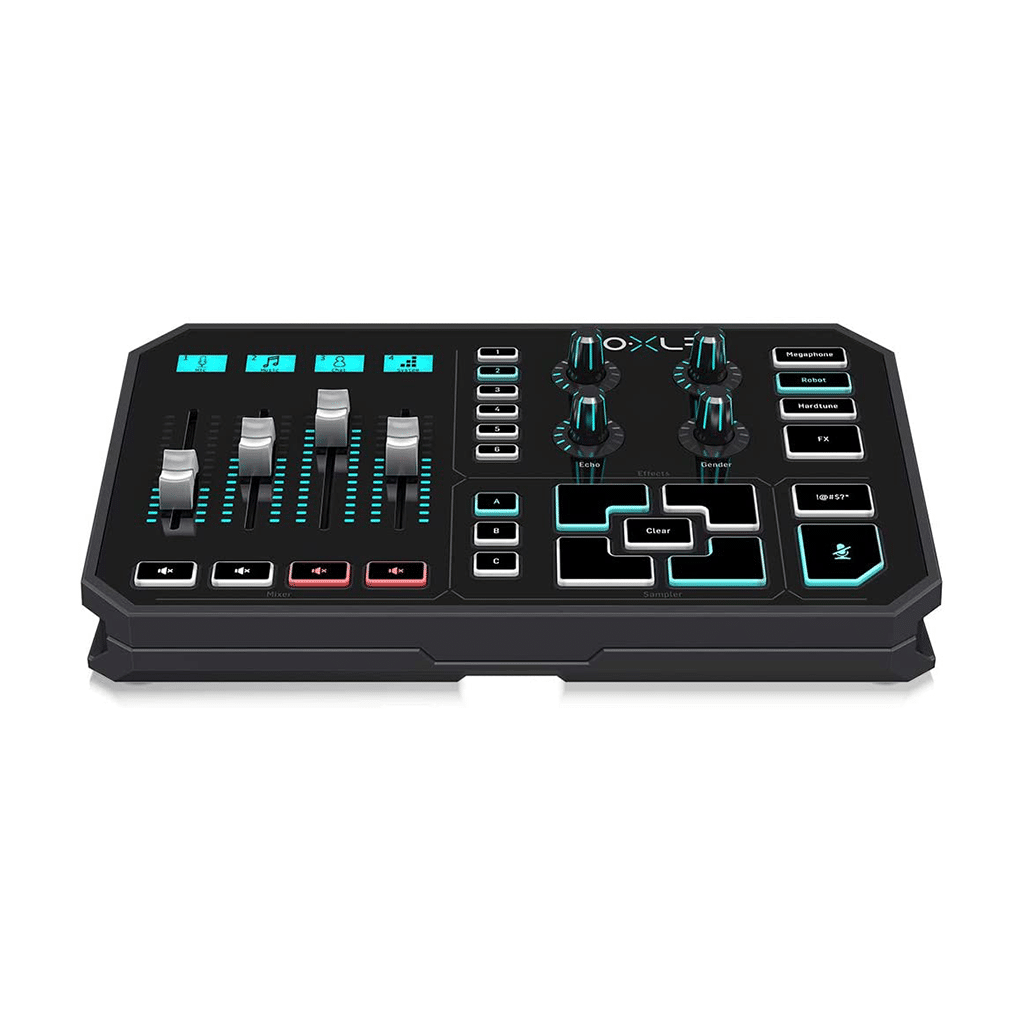
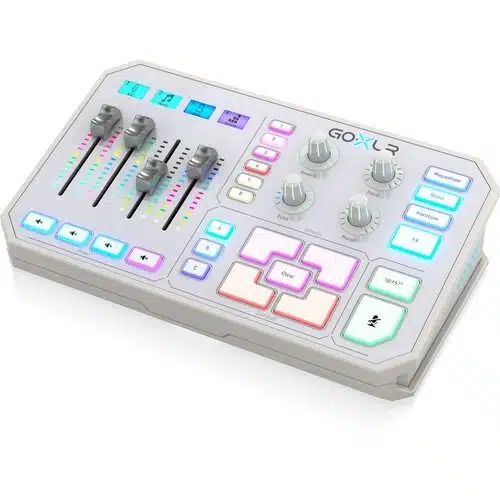
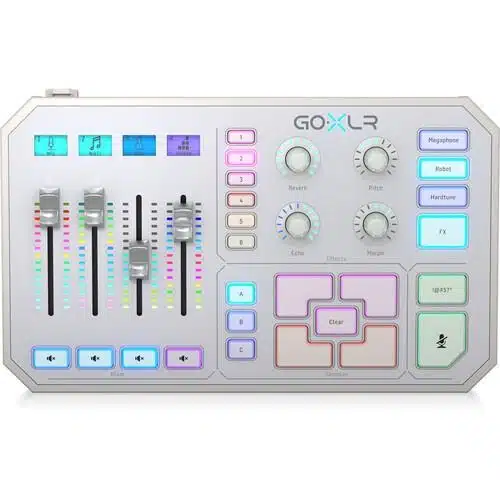
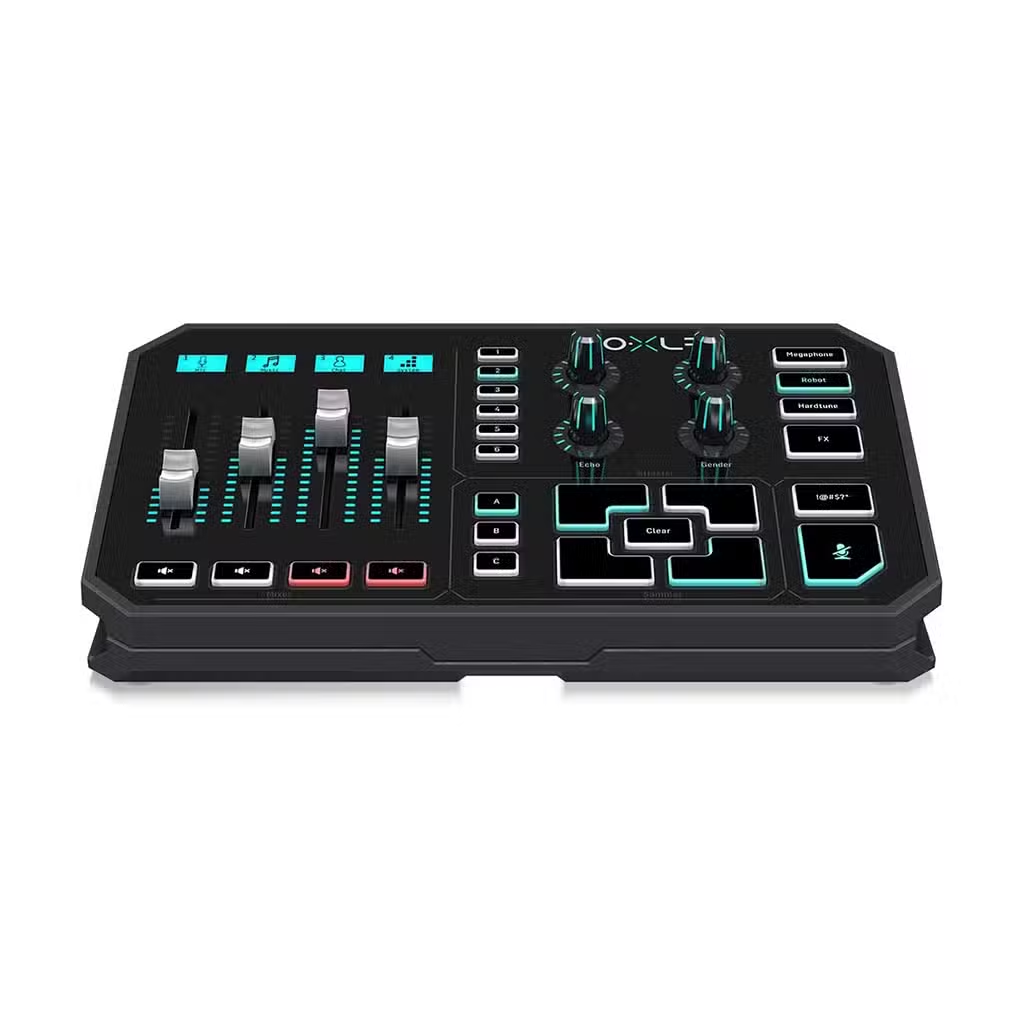
- Four motorized faders with customizable LCD channel labels.
- Midas XLR microphone preamp with switchable +48V phantom power.
- EQ, compression, de-essing and gate for microphone processing.
- Built-in sampler plus real-time voice effects, including Reverb and HardTune.
- 24-bit / 48 kHz audio; USB, optical and 3.5mm connections.
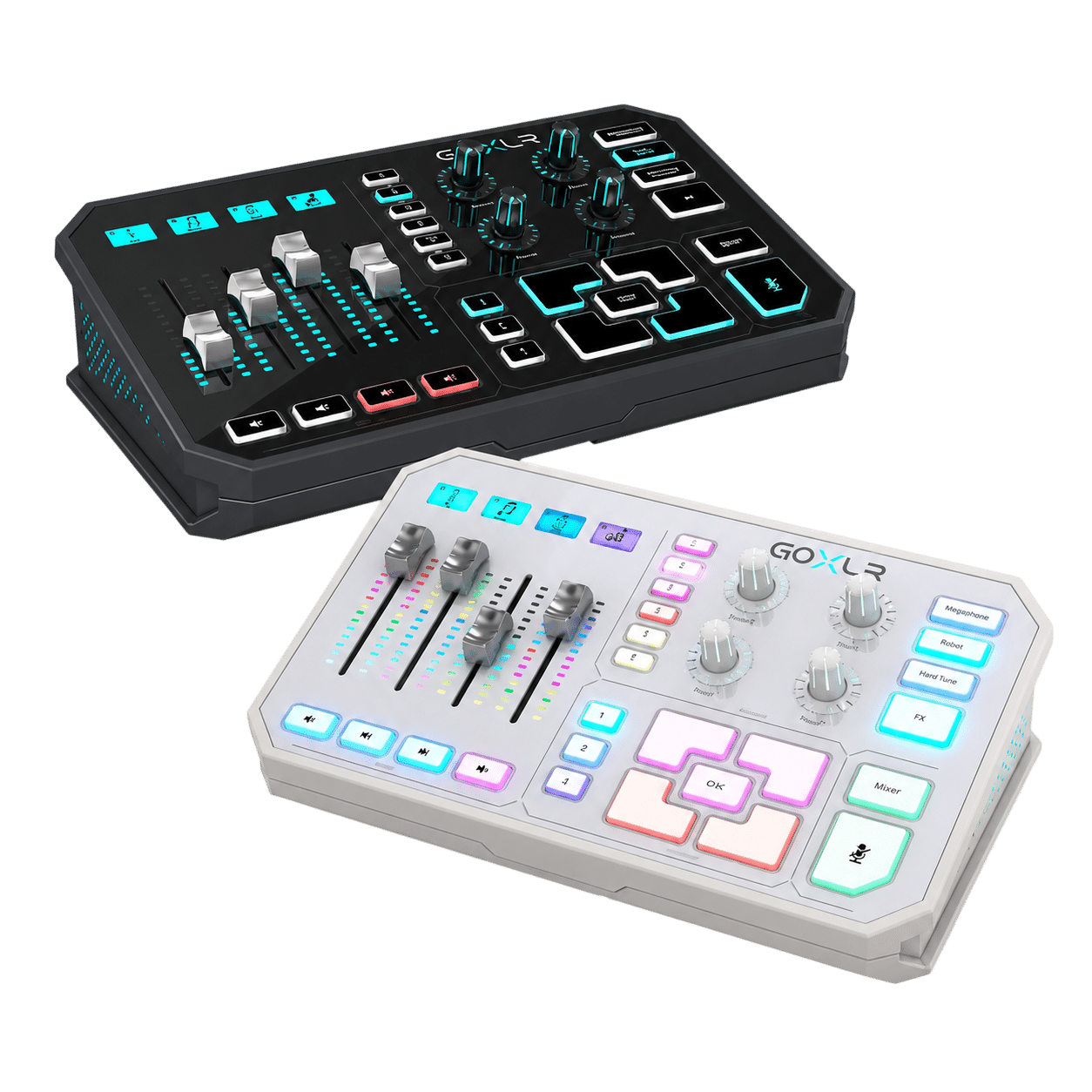
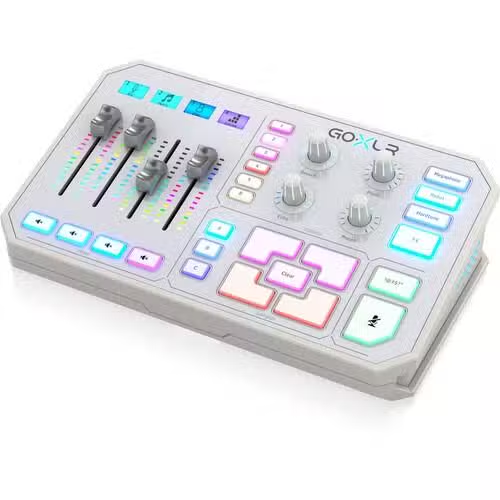
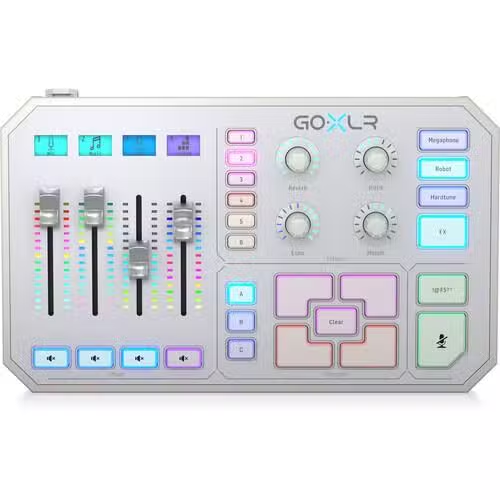
- Black GoXLR and White GoXLR-WH color options.
- GoXLR App and a supported Windows PC required; no official macOS support.
- 1-year warranty listed by AX Store.
Show more
Overview
Specs
TC Helicon GoXLR Mixer in Kuwait: Take Control of Your Stream
The TC Helicon GoXLR Mixer combines a four-channel USB streaming mixer, XLR microphone interface, sampler and voice effects in one desktop unit. Balance game audio against your voice, turn down chat for a focused moment, or trigger a clip without switching between software windows.
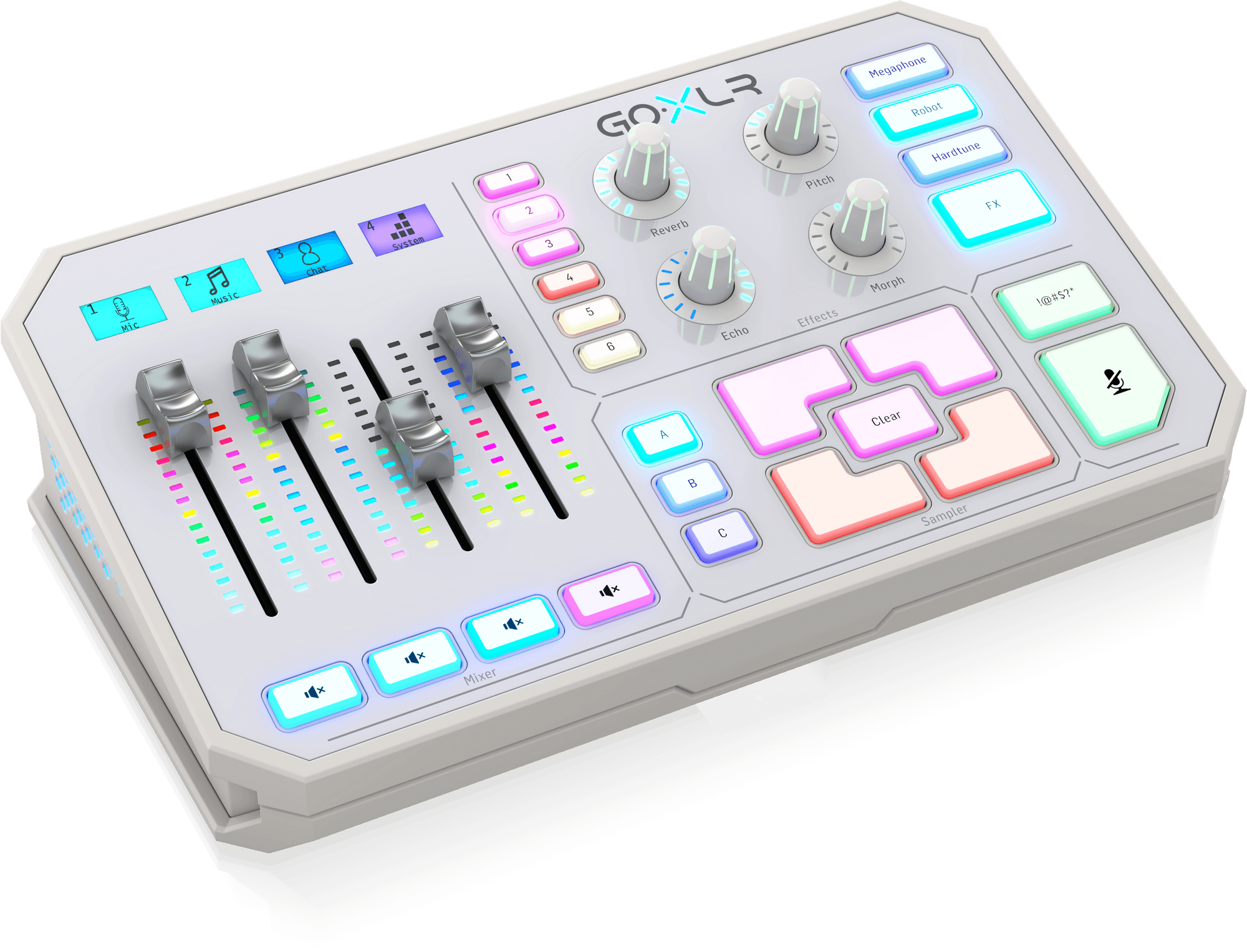
Choose GoXLR at AX Store Kuwait when you want hands-on control of a Windows streaming setup and the full-size model’s performance features. Four motorized faders and individual LCD labels keep your assigned sources easy to identify, while the GoXLR App handles routing and microphone settings.
Before You Buy
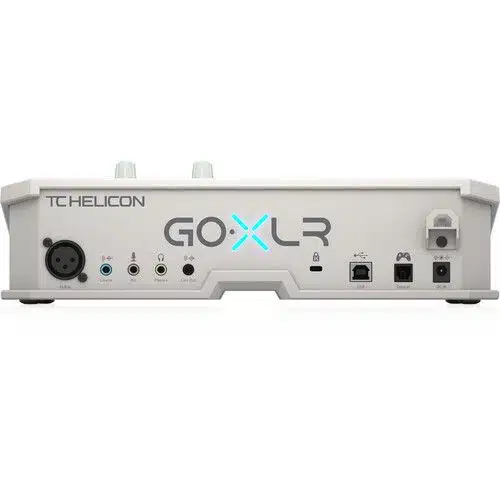
GoXLR requires the GoXLR App, a supported Windows computer and external power. It has one XLR microphone input; four mixer faders do not mean four XLR mic inputs. The USB Type-B port connects to your PC and does not accept a USB microphone directly.
Four Faders for the Audio You Use Most
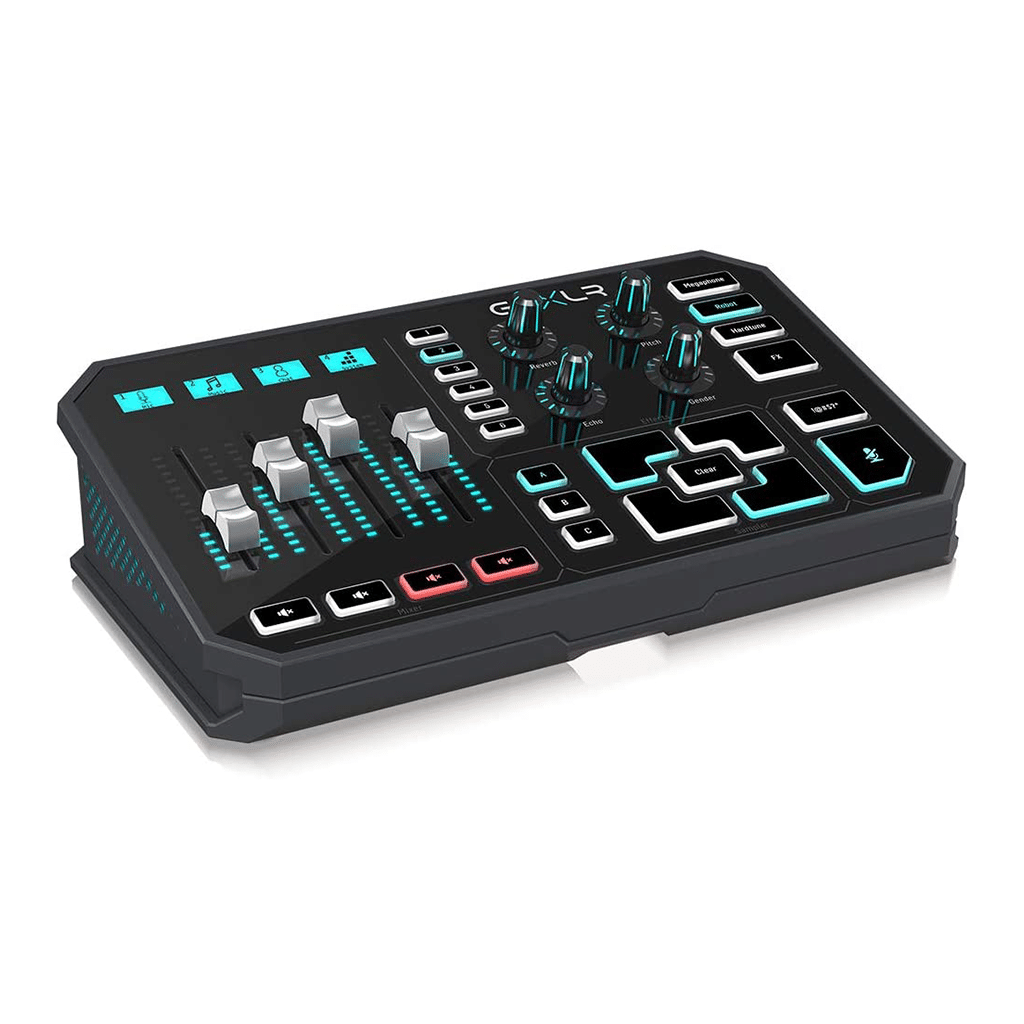
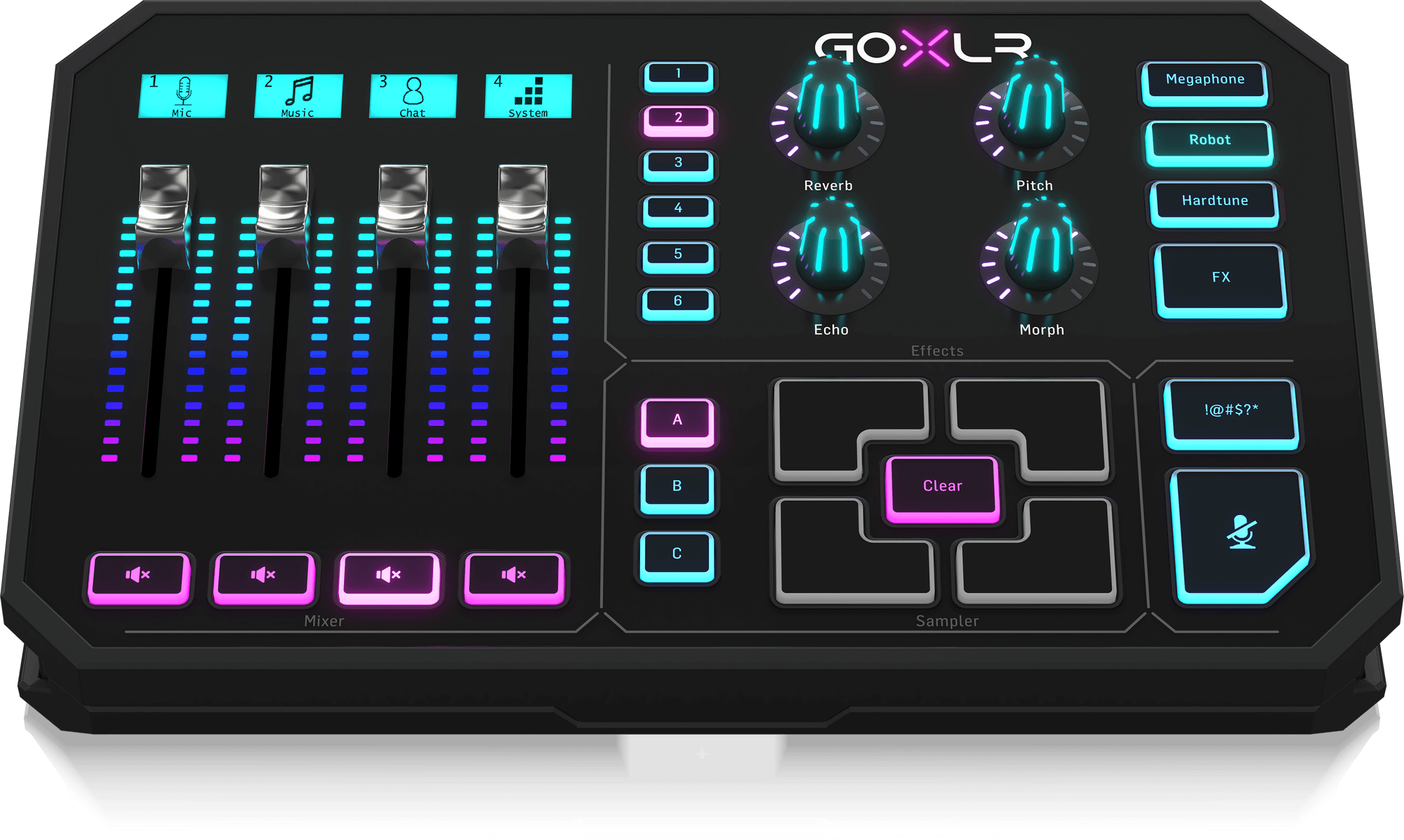
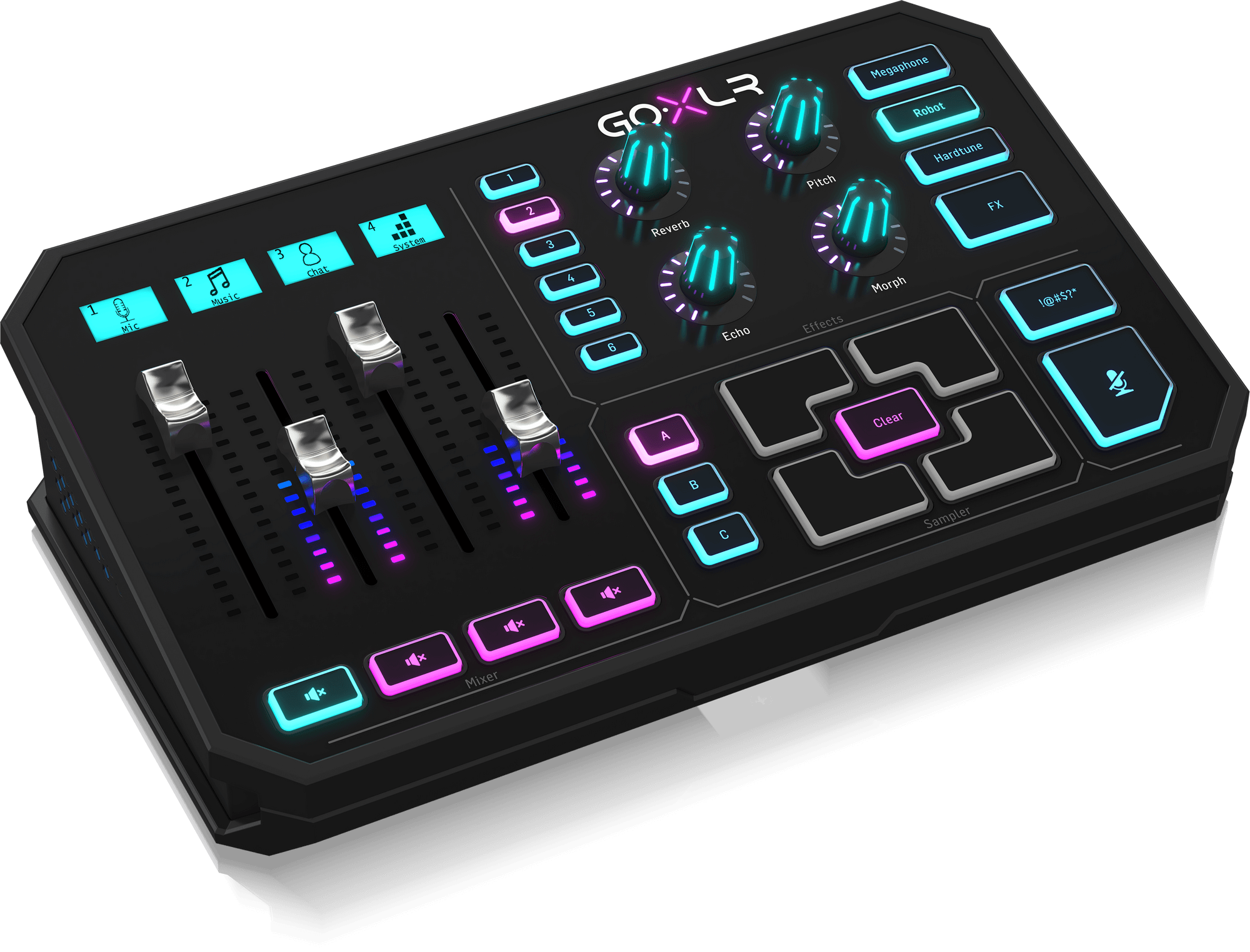
Assign the physical faders to the sources you need during a stream: your microphone, game, voice chat, music or other available channels. Motorized faders follow recalled settings, and the customizable LCD scribble strips identify each assignment. Set up the mix once, then make quick adjustments while you play or present.
Hands-On Mixing
Keep frequently adjusted sources on the four physical faders. The app gives you access to routing and the rest of your audio settings.
Make Channels Recognizable
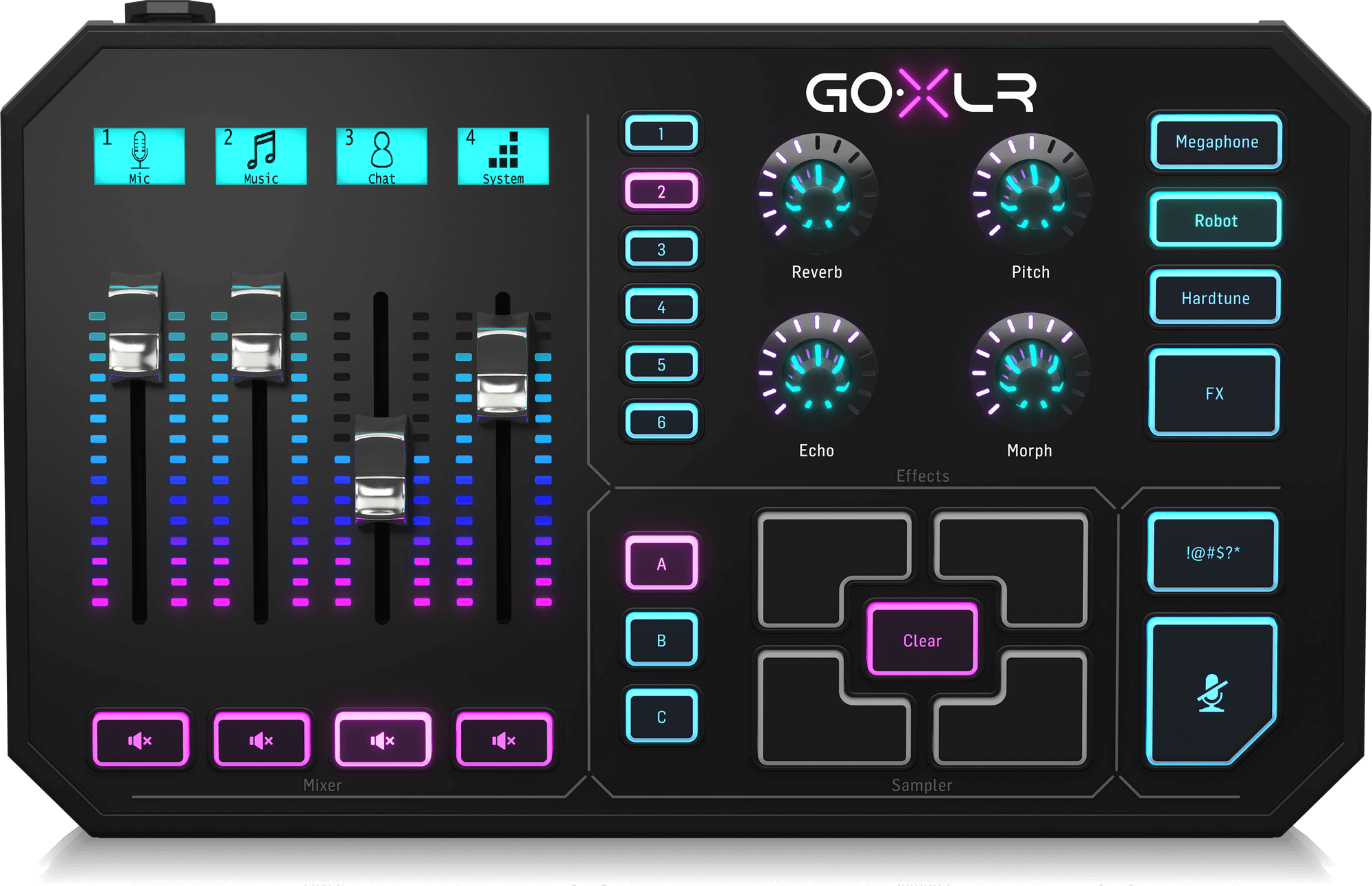
Use LCD channel labels and configurable RGB lighting to organize your controls and match a Black or White desk setup.
Shape Your Microphone Sound
The balanced XLR input uses a low-noise Midas microphone preamp. Connect a suitable dynamic microphone, or enable the app-controlled +48V phantom supply when your microphone requires it. EQ, compression, de-essing and gating let you adjust tone and dynamics before your audio reaches the stream.
Building an XLR voice setup? Consider the Shure SM7B or RODE PodMic as microphone options. Use an XLR cable, choose the correct microphone type in the app and adjust gain to suit your voice. These are separate microphone purchases, not items included with GoXLR.
Samples and Voice Effects at Your Fingertips
A Sound Board for Live Moments
Four sample pads and three banks provide places for recorded clips, show intros and recurring sounds. Record material or load prepared samples, then trigger them from the control surface.
Creative Vocal Processing
Reverb, Echo, Pitch Shift, Morph Formant Shift, Robot, Megaphone and HardTune give you different ways to change your voice for a segment, character or transition.
Use the sampler and creative effects when they support the show; keep your everyday voice processing separate so ordinary conversation stays consistent.
Connect Your Microphone, Headphones and PC
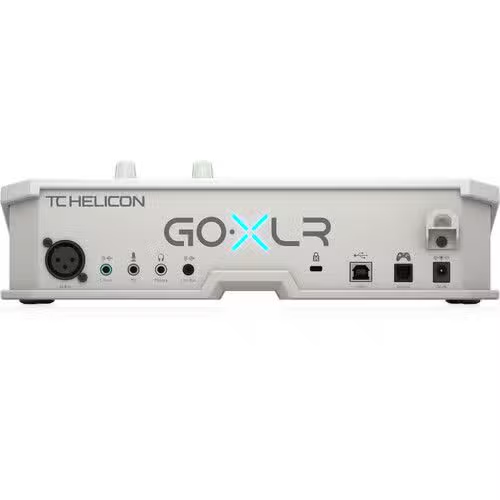
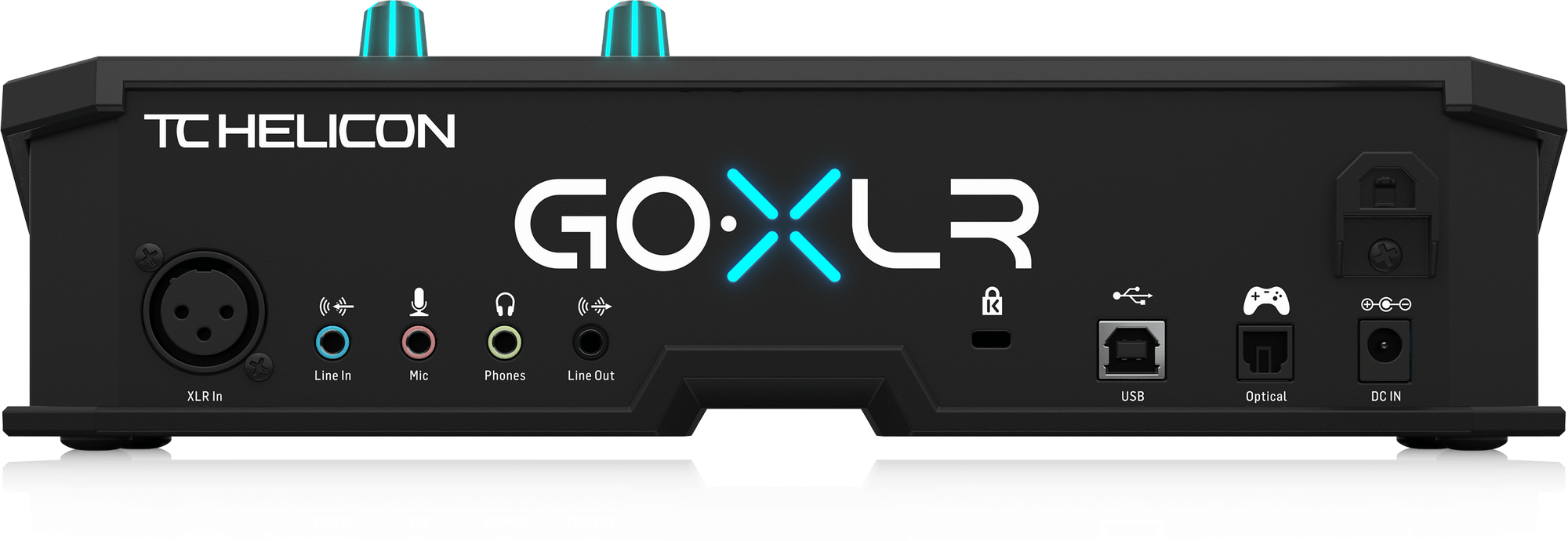
Alongside the XLR microphone input, GoXLR provides a 3.5mm computer-microphone input, stereo line input, stereo headphone output and stereo line output. USB 2.0 Type-B connects the mixer to your computer, while the Toslink optical input provides another supported audio connection.
The headphone output lets you monitor your routing and levels. Check your microphone connector and computer ports before ordering; an XLR microphone and a USB-only microphone use different connection paths.
Set Up a Single-PC or Dual-PC Stream
- Install and connect. Install the GoXLR App on a supported Windows computer, connect the supplied power adapter and USB cable, then configure your microphone.
- Route your sources. Assign game, chat, music and microphone audio in the app so your faders control the sources you expect.
- Send the stream mix. Select Broadcast Stream Mix as an audio input in OBS. Avoid capturing the same sources a second time in OBS.
For a dual-PC setup, the manufacturer describes connecting GoXLR by USB to the gaming PC and sending its 3.5mm line output to the streaming PC’s line input. A return cable from the streaming PC’s line output to GoXLR’s line input can bring audio back into the mix. Check that your computers have the required line connections.
GoXLR vs GoXLR Mini: Which Fits Your Setup?
Choose the full-size GoXLR if motorized faders, LCD channel labels, sampling and creative voice effects are part of how you want to stream. If your priority is mixing and routing with microphone processing, compare the Mini before deciding.
| Feature | GoXLR | GoXLR Mini |
|---|---|---|
| Physical Faders | 4 motorized | 4 non-motorized |
| LCD Channel Labels | Yes | No |
| Sampler / Sound Board | Yes | No |
| Creative Voice Effects | Yes | No |
| XLR Input & Mic Processing | Yes | Yes |
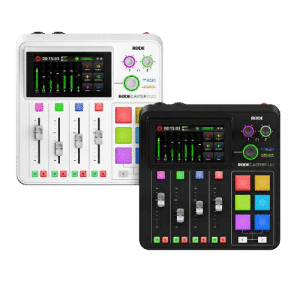
Explore the GoXLR Mini for a simpler control surface. If you need two microphone inputs and a different production workflow, also compare the RODE RODECaster Duo; it is an alternative studio system with different capabilities.
Black or White: The Same GoXLR Workflow
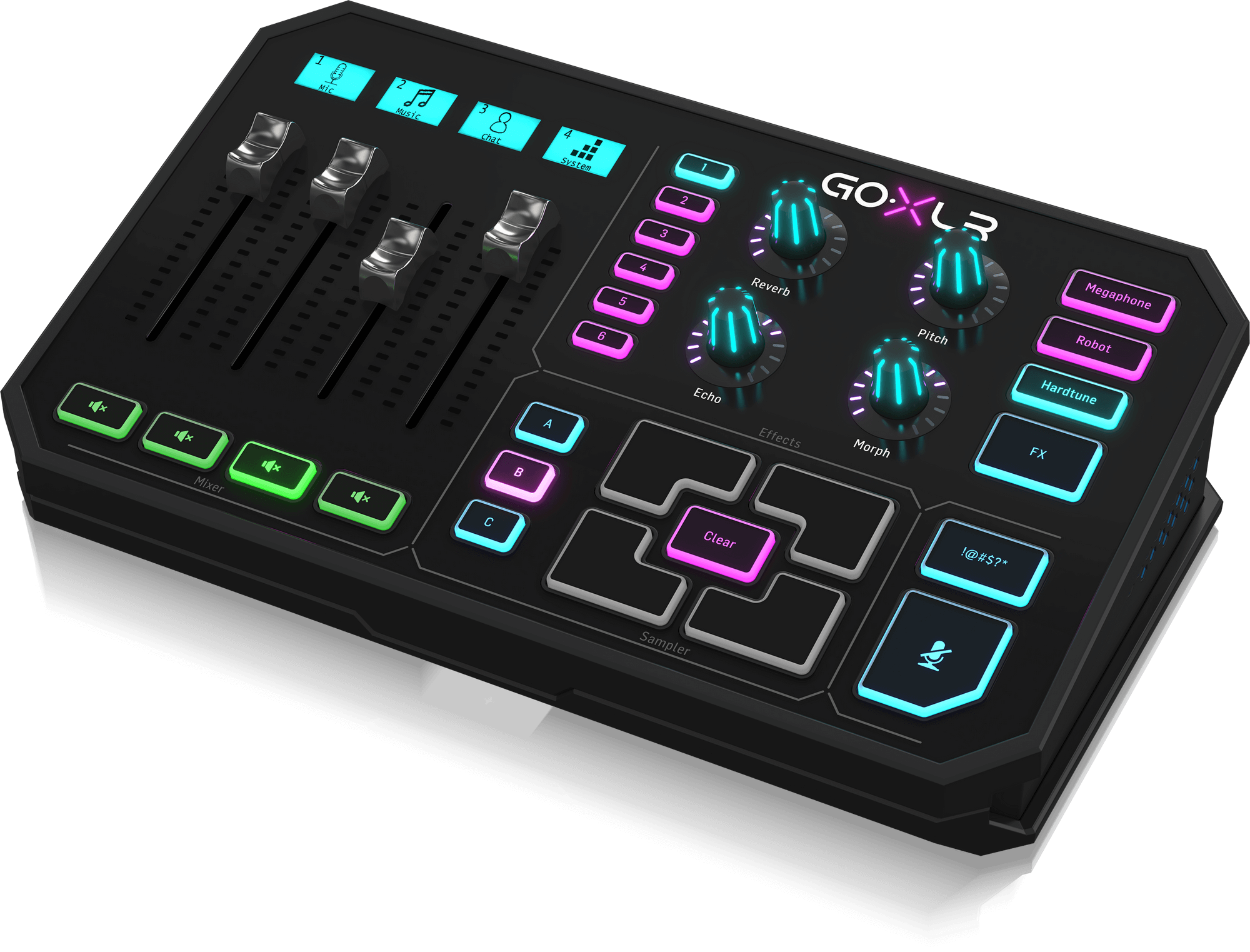
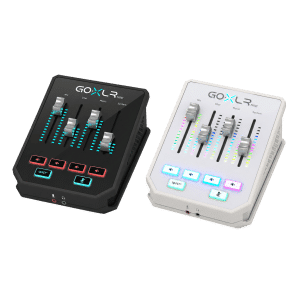
The Black GoXLR (0803-AAA) and White GoXLR-WH (0803-AAJ) bring the full-size GoXLR feature set to different finishes. Select the color option that suits your setup and check the selected variation’s current price and availability above.
Plan Your Microphone and Monitoring Together
An XLR microphone such as the RØDE PodMic uses the GoXLR microphone preamp for gain. Place it at a consistent speaking distance with a suitable arm such as the PSA1+, then set the input before applying compression, gating or effects.
The GoXLR Mini Mixer also supports phantom power, but its supplied phantom voltage is +24V rather than the full-size model’s +48V. Check the microphone manufacturer’s requirement instead of treating the two power specifications as identical. Neither device turns a USB-only microphone into an XLR source.
Frequently Asked Questions
What is the difference between GoXLR and GoXLR Mini?
The full-size GoXLR adds motorized faders, LCD channel labels, a sampler and creative real-time voice effects. GoXLR Mini focuses on four-fader mixing, routing and microphone processing without those full-size performance controls.
Does GoXLR work with Windows, Mac or Linux?
TC Helicon lists Windows 7, 8, 10 and 11 for the GoXLR App. There is no official macOS or Linux support. Check the app requirements before choosing GoXLR for your computer.
Can I use GoXLR without a computer?
The GoXLR App is required to operate GoXLR. Plan for a supported Windows computer, a USB connection and the supplied external power adapter; this is not a standalone mixer.
Does GoXLR accept four XLR microphones or a USB microphone?
No. Four mixer channels do not mean four XLR inputs: GoXLR has one balanced XLR microphone input and a separate 3.5mm computer-microphone input. Its USB Type-B port connects to your computer; it is not a USB microphone host.
Can I connect a Shure SM7B or RODE PodMic?
Yes. Connect an XLR dynamic microphone such as the Shure SM7B or RODE PodMic to the XLR input using an XLR cable. Select Dynamic in the GoXLR App and set the input gain for your voice and microphone distance. These microphones do not need phantom power.
How do I send GoXLR audio to OBS?
Route the desired sources in the GoXLR App, then select Broadcast Stream Mix as an audio input in OBS. Check that the same sources are not also captured separately in OBS, which can cause doubled audio.
Can GoXLR work in a dual-PC streaming setup?
Yes. The manufacturer describes a setup with GoXLR connected by USB to the gaming PC and its 3.5mm line output connected to the streaming PC line input. A second stereo cable can return audio from the streaming PC line output to GoXLR line input.
What warranty does AX Store list for GoXLR?
AX Store lists a 1-year warranty for this GoXLR product.
Why Buy Your GoXLR Mixer from AX Store?
Choose your GoXLR color, review the full specifications and compare compatible audio gear in one place at AX Store Kuwait. This product is listed with a 1-year warranty.
For a complete setup, compare the linked XLR microphones or browse our audio interfaces and mixers. Use the current product options and checkout for pricing and availability.
Technical Specifications
| Product & Models | |
|---|---|
| Brand | TC Helicon |
| Product Type | 4-channel USB streaming mixer, sound board and vocal effects system |
| Black Model | GoXLR (0803-AAA) |
| White Model | GoXLR-WH (0803-AAJ) |
| Available Colors | Black / White |
| Warranty | 1 Year |
| Mixer & Controls | |
| Mixer Channels | 4 |
| Motorized Faders | 4 |
| LCD Scribble Strips | 4 backlit LCD strips |
| Rotational Encoders | 4 |
| Buttons | 24 |
| Lighting | Customizable RGB |
| Sampler | Sound board and recorder; 4 sample pads with 3 banks (A/B/C) |
| Microphone & Audio Processing | |
| Microphone Preamp | Low-noise Midas preamp |
| Phantom Power | +48V, switchable via the GoXLR App |
| Microphone Processing | EQ, compression, de-essing and gate |
| Voice Effects | Reverb, Echo, Pitch Shift, Morph Formant Shift, Robot, Megaphone and HardTune |
| A/D - D/A Conversion | 24-bit / 48 kHz |
| Frequency Response | 10 Hz–20 kHz, +0 / -2 dB |
| Dynamic Range | >110 dB |
| Signal-to-Noise Ratio | >101 dB |
| Inputs & Outputs | |
| XLR Microphone Input | 1 × balanced XLR |
| 3.5mm Microphone Input | 1 × 3.5mm TRS, biased for a computer microphone |
| Line Input | 1 × 3.5mm TRS stereo |
| Headphone Output | 1 × 3.5mm TRS stereo |
| Line Output | 1 × 3.5mm TRS stereo |
| USB Connection | 1 × USB 2.0 Type-B |
| Optical Input | 1 × Toslink |
| Software & Compatibility | |
| Required Software | GoXLR App |
| Manufacturer-Listed Windows Versions | Windows 7 / 8 / 10 / 11 |
| macOS Support | No official support |
| Linux Support | No official support |
| Stream Mix Recording Device | Broadcast Stream Mix |
| Power, Dimensions & Package | |
| Power Supply | 12V DC / 1A, center negative |
| Power Consumption | 10 W |
| Product Dimensions (H × W × D) | 82 × 285 × 174 mm |
| Product Weight | 1.55 kg |
| In the Box | GoXLR mixer; 12V DC power adapter; USB cable |
Show More
Product & Models
Brand
TC Helicon
Product Type
4-channel USB streaming mixer, sound board and vocal effects system
Black Model
GoXLR (0803-AAA)
White Model
GoXLR-WH (0803-AAJ)
Available Colors
Black / White
Warranty
1 Year
Mixer & Controls
Mixer Channels
4
Motorized Faders
4
LCD Scribble Strips
4 backlit LCD strips
Rotational Encoders
4
Buttons
24
Lighting
Customizable RGB
Sampler
Sound board and recorder; 4 sample pads with 3 banks (A/B/C)
Microphone & Audio Processing
Microphone Preamp
Low-noise Midas preamp
Phantom Power
+48V, switchable via the GoXLR App
Microphone Processing
EQ, compression, de-essing and gate
Voice Effects
Reverb, Echo, Pitch Shift, Morph Formant Shift, Robot, Megaphone and HardTune
A/D - D/A Conversion
24-bit / 48 kHz
Frequency Response
10 Hz–20 kHz, +0 / -2 dB
Dynamic Range
>110 dB
Signal-to-Noise Ratio
>101 dB
Inputs & Outputs
XLR Microphone Input
1 × balanced XLR
3.5mm Microphone Input
1 × 3.5mm TRS, biased for a computer microphone
Line Input
1 × 3.5mm TRS stereo
Headphone Output
1 × 3.5mm TRS stereo
Line Output
1 × 3.5mm TRS stereo
USB Connection
1 × USB 2.0 Type-B
Optical Input
1 × Toslink
Software & Compatibility
Required Software
GoXLR App
Manufacturer-Listed Windows Versions
Windows 7 / 8 / 10 / 11
macOS Support
No official support
Linux Support
No official support
Stream Mix Recording Device
Broadcast Stream Mix
Power, Dimensions & Package
Power Supply
12V DC / 1A, center negative
Power Consumption
10 W
Product Dimensions (H × W × D)
82 × 285 × 174 mm
Product Weight
1.55 kg
In the Box
GoXLR mixer
12V DC power adapter
USB cable
Recommended products

 Add to WishlistRemove from Wishlist
 Add to Wishlist
 Add to WishlistRemove from Wishlist
 Add to Wishlist
 Add to WishlistRemove from Wishlist
 Add to Wishlist
 Add to WishlistRemove from Wishlist
 Add to Wishlist
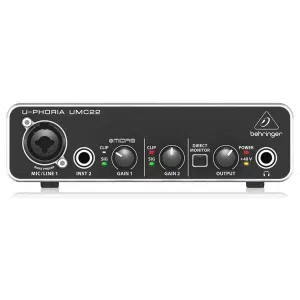
31.500 د.ك
Save 5% with direct online payment


 Use KNET / Visa / Mastercard at checkout


29.900 د.ك
Save 1.600 د.ك (5%)
Shure SM7B
Empower Your Sound with the Legendary Shure SM7B Microphone
Shure SM7B Cardioid Dynamic Microphone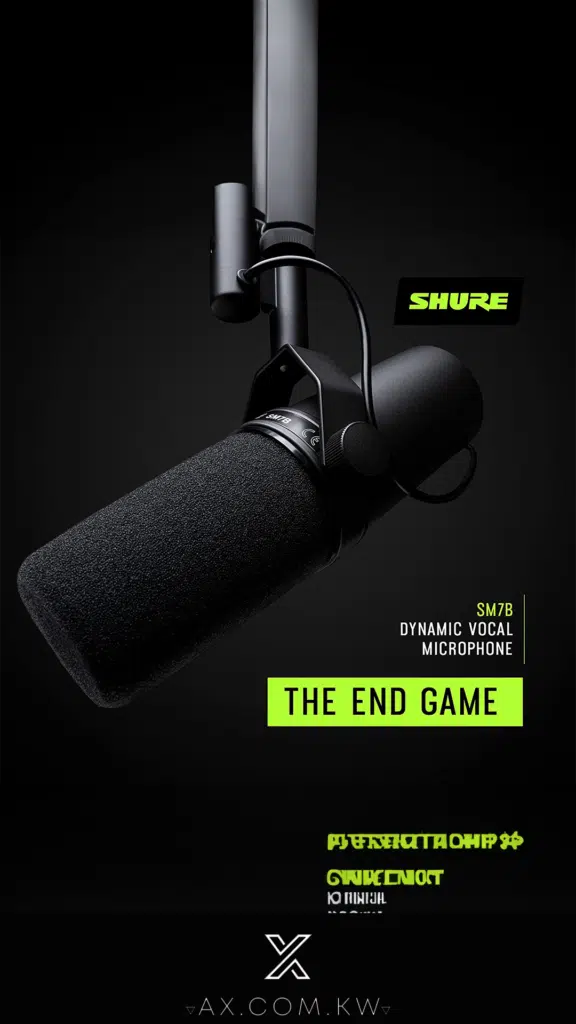
DT 990 Pro
Where Audio Fidelity Meets Unparalleled Comfort
beyerdynamic DT 990 PRO 250 Ohm open Studio Headphone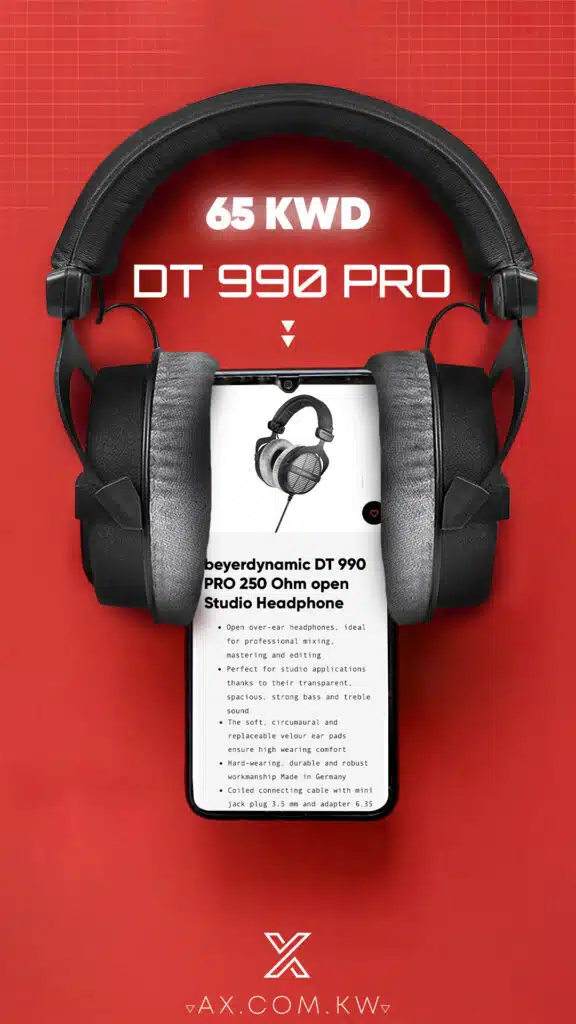
Join the best gaming community!
Join our Discord server for a community of like-minded individuals, where you can stay up to date with all the offers, new arrivals and much more.
Join the discord server

Our benefits

Secure Payments
K-NET & Credit cards

Fast shipping
Delivery in next day

Live support
Get in touch with us

Easy returns
14 days after purchase (Check Return Policy)