
Skip to content

Brand

GameMax

9 PRODUCTS

GameMax Infinity, Revolt, Kreator and VEGA Pro cases, 80 PLUS Bronze, Gold and Platinum power supplies and ARGB fans. Core parts for a clean gaming build.

GameMax

Showing 9 of 9 products

GAMEMAX AT AX

Cases, power and airflow covered.

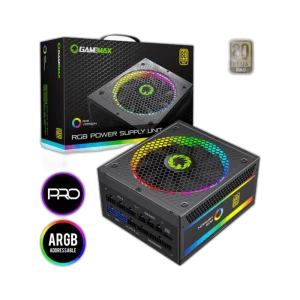
Shop GameMax in Kuwait: the Infinity, Revolt and Kreator ATX mid tower cases and the VEGA Pro E-ATX full tower, 800W Bronze, 750W Gold and 1300W Platinum modular power supplies, the RQ 300 3-in-1 ARGB fan kit and the FN-12 Rainbow-Q-Infinity 120mm ARGB fan.

The mid towers suit most ATX gaming builds. Revolt and Kreator come with ARGB fans fitted, and Infinity is the white tempered glass option. VEGA Pro gives E-ATX room for bigger cooling. Pick the power supply by wattage: 750W or 800W for mid-range builds, 1300W Platinum for high-end systems.

Infinity · Revolt · Kreator

ATX mid tower cases

Bronze · Gold · Platinum

80 PLUS power supplies

ARGB

120mm fans and 3-in-1 kit

GAMEMAX FAQ

Before you buy.

Straight answers to the questions we hear most about GameMax cases, power supplies and fans.

Mid tower or full tower: which GameMax case should I choose?

Mid tower ATX cases such as the Infinity, Revolt and Kreator fit most standard ATX gaming builds. The VEGA Pro is a full tower with E-ATX support, giving extra room for larger boards, more fans and bigger cooling setups. Check the case's graphics card length and cooler height limits against your parts.

Which GameMax power supply wattage do I need?

Add up your CPU and graphics card power and leave healthy headroom. A 750W unit covers many mid-range gaming builds, while the 1300W Platinum model is aimed at high-end systems with power-hungry graphics cards. Your graphics card maker's recommended PSU wattage is a useful guide.

What do Bronze, Gold and Platinum ratings mean, and what is fully modular?

80 PLUS Bronze, Gold and Platinum mark rising efficiency levels, so less power is lost as heat. Fully modular units like the GameMax 750W Gold and 1300W Platinum let you connect only the cables you need, which keeps the build tidy and helps airflow.

How do I connect GameMax ARGB fans?

ARGB fans such as the FN-12 Rainbow-Q-Infinity and the RQ 300 3-in-1 kit use addressable RGB, which connects to a 3-pin 5V ARGB header on the motherboard or to a fan hub or controller. Never plug ARGB into a 4-pin 12V RGB header, as the voltage is different and can damage the LEDs.

Added to cart

View cart

Subscribed

We'll email you as soon as it's back in stock.

Saved to wishlist

View wishlist

