Category
Storage
48 PRODUCTS
NVMe M.2 SSDs, SATA SSDs and hard drives from 256GB to 4TB from Samsung, WD, Kingston, Crucial and Sabrent. Storage delivered across Kuwait.


OUT OF STOCK
138.500 KWD
or 4 × 34.625 KWD with


WITH CARD
OUT OF STOCK
87.000 KWD
or 4 × 21.750 KWD with
WITH CARD
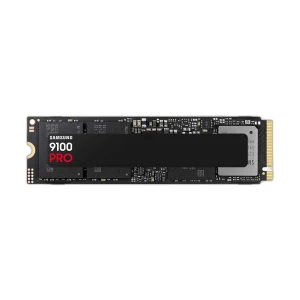
OUT OF STOCK
110.500 KWD
or 4 × 27.625 KWD with
WITH CARD
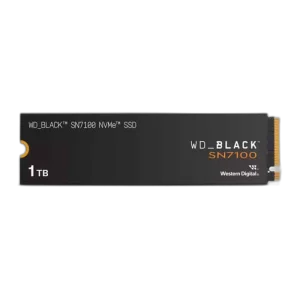
OUT OF STOCK
34.500 KWD
or 4 × 8.625 KWD with
WITH CARD
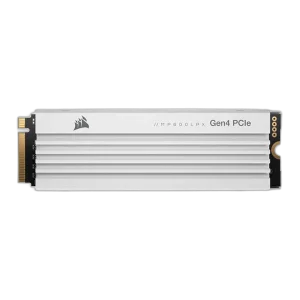
OUT OF STOCK
135.500 KWD
or 4 × 33.875 KWD with
WITH CARD
Load More Products
Showing 12 of 48 products
STORAGE AT AX
Faster loads, more room for games.
Shop PC storage in Kuwait from Samsung, WD_BLACK, Corsair, Kingston, Crucial and Gigabyte AORUS, from PCIe 4.0 and 5.0 NVMe SSDs to SATA SSDs and hard drives for bulk storage. Pick the drive type for your slot first, then the capacity your library needs.
How to choose an SSD or drive
- Drive type: An M.2 NVMe SSD makes the best boot and game drive. A 2.5-inch SATA SSD or a hard drive suits older systems, backups and media.
- PCIe generation: Gen 5 drives need a PCIe 5.0 M.2 slot to reach their speed and pay off most in large file transfers. A good Gen 4 drive covers gaming well.
- Capacity: Current games are large, so 2TB is a comfortable size for a main library, with 4TB for big libraries or video projects.
- Cooling: Fast NVMe drives run warm under sustained load. Use the motherboard’s M.2 heatsink or a drive that ships with its own cooler.
- Fit: Most desktops and laptops take M.2 2280 drives, but drives with large heatsinks need desktop clearance and will not fit a laptop.
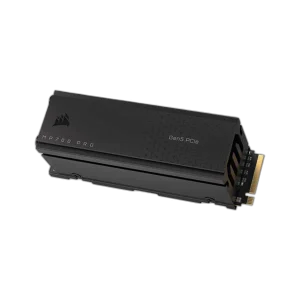
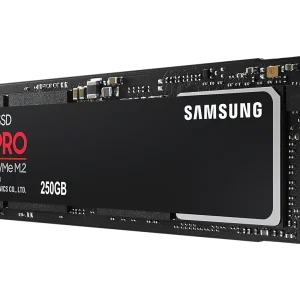
Popular drives in stock now: the Samsung 980 PRO PCIe 4.0 NVMe SSD, the Corsair MP700 PRO 4TB with Air Cooler and the Corsair MP700 PRO with Air Cooler. Shop by brand: Corsair and Samsung.
NVMe 4.0 · 5.0
M.2 boot and game drives
Up to 8TB
SSD capacities
SATA · HDD
for bulk storage
STORAGE FAQ
Before you buy.
Straight answers to the questions we hear most about SSDs and PC storage.
NVMe or SATA SSD: which should I choose?
An M.2 NVMe SSD, such as the Samsung 980 PRO, is much faster than a 2.5-inch SATA SSD and needs no cables, so it suits your main system and game drive. SATA SSDs fit older PCs without M.2 slots or add extra capacity.
Is a PCIe Gen 5 SSD worth it over Gen 4 for gaming?
Gen 5 drives like the Corsair MP700 PRO offer much higher sequential speeds, which help with large file transfers and video editing. To reach those speeds they need a PCIe 5.0 M.2 slot and good cooling. For gaming alone, a quality Gen 4 drive such as the Samsung 980 PRO loads games nearly as quickly.
Will an M.2 SSD fit my motherboard or laptop?
Most current motherboards and many laptops use the M.2 2280 size, but check that the slot supports NVMe and which PCIe generation it runs at. Drives with large heatsinks or coolers, like the Corsair MP700 PRO with Air Cooler, are made for desktop motherboards with enough clearance, not laptops.
How much storage do I need for gaming?
Many modern games take 100GB or more each, so 1TB fills quickly. A 2TB NVMe drive is a comfortable size for a gaming library, and a 4TB drive like the Corsair MP700 PRO 4TB suits large libraries or video projects. A hard drive is better kept for backups and media.