Skip to content

Category

Laptops

40 PRODUCTS

Gaming and creator laptops with RTX graphics and high-refresh displays from ASUS ROG, MSI, Lenovo Legion and more. Delivered across Kuwait.

Laptops
Load More Products

Showing 36 of 40 products

GAMING LAPTOPS AT AX

Desktop frames, carry-on size.

ASUS ROG, MSI, Lenovo Legion, Acer, HP and Dell gaming laptops with GeForce RTX graphics, high-refresh displays and fast SSDs, plus MacBook Pro for creators.

The GPU tier sets the frame rate, so choose that first, then the display (1440p at 165Hz and up is the sweet spot) and the cooling, which decides how long the laptop sustains it. Creators can look at MacBook Pro too.

RTX graphics

laptop GPUs in every tier

144 to 240Hz

high-refresh displays

ROG · MSI · Legion

Acer, HP and Dell

LAPTOPS FAQ

Before you buy.

Straight answers to the questions we hear most about gaming and everyday laptops.

Gaming laptop or everyday laptop: which do I need?

Gaming laptops like the Acer Nitro V 15 or ASUS TUF Gaming F16 have dedicated GeForce RTX graphics for games, 3D and video work, but they are heavier and use more power. Everyday laptops such as the HP Spectre x360 or Lenovo IdeaPad 3 are lighter, quieter and better suited to study and office work.

Which graphics tier should I look for in a gaming laptop?

The GPU matters most for games. RTX 5060 laptops like the Acer Nitro V 16S handle 1080p gaming well, the RTX 5070 in the HP Omen 16 adds headroom, and RTX 5080 or 5090 machines such as the AORUS MASTER 16 and AORUS MASTER 18 target demanding games at high resolution.

What screen size should I choose: 14, 16 or 18 inches?

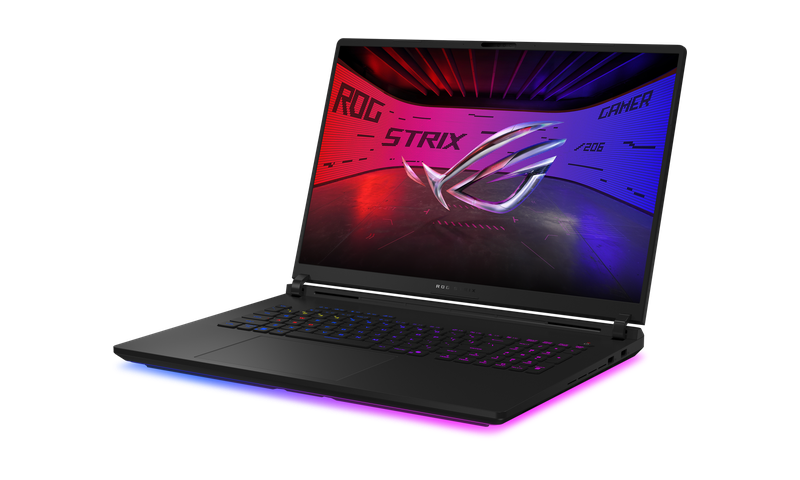
14-inch models like the ASUS ROG Zephyrus G14 are the easiest to carry every day. 16-inch laptops balance screen space and portability and are the most common size for gaming. 18-inch machines such as the ASUS ROG Strix G18 suit desktop-replacement use, where the laptop rarely leaves the desk.

How much RAM and storage does a gaming laptop need?

16 GB of RAM is a solid baseline for gaming, and 32 GB helps with streaming, editing or heavy multitasking. A 1 TB SSD is a comfortable start, since modern games are large. Many gaming laptops allow RAM or SSD upgrades later, but check the specific model, as some have memory soldered to the board.

Added to cart

View cart

Subscribed

We'll email you as soon as it's back in stock.

Saved to wishlist

View wishlist