Acer
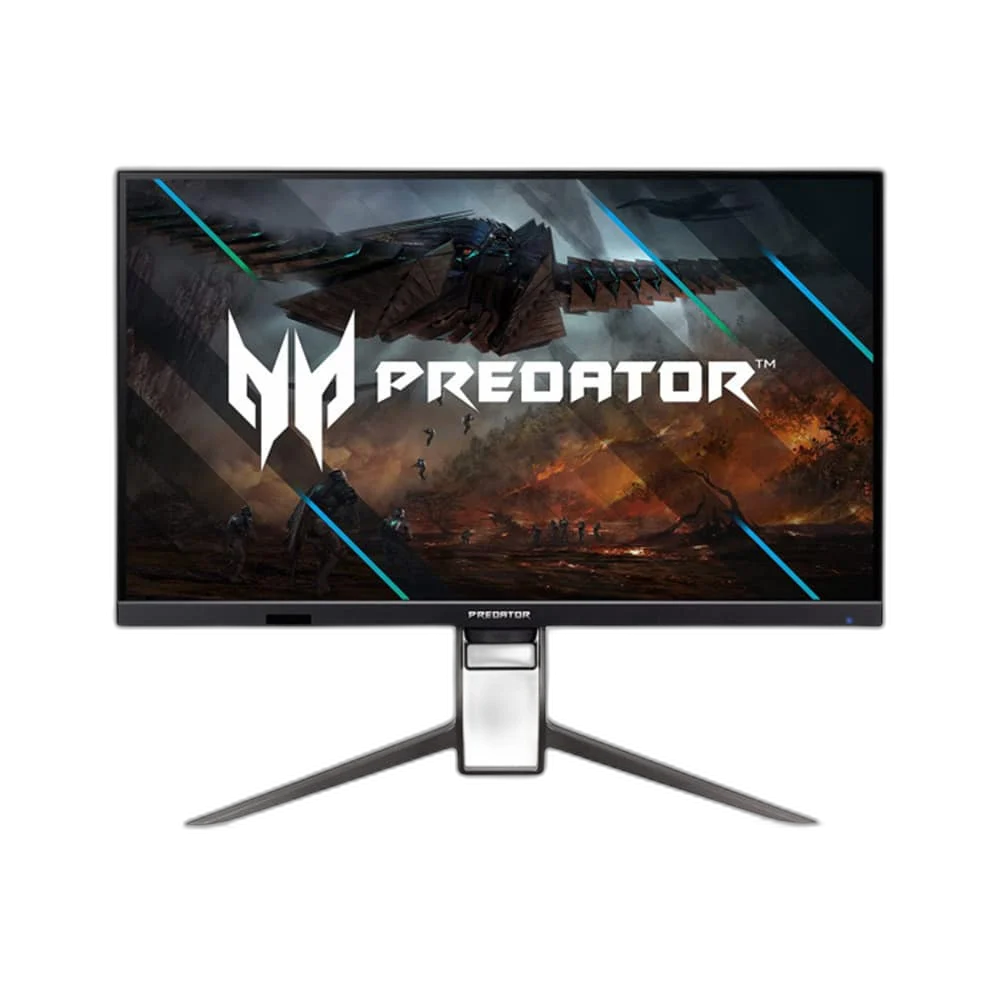
Acer Predator XB323QU 32 Inch WQHD IPS 170Hz Gaming Monitor
The Acer Predator XB323QU combines a large 31.5-inch IPS display, marketed in the 32-inch class, with 2560 × 1440 resolution. Its 144 Hz standard refresh rate and overclocked mode up to 170 Hz give a compatible gaming computer room to deliver a responsive QHD picture.
Regular price
167.000 KWD
or 4 payments of 41.750 KWD with
Pay with card & save


159.000 KWD
Save 8.000 KWD
Overview
ACER PREDATOR XB323QU GAMING MONITOR
A Large QHD IPS Workspace with up to 170Hz Overclocking
The Acer Predator XB323QU combines a large 31.5-inch IPS display, marketed in the 32-inch class, with 2560 × 1440 resolution. Its 144 Hz standard refresh rate and overclocked mode up to 170 Hz give a compatible gaming computer room to deliver a responsive QHD picture.
31.5 inch
IPS Display
QHD
2560 × 1440
144 Hz
Standard Refresh
Up to 170 Hz
Overclocked Mode
QHD Detail Across a Large Display
The 2560 × 1440 resolution provides a QHD workspace for games, media and everyday applications. It offers more desktop pixels than Full HD, helping you arrange windows or view detailed game scenes. The application, content and scaling settings determine how that workspace is used.
31.5 Inches of IPS Screen Space
The 31.5-inch viewable diagonal sits in the familiar 32-inch monitor class, giving the display a substantial presence on a desk. IPS technology provides the panel foundation. Plan a comfortable viewing distance and enough desk space around the screen, peripherals and the rest of the setup.
144 Hz Standard Refresh
The display has a standard 144 Hz refresh rate. A compatible source and selected display mode are needed to use that refresh rate. Your game still needs to render enough frames for the application to benefit from the higher display-update frequency.
Up to 170 Hz in Overclocked Operation
The manufacturer describes up to 170 Hz as an overclocked refresh mode rather than the standard native setting. Use the supported connection, monitor settings and graphics configuration when selecting that mode. Choose a stable setting that works with your particular computer and display connection.
Choose Settings Around the Game
QHD resolution and a high-refresh display create several choices for balancing image detail and rendering speed. Set the game resolution, graphics quality and frame-rate target around the performance of the computer. A monitor refresh specification by itself does not guarantee the same frame rate in every title.
Brand
Acer Predator
Model family
XB323QU
Display class
32-inch gaming monitor
Room for Work as Well as Gaming
The flat 16:9 QHD display can serve a desktop used for both entertainment and everyday work. Arrange text scaling, application windows and the physical screen position around your normal tasks. A deliberate desk layout makes the larger display more useful than simply placing it as close as possible.
Complete Your Workspace
Explore Monitors to compare suitable options and complete your setup.
Frequently Asked Questions
Is this a 4K monitor?
The display resolution is QHD, 2560 × 1440. That is a different resolution from 3840 × 2160 4K UHD.
Is 170 Hz the standard refresh setting?
The manufacturer lists 144 Hz as the standard setting and up to 170 Hz through overclocked operation. Use a supported connection and display mode.
Will every game run at 170 frames per second?
The monitor refresh rate is separate from the game rendering rate. Your processor, graphics card, game settings and the title itself determine how many frames the computer can produce.
Is the panel 32 inches or 31.5 inches?
The viewable diagonal is 31.5 inches, marketed in the 32-inch monitor class. Allow suitable desk space and viewing distance for the larger screen.
What should I check when setting up the monitor?
Match the resolution and refresh mode to the supported source connection, use an appropriate cable, and choose a stable refresh setting. Then adjust text scaling and screen position around your normal viewing distance.
Build Your Setup with AX Store Kuwait
Explore computers, displays and accessories for your workspace at AX Store Kuwait. For help choosing the right model or checking an accessory, contact AX Store.
Compare Acer Predator XB273U NV 27 Inch WQHD IPS 170Hz Gaming Monitor. Match the exact model, connection and configuration to your setup.
THE DETAILS
Technical specifications
Product Specifications
Acer Predator
XB323QU
32-inch gaming monitor
31.5 inches
IPS
Flat
2560 × 1440, QHD
16:9
144 Hz
Up to 170 Hz, with a supported mode and connection
COMPLETE YOUR SETUP
Pairs well with