Apple
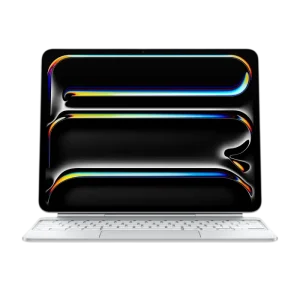
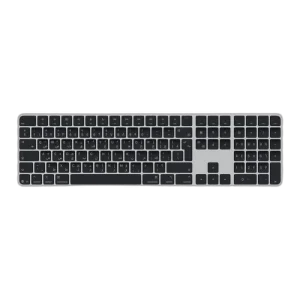
Apple Magic Keyboard for iPad Air 11" M4/M3/M2 – Arabic/English – White
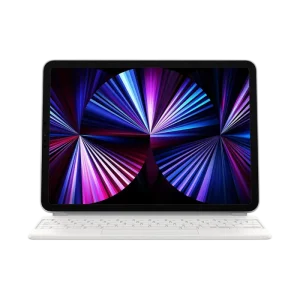
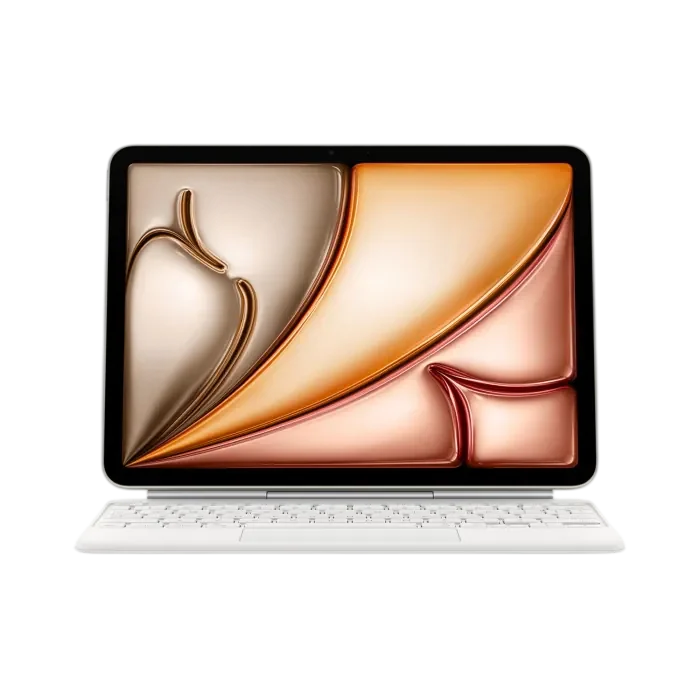
Make typing and editing easier with the Apple Magic Keyboard for iPad Air 11-inch in White. Compatible with M4, M3 and M2 models, it combines Arabic/English keys, a large glass trackpad, a 14-key function row and USB-C pass-through charging. Its adjustable floating design folds to protect the front and back of your iPad. iPad sold separately.
Overview
APPLE / IPAD KEYBOARDS
Magic Keyboard for iPad Air 11-inch
Type comfortably. Edit with control.
Give your iPad Air a dedicated keyboard and trackpad for notes, emails and longer documents. This White Magic Keyboard combines an Arabic/English layout with a 14-key function row, adjustable viewing angles and USB-C pass-through charging. Attach your compatible iPad magnetically, open your work and start typing.

Arabic / English
Bilingual keyboard layout
14 Keys
Dedicated function row
Glass Trackpad
Multi-Touch gestures and cursor control
USB-C
Pass-through charging for iPad
ARABIC AND ENGLISH TYPING
Write comfortably in both languages
Arabic and English characters are printed on the keys, making this layout useful for bilingual messages, coursework and office documents. Physical keys give you a familiar way to work through longer passages and make corrections as you go.
The keyboard uses a scissor mechanism with 1 mm of key travel. Its compact layout keeps the typing area and trackpad together, so you can move between entering text and selecting items without rearranging your workspace.
14-KEY FUNCTION ROW
Keep everyday controls within reach
A dedicated function row provides direct access to controls such as screen brightness and volume. These keys are useful when moving between a quiet study session, a video call and watching a presentation.
Adjust the screen or audio while keeping your hands near the typing area. The physical controls make frequent changes easy to repeat throughout the day.
LARGE GLASS TRACKPAD
Place the cursor where you need it
The built-in glass trackpad supports the iPadOS cursor and Multi-Touch gestures. Use it to select text, move through documents and work with controls that benefit from precise pointer placement.
You can adjust tracking speed and scrolling behaviour in iPad settings. Start with a comfortable pointer speed, then tailor it to the way you edit documents or navigate your usual apps.

FLOATING CANTILEVER DESIGN
Set the screen at a comfortable angle
Your compatible iPad attaches magnetically above the keyboard. The cantilever hinge lets you adjust its viewing angle smoothly, helping you position the screen for reading, typing or a call.
Place the keyboard on a stable surface and adjust the display before starting a longer session. When you want to use the iPad handheld, detach it from the magnetic mount.
SMART CONNECTOR AND USB-C
Attach, type and keep your iPad charged
The Smart Connector carries power and data between the keyboard and iPad. There is no Bluetooth pairing process, and the keyboard does not need separate charging.
Connect your charging cable to the keyboard’s USB-C port to charge the attached iPad. This leaves the iPad’s own port available for compatible accessories. The keyboard’s USB-C port carries power only and does not support data transfer or external devices.

COMPATIBILITY AND EVERYDAY CARRY
Close your workspace and take it along
The keyboard folds around the iPad to provide front and back protection. It keeps the typing setup together when moving between a desk, a classroom and home.
This 11-inch version supports iPad Air 11-inch with M4, M3 or M2, plus iPad Air 4th and 5th generation. It requires iPadOS 18.3 or later. Check your iPad model before choosing; the 13-inch iPad Air uses a different keyboard size.
BEFORE YOU CHOOSE
A few useful answers
Which iPad models are compatible?
It supports iPad Air 11-inch with M4, M3 or M2, plus iPad Air 4th and 5th generation. It does not fit the 13-inch iPad Air.
Does this keyboard have Arabic and English keys?
Yes. The MDFV4AB/A version has Arabic and English characters printed on the keys.
Does it need Bluetooth pairing or separate charging?
No. It connects through the iPad’s Smart Connector, which supplies power and data without Bluetooth pairing or separate keyboard charging.
Can I connect a drive or mouse to the keyboard’s USB-C port?
No. The keyboard’s USB-C port is for charging the attached iPad only. Connect data accessories to the iPad’s own port.
Which iPadOS version is required?
This Magic Keyboard requires iPadOS 18.3 or later on a compatible iPad Air.
Is an iPad included?
No. This product is the Magic Keyboard accessory. The iPad shown in the images is sold separately.
EXPLORE THE SETUP
COMPLETE YOUR SETUP
Pairs well with