
ASUS
ASUS ALB01 ROG Aura Monitor Light Bar - Black
ASUS ROG Aura ALB01 monitor light bar with asymmetrical desk illumination, Aura RGB and combined lighting modes. Features 2700–6500 K adjustable white light, Ra ≥95 color rendering, clamp and magnetic positioning, physical controls, DisplayWidget Center support and 5 V / 1 A USB power.
Regular price
51.500 KWD
or 4 payments of 12.875 KWD with
Pay with card & save


49.000 KWD
Save 2.500 KWD
Overview
ASUS ROG AURA MONITOR LIGHT BAR ALB01
Desk Illumination and Aura RGB in One Monitor Light Bar
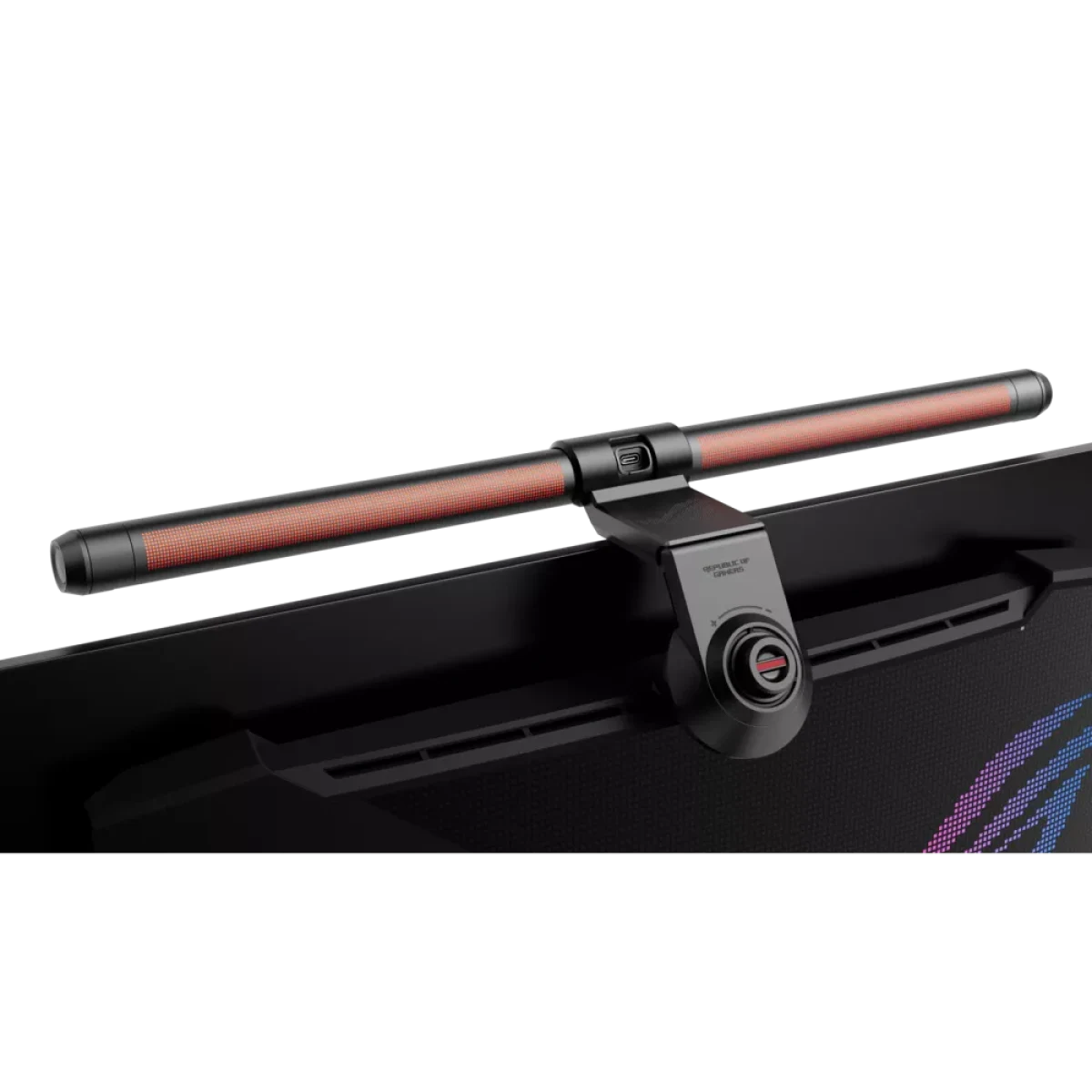
ROG Aura Monitor Light Bar ALB01 combines an asymmetrical desk light with Aura RGB lighting in a monitor-mounted design. Choose desk illumination, synchronized RGB or both, then adjust brightness and white color temperature using the physical controls or DisplayWidget Center. A clamp and rotating magnetic buckle provide positioning for supported flat and curved monitor shapes.
2700–6500 K
White Colour Temperature
>800 lux
Centre Illuminance at 45 cm
Ra ≥95
Colour Rendering
5 W
Maximum USB Consumption
Three Lighting Modes
Screen Light mode adds illumination to the desk area in front of the monitor. Aura RGB Lighting mode coordinates with compatible ROG Aura products, and the combined mode runs both types of lighting together. Select the mode around the activity and room lighting, whether you want a focused work area or a coordinated gaming atmosphere across compatible equipment.
Asymmetrical Desk Lighting
The asymmetrical light design directs illumination toward the desktop while reducing unwanted reflections on the screen. ASUS specifies centre illuminance above 800 lux when positioned 45 cm above the desk, with the product test conditions stated by the manufacturer. Plan the bar position around your screen and work surface, then adjust the light for the room and your usual desk activities.
Adjustable White Color Temperature
The white-light color temperature adjusts from 2700 K to 6500 K, covering warm-white through cool-white settings. Brightness and color temperature share a physical control on the bar, while the color rendering specification is Ra 95 or greater. Choose the light setting that suits your desk task and surrounding illumination, then revisit it as daylight or room lighting changes.
Clamp and Magnetic Positioning
The clamp accommodates listed flat-monitor thicknesses from 9–55 mm and curved-monitor thicknesses from 6–30 mm. A tightening dial and rotating magnetic buckle help position the bar around compatible monitor shapes. ASUS identifies PG34WCDM and PG39WCDM as incompatible models in its installation support guide, so check your screen model and mounting shape before arranging the light.
Physical and Software Controls
The bar includes a power and RGB-lighting switch, a brightness and color-temperature switch, and a USB-C port. DisplayWidget Center provides software access to supported light settings, complementing the controls on the unit. Configure the available lighting modes and Aura-compatible equipment around your computer setup, keeping the controls accessible for the changes you make during everyday use.
USB Power and Desk Planning
ALB01 requires a 5 V, 1 A USB supply and has a specified maximum power consumption of 5 W. The published dimensions are 49.8 × 10.7 × 11.7 cm, with a net weight of 0.66 kg. Leave room for the mounting clamp and cable routing when arranging the monitor, and use a USB connection that provides the stated power input.
Complete Your Workspace
Explore Key Lights at AX Store and choose the configuration or accessories that fit your setup.
Frequently Asked Questions
Which lighting modes and colour temperature are available?
Lighting modes: Screen Light; Aura RGB Lighting; Combined. White color temperature: 2700–6500 K.
How is the light powered and controlled?
Controls: Physical switches; brightness/color-temperature control; DisplayWidget Center. Power source: USB. Input: 5 V, 1 A.
Which monitor thicknesses does the clamp support?
Supported flat-monitor thickness: 9–55 mm. Supported curved-monitor thickness: 6–30 mm.
Are there manufacturer-listed monitor exclusions?
Manufacturer-listed incompatible monitors: ASUS PG34WCDM; PG39WCDM.
Does its RGB lighting support Aura Sync?
RGB synchronization: Aura Sync; compatible ROG Aura products.
Build Your Setup with AX Store Kuwait
Explore computers, displays and accessories for your workspace at AX Store Kuwait. For help choosing the right model or checking an accessory, contact AX Store.
THE DETAILS
Technical specifications
Lighting
ALB01
Dual LED and RGB LED
Screen Light; Aura RGB Lighting; Combined
2700–6500 K
>800 lux at 45 cm height
Ra ≥95
60% over 60 × 40 cm
Aura Sync; compatible ROG Aura products
Physical switches; brightness/color-temperature control; DisplayWidget Center
Power, Mounting and Dimensions
USB
5 V, 1 A
5 W
USB-C port on light bar
Clamp with tightening dial; rotating magnetic buckle
9–55 mm
6–30 mm
ASUS PG34WCDM; PG39WCDM
49.8 × 10.7 × 11.7 cm
55.2 × 17.4 × 8.8 cm
0.66 kg
1.70 kg
Published Tests and Standards
5,000 cycles
5,000 cycles
−20 to 60 °C
50 cm
0–80%
IEC 62471; IEC 62778; IEEE 1789
COMPLETE YOUR SETUP
Pairs well with