ASUS
ASUS ROG Strix XG259QN 24.5 inch FHD 380Hz Gaming Monitor
ASUS ROG Strix XG259QN with a 24.5-inch viewable Fast IPS panel, 1920 × 1080 resolution and up to 380 Hz refresh. Features a anti-glare surface, video inputs and a height-adjustable stand with 100 × 100 mm VESA mounting.
Regular price
145.000 KWD
or 4 payments of 36.250 KWD with
Overview
ASUS ROG STRIX XG259QN
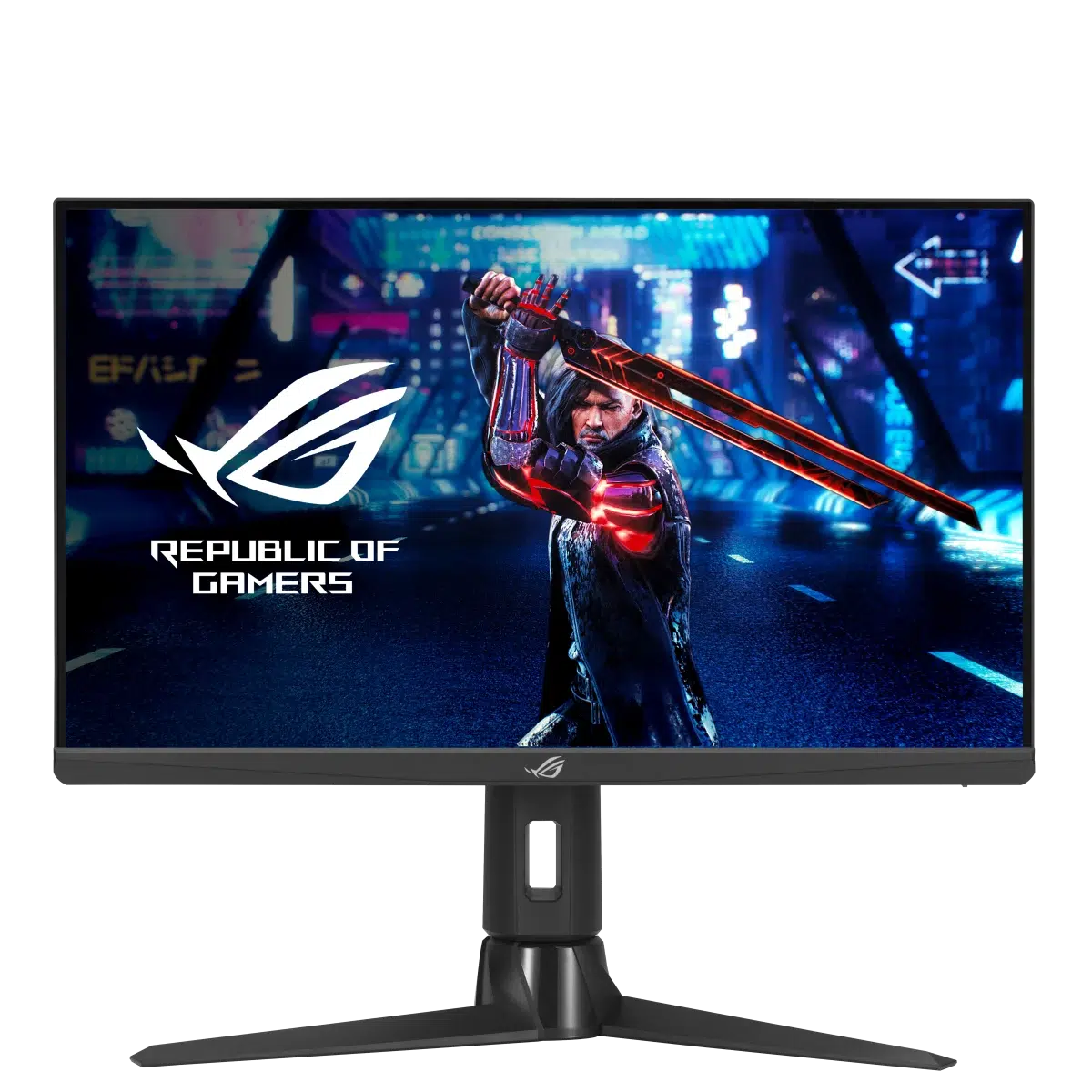
ROG Strix XG259QN
ASUS ROG Strix XG259QN combines a 24.5-inch viewable Fast IPS screen with a 1920 × 1080 resolution and a anti-glare surface. Its display modes, video inputs and adjustable stand give you concrete choices when arranging a gaming desk. Compare the exact resolution, refresh combinations and connection requirements below, then configure the monitor around your compatible computer and the way you prefer to play. Explore this model at AX Store in Kuwait.
24.5 inch
Display Diagonal
1920 × 1080
Resolution
380Hz OC
Listed Maximum Refresh
IPS
Panel Technology
Panel, Resolution and Surface
The 24.5-inch viewable panel uses a 1920 × 1080 resolution and an anti-glare surface. ASUS describes the model as Fast IPS, with a 16:9 format and a listed 400 cd/m² typical brightness. Its compact screen area and Full HD pixel count provide a specific combination for players comparing different sizes of high-refresh gaming display.
Refresh Modes and Response Time
The maximum 380 Hz refresh rate is an overclocked mode, with a 1 ms gray-to-gray response and a separate 0.3 ms minimum figure. DisplayPort is listed for the overclocked range up to 380 Hz, while HDMI is listed up to 240 Hz. Set the desired mode with a compatible source and confirm it in the system’s display settings.
Motion Settings for Compatible Systems
Adaptive-Sync support works with compatible graphics hardware, while ASUS ELMB Sync combines its motion-blur reduction feature with variable-refresh operation in supported modes. These are settings to configure around your system and game. Review the available display options after choosing the resolution and refresh rate, then compare the motion settings using the games you normally play.
Connections for Your Desk
DisplayPort 1.4 and two HDMI 2.0 inputs connect compatible gaming systems, with a two-port USB 3.2 Gen 1 Type-A hub and an earphone output also provided. This layout makes it possible to keep more than one source connected. Use the published signal ranges to choose the appropriate input for your preferred resolution and refresh combination.
Position the Screen Around You
The stand offers up to 110 mm of height adjustment, tilt and swivel up to 25° in each direction. Pivot adjustment is also listed for changing the screen orientation. A 100 × 100 mm VESA mounting pattern provides an alternative when using a suitable mount. Check the published dimensions and weight when planning the screen position and available desk space.
Display Controls and Daily Setup
GamePlus, GameVisual and Shadow Boost provide gaming-oriented display adjustments. DisplayWidget Center gives software access to supported settings, complementing the monitor’s on-screen controls. Use the available picture modes as a starting point, then adjust the image for the game, room lighting and everyday desktop work that share the same display.
Plan the Display and the Rest of Your Desk
Compare resolution, refresh rate, screen size and the input you will actually use. Match the computer or console output to the chosen display mode, and leave room for the monitor stand and mouse movement. Compare related options such as ASUS ROG Strix OLED XG27AQDMGR 27 inch QHD OLED 240Hz Gaming Monitor or ASUS ROG Strix XG27UCG-W 27 inch Dual Mode 4K 160Hz Gaming Monitor, keeping the exact model and configuration in the decision. For the wider setup, explore ASUS ROG HARPE Ace Mini Wireless Gaming Mouse, 49g and check the connection, size or mounting requirements before pairing accessories. Browse the ASUS range at AX for more choices.
ROG Strix XG259QN Setup Choices
Compare resolution, refresh rate, screen size and the input you will actually use. Match the computer or console output to the chosen display mode, and leave room for the monitor stand and mouse movement.
Frequently Asked Questions
What size, panel and resolution does it use?
The display measures 24.5 inches diagonally and uses IPS panel technology. Resolution: 1920x1080.
What refresh modes and input limits should I check?
Listed maximum refresh: 380Hz. Digital Signal Frequency: HDMI: 27~292 KHz (H) / 48~240 Hz (V) DP (OC): 470~470 KHz (H) / 60~380 Hz (V).
How is the response time specified?
Response Time: 1ms(GTG), 0.3ms(min.).
Which display inputs and USB connections are listed?
DisplayPort 1.4: x 1 (HBR3). HDMI (v2.0): x 2. USB Hub: 2x USB 3.2 Gen 1 Type-A.
What stand adjustment and mounting details are specified?
Tilt: Yes (+20° ~ -5°). Swivel: Yes (+25° ~ -25°). Pivot: Yes (0° ~ 90° Clockwise). Height Adjustment: 0~110mm. VESA Wall Mounting: 100x100mm.
What brightness and HDR support are specified?
Brightness (Typ.): 400cd/㎡. Brightness (HDR, Peak) *: 400 cd/㎡. HDR (High Dynamic Range) Support: HDR10.
Build Your Setup with AX Store
Explore computers, displays and accessories for your workspace at AX Store. For help choosing the right model or checking an accessory, contact AX Store.
THE DETAILS
Technical specifications
Display
24.5
16:9
110%
IPS
1920x1080
543.168 x 302.616 mm
Anti-Glare
0.2829mm x 0.2802mm
400cd/㎡
400 cd/㎡
1000:1
178°/ 178°
1ms(GTG), 0.3ms(min.)
△E< 2
16.7M
Yes
HDR10
380Hz
FEATURES
Yes
Yes
Yes (Adaptive-Sync)
Yes
Yes, DisplayWidget Center
Yes
Yes
Yes
I/O Ports
x 1 (HBR3)
x 2
Yes
2x USB 3.2 Gen 1 Type-A
Audio
No
Signal Frequency
HDMI: 27~292 KHz (H) / 48~240 Hz (V) DP (OC): 470~470 KHz (H) / 60~380 Hz (V)
Power Consumption
<14.36W
<0.5W
<0.3W
100-240V, 50/60Hz
Mechanical Design
Yes
Yes (+20° ~ -5°)
Yes (+25° ~ -25°)
Yes (0° ~ 90° Clockwise)
0~110mm
100x100mm
Yes
Dimensions (Esti.)(vary by regions)
55.8 x 49.1 x 23.4 cm (21.97" x 19.33" x 9.21")
55.8 x 33.2 x 5.9 cm (21.97" x 13.07" x 2.32")
66.0 x 47.2 x 21.0 cm (25.98" x 18.58" x 8.27")
Weight (Esti.)(vary by regions)
5.9 kg (13.01 lbs)
2.9 kg (6.39 lbs)
7.4 kg (16.31 lbs)
Accessories (vary by regions)
Color pre-calibration report
DisplayPort cable
HDMI cable
Power adapter
Power cord
Quick release stand
Quick start guide
ROG sticker
USB Type-B to A cable
Warranty Card
Certificate
TÜV Flicker-free
TÜV Low Blue Light
VESA AdaptiveSync Display 380Hz
VESA DisplayHDR 400
AMD FreeSync Premium
COMPLETE YOUR SETUP
Pairs well with