
ASUS
ASUS ROG Strix Z890-A Gaming WiFi – LGA1851, DDR5, ATX – White
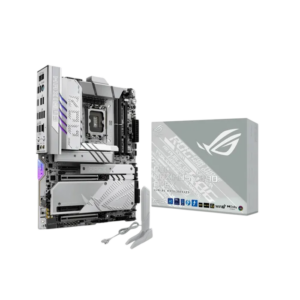
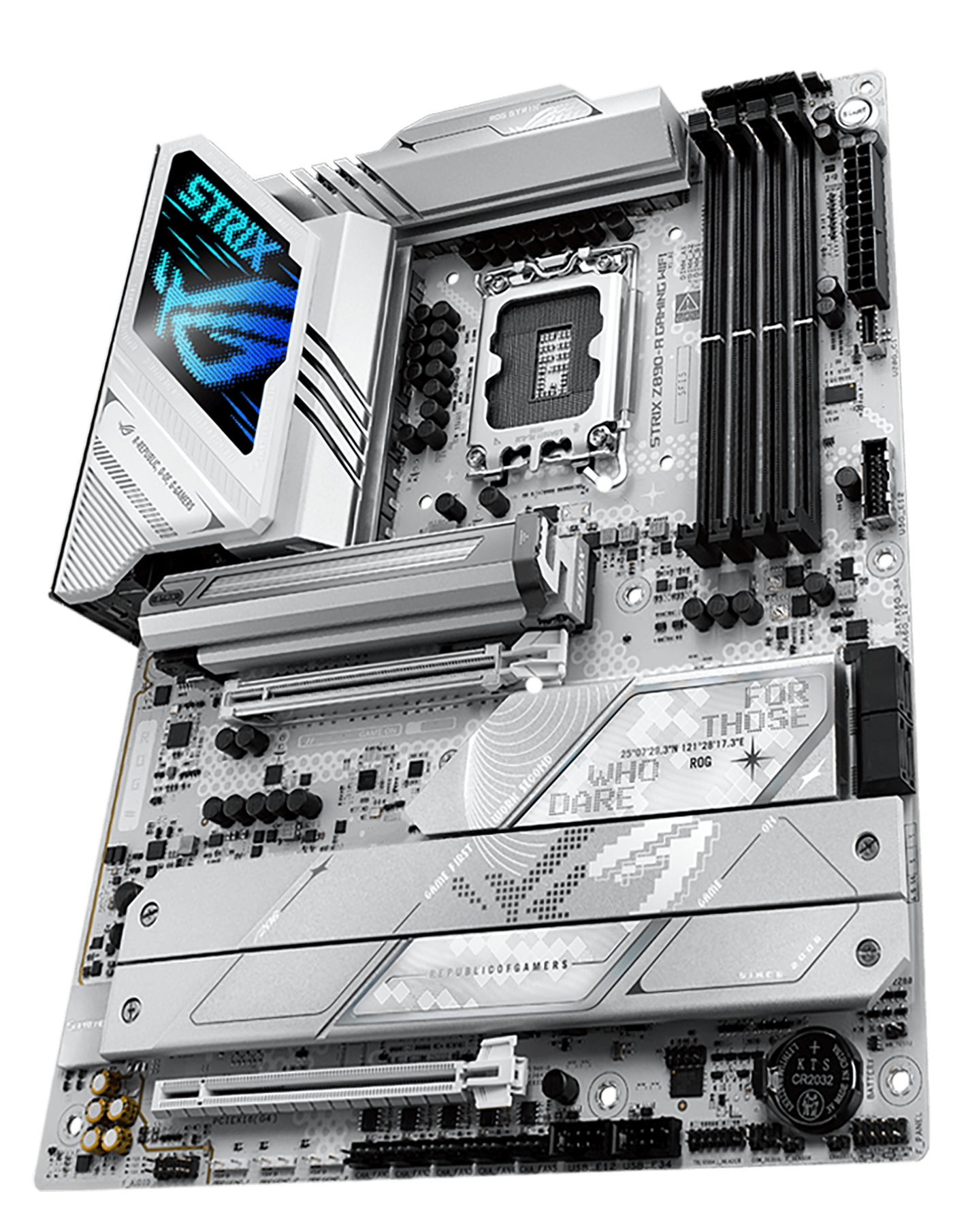
Build a white Intel desktop around the ASUS ROG Strix Z890-A Gaming WiFi. This ATX motherboard supports Intel Core Ultra processors (Series 2) on LGA1851, with DDR5 memory, a PCIe 5.0 graphics slot and five M.2 storage slots. Dual Thunderbolt 4 ports, WiFi 7 and Intel 2.5Gb Ethernet provide flexible connectivity for gaming, creative work and everyday use.
Regular price
150.000 KWD
or 4 payments of 37.500 KWD with
Pay with card & save


143.000 KWD
Save 7.000 KWD
Overview
ASUS ROG / INTEL Z890 MOTHERBOARDS
ASUS ROG Strix Z890-A Gaming WiFi
A white build with room for your next upgrade.
Start with the connections your desktop needs now, while leaving space for more storage and peripherals later. The ROG Strix Z890-A Gaming WiFi combines Intel's Z890 platform with DDR5 memory support, five M.2 slots and dual Thunderbolt 4 ports. Its white PCB and silver heatsinks suit a coordinated build without making lighting the centre of the design.
LGA1851
Intel Core Ultra desktop platform
DDR5
Four DIMM slots, up to 256GB
5 × M.2
One PCIe 5.0 and four PCIe 4.0 slots
2 × Thunderbolt 4
Rear USB-C connections up to 40Gbps
INTEL CORE ULTRA AND DDR5
Choose the foundation for your desktop
The Intel Z890 chipset and LGA1851 socket support Intel Core Ultra desktop processors from Series 2. Its standard ATX dimensions make it suitable for cases that accommodate a 305 × 244 mm motherboard. Check your chosen processor against ASUS's CPU support list and required BIOS version before assembling the system.
Four DDR5 slots support up to 256GB of memory, with Intel XMP available for compatible kits. ASUS lists overclocked speeds up to 9066+ MT/s; achievable speed depends on the processor, memory kit, DIMM configuration and BIOS. Choose capacity around the applications you use, then select a validated kit for that configuration.
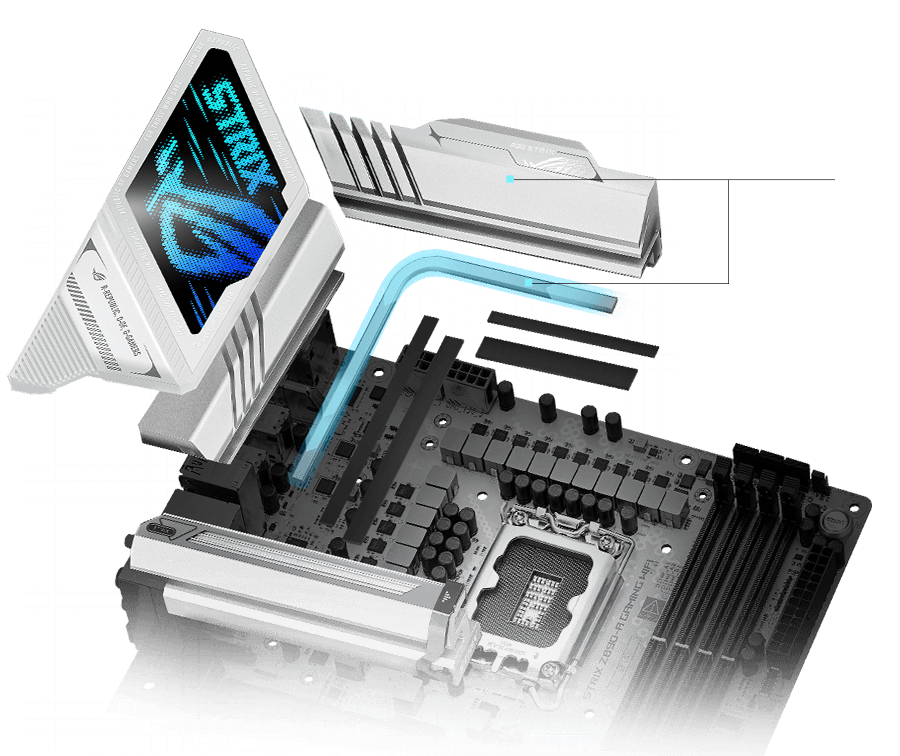
POWER DELIVERY AND COOLING
Plan cooling around the whole system
A 16+1+2+2 power-stage design supplies the processor, while the VRM heatsinks and connecting heatpipe help manage heat around the socket. Dedicated M.2 heatsinks provide cooling coverage for installed storage drives.
CPU fan, CPU optional fan and AIO pump headers sit alongside five chassis fan headers. This gives you several connection points for an air-cooled or liquid-cooled build. Fan controls and AI Cooling II let you tune the cooling response around your workload and preferred noise level.
PCIE 5.0 AND FIVE M.2 SLOTS
Leave space for a growing library
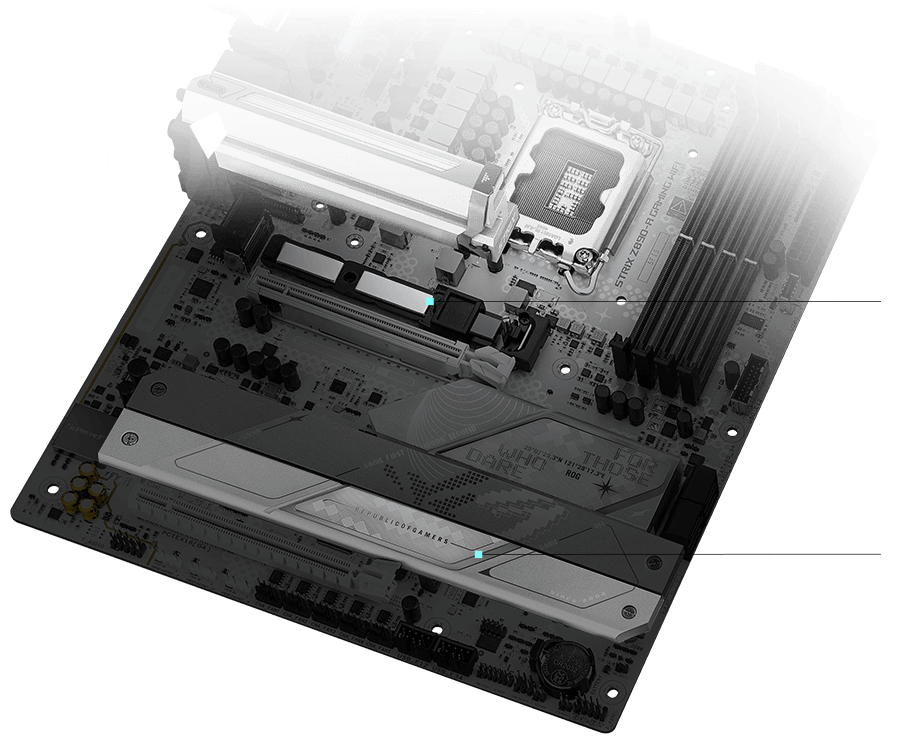
The primary graphics slot provides PCIe 5.0 x16 connectivity. For storage, one M.2 slot supports PCIe 5.0 x4 and four support PCIe 4.0 x4. You can start with one SSD and add separate drives for games, recordings or project files as your needs change.
The fifth M.2 slot also supports compatible SATA M.2 drives, while four SATA 6Gb/s ports accommodate additional SATA storage. A second full-length PCIe slot operates at PCIe 4.0 x4 for compatible expansion cards.
THUNDERBOLT 4 AND USB
Connect more of your desk directly
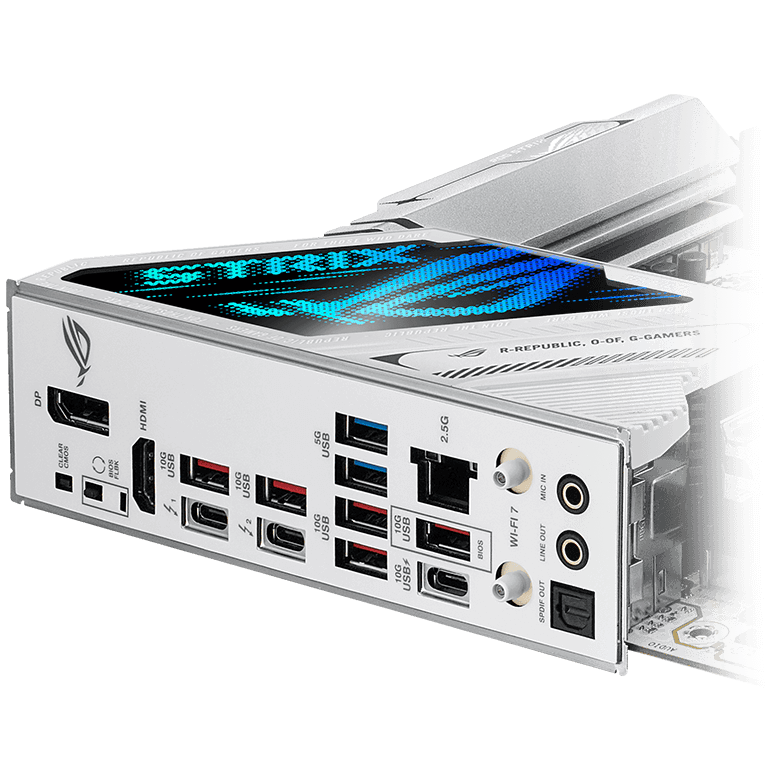
Two rear Thunderbolt 4 USB-C ports support connections up to 40Gbps for compatible devices. The rear panel also provides six USB 10Gbps ports and two USB 5Gbps ports, giving you space for external storage, input devices and other desk accessories.
The separate USB 10Gbps Type-C port supports up to 30W PD/PPS charging with compatible devices and cables. An internal USB 20Gbps Type-C connector can serve a matching case front port, keeping a convenient connection within reach.
WIFI 7, ETHERNET AND AUDIO
Choose how your desktop connects
Built-in WiFi 7, Bluetooth 5.4 and Intel 2.5Gb Ethernet let you choose between a wireless setup and a wired network connection. The included ASUS WiFi Q-Antenna connects to the rear panel. Full WiFi 7 functionality requires Windows 11 24H2 or later and compatible network equipment; available bands and channel widths depend on regional regulations.
SupremeFX audio combines an ALC4080 codec with a Savitech SV3H712 amplifier. Rear audio connections include two analogue jacks and an optical S/PDIF output, giving you options for compatible headsets, speakers and external audio equipment.
ASSEMBLY, DIAGNOSTICS AND LIGHTING
Make future changes easier to manage
PCIe Slot Q-Release Slim and the M.2 retention features simplify access when changing compatible components. Q-LED indicators help identify CPU, memory, graphics and boot issues, while rear BIOS FlashBack and Clear CMOS buttons provide useful tools during setup and troubleshooting.
Polymo lighting adds detail to the rear I/O cover. Aura Sync and three Addressable Gen 2 headers let you coordinate compatible lighting across the build, whether you prefer a single colour or a more varied setup.
BEFORE YOU CHOOSE
A few useful answers
Which processors does this motherboard support?
It supports Intel Core Ultra desktop processors from Series 2 using the LGA1851 socket. Check ASUS's CPU support list for the exact processor and required BIOS version.
Can I use DDR4 memory?
No. This motherboard requires DDR5 memory. It has four DIMM slots and supports up to 256GB, with supported speeds depending on the processor and memory configuration.
Are all five M.2 slots PCIe 5.0?
No. One M.2 slot supports PCIe 5.0 x4 and four support PCIe 4.0 x4. The M.2_5 slot also supports compatible SATA M.2 drives.
What do I need for full WiFi 7 functionality?
Full WiFi 7 functionality requires Windows 11 24H2 or later, suitable drivers and compatible network equipment. Availability of the 6GHz band and 320MHz channels depends on regional regulations.
Can I update the BIOS without installing a processor?
Yes. USB BIOS FlashBack can update the BIOS without an installed processor or memory. The board still needs power, the correct BIOS file and a USB drive prepared according to ASUS's instructions.
Can I use the motherboard's display outputs without a graphics card?
Yes, when the installed processor includes compatible integrated graphics. A processor without integrated graphics requires a dedicated graphics card for display output.
EXPLORE THE SETUP
COMPLETE YOUR SETUP
Pairs well with