
ASUS
ASUS ROG Strix Z890-F Gaming WiFi – DDR5, Wi-Fi 7, Thunderbolt 4
Build your next PC with the ASUS ROG Strix Z890-F Gaming WiFi, an ATX motherboard for compatible Intel Core Ultra processors (Series 2). It combines DDR5 memory support, Wi-Fi 7, PCIe 5.0 graphics, five M.2 slots and dual Thunderbolt 4 ports, with 2.5Gb Ethernet, USB-C charging up to 30W and customizable Polymo RGB lighting.
Regular price
163.000 KWD
or 4 payments of 40.750 KWD with
Pay with card & save


155.000 KWD
Save 8.000 KWD
Overview
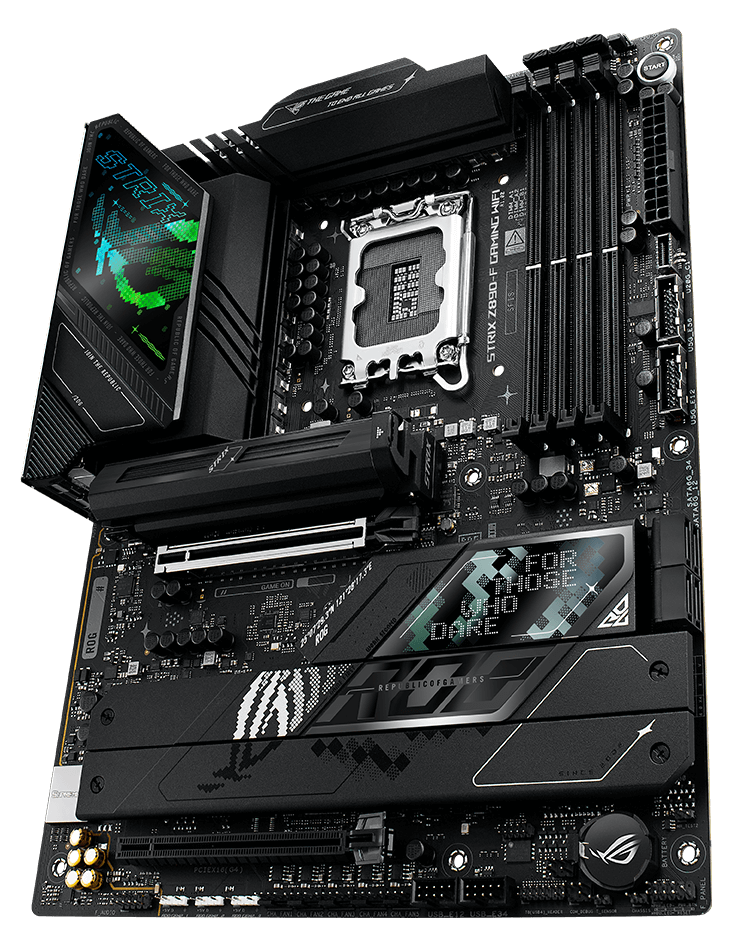
ASUS ROG Strix Z890-F Gaming WiFi
Give your gaming or creative desktop room to grow. The ROG Strix Z890-F Gaming WiFi brings together DDR5 memory, five M.2 storage slots and a PCIe 5.0 graphics connection on an Intel Z890 platform.
Its LGA1851 socket supports compatible Intel Core Ultra processors from Series 2. Wi-Fi 7, dual Thunderbolt 4 ports and extensive USB connections make it easy to build around the devices you use every day.
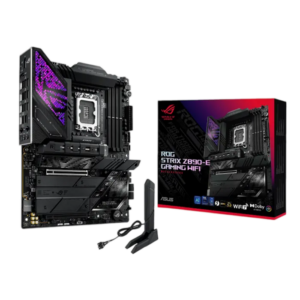
Black ROG Strix Design with Polymo Lighting
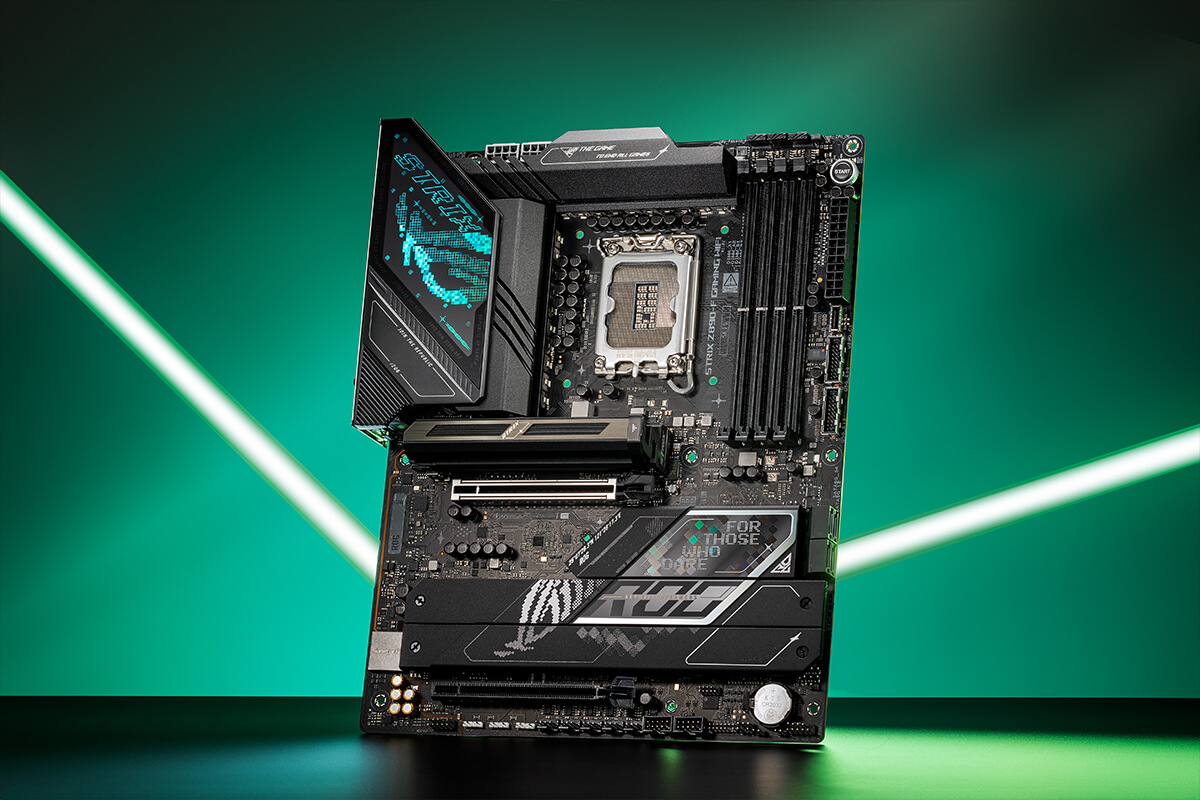
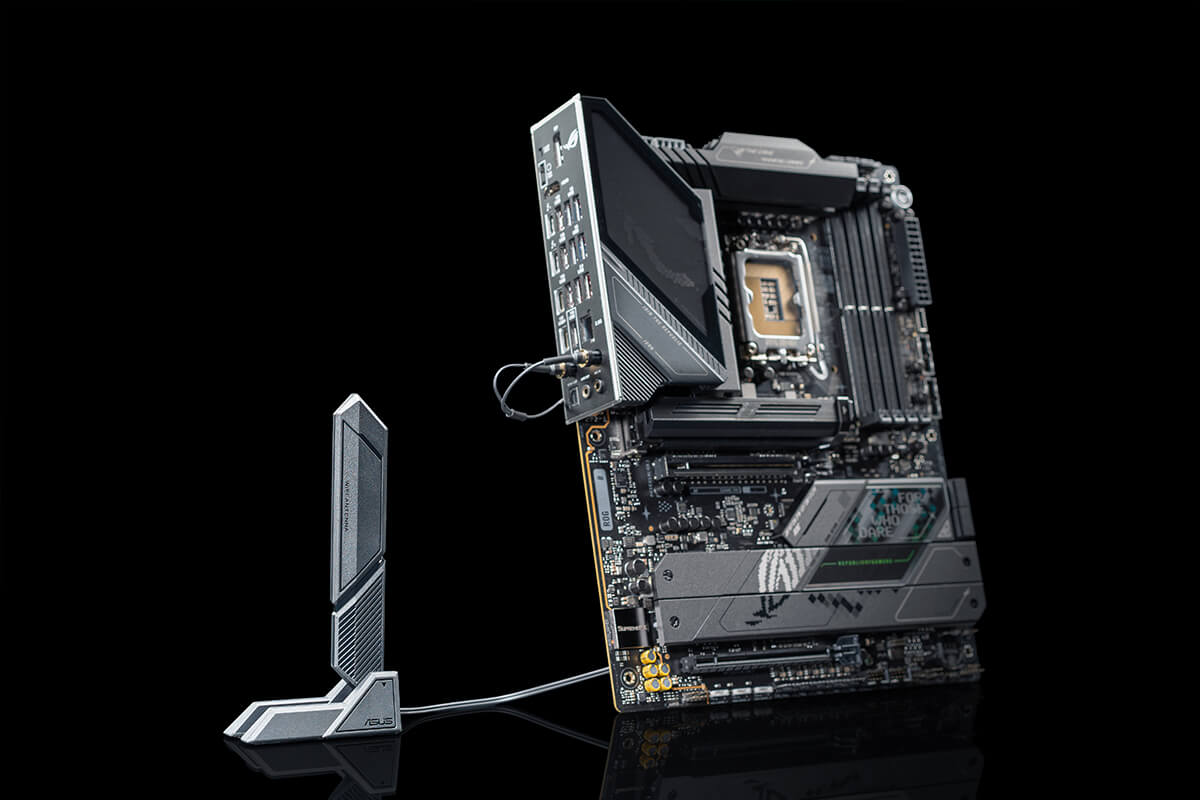
Black heatsinks and an illuminated I/O cover give the board a distinctive ROG appearance. Customize the Polymo lighting through Aura Sync and connect compatible lighting accessories to the three Addressable Gen 2 headers.
LGA1851
Intel Core Ultra Series 2
5 × M.2
Including One PCIe 5.0 Slot
Wi-Fi 7
With ASUS WiFi Q-Antenna
Thunderbolt 4
Two Rear USB-C Ports
DDR5 Memory with Room to Expand
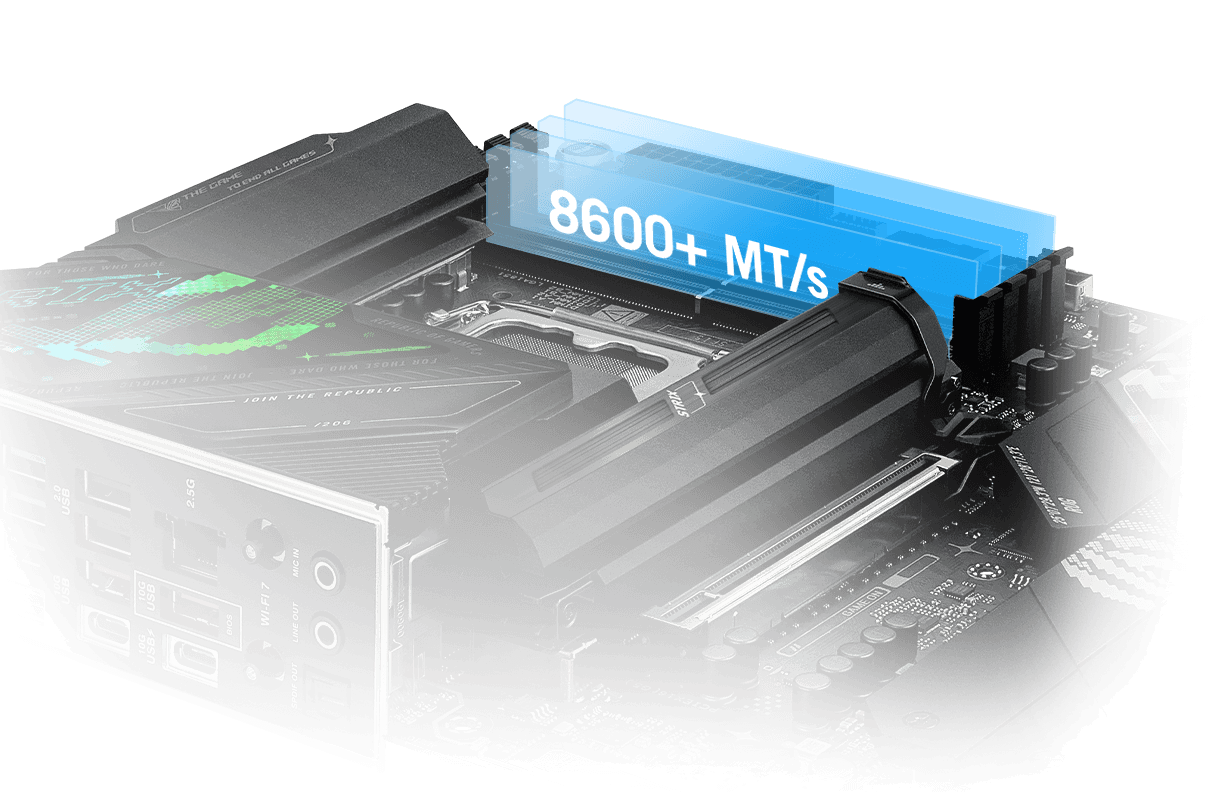
Four memory slots support up to 256GB of DDR5, giving you room for demanding applications and larger projects. Compatible memory kits can use Intel XMP profiles for easier setup.
ASUS lists overclocked memory support up to 9066+ MT/s. DIMM Fit, DIMM Flex and AEMP III provide additional tuning options for supported configurations, including compatible CUDIMM memory.
Capacity and speed depend on the processor, BIOS, memory kit and number of installed modules. Choose a compatible DDR5 memory kit for your build.
Fast Graphics and Five M.2 Drive Slots
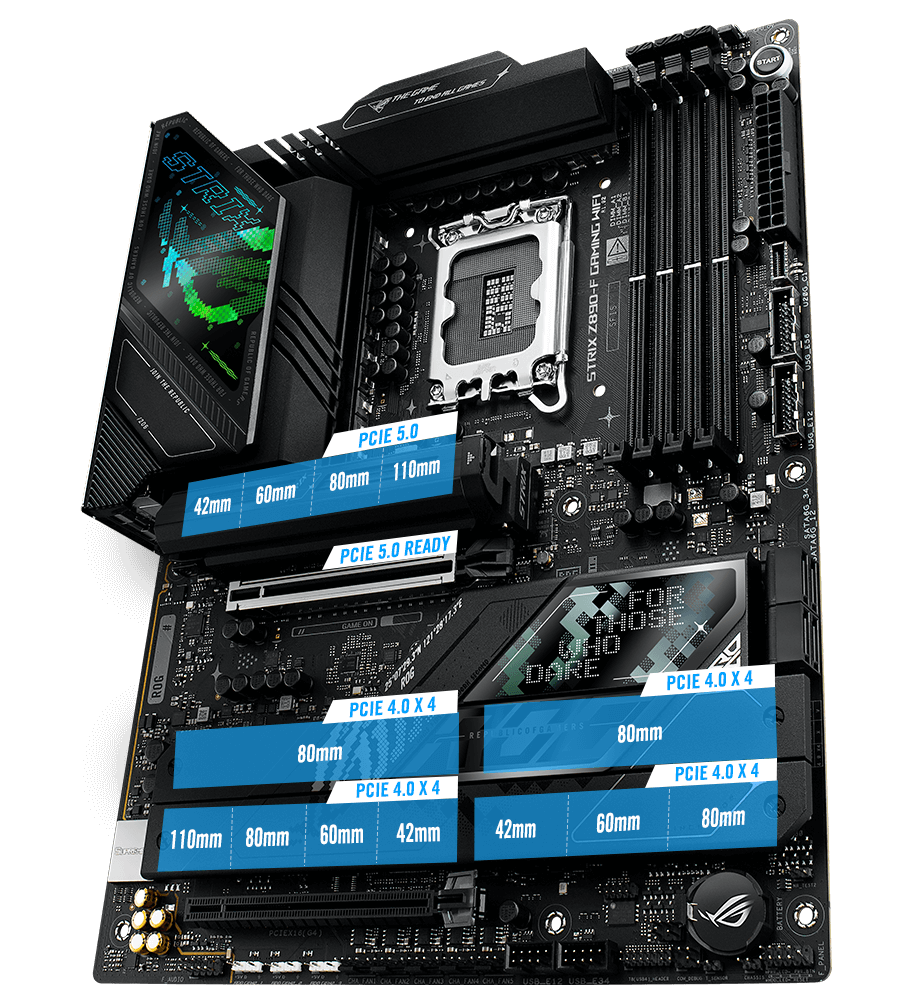
The main PCIe 5.0 x16 slot supports your graphics card, while the top M.2 slot supports a PCIe 5.0 x4 SSD. Four additional PCIe 4.0 x4 M.2 slots give you space for games, applications and project storage.
Four SATA ports support additional drives, and the M.2_5 slot also accepts compatible SATA M.2 SSDs. A second full-length PCIe slot operates at PCIe 4.0 x4 for compatible expansion cards.
Explore storage options and graphics cards for your configuration.
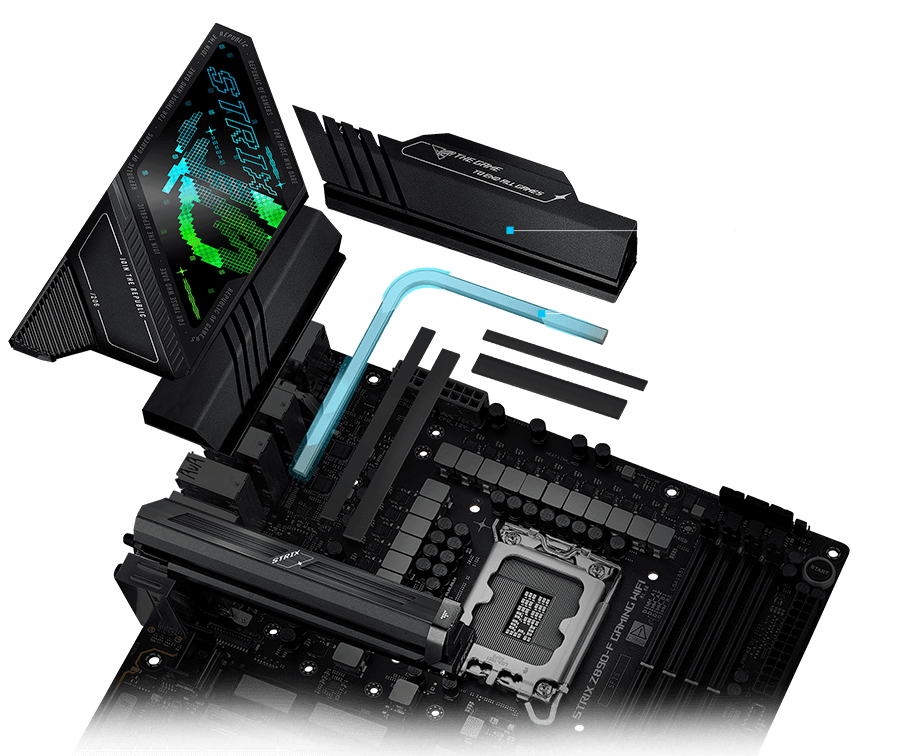
Power Delivery and Cooling for Your Processor
Dual ProCool II CPU power connectors and a substantial power-stage design support compatible Intel Core Ultra processors. Large heatsinks connected by an L-shaped heatpipe help carry heat away from the power circuitry.
Dedicated connections for the CPU cooler, an AIO pump and five chassis fans let you plan cooling around your case. Select a supported Intel LGA1851 processor and suitable cooling for its requirements.
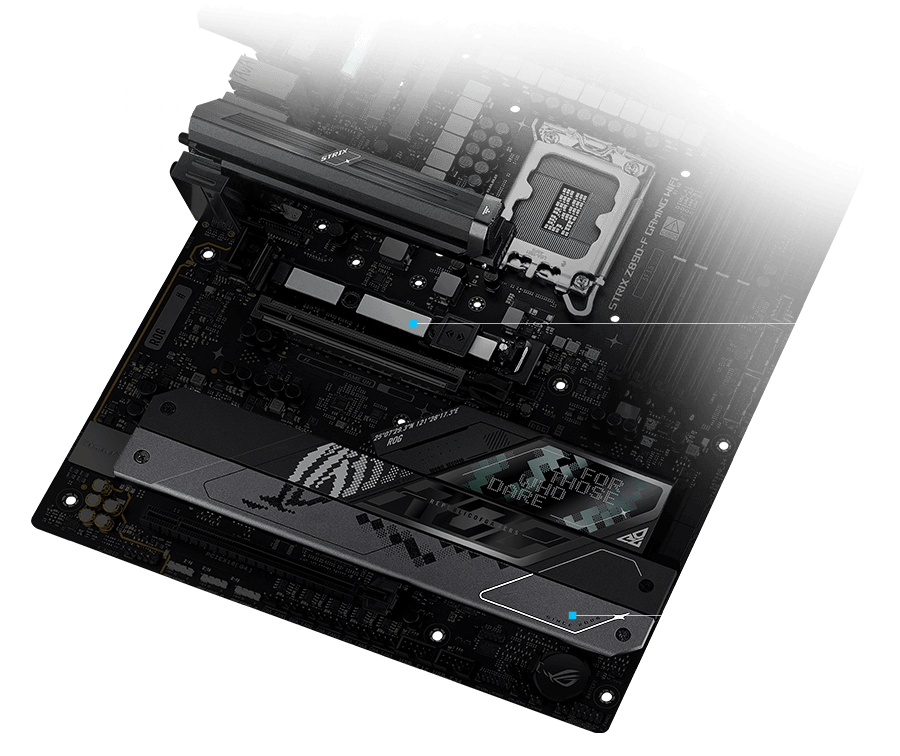
Dedicated Cooling for M.2 Storage
Heatsinks cover the M.2 storage positions to help manage drive temperatures during longer transfers and demanding workloads.
The main M.2 position also benefits from a backplate, while the board's SSD mounting features make installation and future upgrades easier to manage.
Wi-Fi 7, Bluetooth and 2.5Gb Ethernet
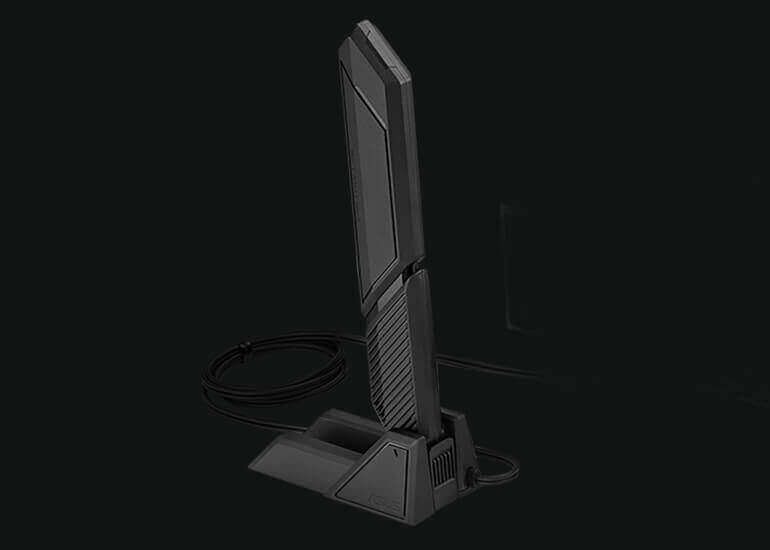
Connect wirelessly with the integrated Wi-Fi 7 module and included ASUS WiFi Q-Antenna, or use Intel 2.5Gb Ethernet for a wired connection. Bluetooth 5.4 supports compatible wireless accessories.
The wireless hardware supports the 2.4GHz, 5GHz and 6GHz bands, with support for 320MHz channels.
Full Wi-Fi 7 functionality requires Windows 11 24H2 or later and compatible networking equipment. Available bands and channel widths depend on regional regulations.
Dual Thunderbolt 4 Connections
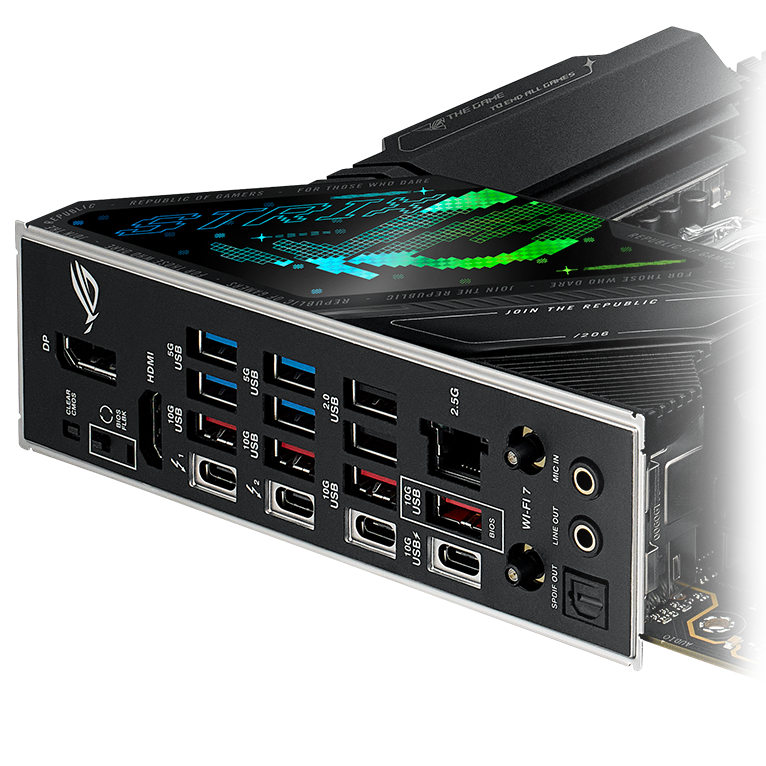
Two rear Thunderbolt 4 USB-C ports support up to 40Gbps per port for compatible devices, docks and external storage. Supported display connections are also available through these ports.
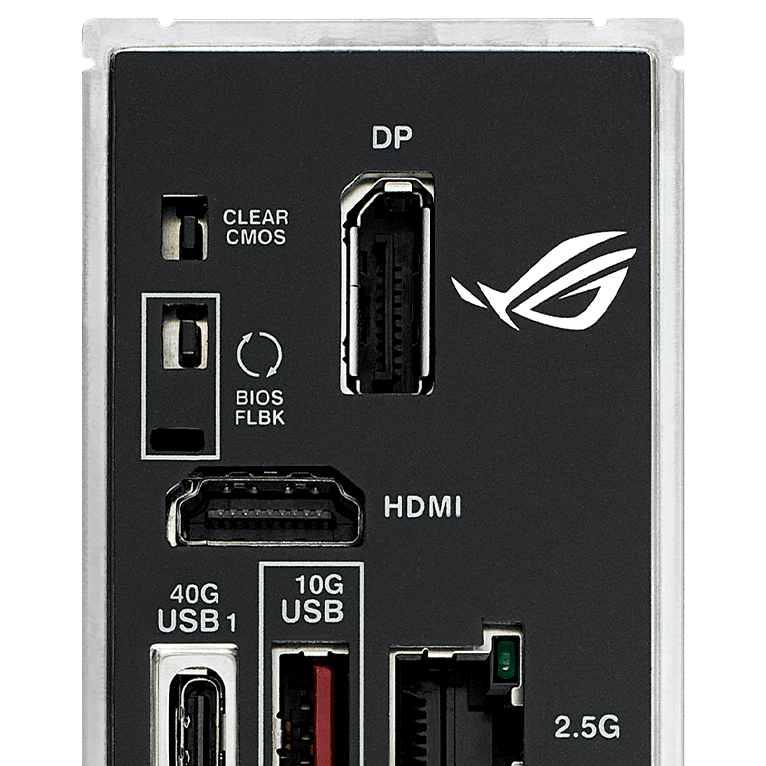
The rear panel provides 14 USB connections in total: two Thunderbolt 4 ports, six USB 10Gbps ports, four USB 5Gbps ports and two USB 2.0 ports.
USB-C Charging up to 30W
A designated rear USB 10Gbps Type-C port supports up to 30W Power Delivery for compatible devices. USB Wattage Watcher lets you monitor the charging power delivered through the supported connection.
Front USB-C at 20Gbps
An internal USB 20Gbps header connects to a compatible case's front USB-C port. Additional headers support four USB 5Gbps ports and four USB 2.0 ports.
HDMI and DisplayPort
Rear HDMI 2.1 and DisplayPort 1.4 connections support compatible displays through the processor's integrated graphics. A processor without integrated graphics requires a separate graphics card for display output.
More Control over Your PC
AI Overclocking
Assesses supported processor and cooling characteristics to help configure performance settings. Results depend on your hardware and cooling setup.
AI Cooling II
Adjusts supported fans according to system testing and CPU temperatures to help balance cooling and fan noise.
AI Networking II
Provides tools for checking wireless signal strength, antenna positioning and network traffic through supported ASUS software.
NPU Boost is also available for tuning the AI processing unit in supported Intel Core Ultra processors. Feature availability and results depend on the processor, BIOS and software configuration.
ROG SupremeFX Audio
The SupremeFX ALC4080 audio system pairs with a Savitech SV3H712 amplifier for compatible headphones and audio equipment. Rear connections include two gold-plated audio jacks and an optical S/PDIF output.
A compatible case front HD audio module is required for 7.1-channel output. Spatial audio requires a supported front-panel or USB audio connection; the rear line-out does not support spatial audio.

Easier Installation and Upgrades
M.2 Q-Release, Q-Latch and Q-Slide simplify access to supported SSD mounting positions. PCIe Slot Q-Release Slim helps with graphics card removal when the slot latch is difficult to reach.
A pre-mounted I/O shield and quick-connect WiFi Q-Antenna reduce small assembly steps. Follow the installation guide when fitting or removing components.
Accessible BIOS and Startup Controls
Rear BIOS FlashBack and Clear CMOS buttons provide convenient access to firmware update and reset functions. BIOS FlashBack can update the firmware without entering the existing BIOS or operating system.
Q-LED indicators identify CPU, memory, graphics and boot-device issues during startup. The UEFI Q-Dashboard provides a visual overview of supported board connections.
What's in the Box
- ASUS ROG Strix Z890-F Gaming WiFi motherboard
- 2 × SATA 6Gb/s cables
- Thermal pad for an M.2 22110 drive
- ASUS WiFi Q-Antenna
- Cable ties pack
- M.2 Q-Latch package
- ROG key chain
- ROG Strix stickers
- 3 × M.2 rubber packages
- Quick start guide
Frequently Asked Questions
Which processors work with the ASUS ROG Strix Z890-F Gaming WiFi?
It supports compatible Intel Core Ultra processors from Series 2 using the LGA1851 socket. Check the ASUS CPU support list and required BIOS version. Intel Core 12th, 13th and 14th Gen LGA1700 processors are incompatible.
How much memory does this motherboard support?
Four DDR5 DIMM slots support up to 256GB. ASUS lists speeds up to 9066+ MT/s through overclocking, depending on the processor, memory kit, BIOS and configuration. DDR4 memory is not supported.
How many M.2 drives can I install?
The board has five M.2 slots: one PCIe 5.0 x4 slot and four PCIe 4.0 x4 slots. The M.2_5 slot also supports compatible SATA M.2 drives. Four SATA 6Gb/s ports provide additional drive connections.
Does it have built-in Thunderbolt 4 ports?
Yes. Two Thunderbolt 4 USB-C ports are built into the rear panel, each supporting up to 40Gbps with compatible devices and cables.
What do I need to use Wi-Fi 7?
Full Wi-Fi 7 functionality requires Windows 11 24H2 or later, suitable drivers and compatible networking equipment. Access to the 6GHz band and 320MHz channels depends on regional regulations. The ASUS WiFi Q-Antenna is included.
Can the motherboard charge devices through USB-C?
Yes. A designated rear USB 10Gbps Type-C port supports up to 30W Power Delivery for compatible devices and cables. This charging capability applies to that specific port.
Does the motherboard support BIOS FlashBack?
Yes. The rear BIOS FlashBack button and designated USB port support BIOS updates without entering the existing BIOS or operating system. Follow the ASUS procedure for the correct BIOS file and USB preparation.
What case size does the ASUS ROG Strix Z890-F require?
It is an ATX motherboard measuring 305 × 244mm. Choose a case that supports ATX motherboards and provides enough clearance for your graphics card and cooling system.
Complete Your Build with AX Store Kuwait
Choose an ATX-compatible case and the components that suit your setup. For product or compatibility questions, contact AX Store with your planned configuration.
COMPLETE YOUR SETUP
Pairs well with