
BenQ
BenQ PD3220U 32 Inch 4K IPS Monitor with Thunderbolt 3
31.5-inch 3840 × 2160 IPS DesignVue monitor with Thunderbolt 3, 85 W input Power Delivery and a 15 W Thunderbolt output. Features KVM, Hotkey Puck G2, professional picture modes, HDMI 2.0, DisplayPort 1.4 and an adjustable stand.
Regular price
471.500 KWD
or 4 payments of 117.875 KWD with
Pay with card & save


449.000 KWD
Save 22.500 KWD
Overview
BENQ PD3220U
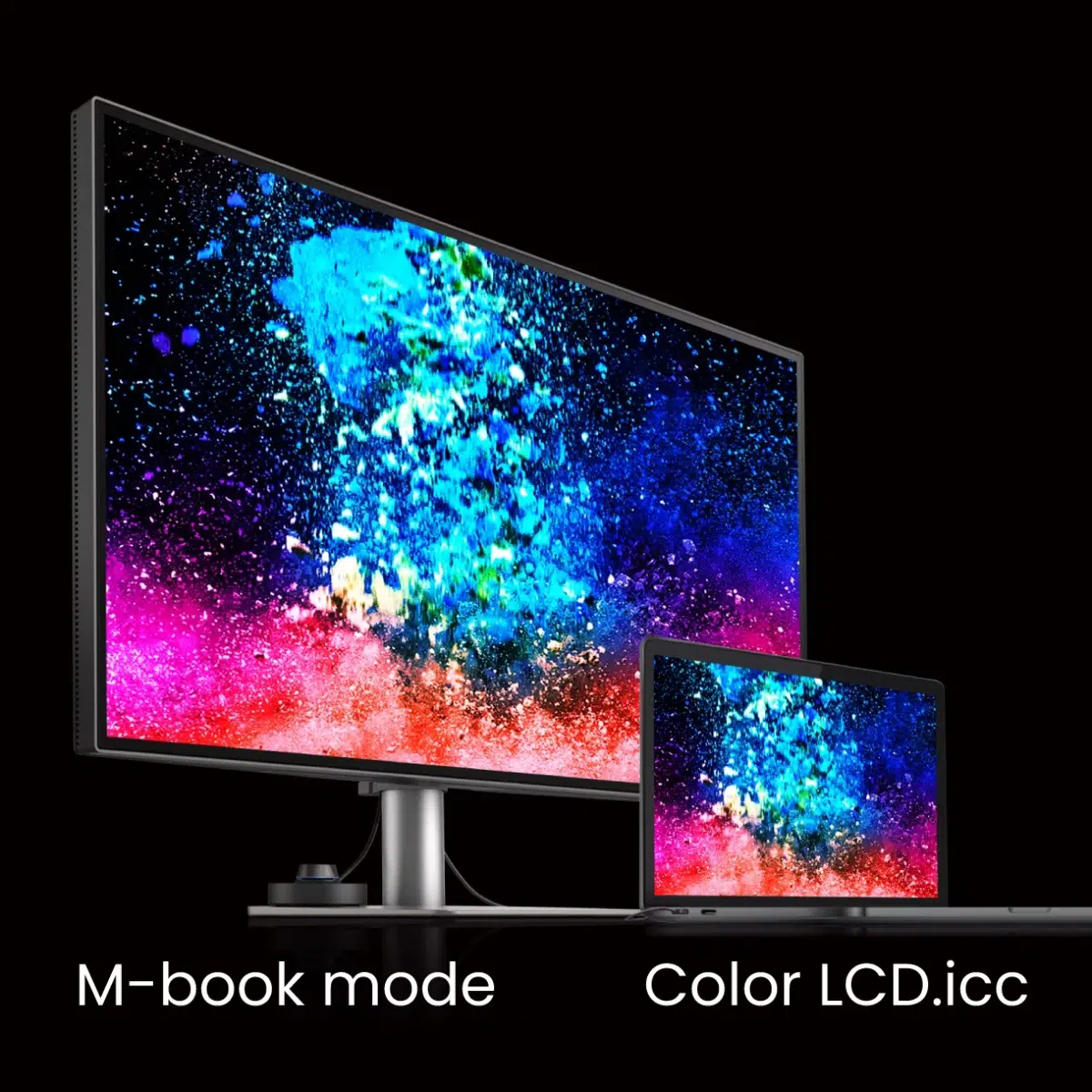
4K DesignVue with Thunderbolt 3 and KVM
BenQ PD3220U combines a 31.5-inch 4K IPS screen with Thunderbolt 3 connectivity and professional picture modes. An 85 W Power Delivery connection, a Thunderbolt output and KVM functionality provide options for a compatible multi-device workspace. The Hotkey Puck G2 and an adjustable stand add direct control and positioning around the applications you use for design and everyday work.
31.5 inch
Display Diagonal
3840 × 2160
Resolution
60 Hz
Listed Refresh Rate
IPS
Panel Type
A 4K IPS DesignVue Screen
The 31.5-inch panel has a 3840 × 2160 resolution, a 16:9 format and a matte coating. Its published color gamut includes 100% sRGB, 100% Rec.709 and 95% P3. The 60 Hz display and 1.07 billion color specification provide a clear set of reference points when comparing a larger 4K screen for a creative or general desktop.
Thunderbolt 3 Connections
The monitor provides a Thunderbolt 3 input with up to 85 W Power Delivery and a Thunderbolt 3 output with 15 W Power Delivery. These connections support compatible video, data and device arrangements, including a supported daisy chain. Check the capabilities of the computer and connected equipment when planning the signal path and available charging power around your workspace.
Video Inputs and USB Peripherals
Two HDMI 2.0 inputs and one DisplayPort 1.4 input provide additional video choices. USB Type-B upstream, three USB 3.1 downstream ports and a USB-C downstream connection are also listed. Plan the video and USB paths together when configuring peripherals, particularly if the monitor will switch between more than one compatible computer during your working day.
KVM and Picture Layout Options
KVM functionality supports sharing compatible connected peripherals between computer arrangements. Picture-in-picture, picture-by-picture and DualView add options for how material appears on the screen. Use the layout and switching controls around your own sources, choosing the image mode and input arrangement that correspond to the task instead of changing the physical desk every time you move between activities.
Picture Modes and Hotkey Puck G2
CAD/CAM, Animation, Darkroom, M-book, sRGB, Display P3 and HDR modes are among the listed picture options. The Hotkey Puck G2 gives direct access to display controls. Choose a suitable starting mode for the application or content, then adjust the supported settings as part of the color and viewing arrangement you use across the workspace.
Adjust the Screen Position
The stand offers 150 mm of height adjustment, -5° to 20° tilt, 30° swivel in each direction and 90° pivot. A 100 × 100 mm VESA pattern provides another mounting route with suitable equipment. Built-in 2 W stereo speakers and an earphone output add audio options, complementing the screen’s video and USB connections at the desk.
Complete Your Workspace
Explore Monitors at AX Store and choose the configuration or accessories that fit your setup.
Frequently Asked Questions
What size and resolution does this display have?
Screen size: 31.5 inch. Resolution: 3840x2160.
What refresh rate is supported, and does the input matter?
Listed refresh rate: 60 Hz.
What panel technology does it use?
IPS.
How is the response time specified?
Response Times (GtG): 5 ms.
Which display connections and host charging are available?
HDMI (v2.0): 2. DisplayPort (v1.4): 1. Thunderbolt 3 ( PowerDelivery 85W, DisplayPort Alt Mode, Data ): 1. Thunderbolt 3 out ( PowerDelivery 15W ): 1.
What colour coverage and HDR support are specified?
Color Gamut: 100% sRGB, 100% Rec.709, 95% P3. HDR: HDR10.
Build Your Setup with AX Store Kuwait
Explore computers, displays and accessories for your workspace at AX Store Kuwait. For help choosing the right model or checking an accessory, contact AX Store.
THE DETAILS
Technical specifications
Display
31.5 inch
IPS
LED backlight
3840x2160
250 nits
300 nits
HDR10
178°/178°
5 ms
60
1000:1
100% sRGB, 100% Rec.709, 95% P3
DCI-P3, Display P3, Rec.709, sRGB, HDR, M-book, DICOM, CAD/CAM, Animation, Darkroom, Low Blue Light, User
16:9
1.07 billion colors
Matte
140
5000K, 6500K, 9300K, User Define
1.8 - 2.6
2.2
Arabic, Chinese (simplified), Chinese (traditional), Czech, Deutsch, English, French, Hungarian, Italian, Japanese, Korean, Netherlands, Polish, Portuguese, Romanian, Russian, Spanish, Swedish
Yes
Audio
2Wx2
Yes
Power
100 - 240V
Built-in
37 W
220 W
<0.5 W
85
Dimension and Weight
-5˚ - 20˚
30˚/30˚
90˚
150 mm
477.6 - 627.6 x714.8x273.3
18.8 - 24.7x28.1x10.8
412.2x714.8x86.6
16.2 x 28.1 x 3.4
10.7
23.6
7.9
17.4
100x100 mm
Accessories
QSG, Warranty Card, Calibration Report, Hotkey Puck G2
HDMI (v2.0), mDP to DP, Thunderbolt 3(0.7m), USB 3.0
Connectivity
2
1
1
1
Thunderbolt
1
1
3
Eye Care
Yes
Yes
Certification
Yes
Yes
Yes
Professional
Yes
Yes
≤3
Yes
Yes
Yes
Yes
Yes
Yes
Yes
Yes
Yes
Yes
Software
Yes
Yes
COMPLETE YOUR SETUP
Pairs well with
