BONTEC
BONTEC Dual Monitor Mount for 13-27 inch Monitors
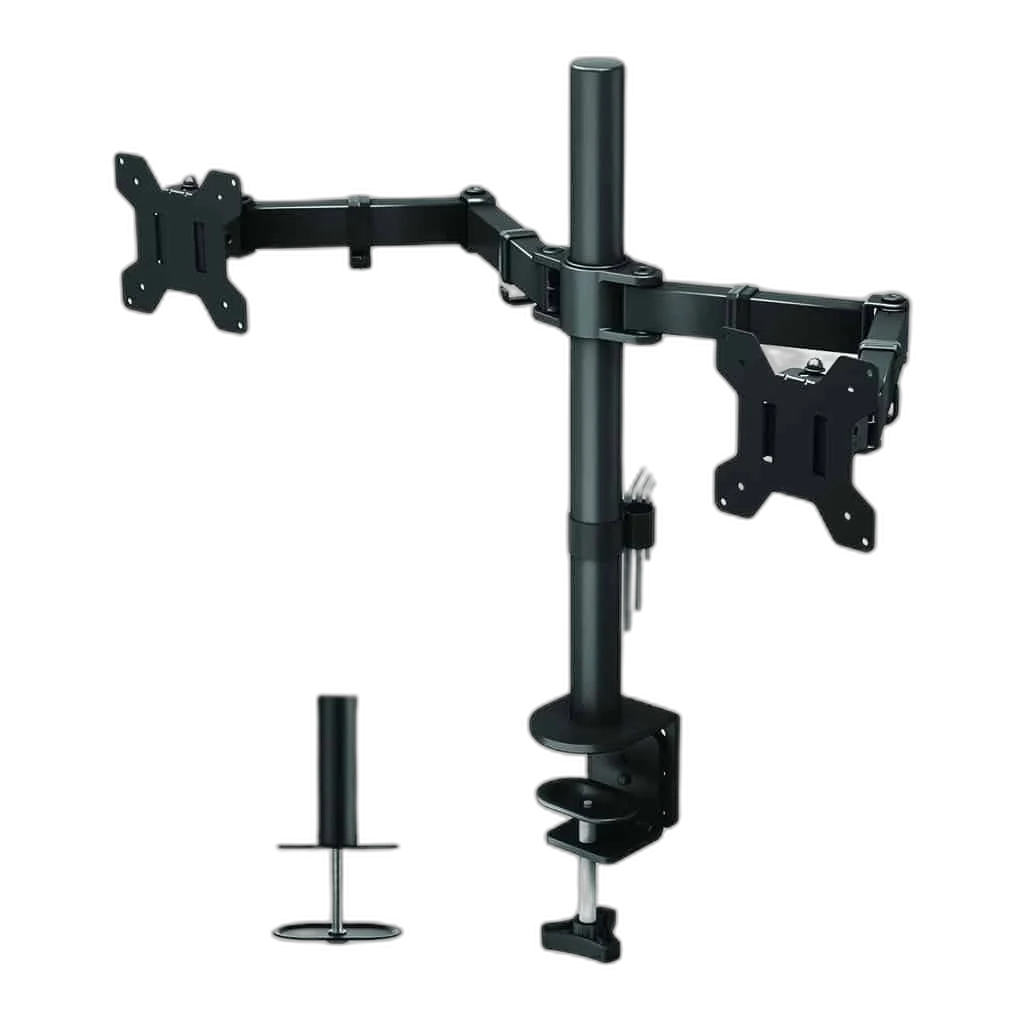
Arrange two compatible 13–27-inch monitors on the BONTEC MDM-002. Its pole and swivel-arm design provides adjustable screen positioning, removable VESA plates and desk-clamp or grommet mounting options, helping free the work surface from two separate monitor bases.
Regular price
31.500 KWD
or 4 payments of 7.875 KWD with
Pay with card & save


29.900 KWD
Save 1.600 KWD
Overview
BONTEC MDM-002 DUAL MONITOR DESK MOUNT
Two Screens on One Desk-Mounted Support
Arrange two compatible 13–27-inch monitors on the BONTEC MDM-002. Its pole and swivel-arm design provides adjustable screen positioning, removable VESA plates and desk-clamp or grommet mounting options, helping free the work surface from two separate monitor bases.
2
Monitor positions
13–27 inch
Listed size range
Clamp / grommet
Desk mounting
VESA plates
Removable screen attachment
A Shared Support for Two Displays
The MDM-002 provides two monitor positions on a desk-mounted pole and arm assembly. It suits a side-by-side workspace where documents, communication tools or a second application need their own screen. Confirm the supported size, weight and mounting pattern of each monitor before choosing the final arrangement.
Desk Clamp or Grommet Installation
The original installation guide includes a desk-clamp option and grommet-base installation. Choose the method permitted by the desk and follow the supplied assembly instructions. The mounting surface and available space underneath it matter as much as the top view when planning the installation.
Removable VESA Plates for Assembly
Each display attaches to a VESA plate before being placed on the arm head. The guide provides separate arrangements for flat backs and recessed or curved monitor backs. Use the appropriate screws and spacers for the actual screen, then fit the securing hardware specified in the instructions.
Adjust the Viewing Position
The swivel-arm and pole arrangement supports changing the monitor position and setting the display angle. Use the supplied adjustment method to fix the tilt securely. Set the screens around the seated working position and check that cables remain free to move through the intended range.
Bring the Screens into Line
The MDM-002 guide includes a height-levelling adjustment when one display sits lower than the other. This helps align the two viewing areas after assembly. Follow the prescribed adjustment sequence and refit the securing nut before using or rotating a screen on its mounting head.
Model
BONTEC MDM-002
Monitor count
2
Listed screen-size range
13–27 inches
Keep the Work Surface Organised
Cable clips route the connected leads along the arm and pole, with a place to retain the adjustment key for later changes. Leave enough cable slack near each screen to accommodate the chosen position. Moving the monitors onto the shared support also clears the space occupied by their individual desk bases.
Complete Your Workspace
Explore Monitor Arms & Mounts to compare suitable options and complete your setup.
Frequently Asked Questions
How many displays does it support?
Two compatible monitors.
Can it use a desk clamp?
Yes. The original guide also includes grommet mounting.
Does screen size alone prove compatibility?
No. Check each monitor’s weight, VESA pattern and installation requirements.
Can uneven display height be adjusted?
The guide includes a height-levelling adjustment for this purpose.
Should the securing nut be refitted after adjustment?
Yes. Follow the complete assembly and securing sequence in the guide.
Build Your Setup with AX Store Kuwait
Explore computers, displays and accessories for your workspace at AX Store Kuwait. For help choosing the right model or checking an accessory, contact AX Store.
THE DETAILS
Technical specifications
Specifications
BONTEC MDM-002
2
13–27 inches
Pole with swivel-arm assembly
Removable VESA plates; match the actual monitor pattern
Desk clamp or grommet base
Position and tilt adjustment; height levelling
Clips on pole and arm
Use the correct screws and spacers for flat or recessed monitor backs
Check both monitors’ weight, size and mounting requirements against the actual supplied mount instructions
COMPLETE YOUR SETUP
Pairs well with