DXRacer
DXRacer Air 3 Gaming Chair - Pink/Grey
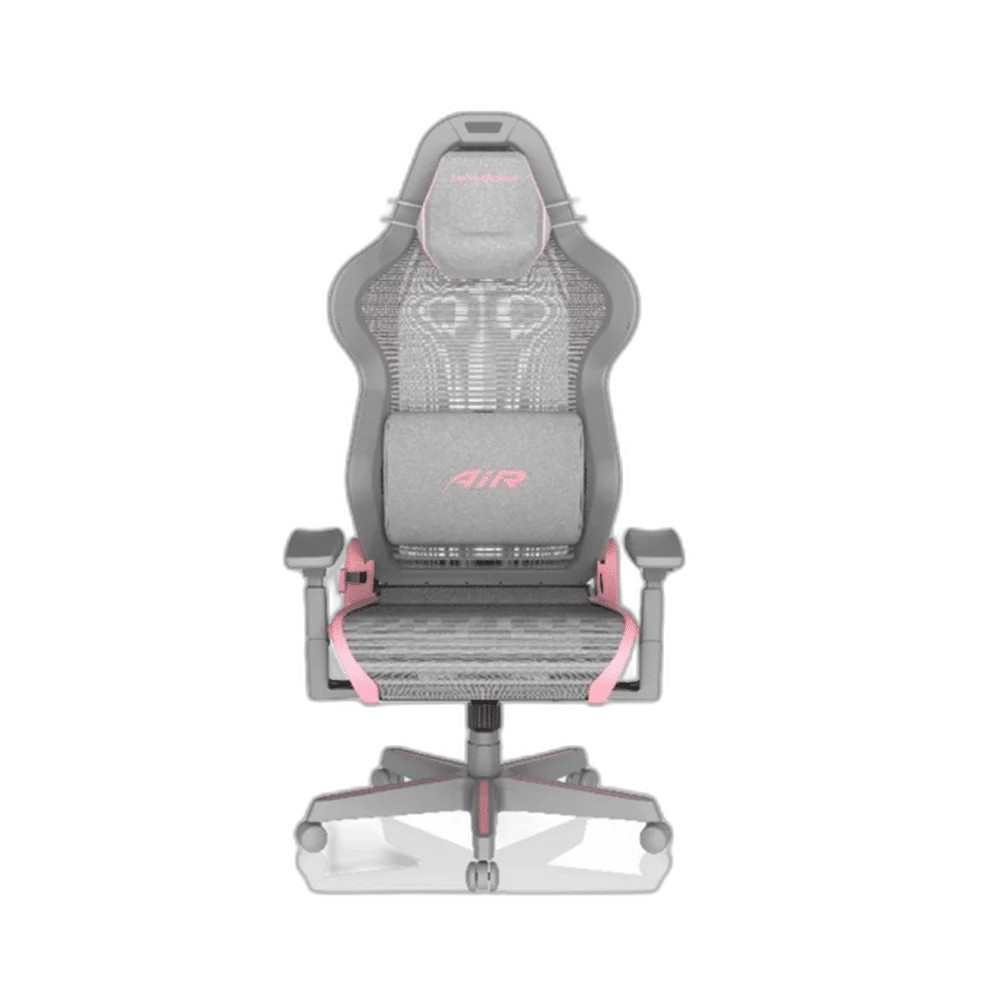
DXRacer Air brings a mesh seating surface to a gaming or working desk. The Air design combines breathable mesh, suspension-spring support, a headrest and adjustable seating controls. Set its position around the desk and choose the listed colour arrangement for the rest of the setup.
Regular price
115.500 KWD
or 4 payments of 28.875 KWD with
Pay with card & save


109.900 KWD
Save 5.600 KWD
Overview
DXRACER AIR 3 PINK AND GREY GAMING CHAIR
Breathable Mesh with a Spring-Supported Seating Design
DXRacer Air brings a mesh seating surface to a gaming or working desk. The Air design combines breathable mesh, suspension-spring support, a headrest and adjustable seating controls. Set its position around the desk and choose the listed colour arrangement for the rest of the setup.
Mesh
Seating surface
Springs
Seat support
Headrest
Head support
Adjustable
Arm support
A Breathable Mesh Surface
Mesh forms the working seat and back surface, allowing airflow through the open structure. It gives the Air family a different seating feel from a heavily upholstered chair. Arrange the chair with room around the backrest so the mesh structure remains clear of nearby furniture.
Suspension Springs Beneath the Mesh
The mesh seating design works with suspension springs to provide a responsive support structure. This is part of the Air family’s approach to seating rather than an added loose cushion. Position the chair on an appropriate floor surface before adjusting the rest of the setup.
A Headrest for the Seating Arrangement
The headrest supplies a padded support point above the mesh backrest. Set the chair height and backrest position around the desk, then arrange the head support to suit that position. Recheck the support when changing the way you sit for another task.
Adjustable Arm Support
The adjustable armrests let you arrange support beside the keyboard and mouse area. Check their position against the desktop and leave room for normal chair movement. Small changes to the arm support can be made alongside the seat controls as you settle into the working position.
Height and Backrest Position
The seat height and backrest adjustments help place the chair around your own desk arrangement. Set the height first, consider the screen and input-device positions, then adjust the backrest. Keep the surrounding space available so the chair can move through its normal working positions.
Brand
DXRacer
Family
Air
Product type
Mesh gaming and desk chair
Plan Accessories Around the Chair Version
The Air family uses a modular design with accessories that need to match the particular chair version. Choose additions by their stated model compatibility and the way you intend to use the setup. Keep access to the main adjustment controls when arranging anything around the chair.
Complete Your Workspace
Explore Gaming Chairs & Desks to compare suitable options and complete your setup.
Frequently Asked Questions
What seating surface does the Air use?
The Air design uses breathable mesh for its open seating structure.
How is the mesh seating supported?
The Air family combines its mesh structure with suspension-spring support.
Can I adjust the seating position?
Set the seat height, backrest and arm support around the desk arrangement and the user’s own position.
Does it provide head support?
A headrest provides a padded support point above the mesh backrest.
How should I choose additional modules?
Use accessories specifically listed for the particular Air version, since modular fittings and optional parts need to match the chair.
Build Your Setup with AX Store Kuwait
Explore computers, displays and accessories for your workspace at AX Store Kuwait. For help choosing the right model or checking an accessory, contact AX Store.
THE DETAILS
Technical specifications
Product Specifications
DXRacer
Air
Mesh gaming and desk chair
Breathable mesh
Suspension-spring design
Adjustable
Headrest
Height and backrest adjustment
Model-specific modular compatibility
COMPLETE YOUR SETUP
Pairs well with