Eureka Ergonomic
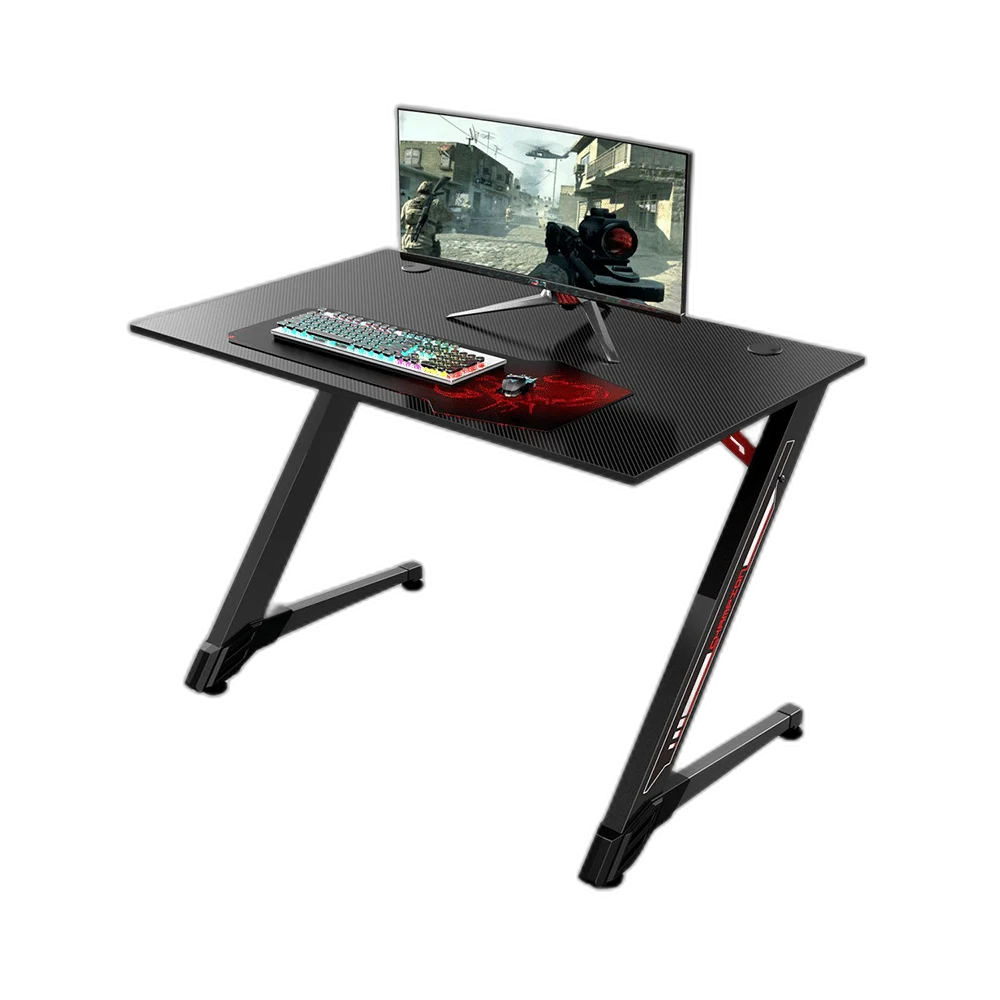
Eureka Ergonomic 43-Inch Z Shaped Gaming Desk
Arrange a compact gaming or working setup on this nominal 43-inch Eureka Ergonomic desk. Its Z-shaped support layout gives the desk a distinctive profile, with a desktop that can be planned around a monitor, keyboard and mouse area.
Regular price
62.000 KWD
or 4 payments of 15.500 KWD with
Pay with card & save


59.000 KWD
Save 3.000 KWD
Overview
EUREKA ERGONOMIC 43-INCH Z-SHAPED GAMING DESK
A Compact Desk with a Z-Shaped Support Frame
Arrange a compact gaming or working setup on this nominal 43-inch Eureka Ergonomic desk. Its Z-shaped support layout gives the desk a distinctive profile, with a desktop that can be planned around a monitor, keyboard and mouse area.
43-inch
Nominal desk class
Z-shaped
Support design
Desktop
Working surface
Eureka
Ergonomic desk brand
A Nominal 43-Inch Desk Format
The listed 43-inch format suits a more compact desk arrangement. Measure the intended room position and allow space around the desktop for the chair, connected leads and normal movement. The overall room layout matters alongside the nominal size when deciding where the desk should sit.
The Z-Shaped Support Layout
The support frame uses the Z-shaped design identified for this desk. Assemble the frame and desktop according to the supplied instructions, checking the fixings before placing equipment on the surface. Choose a suitable floor position that gives the desk a stable working base.
Arrange the Main Display First
Position the monitor so its stand sits securely within the available surface and leaves the viewing position comfortable. Then plan the keyboard and mouse area around it. A separate clamp-mounted arm requires its own check of desktop construction and mounting limits rather than assuming compatibility from the desk’s width.
Keep the Input Area Clear
Give the keyboard and mouse enough room for the way the desk will be used. A suitable mousepad or desk mat can define that working area and keep smaller accessories outside the normal hand path. Arrange connected leads so they do not drag across the mouse surface.
Plan Access to Cables and Power
Leave suitable space for display and peripheral cables behind the desk, with access to the computer’s connections. Keep leads out of the chair’s movement path and use a cable-management method appropriate for the actual desk. Position the setup so plugs can be reached for normal equipment changes.
Brand
Eureka Ergonomic
Desk format
Gaming / working desk
Nominal desktop class
43 inches
Build a Practical Everyday Workspace
Use the desk as the base for the equipment required by the session, keeping the usable surface organised as accessories are added. Follow the supplied care and load guidance, and check the assembled frame periodically. Match any extra fixtures or holders to the actual desk rather than another model’s accessory package.
Complete Your Workspace
Explore Gaming Chairs & Desks to compare suitable options and complete your setup.
Frequently Asked Questions
What support design is used?
A Z-shaped frame.
What size class is listed?
Nominal 43-inch.
Can a monitor clamp be chosen from width alone?
No. Match the mounting requirements to the actual desktop.
What should be planned around the desk?
Leave suitable chair space, access to connections and a clear cable route.
How should equipment be arranged?
Place the display securely, then leave usable space for the keyboard and mouse.
Build Your Setup with AX Store Kuwait
Explore computers, displays and accessories for your workspace at AX Store Kuwait. For help choosing the right model or checking an accessory, contact AX Store.
THE DETAILS
Technical specifications
Specifications
Eureka Ergonomic
Gaming / working desk
43 inches
Z-shaped frame
Follow supplied model instructions
Match fixtures to actual desktop construction and mounting limits
COMPLETE YOUR SETUP
Pairs well with