GravaStar
GravaStar Mercury X Pro Neon Graffiti Wireless Gaming Mouse, 49g
The GravaStar Mercury X Pro Neon Graffiti pairs a 49 g magnesium-alloy frame with a PAW3950 sensor offering up to 32,000 DPI. An 8K wireless receiver is included. USB wired, 2.4 GHz and Bluetooth connectivity make it flexible across your setup.
Overview
GRAVASTAR MERCURY X PRO NEON GRAFFITI WIRELESS GAMING MOUSE, 49G
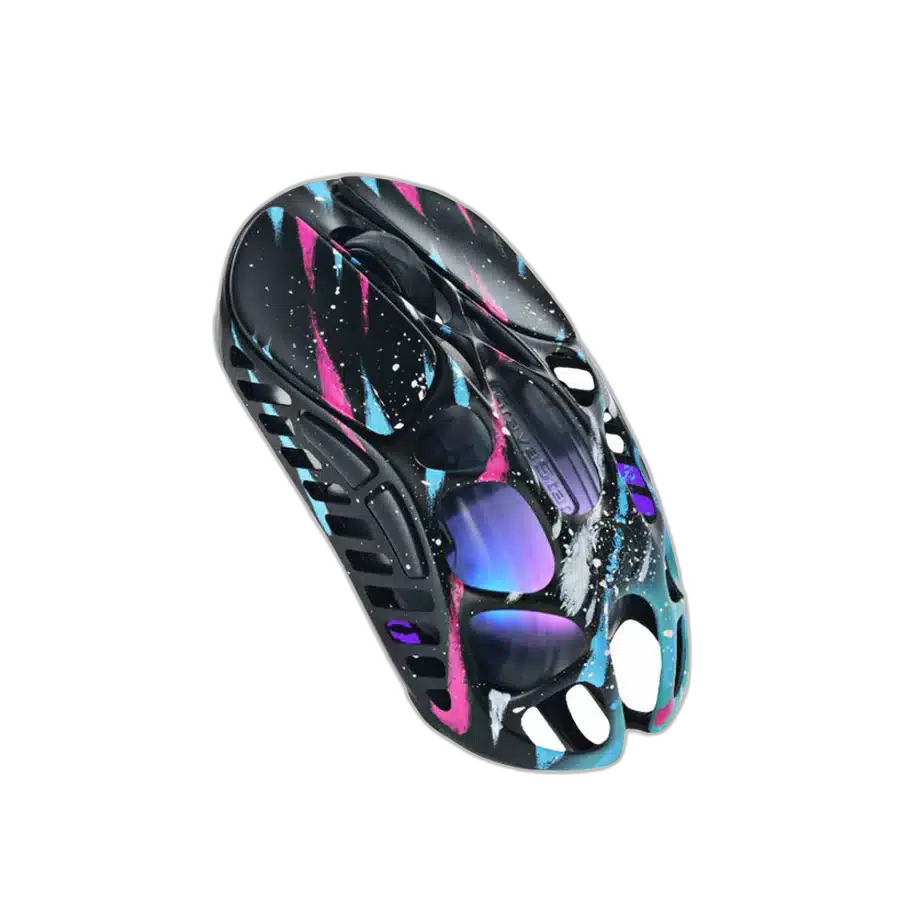
GravaStar Mercury X Pro Neon Graffiti
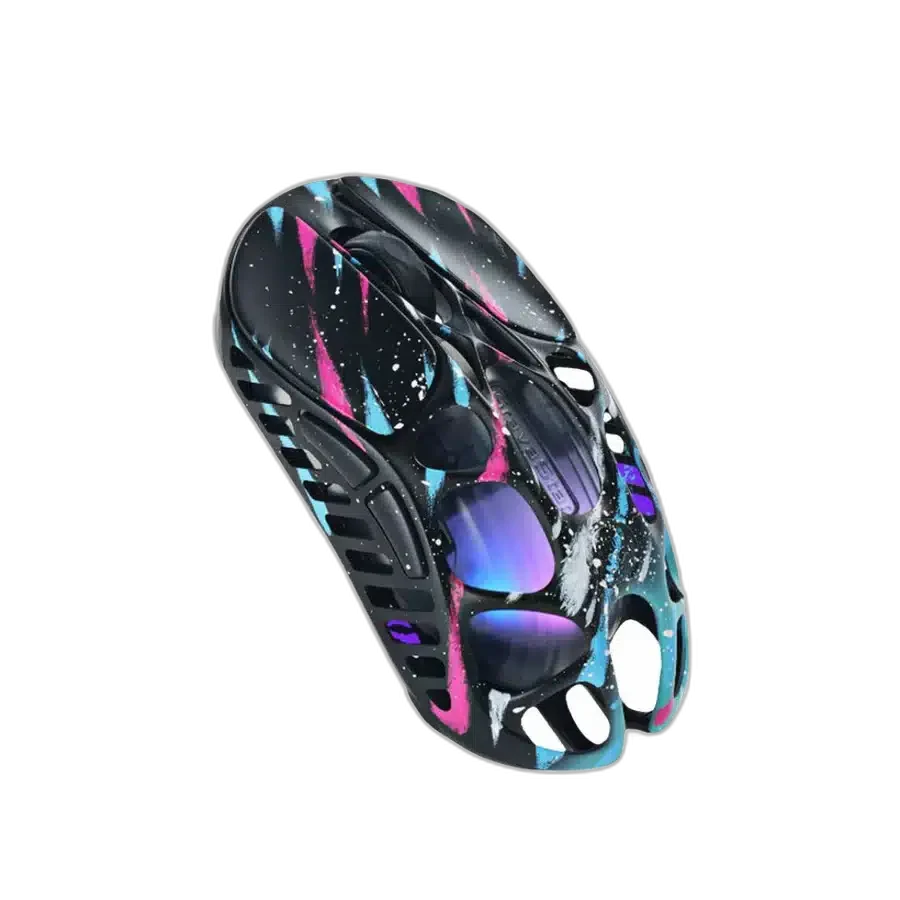
GravaStar Mercury X Pro Neon Graffiti: Neon Graffiti adds a multicolour finish to the Mercury X Pro's hollow magnesium frame. Its 49 g build combines expressive styling with high-resolution optical tracking. Available from AX Store in Kuwait.
32,000 DPI
Maximum Sensor Sensitivity
49 g
Listed Weight
8000 Hz
Highest Supported Polling
Tri-Mode
Connection Choices
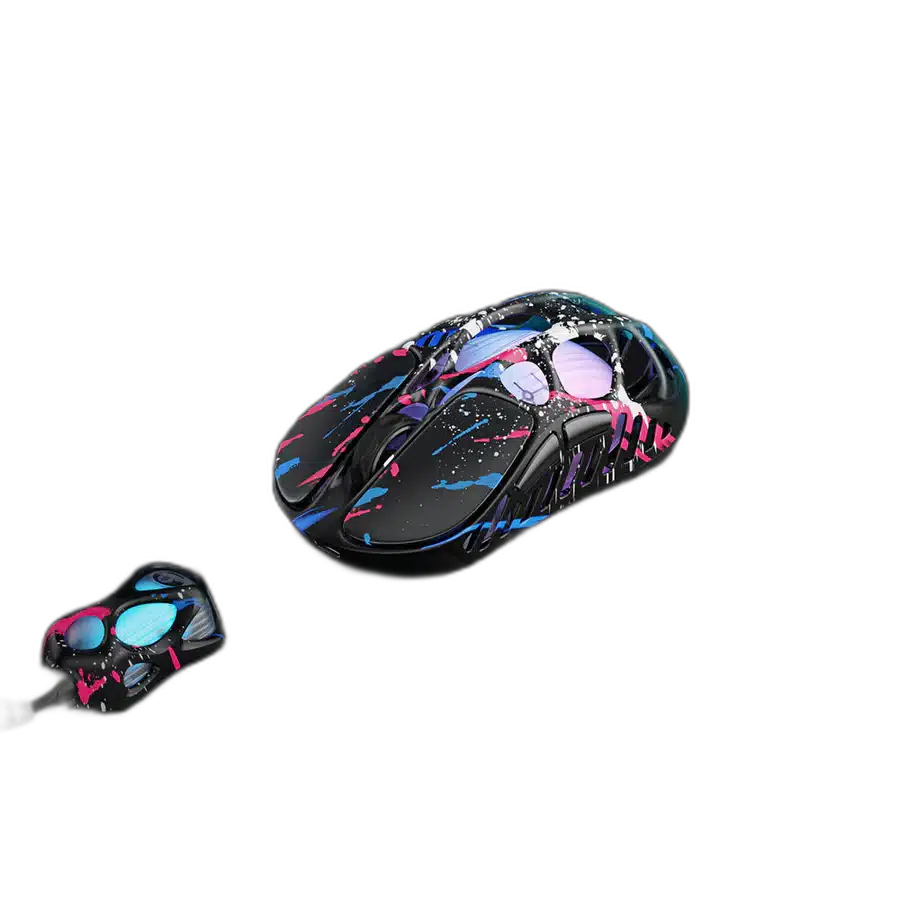
Tracking for Your Chosen Sensitivity
GravaStar Mercury X Pro Neon Graffiti Wireless Gaming Mouse, 49g uses a PixArt PAW3950 optical sensor with a maximum sensitivity of 32,000 DPI. This gives you room to choose a sensitivity that suits your mouse movement and display. Keep the sensor setting consistent with your normal play style, with the complete tracking limits available in the specifications below.
Three Ways to Connect
This edition supports wired USB, Bluetooth and 2.4 GHz wireless connections. Choose the connection that fits the compatible computer and the way you use your desk, whether you are gaming or moving between everyday tasks. The listed system compatibility is Windows and macOS, so check your software and host requirements when setting up.
Match the Receiver to the Report Rate
The 8K wireless dongle is included for the supported 8000Hz configuration. Receiver support is part of choosing the right edition and accessories for your setup. Keep that package distinction in mind when selecting a report rate, rather than assuming that every Mercury model includes the same dongle.
A Distinctive Edition for Your Desk
This configuration is specified at 49 g, with magnesium-alloy hollow skeleton; approximately 0.8 mm thick. The body dimensions are 124.6 × 63.5 × 40.5 mm. Compare the dimensions with the space and grip you prefer, while choosing the finish that fits the rest of your desk.
Personalize Buttons and Lighting
The listed control setup provides 5 programmable buttons. Onboard memory profiles are also specified for saving a suitable control arrangement. The lighting configuration is Customisable RGB. Together, the controls and illumination let you tailor the mouse to the games and visual setup you use.
Check the Accessories for This Edition
The listed package contains Mouse, 8K wireless dongle, USB-C charging cable, two non-slip pads, Teflon feet pads, manual and cleaning cloth. Keep these contents separate from optional upgrades when planning a receiver, charging cable or replacement contact pads. The package belongs to this exact edition, so compare it with the connection and receiver requirements for the setup you intend to use.
Match the Mouse to Your Grip and Desk
Compare shell size, grip and connection before choosing a mouse. Check the receiver or cable arrangement for the exact model and leave enough mousepad area for your normal movement. Compare related options such as GravaStar Mercury M1 Pro Gunmetal Gray Wireless Gaming Mouse, 88g or GravaStar Mercury X Air Onyx Crystal Wireless Gaming Mouse, 56g, keeping the exact model and configuration in the decision. For the wider setup, explore Razer Gigantus V2 Gaming Mouse Pad – XXL / 3XL and check the connection, size or mounting requirements before pairing accessories. Browse the GravaStar range at AX for more choices.
GravaStar Mercury X Pro Neon Graffiti Setup Choices
Compare shell size, grip and connection before choosing a mouse. Check the receiver or cable arrangement for the exact model and leave enough mousepad area for your normal movement. Explore ARTISAN NINJA FX ZERO Gaming Mousepad – SOFT/XSOFT, XL/XXL, ARTISAN NINJA FX TYPE-99 SOFT XL Mousepad – Matcha, Pulsar Superglide V3 Glass Mousepad - Type S.
Frequently Asked Questions
What receiver is needed for the highest supported polling rate?
The 8K wireless dongle is included for the supported 8000Hz configuration.
Which connection modes and systems are listed?
Connectivity: USB wired, Bluetooth 5.1, 2.4 GHz wireless. Compatibility: Windows and macOS.
Which accessories are included?
Mouse, 8K wireless dongle, USB-C charging cable, two non-slip pads, Teflon feet pads, manual and cleaning cloth.
Which controls and lighting are provided?
Programmable buttons: 5. Lighting: Customisable RGB.
Build Your Setup with AX Store
Explore computers, displays and accessories for your workspace at AX Store. For help choosing the right model or checking an accessory, contact AX Store.
THE DETAILS
Technical specifications
Product specifications
GravaStar
Mercury X Pro
Neon Graffiti
49 g
124.6 × 63.5 × 40.5 mm
Magnesium-alloy hollow skeleton; approximately 0.8 mm thick
PixArt PAW3950 optical
32,000 DPI
Up to 8000 Hz with included 8K dongle
USB wired, Bluetooth 5.1, 2.4 GHz wireless
5
Onboard memory profiles
Customisable RGB
Up to 110 hours; varies with settings and use
Windows and macOS
Mouse, 8K wireless dongle, USB-C charging cable, two non-slip pads, Teflon feet pads, manual and cleaning cloth
COMPLETE YOUR SETUP
Pairs well with