TP-Link
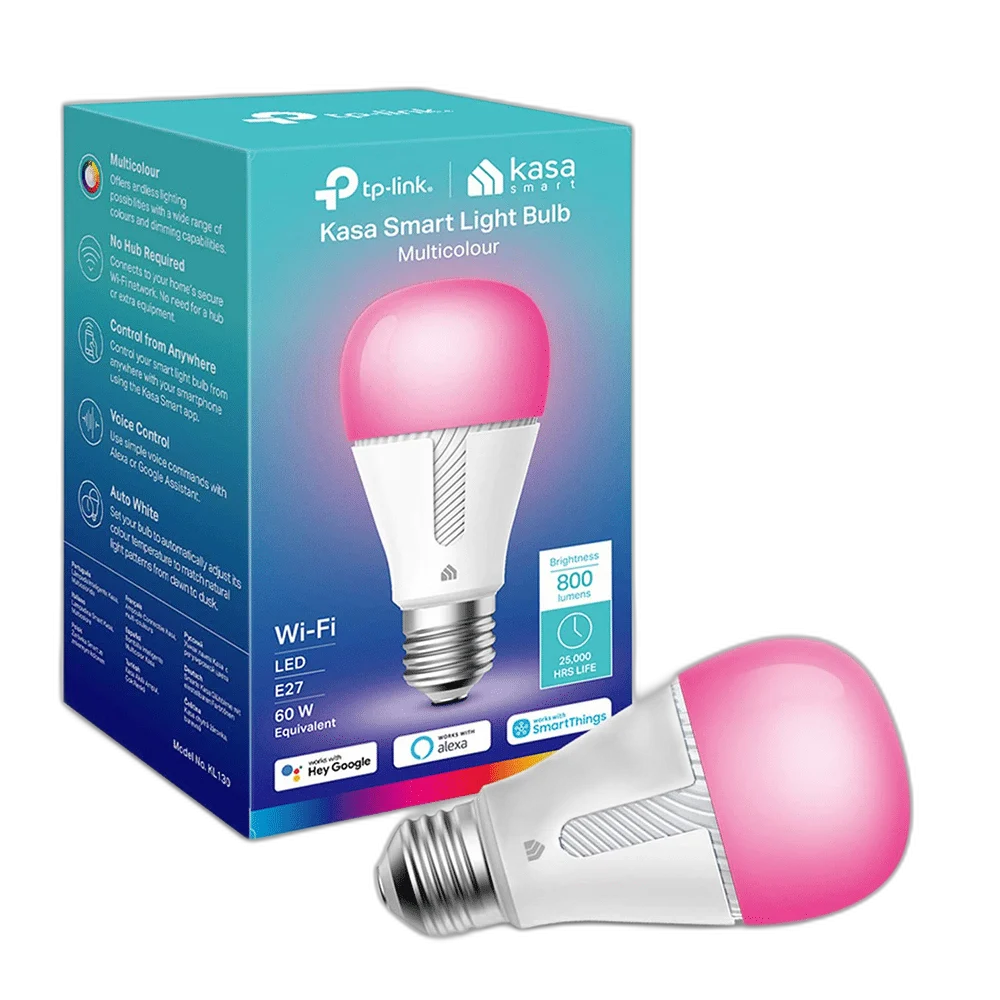
Kasa Smart Bulb by TP-Link, WiFi Smart Switch, E27
TP-Link Kasa Wi-Fi Smart LED Bulb — E27 brings app-based lighting control to a suitable lamp fitting. Connect it to a compatible 2.4 GHz Wi-Fi network and use the Kasa Smart app for everyday on/off control, brightness adjustments and scheduled lighting.
Regular price
7.000 KWD
or 4 payments of 1.750 KWD with
Pay with card & save


6.900 KWD
Save 0.100 KWD
Overview
TP-LINK KASA WI-FI SMART LED BULB — E27
App-Controlled Lighting for a Suitable Room Lamp
TP-Link Kasa Wi-Fi Smart LED Bulb — E27 brings app-based lighting control to a suitable lamp fitting. Connect it to a compatible 2.4 GHz Wi-Fi network and use the Kasa Smart app for everyday on/off control, brightness adjustments and scheduled lighting.
Wi-Fi
Smart connection
2.4 GHz
Wireless network band
Kasa Smart
Control app
LED
Lighting type
Control the Light with Kasa Smart
Use the Kasa Smart app to manage the bulb’s supported lighting functions from a compatible phone. The app provides an accessible control point for the connected light, making it useful for a desk lamp, room lamp or other suitable fitting. Complete the bulb’s own setup procedure before adding it to a lighting routine.
A 2.4 GHz Wi-Fi Connection
The bulb uses a compatible 2.4 GHz Wi-Fi network for its smart connection. Position the light within reliable wireless coverage and follow the app’s onboarding instructions. Keep the normal lamp supply available so the bulb can stay connected; cutting its mains power removes its ability to respond to app commands.
Adjust Brightness for the Room
The app lets a compatible Kasa or Tapo bulb’s brightness be adjusted for the room and activity. Use a comfortable level for the lamp position and surrounding light. Choose settings in the app rather than assuming a conventional wall dimmer is suitable for the smart bulb.
Schedules for Everyday Lighting
Set supported lighting schedules through the app to fit the way the room is used. A routine can bring a suitable lamp on at a planned time or switch it off after the activity. Check the app’s time settings, network connection and the bulb’s power supply when confirming that the routine behaves as intended.
Match the Lamp Fitting
This listing uses an E27 screw fitting. Match the lamp holder, supply rating and physical clearance to the bulb before fitting it. The lamp’s permitted bulb type and clearance remain part of the setup, so check the fixture instructions and keep its normal switch accessible.
Model
TP-Link Kasa Wi-Fi Smart LED Bulb — E27
Product type
Smart LED bulb
Wireless network
2.4 GHz Wi-Fi
Build a Useful Room Lighting Setup
Place the lamp so it provides the lighting needed for the space, then check the selected colour or brightness from the normal seating position. Use the model’s app to organise the light around the room’s regular activities. Other smart lights can complement the room, with their own apps and supported control systems determining how they are managed.
Complete Your Workspace
Explore Smart Lighting to compare suitable options and complete your setup.
Frequently Asked Questions
Which app is used?
Kasa Smart.
What Wi-Fi band is required?
A compatible 2.4 GHz network.
Can it respond when the lamp supply is switched off?
No. The bulb needs its normal electrical supply to stay connected.
Does this listing have an E27 base?
Yes. Match the lamp’s fitting, rating and clearance.
Can lighting be scheduled?
Use the schedules supported by the bulb’s app and check the resulting routine.
Build Your Setup with AX Store Kuwait
Explore computers, displays and accessories for your workspace at AX Store Kuwait. For help choosing the right model or checking an accessory, contact AX Store.
THE DETAILS
Technical specifications
Product Specifications
TP-Link Kasa Wi-Fi Smart LED Bulb — E27
Smart LED bulb
2.4 GHz Wi-Fi
Kasa Smart
On/off; brightness
Through supported app schedules
Match the supplied bulb configuration
Suitable Wi-Fi coverage and normal lamp power
E27 screw base
COMPLETE YOUR SETUP
Pairs well with