Lamzu
Lamzu Atlantis Wireless Superlight Gaming Mouse
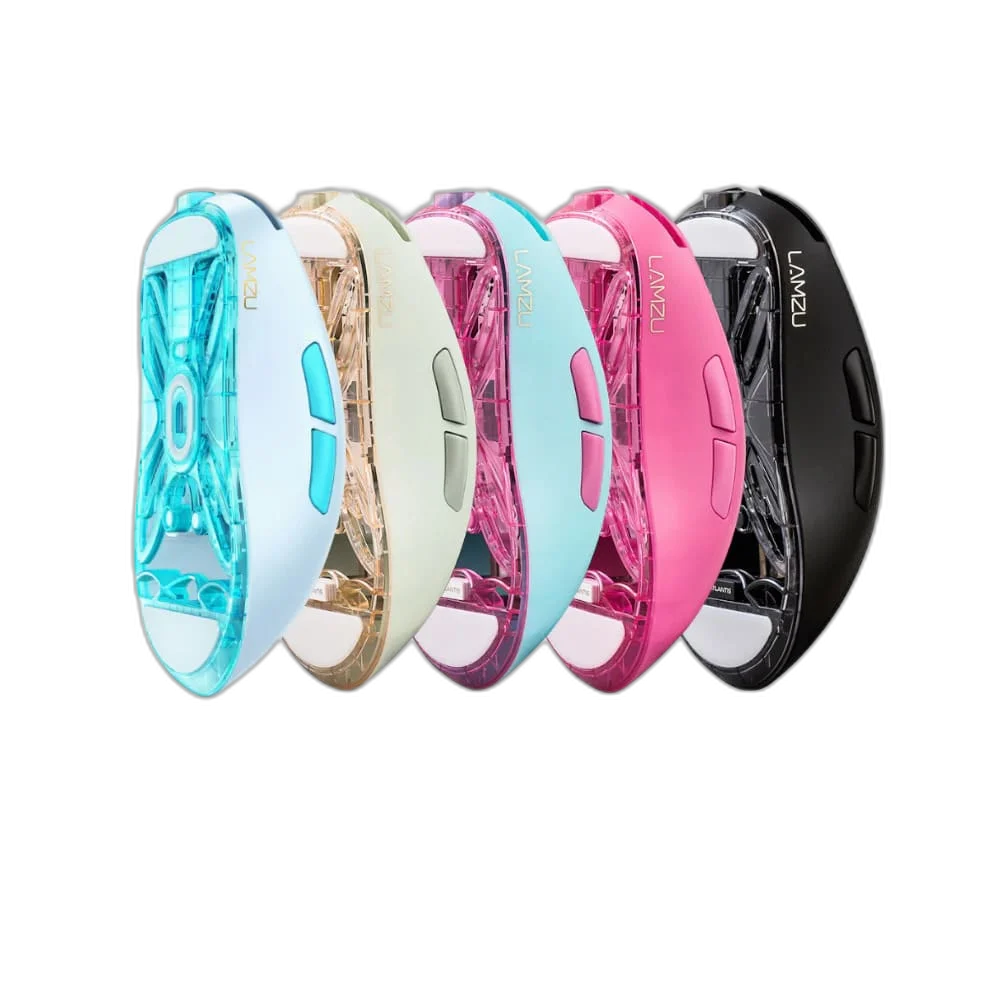
The original LAMZU Atlantis pairs a wireless gaming-mouse design with a USB-receiver connection and software controls for debounce time, lift-off distance and macros. The listed Black, Blue and White colour options let you choose the available version for your setup while keeping the focus on the original Atlantis control platform.
Color
Regular price
31.500 KWD
or 4 payments of 7.875 KWD with
Pay with card & save


29.900 KWD
Save 1.600 KWD
Overview
LAMZU ATLANTIS WIRELESS GAMING MOUSE
LAMZU Atlantis Wireless Gaming Mouse
LAMZU Atlantis Wireless Gaming Mouse: The original LAMZU Atlantis pairs a wireless gaming-mouse design with a USB-receiver connection and software controls for debounce time, lift-off distance and macros. The listed Black, Blue and White colour options let you choose the available version for your setup while keeping the focus on the original Atlantis control platform. Explore this model at AX Store in Kuwait.
Wireless
Gaming Mouse
USB Receiver
Model-Matched Link
Debounce
Driver Setting
Lift-Off Distance
Driver Setting
A Wireless Desktop Gaming Setup
The Atlantis wireless connection works with the appropriate USB receiver, giving you a mouse setup without a normal operating cable running across the desk. Arrange the receiver and workspace for the system you use, and match replacement hardware to the actual mouse model rather than choosing a receiver by brand alone.
Adjustable Debounce Time
The original Atlantis driver provides a debounce-time setting, giving you control over part of the mouse click-handling behaviour. Test a change in your normal applications before settling on a setting. The lowest available number should not be treated as a universal guarantee of the best result for every use.
Lift-Off Distance Control
The driver also provides a lift-off-distance setting, which is relevant when lifting and repositioning the mouse on the pad. Choose a setting that works with your surface and movement style. A consistent pad and positioning routine help you judge the change more usefully than changing several settings at once.
Macro Settings in the Atlantis Driver
Macro support in the original driver lets you configure supported button actions around your own workflow. Set up and test the actions in the software and applications where you intend to use them. Keep the configuration appropriate for the application rather than assuming the same action behaves identically everywhere.
A Model-Specific Receiver Pairing Tool
LAMZU provides a USB-dongle pairing tool for the original Atlantis, supporting the connection between the correct mouse and receiver. Receiver compatibility depends on the model and firmware arrangement. A pairing tool does not establish that a later high-polling receiver or another mouse series is interchangeable.
Brand
LAMZU
Model
Atlantis, original wireless platform
Product type
Wireless gaming mouse
Choose the Listed Colour for Your Desk
Black, Blue and White are the colour choices listed for this product. Select an available variant around the appearance of your keyboard, mat and other equipment. Colour selection remains separate from the receiver and software requirements, so keep the original Atlantis model in mind when choosing accessories.
Match the Mouse to Your Grip and Desk
Compare shell size, grip and connection before choosing a mouse. Check the receiver or cable arrangement for the exact model and leave enough mousepad area for your normal movement. Compare related options such as Logitech G PRO X Superlight Wireless Gaming Mouse, Ultra-light or Logitech G PRO X SUPERLIGHT 2 LIGHTSPEED Wireless Gaming Mouse - Black, keeping the exact model and configuration in the decision. For the wider setup, explore ARTISAN NINJA FX TYPE-99 SOFT XL Mousepad – Matcha and check the connection, size or mounting requirements before pairing accessories. Browse the Lamzu range at AX for more choices.
LAMZU Atlantis Wireless Gaming Mouse Setup Choices
Compare shell size, grip and connection before choosing a mouse. Check the receiver or cable arrangement for the exact model and leave enough mousepad area for your normal movement. Explore ARTISAN NINJA FX ZERO Gaming Mousepad – SOFT/XSOFT, XL/XXL, Pulsar Superglide V3 Glass Mousepad - Type S, Wooting 60HE v2 60% Gaming Keyboard, Aluminium.
Frequently Asked Questions
Which software settings are available?
The original Atlantis download page lists controls for debounce time, lift-off distance and macros. Use software and firmware intended for the actual Atlantis model you own.
Can I use any LAMZU receiver with this mouse?
Match the receiver to the mouse model and firmware requirements. The original USB pairing tool does not establish interchangeability with every later receiver or another LAMZU mouse series.
What does the lift-off-distance setting affect?
It concerns tracking behaviour when lifting and repositioning the mouse. Test the setting with your own mouse pad and movement style before deciding which configuration works best for you.
Does a lower debounce setting always give a better result?
A driver setting should be tested in the intended application and with your own use pattern. Choose a configuration that behaves reliably for your workflow rather than judging it only by the displayed number.
Which colours are listed?
The product variation choices are Black, Blue and White. Availability depends on the selected variant, so use the colour option shown with the product when placing an order.
Build Your Setup with AX Store
Explore computers, displays and accessories for your workspace at AX Store. For help choosing the right model or checking an accessory, contact AX Store.
Compare Lamzu Thorn Wireless Pro Gaming Mouse 4K Special Edition. Match the exact model, connection and configuration to your setup.
THE DETAILS
Technical specifications
Product Specifications
LAMZU
Atlantis, original wireless platform
Wireless gaming mouse
Appropriate Atlantis USB receiver
Debounce time, lift-off distance and macros
Original Atlantis USB-dongle pairing tool
Black / Blue / White, according to the selected variant
COMPLETE YOUR SETUP
Pairs well with