Microsoft
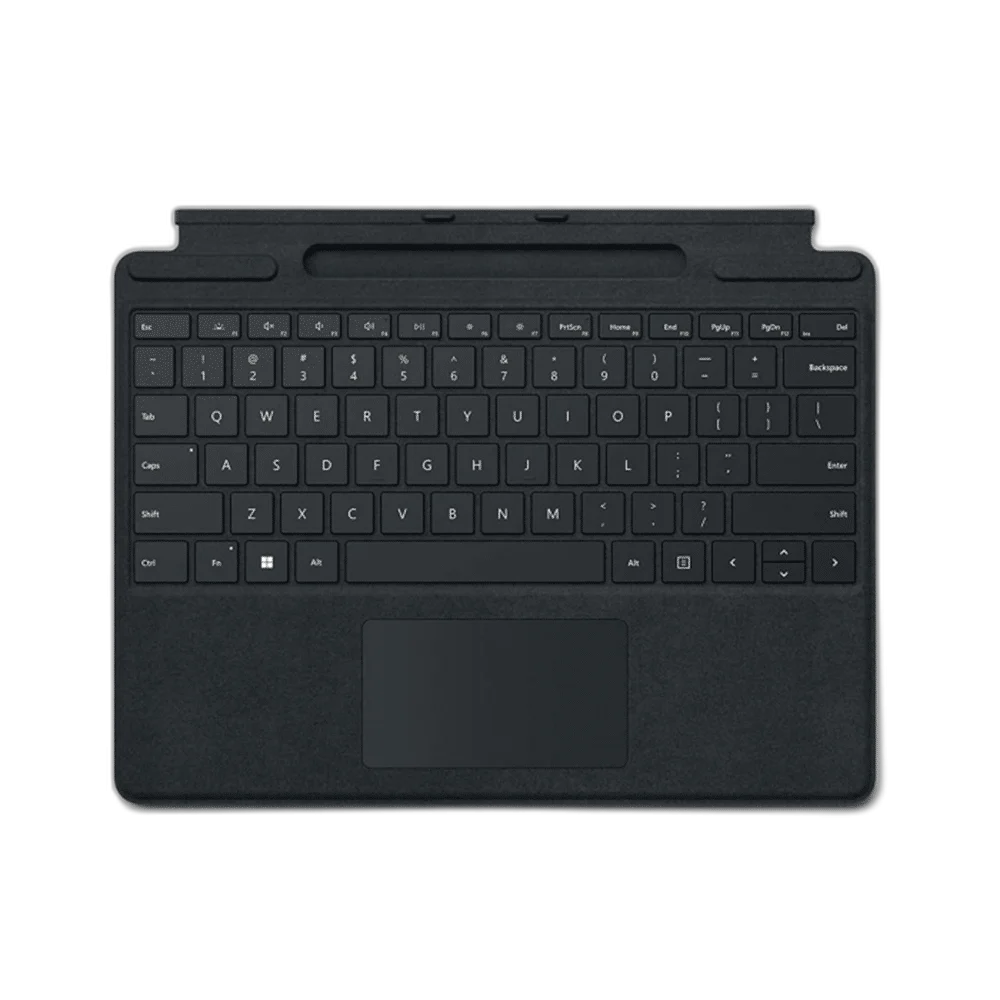
Microsoft Surface Pro Signature Keyboard for Surface Pro 9, Black
Surface Pro Signature Keyboard, keyboard-only configuration in Black. Alcantara covering, backlit keys, touchpad, magnetic attachment and pen storage/charging tray. Compatible with listed Surface Pro 9, 8 and X models.
Regular price
68.500 KWD
or 4 payments of 17.125 KWD with
Pay with card & save


65.000 KWD
Save 3.500 KWD
Overview
MICROSOFT SURFACE PRO SIGNATURE KEYBOARD — BLACK
Typing, Pen Storage and a Magnetic Surface Pro Connection
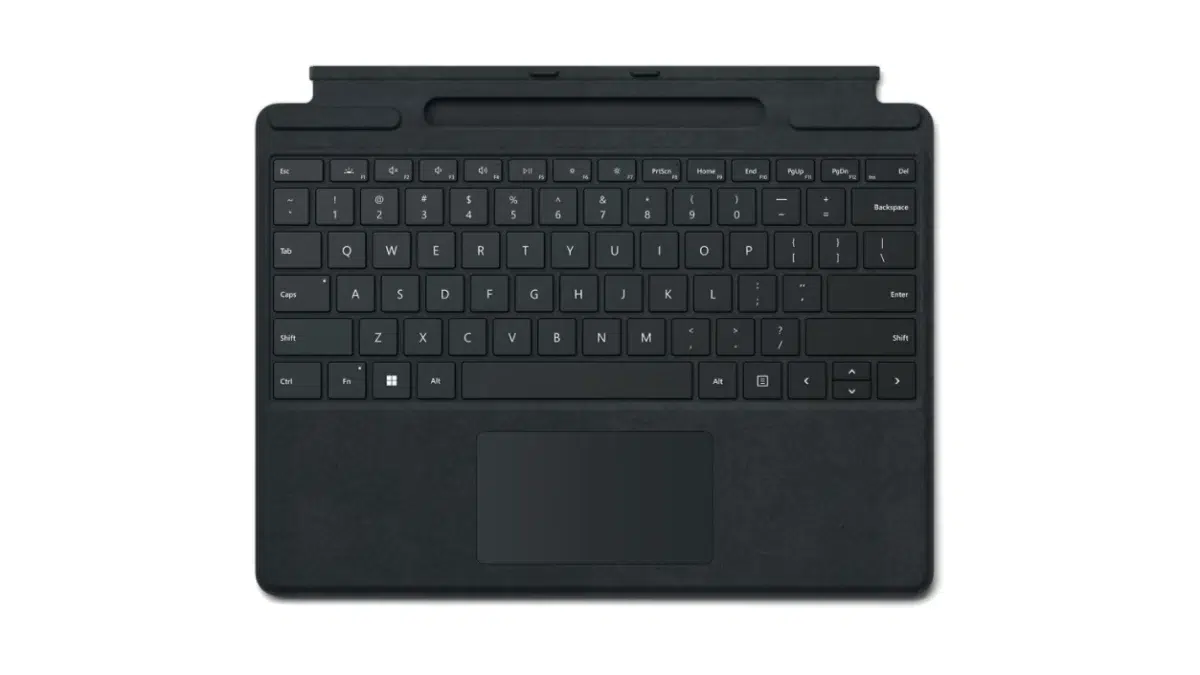
Add a physical keyboard and touchpad to a compatible Surface Pro with Surface Pro Signature Keyboard. This Black listing combines Alcantara covering, backlit keys and a magnetic keyboard interface with a slim cover design. Microsoft lists compatibility with Surface Pro 9, Surface Pro 8 and Surface Pro X; arrange the keyboard with the tablet’s own kickstand for a laptop-style workspace.
1864
Keyboard Hardware Model
Touchpad
Pointing Input
Slim Pen Dock
Storage / Charging
Keyboard Only
Listing Configuration
Typing and Touchpad Navigation
A full row of function keys from F1 to F12 sits above the main keyboard, with dedicated controls for Windows shortcuts, media and screen brightness. Backlit moving keys and a touchpad provide familiar input for documents and everyday navigation. Set the keyboard position around the tablet and your work surface, then use the keys or touchpad as the task requires.
Magnetic Attachment for Compatible Surface Pro
The magnetic interface attaches the keyboard to a compatible Surface Pro. Microsoft identifies Surface Pro 9, Surface Pro 8 and Surface Pro X for this Signature Keyboard family. Open the tablet’s kickstand and position the keyboard for typing, or fold it back when switching to tablet use. Check the exact Surface model before choosing this keyboard cover.
Alcantara Cover and Slim Dimensions
The Black keyboard has an Alcantara-covered exterior and measures 289.1 × 226.1 × 4.89 mm. Microsoft lists a keyboard weight of approximately 280 g. Use these dimensions when planning how the keyboard and compatible tablet will fit into your desk or everyday carrying arrangement.
Pen Storage and Charging
The keyboard includes a storage and charging tray for a compatible Surface Slim Pen. This is the keyboard-only listing, with the pen available separately. If you add a supported pen, its designated tray keeps it close to the typing surface and provides a charging location between handwriting or drawing sessions on a compatible Surface device.
Controls for Daily Tasks
The function row and dedicated shortcut controls give you direct access to common Windows, media and brightness actions. A right-click function and touchpad support pointer navigation alongside the physical keys. Use these controls when editing documents, browsing and moving between applications, then change back to the tablet screen when touch input better suits the task.
Choose the Matching Configuration
This Black configuration supplies the Surface Pro Signature Keyboard. Microsoft’s family specification includes an accelerometer, magnetic interface and pen-tray integration, with keyboard layouts varying by market. Match the connector family and keyboard language to the Surface setup you use; compare those details alongside the dimensions when choosing the accessory for everyday work.
Complete Your Workspace
Explore Keyboards at AX Store and choose the configuration or accessories that fit your setup.
Frequently Asked Questions
Which Surface Pro models are listed as compatible?
Compatible Surface Pro models listed: Surface Pro 9; Surface Pro 8; Surface Pro X.
What keys and pointing input are provided?
Keys: Backlit moving keys; full F1–F12 function row. Dedicated controls: Windows shortcuts; media; screen brightness; right-click. Pointing input: Touchpad.
How is a compatible pen stored and charged?
Pen integration: Built-in compatible Slim Pen storage and charging.
What is included in this listing?
Listing contents: Signature Keyboard; pen and Surface tablet separate.
Build Your Setup with AX Store Kuwait
Explore computers, displays and accessories for your workspace at AX Store Kuwait. For help choosing the right model or checking an accessory, contact AX Store.
Compare Microsoft Surface Pro Signature Keyboard With Slim Pen 2, Platinum. Match the exact model, connection and configuration to your setup.
THE DETAILS
Technical specifications
Keyboard and Listing Configuration
Surface Pro Signature Keyboard
1864
Black
Surface Pro 9; Surface Pro 8; Surface Pro X
Magnetic
Alcantara
289.1 × 226.1 × 4.89 mm
Approximately 280 g
Backlit moving keys; full F1–F12 function row
Windows shortcuts; media; screen brightness; right-click
Touchpad
Accelerometer
Built-in compatible Slim Pen storage and charging
Signature Keyboard; pen and Surface tablet separate
COMPLETE YOUR SETUP
Pairs well with
