Microsoft
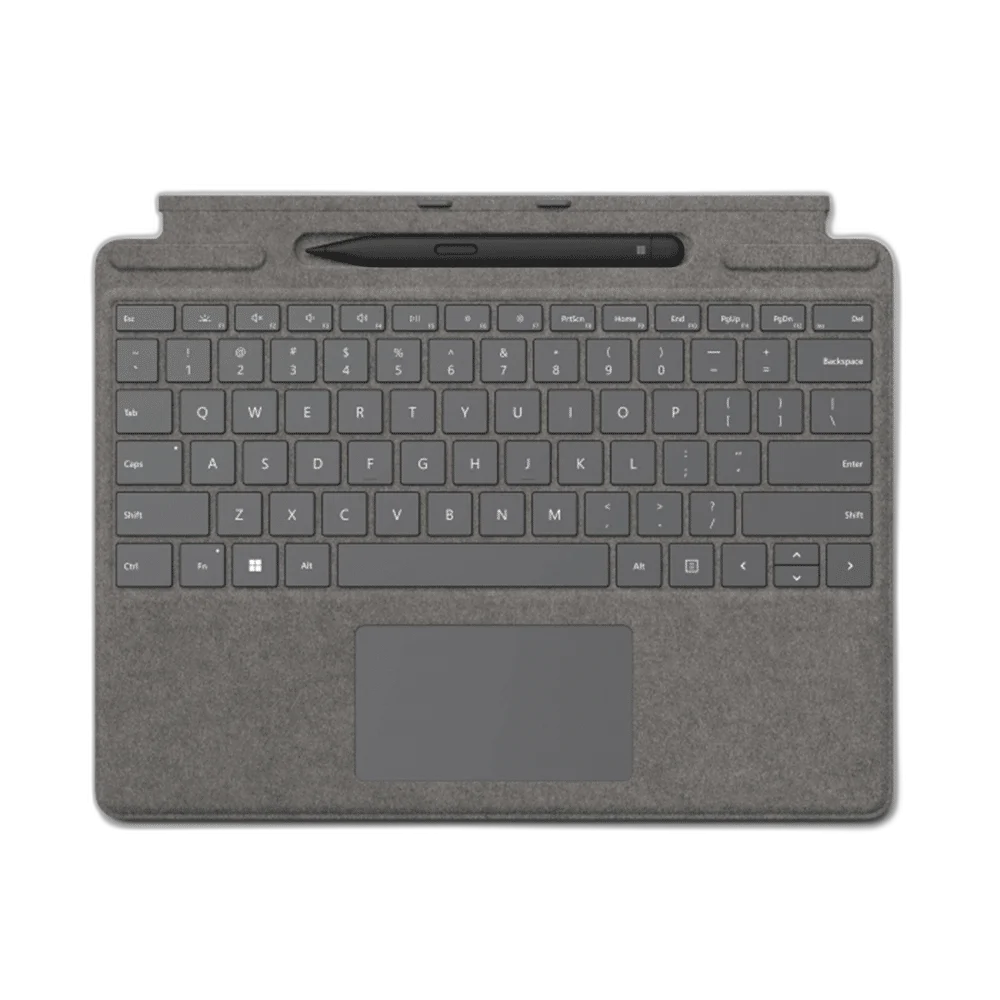
Microsoft Surface Pro Signature Keyboard With Slim Pen 2, Platinum
Surface Pro Signature Keyboard and included Slim Pen 2 in Platinum. Alcantara covering, backlit keys, touchpad, magnetic attachment and pen storage/charging tray. Compatible with listed Surface Pro 9, 8 and X models.
Regular price
83.000 KWD
or 4 payments of 20.750 KWD with
Pay with card & save


79.000 KWD
Save 4.000 KWD
Overview
MICROSOFT SURFACE PRO SIGNATURE KEYBOARD WITH SLIM PEN 2 — PLATINUM
Typing, Pen Storage and a Magnetic Surface Pro Connection
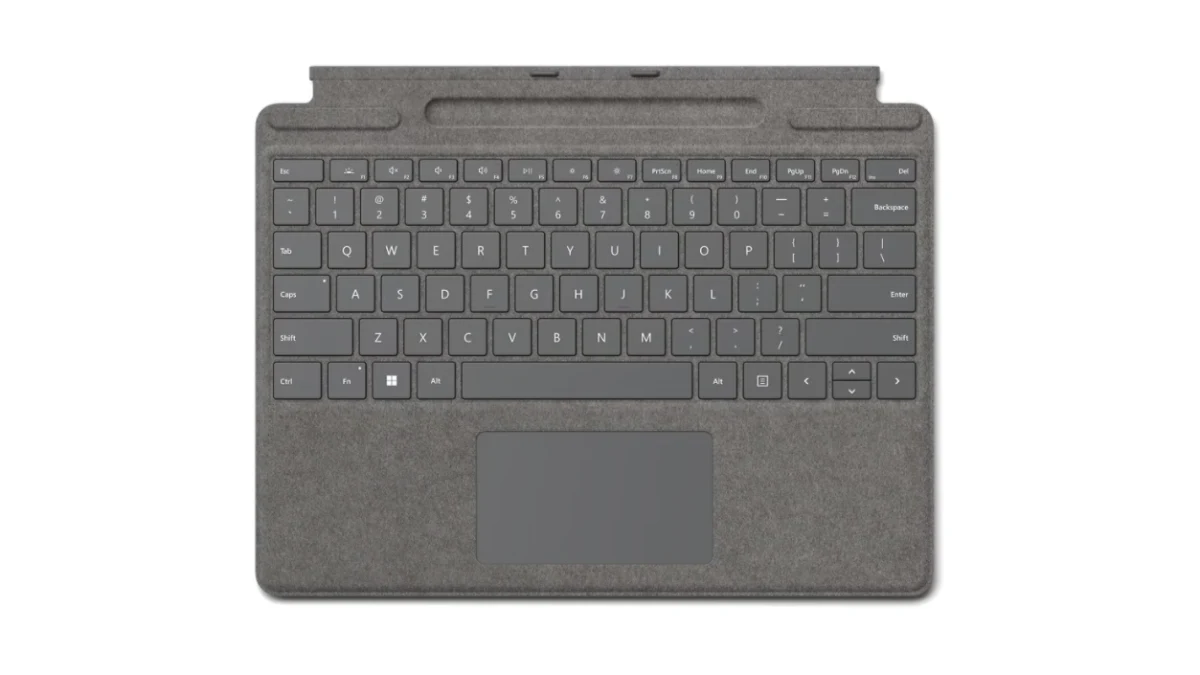
Pair typing and digital handwriting with Surface Pro Signature Keyboard and Surface Slim Pen 2. This Platinum listing combines Alcantara covering, backlit keys and a magnetic keyboard interface with a slim cover design. Microsoft lists compatibility with Surface Pro 9, Surface Pro 8 and Surface Pro X; arrange the keyboard with the tablet’s own kickstand for a laptop-style workspace.
1864
Keyboard Hardware Model
Touchpad
Pointing Input
Slim Pen Dock
Storage / Charging
Slim Pen 2 Included
Listing Configuration
Typing and Touchpad Navigation
A full row of function keys from F1 to F12 sits above the main keyboard, with dedicated controls for Windows shortcuts, media and screen brightness. Backlit moving keys and a touchpad provide familiar input for documents and everyday navigation. Set the keyboard position around the tablet and your work surface, then use the keys or touchpad as the task requires.
Magnetic Attachment for Compatible Surface Pro
The magnetic interface attaches the keyboard to a compatible Surface Pro. Microsoft identifies Surface Pro 9, Surface Pro 8 and Surface Pro X for this Signature Keyboard family. Open the tablet’s kickstand and position the keyboard for typing, or fold it back when switching to tablet use. Check the exact Surface model before choosing this keyboard cover.
Alcantara Cover and Slim Dimensions
The Platinum keyboard has an Alcantara-covered exterior and measures 289.1 × 226.1 × 4.89 mm. The bundle specification lists 281 g for the keyboard and 13 g for the pen, giving a listed combined accessory weight of 294 g. Use these dimensions when planning how the keyboard and compatible tablet will fit into your desk or everyday carrying arrangement.
Pen Storage and Charging
The included Surface Slim Pen 2 stores and charges in the keyboard’s built-in tray. Keeping the pen in its designated position brings the writing tool and typing surface together in one accessory arrangement. Take it out when you want to write or sketch on a compatible screen, then return it to the charging location when you finish.
Pressure-Sensitive Pen Input
Surface Slim Pen 2 provides 4,096 pressure levels, zero-force inking, a side button and a top button with eraser functionality. The pen uses Bluetooth 5.0 and a rechargeable lithium-ion battery. Its 136.8 × 11.3 × 6.3 mm body weighs 13 g, giving you a compact writing tool to pair with supported pen-enabled Surface hardware.
Writing Feedback and Power
Tactile feedback depends on both the device and software. The listed haptic support covers Surface Pro 8, Surface Pro 9 and Surface Laptop Studio with Windows 11. The rechargeable pen is rated for up to 15 hours of typical use, with actual battery life depending on use and settings. Choose supported applications and hardware for the available writing features.
Complete Your Workspace
Explore Keyboards at AX Store and choose the configuration or accessories that fit your setup.
Frequently Asked Questions
Which Surface Pro models are listed as compatible?
Compatible Surface Pro models listed: Surface Pro 9; Surface Pro 8; Surface Pro X.
What keys and pointing input are provided?
Keys: Backlit moving keys; full F1–F12 function row. Dedicated controls: Windows shortcuts; media; screen brightness; right-click. Pointing input: Touchpad.
How is a compatible pen stored and charged?
Pen integration: Built-in compatible Slim Pen storage and charging.
What is included in this listing?
Listing contents: Signature Keyboard and Surface Slim Pen 2; Surface tablet separate.
What pen pressure and tactile-feedback support are specified?
Pressure sensitivity: 4,096 levels; zero-force inking. Manufacturer-listed tactile feedback support: Surface Pro 8; Surface Pro 9; Surface Laptop Studio; Windows 11; supported applications required.
Build Your Setup with AX Store Kuwait
Explore computers, displays and accessories for your workspace at AX Store Kuwait. For help choosing the right model or checking an accessory, contact AX Store.
THE DETAILS
Technical specifications
Keyboard and Listing Configuration
Surface Pro Signature Keyboard
1864
Platinum
Surface Pro 9; Surface Pro 8; Surface Pro X
Magnetic
Alcantara
289.1 × 226.1 × 4.89 mm
281 g — bundle specification
Backlit moving keys; full F1–F12 function row
Windows shortcuts; media; screen brightness; right-click
Touchpad
Accelerometer
Built-in compatible Slim Pen storage and charging
Signature Keyboard and Surface Slim Pen 2; Surface tablet separate
Included Surface Slim Pen 2
1962
136.8 × 11.3 × 6.3 mm
13 g
294 g — manufacturer bundle specification
Matte Black; plastic enclosure
Bluetooth Wireless 5.0
4,096 levels; zero-force inking
Side button; top button with eraser functionality
Rechargeable lithium-ion
Up to 15 hours; varies with use and settings
0.171 Wh
0.164 Wh
Surface Pro 8; Surface Pro 9; Surface Laptop Studio; Windows 11; supported applications required
COMPLETE YOUR SETUP
Pairs well with
