MSI
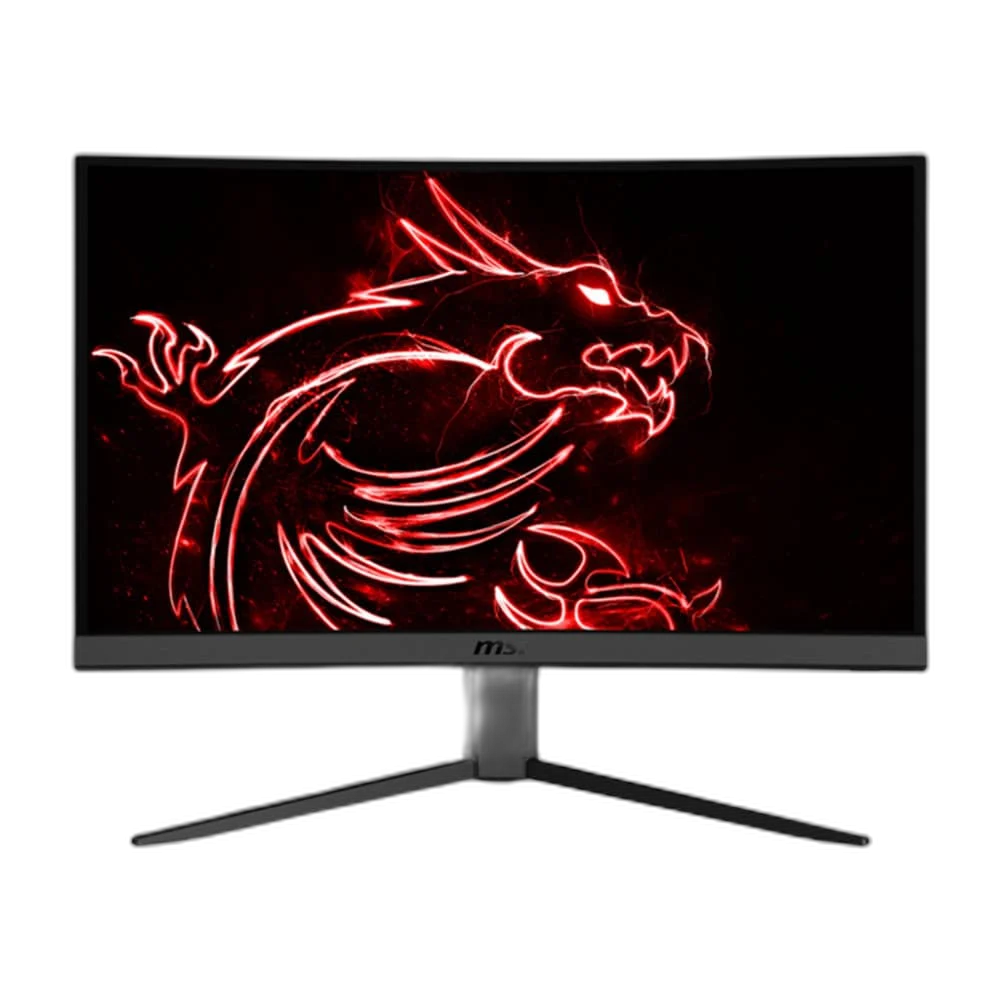
MSI 24 inch VA Panel 144Hz 1ms Curved Gaming Monitor
This MSI curved gaming monitor combines a 23.6-inch VA display, marketed in the 24-inch class, with Full HD resolution and a 144 Hz refresh rate. The 1500R curve, 3000:1 native contrast and adaptive-sync support create a focused desktop display for games, everyday applications and media.
Regular price
58.000 KWD
or 4 payments of 14.500 KWD with
Pay with card & save


55.000 KWD
Save 3.000 KWD
Overview
MSI 24-INCH CURVED 144HZ GAMING MONITOR
MSI 24-inch Curved 144Hz Gaming Monitor
MSI 24-inch Curved 144Hz Gaming Monitor: This MSI curved gaming monitor combines a 23.6-inch VA display, marketed in the 24-inch class, with Full HD resolution and a 144 Hz refresh rate. The 1500R curve, 3000:1 native contrast and adaptive-sync support create a focused desktop display for games, everyday applications and media. Explore this model at AX Store in Kuwait.
144 Hz
Refresh Rate
Full HD
1920 × 1080
VA
Curved Panel
1500R
Curvature
A Focused Full HD Desktop Display
The 1920 × 1080 resolution gives the monitor a familiar Full HD workspace in a compact 23.6-inch format. It suits a dedicated gaming position or everyday desktop setup, while the actual frame rate and image settings remain dependent on the connected computer and application.
144 Hz for Compatible Gaming Systems
A maximum 144 Hz refresh rate lets the display update more frequently than a conventional 60 Hz screen when the source supports the selected mode. Choose the appropriate output, cable and operating-system setting, and remember that display refresh rate and the game frame rate are separate measurements.
A 1500R Curved VA Panel
The VA panel combines a 1500R curve with a listed 3000:1 native contrast ratio and 250-nit brightness. Arrange the screen around your usual seated position to make use of the curved presentation. Room lighting and picture settings still influence the way dark and bright scenes appear.
Understand the Response-Time Ratings
The manufacturer specifications distinguish 1 ms MPRT from a 4 ms grey-to-grey response-time figure. These describe different measurements and should not be treated as identical. Picture mode, content and other operating conditions affect motion presentation, so choose settings around the games and applications you actually use.
Connections for a Desktop Gaming Setup
Two HDMI 1.4-family inputs and a DisplayPort 1.2-family input provide connection options for compatible sources, with a headphone output for an appropriate audio arrangement. Match the selected connection to the resolution and refresh modes supported by both the display and the source device.
Brand
MSI
Display class
24-inch curved gaming monitor
Viewable diagonal
23.6 inches
Adaptive Sync and a Practical Mounting Pattern
AMD FreeSync support can help coordinate a compatible graphics source with the display, subject to the supported operating range and connection. A 100 × 100 mm VESA pattern provides a mounting option; any separate mount must also meet the display weight, attachment and installation requirements.
Plan the Display and the Rest of Your Desk
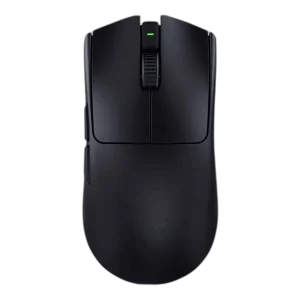
Compare resolution, refresh rate, screen size and the input you will actually use. Match the computer or console output to the chosen display mode, and leave room for the monitor stand and mouse movement. Compare related options such as ASUS ProArt PA328QV 31.5 Inch 75Hz WQHD IPS Monitor or MSI MPG 272URX QD-OLED 27" 4K Gaming Monitor - 240Hz / 0.03ms, keeping the exact model and configuration in the decision. For the wider setup, explore Razer Viper Ultimate Wireless Gaming Mouse, Lightest and check the connection, size or mounting requirements before pairing accessories. Browse the MSI range at AX for more choices.
MSI 24-inch Curved 144Hz Gaming Monitor Setup Choices
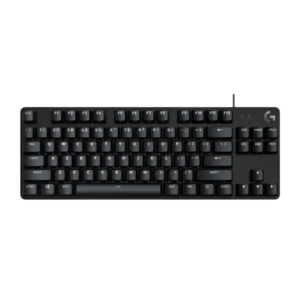
Compare resolution, refresh rate, screen size and the input you will actually use. Match the computer or console output to the chosen display mode, and leave room for the monitor stand and mouse movement. Explore Logitech G413 TKL SE Wired Mechanical Gaming Keyboard, Black, RAZER Viper V3 Pro Wireless Gaming Mouse, Dual Connectivity.
Frequently Asked Questions
Is this a 144 Hz or 180 Hz display?
The listed legacy configuration is 144 Hz. Select a supported 144 Hz mode on a compatible source and connection; later monitor revisions with different refresh specifications are separate products.
Does 1 ms mean 1 ms grey-to-grey?
The factory specifications distinguish 1 ms MPRT from 4 ms GTG. These are different measurements, so the 1 ms figure should not be described as the grey-to-grey rating.
Is the screen physically 24 inches?
The viewable panel diagonal is 23.6 inches and it is sold in the 24-inch monitor class. The resolution is Full HD, 1920 × 1080.
Can I use a separate monitor mount?
The common mounting pattern is 100 × 100 mm VESA. Check the actual display weight without the stand, mount capacity, screw requirements and installation surface before selecting a separate mount.
Does FreeSync guarantee the same result with every computer?
Adaptive sync requires a compatible graphics source, connection and supported operating mode. Game frame rate, drivers and display settings also affect the result.
Build Your Setup with AX Store
Explore computers, displays and accessories for your workspace at AX Store. For help choosing the right model or checking an accessory, contact AX Store.
THE DETAILS
Technical specifications
Product Specifications
MSI
24-inch curved gaming monitor
23.6 inches
VA
1920 × 1080, Full HD
16:9
144 Hz
1500R
3000:1
250 nits
1 ms MPRT
4 ms GTG
AMD FreeSync, with a compatible source and mode
2 × HDMI 1.4 family; 1 × DisplayPort 1.2 family
Headphone output
100 × 100 mm
COMPLETE YOUR SETUP
Pairs well with