
MSI
MSI G2712 27 inch FHD IPS 170Hz Esports Monitor
MSI G2712 with a 27-inch IPS panel, 1920 × 1080 resolution and up to 170 Hz refresh. Features 1 ms MPRT response, an anti-glare surface, multiple video inputs, tilt adjustment and 100 × 100 mm VESA mounting.
Regular price
61.000 KWD
or 4 payments of 15.250 KWD with
Pay with card & save


57.900 KWD
Save 3.100 KWD
Overview
MSI G2712
MSI G2712
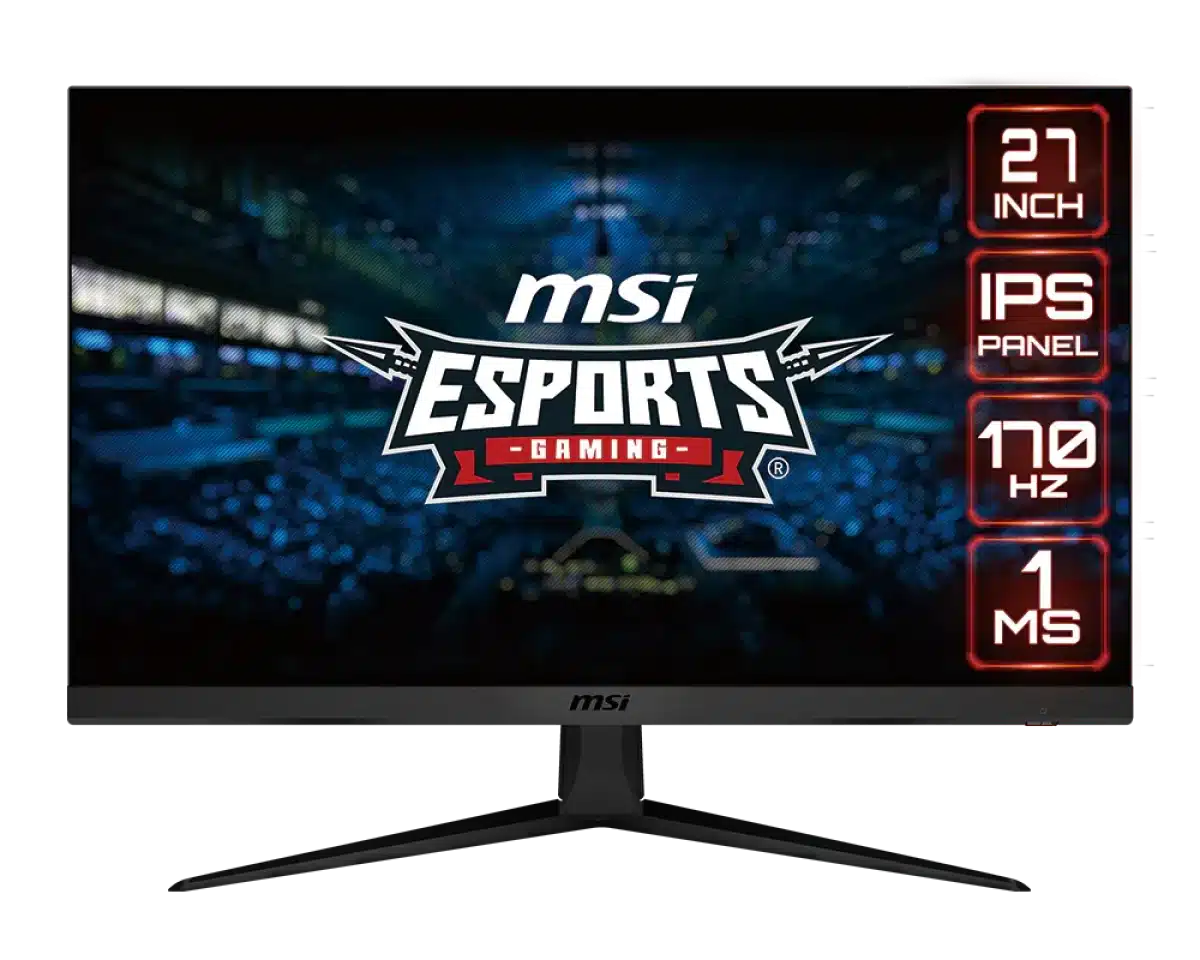
MSI G2712 brings a 27-inch IPS screen together with 1920 × 1080 resolution and up to 170 Hz refresh. Its flat panel, anti-glare surface and multiple video inputs provide a clear specification for a gaming desk. Compare the exact connection limits and response-time measurement below, then configure the display around your compatible computer or console. Explore this model at AX Store in Kuwait.
27 inch
Display Diagonal
1920 × 1080 (FHD)
Resolution
170Hz OC
Listed Maximum Refresh
IPS
Panel Technology
Panel and Image Specifications
The 27-inch IPS panel combines 1920 × 1080 resolution with 250 cd/m² brightness and a 1100:1 contrast ratio. MSI lists 85.67% Adobe RGB, 81.1% DCI-P3 and 101.91% sRGB using the CIE1976 standard. Compare these published figures alongside the flat screen format when choosing a display for gaming, video and everyday desktop tasks.
Refresh Rate and Response
The specified response time is 1 ms MPRT. DisplayPort 1.2a reaches Full HD at up to 170 Hz with overclocking, while the HDMI inputs support Full HD up to 144 Hz. Match the cable and source capability to the input you choose, then verify the active resolution and refresh rate in the system display settings before adjusting the game.
Compatible Display Modes
AMD FreeSync Premium provides variable-refresh operation with compatible systems. A separate console mode supports Full HD at 120 Hz, giving console users a specific supported resolution and refresh combination to check. Configure the supported modes around the source you connect, checking the available graphics and monitor settings together. Use the resolution and refresh combination that fits the games and applications sharing your screen.
Video and Audio Connections
Two HDMI 1.4b inputs and one DisplayPort 1.2a input connect the video sources. An earphone output adds an audio connection for a compatible headset or external audio arrangement. Several video inputs let you keep more than one source connected. Check each port’s supported signal mode before assigning the main gaming system and any secondary device to the available connections.
Stand and Mounting
The stand provides tilt adjustment from -5° to +20° around the flat IPS screen. A 100 × 100 mm VESA pattern provides an alternative with a suitable mount. MSI lists approximately 4.1 kg with the stand and 3.3 kg without it. Compare the mounting pattern, load requirement and published dimensions when planning an arm or arranging the available desk space.
Controls for Everyday Setup
A five-way joystick provides on-screen display navigation. Night Vision offers an adjustment for darker image areas, while the anti-glare surface and frameless design are part of the published display specification. Begin with the available picture settings and adjust them for your room lighting and usual activities. Revisit brightness and game preferences as you change between gaming, video and everyday desktop work on the same screen.
Plan the Display and the Rest of Your Desk
Compare resolution, refresh rate, screen size and the input you will actually use. Match the computer or console output to the chosen display mode, and leave room for the monitor stand and mouse movement. Compare related options such as LG 29WQ600-W 29 inch UltraWide IPS 100Hz Monitor or ASUS ROG Swift OLED PG27AQWP-W 27 inch 540Hz Gaming Monitor, keeping the exact model and configuration in the decision. For the wider setup, explore Logitech G PRO X Superlight Wireless Gaming Mouse, Ultra-light and check the connection, size or mounting requirements before pairing accessories. Browse the MSI range at AX for more choices.
MSI G2712 Setup Choices
Compare resolution, refresh rate, screen size and the input you will actually use. Match the computer or console output to the chosen display mode, and leave room for the monitor stand and mouse movement.
Frequently Asked Questions
What size, panel and resolution does it use?
The display measures 27 inches diagonally and uses IPS panel technology. Resolution: 1920 x 1080 (FHD).
What refresh modes and input limits should I check?
Listed maximum refresh: 170Hz. Video ports: 2x HDMI™ (Supports FHD@144Hz as specified in HDMI™ 1.4b) 1x DP (Supports FHD@170Hz as specified in DisplayPort 1.2a with overclocking). Note: Display Port: 1920 x 1080 (Up to 170Hz) HDMI™: 1920 x 1080 (Up to 144Hz) Adobe RGB, DCI-P3 and sRGB follow CIE1976 Standard.
How is the response time specified?
Response time: 1ms (MPRT).
Which display inputs and USB connections are listed?
Video ports: 2x HDMI™ (Supports FHD@144Hz as specified in HDMI™ 1.4b) 1x DP (Supports FHD@170Hz as specified in DisplayPort 1.2a with overclocking).
What stand adjustment and mounting details are specified?
Adjustment (Tilt): -5° ~ 20°. VESA Mounting: 100 x 100 mm.
What brightness and HDR support are specified?
Brightness (nits): 250.
Build Your Setup with AX Store
Explore computers, displays and accessories for your workspace at AX Store. For help choosing the right model or checking an accessory, contact AX Store.
THE DETAILS
Technical specifications
Manufacturer Technical Specifications
27" (69cm)
597.888(H)x336.312(V)
Flat
IPS
1920 x 1080 (FHD)
0.3114(H)x0.3114(V)
16:9
250
1100:1
100000000:1
30~100 KHz(H) / 48~170 Hz(V)
48 to 170Hz
170Hz
1ms (MPRT)
FreeSync Premium
2x HDMI™ (Supports FHD@144Hz as specified in HDMI™ 1.4b) 1x DP (Supports FHD@170Hz as specified in DisplayPort 1.2a with overclocking)
1x Earphone out
178° (H) / 178° (V)
85.67% / 81.1% / 101.91%
Anti-glare
16.7M
External Adaptor 20V 2.25A
100~240V, 50/60Hz
-5° ~ 20°
Yes
WW carton: 683 x 157 x 463 mm / Outer carton: 698 x 172 x 488 mm
Support FHD@120Hz
Yes
100 x 100 mm
4.1kg / 5.8kg without Stand: 3.3kg
8 Bits
5-way OSD navigation joystick
On-mode: 17 (KWh/1000h) / Off-mode: 0.3 (KWh/1000h)
PC, Mac, PS5™, PS4™, Xbox, Mobile, Notebook * All trademarks and the registered trademarks are the property of their respective owners.
Display Port: 1920 x 1080 (Up to 170Hz) HDMI™: 1920 x 1080 (Up to 144Hz) Adobe RGB, DCI-P3 and sRGB follow CIE1976 Standard
COMPLETE YOUR SETUP
Pairs well with