
NZXT
NZXT H710i Mid Tower Case - Multiple Colors
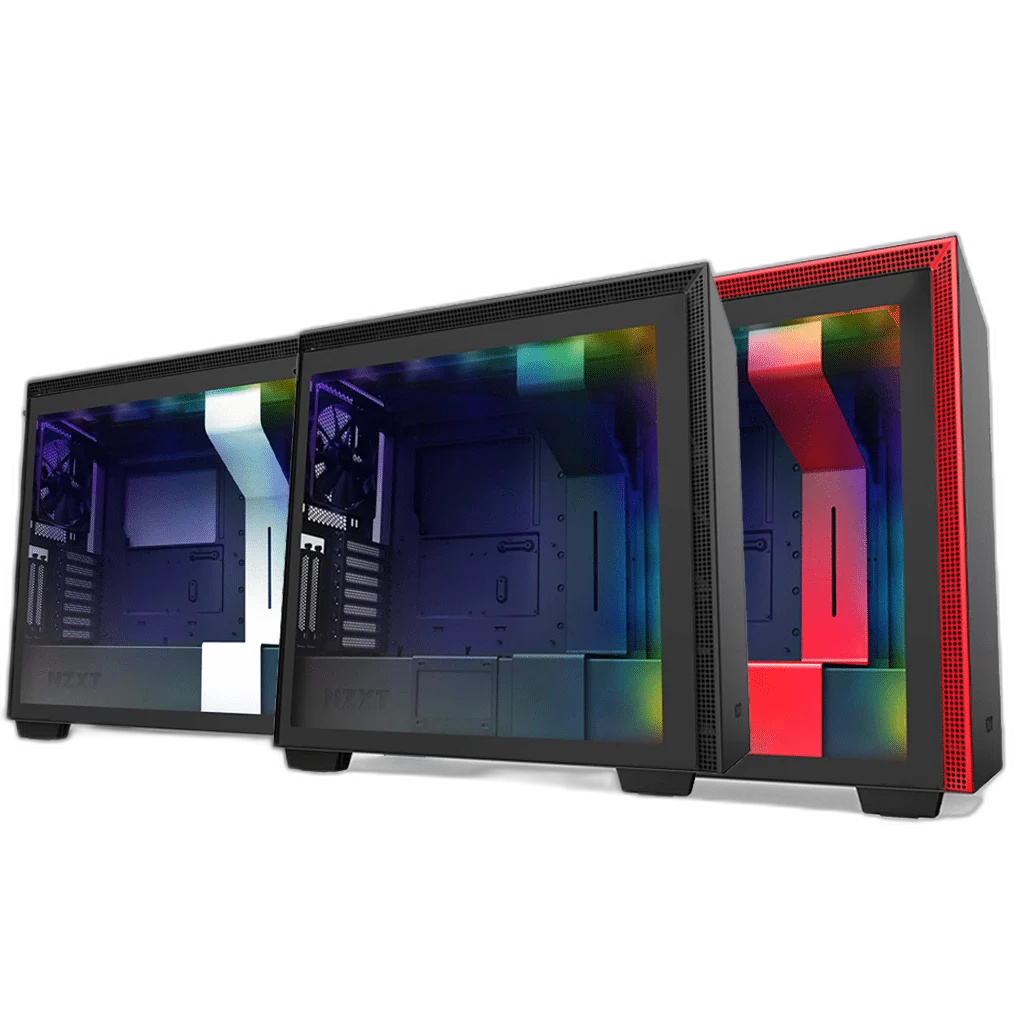
The NZXT H710i combines a steel mid-tower body and tempered-glass side panel with integrated RGB lighting. Smart Device V2 provides compatible fan and lighting control through NZXT CAM, while routing channels and a cable bar organise the interior around larger ATX hardware.
Color
Regular price
65.000 KWD
or 4 payments of 16.250 KWD with
Pay with card & save


62.000 KWD
Save 3.000 KWD
Overview
NZXT H710I
A Spacious H-Series Layout with Smart Device V2
The NZXT H710i combines a steel mid-tower body and tempered-glass side panel with integrated RGB lighting. Smart Device V2 provides compatible fan and lighting control through NZXT CAM, while routing channels and a cable bar organise the interior around larger ATX hardware.
Smart Device V2
Included controller
413 mm
GPU length clearance
272 mm
Maximum E-ATX width
360 mm
Front or top radiator option
A Glass Window around the Main Hardware
The H710i places the motherboard and graphics card behind a tempered-glass side window, with steel panels around the case body. The listed Black, Black/Red and White options change the finish around the same H710i layout. Removable panels provide access to the main chamber and rear cable-routing area during assembly.
Smart Device V2 and NZXT CAM
The included Smart Device V2 connects compatible fans and NZXT lighting for configuration through CAM. The H710i also includes its integrated RGB lighting strips. Connect the controller’s required power and USB leads, then use the matching software and supported device connections to arrange the lighting and cooling response.
One 360 mm Radiator at Front or Top
The front or top can accept a suitable 360 mm radiator, with the manufacturer recommending only one 360 mm radiator within the case. Smaller supported radiator choices can be considered alongside the rest of the cooling layout. Check the bracket, full assembly thickness and adjacent components before selecting the final combination.
Motherboard and GPU Clearance
The case supports E-ATX boards up to 272 mm wide, ATX, Micro-ATX and Mini-ITX. GPU length clearance reaches 413 mm, with the front cooling arrangement considered as part of the fit assessment. Check the complete CPU-cooler height against the permitted side-panel clearance before installation.
Cable Bar and Rear Routing Space
The routing system provides channels, fastening positions and an internal cable bar to organise the leads around the motherboard. Rear cable-management clearance is 18–22 mm in the installation guide. Arrange thick power leads and smaller signal cables together so the side panel can close without pressing against the plugs.
Included controller
Smart Device V2
Lighting
Integrated H710i RGB strips
Maximum E-ATX width
272 mm
Plan Cooling Thickness and Component Access
The guide specifies front radiator clearance of 60 mm and top radiator clearance of 30 mm, with the complete fan-and-radiator layout checked against the selected hardware. Front radiator installation can require adjusting or removing the lower drive cage. Keep access available for the controller, drive connections and panel fasteners after the system is assembled.
Complete Your Workspace
Explore PC Cases to compare suitable options and complete your setup.
Frequently Asked Questions
Which motherboard formats fit?
E-ATX / ATX / Micro-ATX / Mini-ITX. Maximum E-ATX width: 272 mm.
What graphics-card length is supported?
Up to 413 mm; check front cooling arrangement.
Can I fit more than one 360 mm radiator?
One suitable 360 mm radiator, at front or top; follow manufacturer compatibility guidance.
Which controller is included?
Smart Device V2.
Build Your Setup with AX Store Kuwait
Explore computers, displays and accessories for your workspace at AX Store Kuwait. For help choosing the right model or checking an accessory, contact AX Store.
THE DETAILS
Technical specifications
Case Hardware
NZXT H710i
Mid Tower
E-ATX / ATX / Micro-ATX / Mini-ITX
Smart Device V2
Integrated H710i RGB strips
272 mm
Up to 413 mm; check front cooling arrangement
18–22 mm
60 mm
30 mm
One suitable 360 mm radiator, at front or top; follow manufacturer compatibility guidance
7 standard
COMPLETE YOUR SETUP
Pairs well with
