RAZER
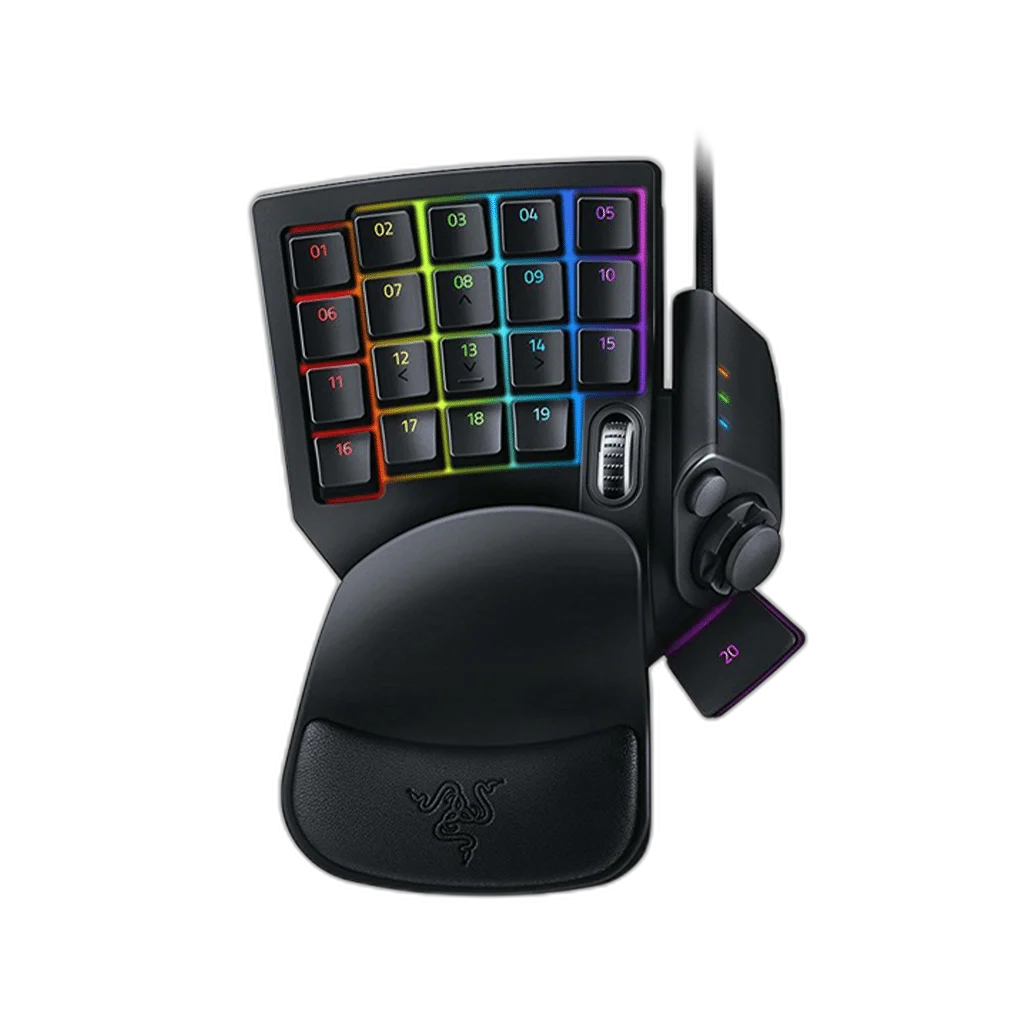
RAZER Tartarus V2 Chroma Ergonomic Gaming Keypad
Wired gaming keypad with Razer Mecha-Membrane keys, 32 programmable controls, an eight-way directional thumbpad, scroll wheel and Chroma RGB. Includes a detachable palm rest with two positions and supports Synapse macros and profiles.
Regular price
29.500 KWD
or 4 payments of 7.375 KWD with
Pay with card & save


27.900 KWD
Save 1.600 KWD
Overview
RAZER TARTARUS V2 GAMING KEYPAD
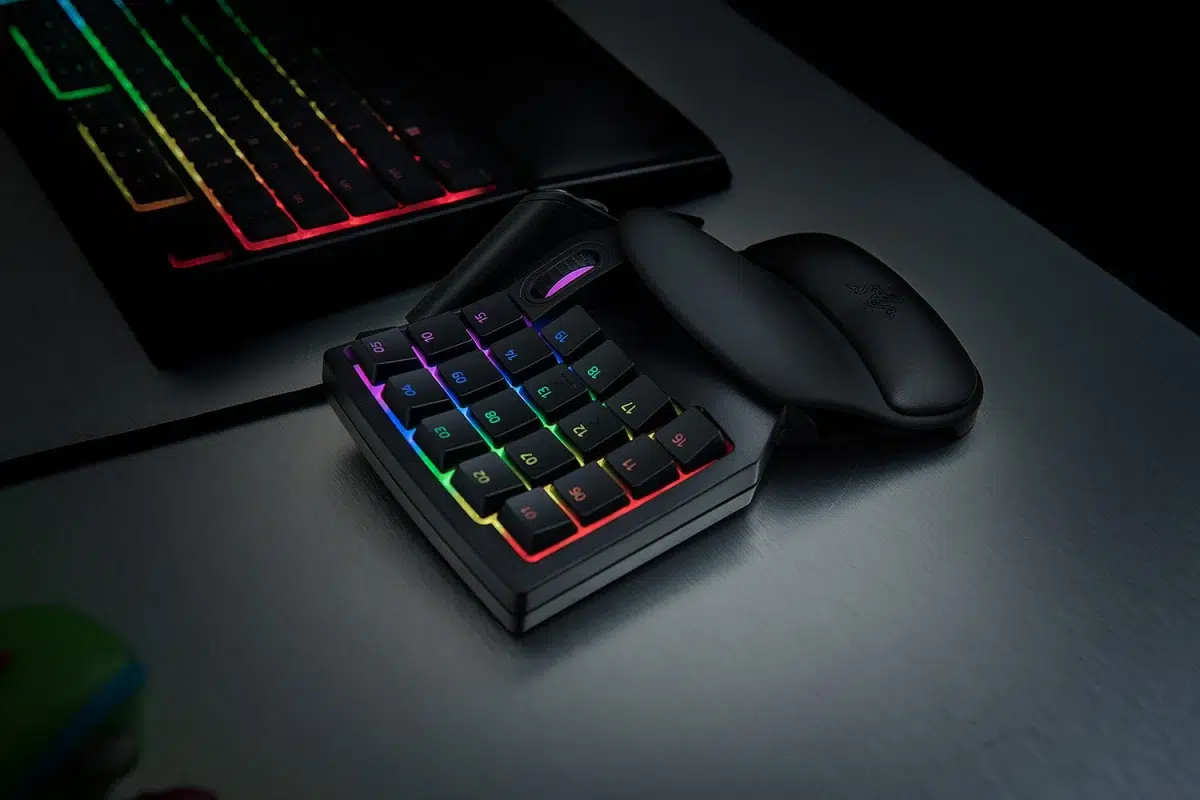
Razer Tartarus V2 Gaming Keypad
Razer Tartarus V2 Gaming Keypad: The Razer Tartarus V2 brings 32 programmable controls, an eight-way thumbpad and a scroll wheel into a dedicated gaming keypad. Its Mecha-Membrane keys combine a cushioned rubber dome with a tactile click, while an adjustable palm rest supports your hand. Use Razer Synapse to arrange shortcuts and macros around the games or applications you spend the most time in. Explore this model at AX Store in Kuwait.
32
Programmable Controls
8-way
Directional Thumbpad
1000 Hz
Polling Rate
Wired USB-A
Connection
Mecha-Membrane Key Feel
Razer’s hybrid key design pairs a soft membrane press with a crisp tactile click. Mid-height key actuation gives the keypad a distinct feel for repeated commands and shortcuts. Spend time with familiar actions before expanding the layout, so you can learn the positions and feedback without changing every control at once.
32 Fully Programmable Controls
The keypad provides 32 programmable controls for skills, shortcuts and macros. Keeping these actions together can make a complex command layout easier to organize around one hand. Begin with the commands you use most often, then add less frequent actions as the positions become familiar in the games or software you normally use.
Thumbpad and Scroll Wheel
The programmable eight-way directional thumbpad gives your thumb another set of input options. Use it for movement or additional commands, with the scroll wheel providing another convenient control point. Try the arrangement in a familiar session and place the keypad where you can reach both thumb controls without changing your natural hand position.
Palm Rest with Two Positions
The detachable palm rest offers two adjustable positions to help you find a suitable hand angle. Choose the position that lets you reach the keys comfortably, then check the desk height and keypad placement together. A careful setup makes it easier to maintain the same hand position when moving between different command groups.
Chroma RGB and Synapse Profiles
Razer Chroma RGB adds customizable lighting to the controls, while Synapse handles assignments, macros and game profiles. You can organize settings around different titles or applications and use lighting as a visual reference where useful. Profile customization depends on the software setup; the device does not store an onboard memory profile.
Wired USB for Your Desk Setup
A braided USB-A cable provides the wired connection, with 1,000 Hz polling and full anti-ghosting support. Route the cable so that it stays clear of your mouse area, then position the keypad beside the peripherals you already use. It is a focused addition when you want a dedicated place for repeated commands.
Choose the Platform and Connection
Check the supported console or computer platform, connection mode and required accessories. Keep the exact model and edition together when comparing controls, charging and software features. Compare related options such as Logitech G923 Driving Force Racing Wheel for PS4 & PC or Thrustmaster T150 Force Feedback Racing Wheel - PS4/PS5 & PC, keeping the exact model and configuration in the decision. For the wider setup, explore Razer BlackShark V2 X Wired Esports Headset - White and check the connection, size or mounting requirements before pairing accessories. Browse the RAZER range at AX for more choices.
Razer Tartarus V2 Gaming Keypad Setup Choices
Check the supported console or computer platform, connection mode and required accessories. Keep the exact model and edition together when comparing controls, charging and software features.
Frequently Asked Questions
Which switches does the Tartarus V2 use?
Switch Type: Razer™ Mecha-Membrane Switches. Key action: Cushioned membrane dome with tactile mechanical click.
Does it offer analog key input?
Analog functionality: No.
How many programmable controls does it have?
Programmable controls: 32. Directional thumbpad: 8-way.
How does it connect and configure settings?
Onboard Memory: None. Connectivity: Wired - USB Type A. Synapse Enabled: Yes.
Can the wrist rest be adjusted?
Wrist Rest: Yes, with Two Adjustable Positions.
Build Your Setup with AX Store
Explore computers, displays and accessories for your workspace at AX Store. For help choosing the right model or checking an accessory, contact AX Store.
THE DETAILS
Technical specifications
Keypads Techspecs
Razer™ Mecha-Membrane Switches
Keypad
Razer™ Chroma RGB
Yes, with Two Adjustable Positions
None
None
None
Wired - USB Type A
No
Yes
32 fully programmable keys Programmable 8-way directional thumbpad & scroll wheel Full anti-ghosting Unlimited macro lengths Unlimited game profiles Ergonomic form factor with adjustable palm rest Razer Synapse enabled 1000Hz Ultrapolling Braided fiber cable
Additional Model Details
Cushioned membrane dome with tactile mechanical click
32
8-way
1,000 Hz
COMPLETE YOUR SETUP
Pairs well with