Sabrent
Sabrent 5 in 1 USB C Hub with 4K HDMI
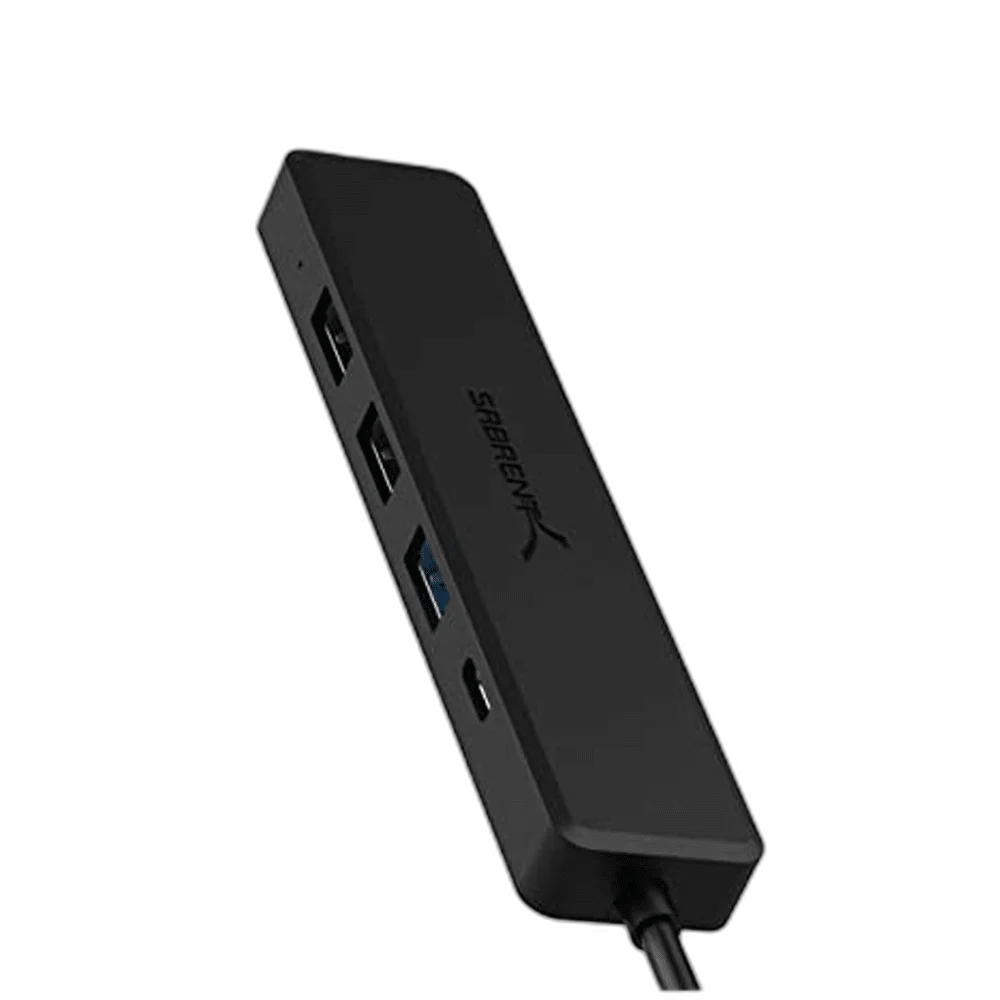
Sabrent’s USB-C multiport hub combines USB-A peripheral expansion with an HDMI display connection. The five-in-one family includes a 5 Gbps USB 3.0 data port and two USB 2.0 ports, providing distinct connection roles for everyday USB equipment.
Regular price
9.500 KWD
or 4 payments of 2.375 KWD with
Pay with card & save


9.000 KWD
Save 0.500 KWD
Overview
SABRENT 5-IN-1 USB-C MULTIPORT HUB
Sabrent 5-in-1 USB-C Multiport Hub
Sabrent 5-in-1 USB-C Multiport Hub: Sabrent’s USB-C multiport hub combines USB-A peripheral expansion with an HDMI display connection. The five-in-one family includes a 5 Gbps USB 3.0 data port and two USB 2.0 ports, providing distinct connection roles for everyday USB equipment. Explore this model at AX Store in Kuwait.
USB-C
Host connection
HDMI
Display output
5 Gbps
USB 3.0 port rating
2
USB 2.0 peripheral ports
USB-C Expansion for the Desk
Connect the hub’s USB-C host lead to a suitable computer or other supported host and arrange the attached peripherals around that connection. The hub brings USB devices and an HDMI screen into one desk setup. Check the host port’s supported functions before relying on both the data and display connections.
HDMI for a Compatible 4K Screen
The HDMI connection supports a compatible UHD display setup. The USB-C host must provide video through DisplayPort Alternate Mode, and the source, hub configuration, cable and display determine the selected resolution and refresh rate. A USB-C port used only for charging or data does not gain video output from the hub.
One USB 3.0 Port for Faster Data
The model family includes one USB 3.0 Type-A port rated up to 5 Gbps. Use an appropriate compatible peripheral when the higher-speed data connection is needed. Actual throughput depends on the host, attached device and other activity, with the host connection shared by the equipment attached to the hub.
Two USB 2.0 Peripheral Ports
Two additional USB-A ports use USB 2.0 connections rated up to 480 Mbps. These can serve suitable keyboards, mice and other peripherals that work within the available data and power requirements. The physical USB-A shape does not make these two ports operate at the USB 3.0 port’s higher rate.
Plan Host Power and Peripheral Requirements
Arrange the computer’s normal charging connection and check the power requirements of attached USB devices. A bus-powered peripheral and a device with its own supply have different needs. Match the actual hub configuration and labelled port roles when choosing any extra lead, charger or adapter for the complete setup.
Model
Sabrent 5-in-1 USB-C Multiport Hub
Host connection
USB-C
Expansion family
5-in-1 multiport hub
Set Up the Screen and USB Devices
Select the correct HDMI input on the screen and confirm the display mode in the host settings. Check the connected USB devices in their usual applications, and safely remove storage before disconnecting it. Place the hub where the plugs are accessible, leaving clearance and slack around the computer’s USB-C socket.
Check the Ports and Signal Before Choosing a Cable
Match both devices, the connector type and the signal or data mode you intend to use. Physical fit alone does not establish supported resolution, charging or data capability. Compare related options such as Syntech USB C Male to USB 3.0 Adapter, 2 Pack or RØDE SC6-L Dual TRRS Input Lightning Mobile Adapter, keeping the exact model and configuration in the decision. For the wider setup, explore Divoom Ditoo Retro Pixel Art Bluetooth Speaker, App Control and check the connection, size or mounting requirements before pairing accessories.
Sabrent 5-in-1 USB-C Multiport Hub Setup Choices
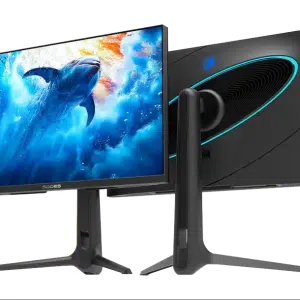
Match both devices, the connector type and the signal or data mode you intend to use. Physical fit alone does not establish supported resolution, charging or data capability. Explore SADES RS-Dolphin 27-inch Dual Mode 4K 160Hz / FHD 320Hz Gaming Monitor - Black.
Frequently Asked Questions
Are all USB-A ports USB 3.0?
No. The family has one USB 3.0 port and two USB 2.0 ports.
Does HDMI work from a data-only USB-C port?
No. The host needs DisplayPort Alternate Mode video output.
Does every screen operate at its maximum refresh rate?
No. The complete host, hub, cable and display determine the available mode.
What is the USB 2.0 port rate?
Up to 480 Mbps.
How should power connections be chosen?
Use the actual hub’s labelled port roles and the connected equipment’s requirements.
Build Your Setup with AX Store
Explore computers, displays and accessories for your workspace at AX Store. For help choosing the right model or checking an accessory, contact AX Store.
THE DETAILS
Technical specifications
Product Specifications
Sabrent 5-in-1 USB-C Multiport Hub
USB-C
5-in-1 multiport hub
HDMI
Compatible 4K UHD setup; actual mode depends on connected equipment
1 × USB-A; up to 5 Gbps
2 × USB-A; up to 480 Mbps
DisplayPort Alternate Mode over USB-C
Follow actual hub port labels and host / device power requirements
COMPLETE YOUR SETUP
Pairs well with