SanDisk
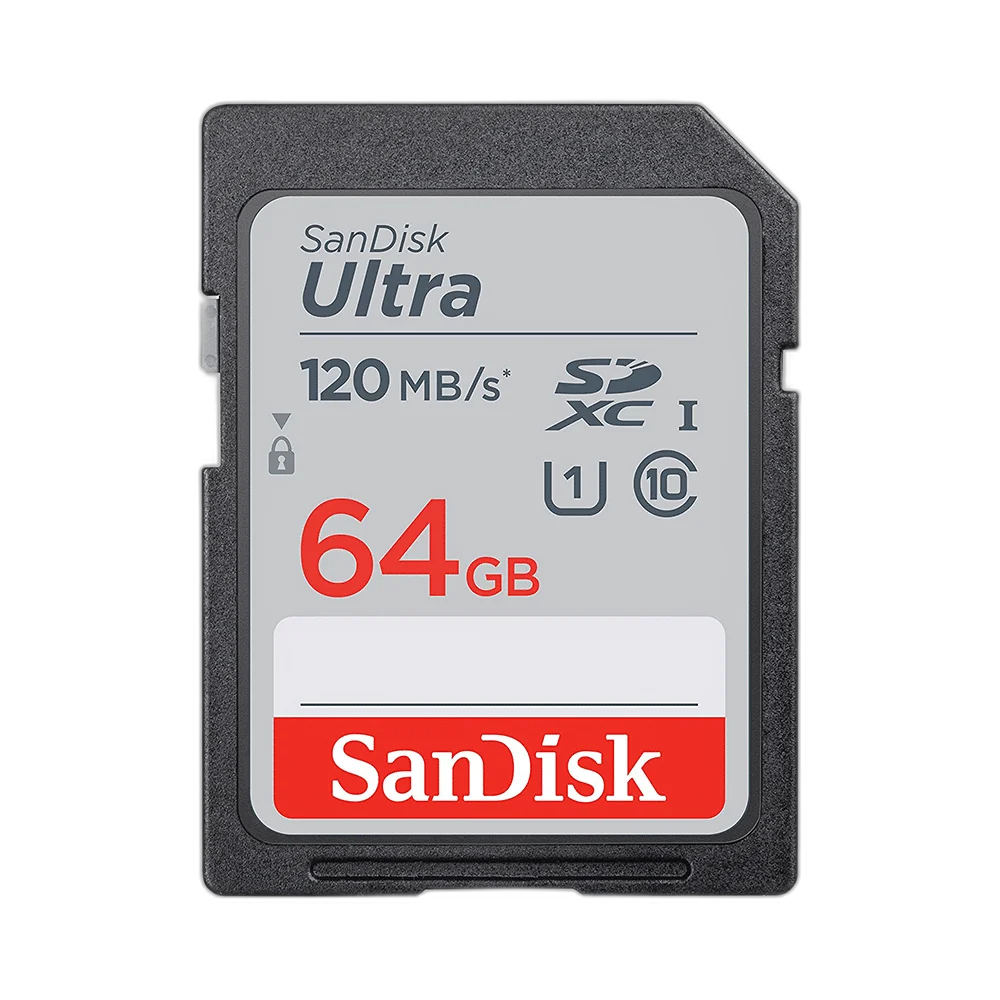
SanDisk Ultra 64GB SDXC Memory Card
Keep photographs, recorded clips and camera files on this 64 GB SanDisk Ultra card. Its full-size SDXC format suits compatible SDXC equipment, giving you a removable card that can move from the camera to a suitable computer card reader.
Regular price
8.500 KWD
or 4 payments of 2.125 KWD with
Pay with card & save


7.900 KWD
Save 0.600 KWD
Overview
SANDISK ULTRA 64 GB SDXC MEMORY CARD
SanDisk Ultra 64 GB SDXC Memory Card
SanDisk Ultra 64 GB SDXC Memory Card: Keep photographs, recorded clips and camera files on this 64 GB SanDisk Ultra card. Its full-size SDXC format suits compatible SDXC equipment, giving you a removable card that can move from the camera to a suitable computer card reader. Available from AX Store in Kuwait.
64 GB
Storage capacity
SDXC
Card standard
Full-size
Physical format
Ultra
SanDisk family
Space for Your Next Session
The 64 GB capacity provides removable space for photographs and video files. How much fits depends on image resolution, RAW or JPEG settings, video bitrate and the files already saved. Start a shoot with a clear view of the available capacity rather than relying on one fixed picture count.
Full-Size SDXC Compatibility
This is a full-size SDXC card for equipment that supports the SDXC standard and its capacity. Check the camera or recorder’s supported-card list before choosing storage. A full-size SD slot and a smaller microSD slot are different physical formats; this card does not fit directly into a microSD-only device.
Match Storage to the Recording Mode
A camera’s recording mode sets its required write performance. Consult the device guidance for still-photo bursts, Full HD or higher-bitrate video, and match it to the markings on the card. Read speed, write speed and sustained recording requirements describe different tasks, so they should not be treated as interchangeable figures.
Move Files into Your Editing Workflow
After recording, use the camera’s transfer connection or a suitable SDXC reader to copy the files to your computer. Choose the destination folder before starting a transfer so the session stays organised. Transfer time also depends on the reader, host connection, file sizes and receiving drive.
Prepare the Card in the Camera
Follow the camera’s instructions for first use and formatting. Formatting changes the file system and can erase existing material, so copy anything needed before preparing a card for another job. Let the device finish saving a photo or clip before removing the card from its slot.
Brand
SanDisk
Product family
Ultra
Capacity
64 GB
Keep a Separate Copy of Finished Work
The removable format makes the card convenient for moving a session between compatible devices. Once the files are copied, confirm that the transferred material opens correctly and keep another copy of valuable work. Reuse the card for the next session only after the files you need have been secured.
Choose Storage Around the Actual Port
Check the supported interface, connector and the files or devices you plan to use. Match the cable and host port to the drive, and keep a separate backup for important files. Compare related options such as SanDisk Extreme 128 GB microSDXC Memory Card + SD Adapter or SanDisk Portable SSD V3 1TB, USB-C 1000MB/s, keeping the exact model and configuration in the decision. For the wider setup, explore Corsair MP700 PRO 4TB SSD with Air Cooler and check the connection, size or mounting requirements before pairing accessories. Browse the SanDisk range at AX for more choices.
SanDisk Ultra 64 GB SDXC Memory Card Setup Choices
Check the supported interface, connector and the files or devices you plan to use. Match the cable and host port to the drive, and keep a separate backup for important files.
Frequently Asked Questions
Is this a microSD card?
No. It is a full-size SDXC card.
Will it work in every SD slot?
The device must support SDXC and the card capacity.
How many photographs can it hold?
That depends on image size, camera settings and the available space.
Can read speed alone establish video compatibility?
No. Match the recording mode to the card’s write-performance markings.
How should it be formatted?
Follow the camera or recorder instructions after copying any files you need.
Build Your Setup with AX Store
Explore computers, displays and accessories for your workspace at AX Store. For help choosing the right model or checking an accessory, contact AX Store.
THE DETAILS
Technical specifications
Specifications
SanDisk
Ultra
64 GB
Full-size SDXC
SDXC-compatible slot and supported capacity
Compatible SDXC reader or supported camera connection
Less than the nominal capacity after formatting and system use
Match the device mode to the speed markings on the supplied card
COMPLETE YOUR SETUP
Pairs well with