SteelSeries
SteelSeries Arena 9 5.1 Surround RGB Gaming Speakers – Black
SteelSeries Arena 9 5.1 gaming speakers with a 6.5-inch subwoofer, wireless rear audio, four-zone reactive RGB and an OLED control pod. USB, optical, AUX and Bluetooth inputs. Native 5.1 on supported PC/Mac USB setups; PlayStation playback is stereo/2.1.
Overview
STEELSERIES / GAMING SPEAKERS
SteelSeries Arena 9
Surround your space. Feel every scene.
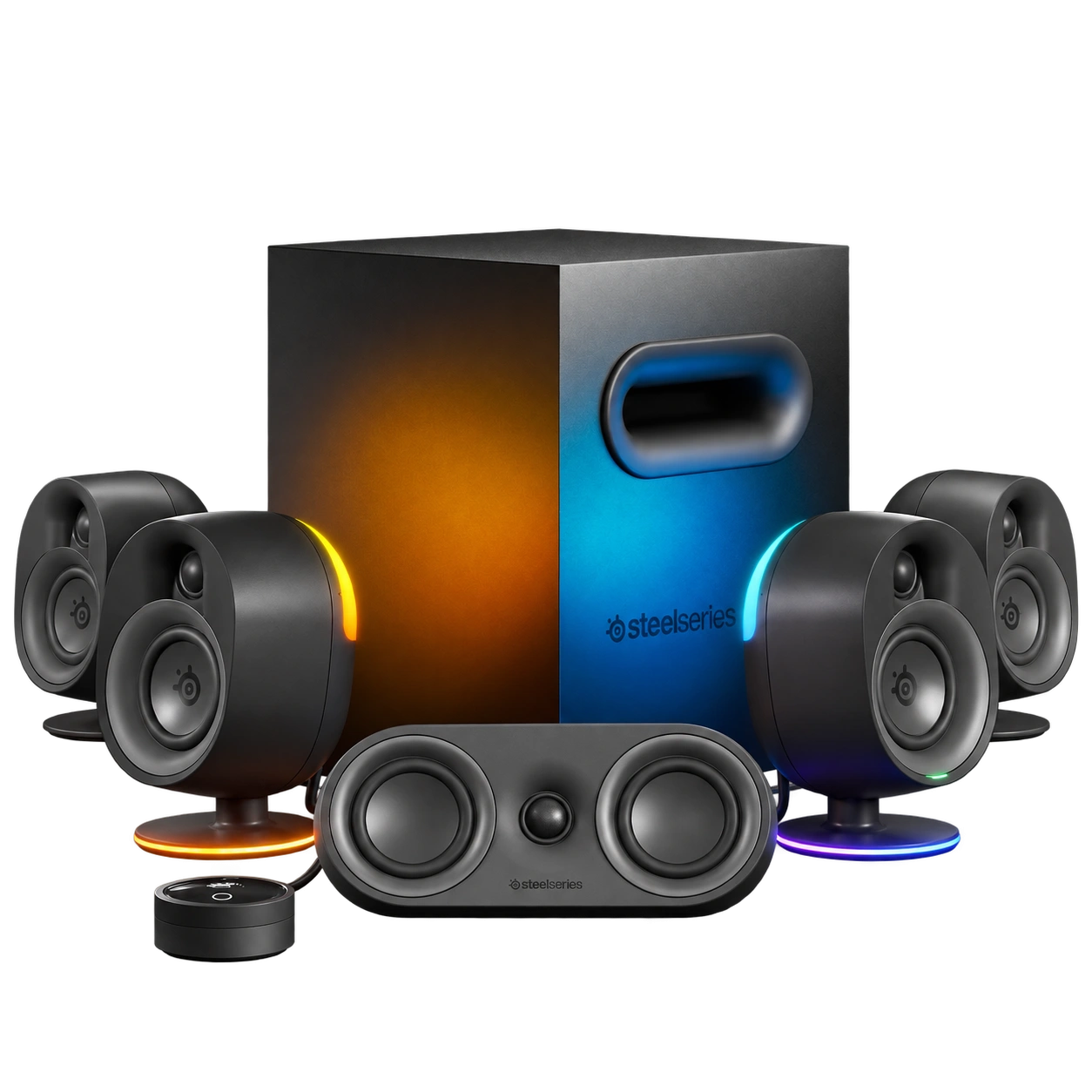
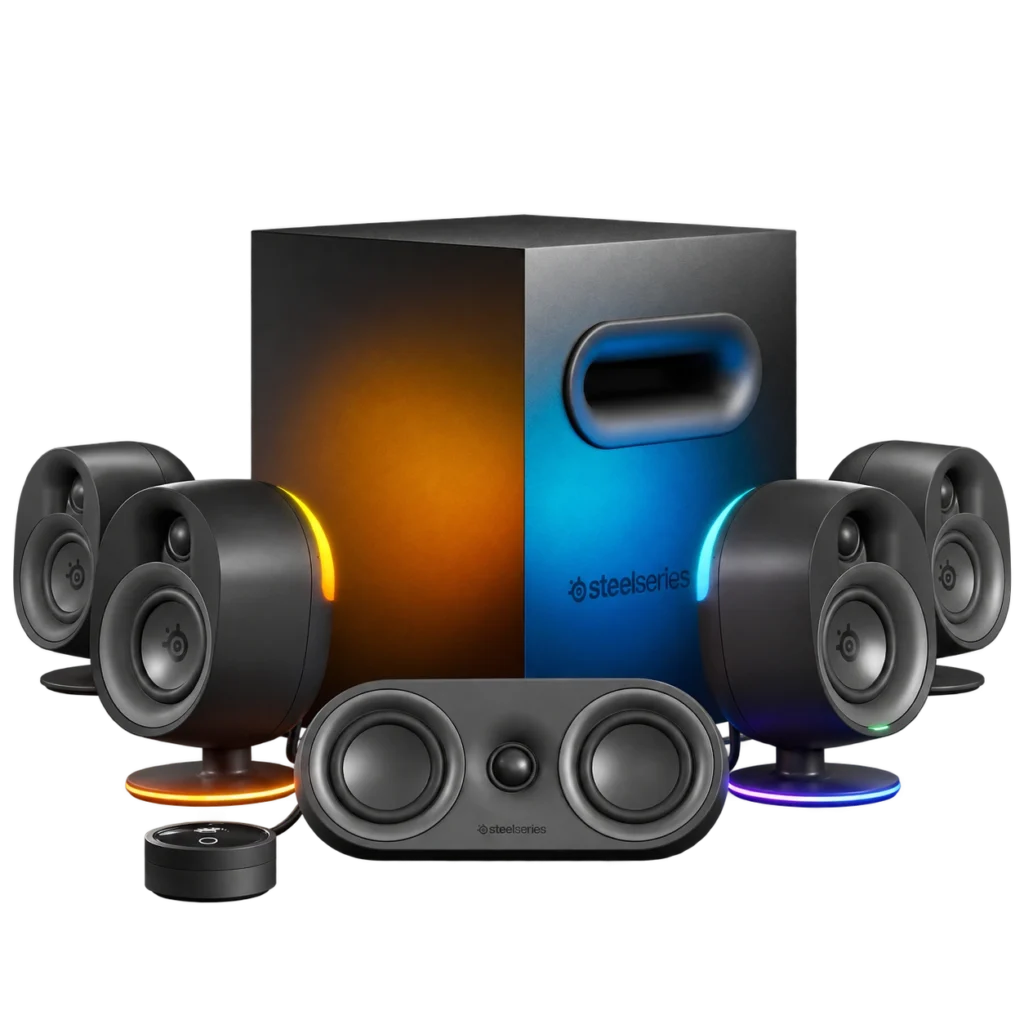
SteelSeries Arena 9 combines five speakers and a 6.5-inch down-firing subwoofer for true 5.1 surround sound over a single PC USB connection. Wireless rear audio, four-zone reactive RGB and an OLED control pod bring sound and control across your gaming space.
5.1 Surround
Five Speakers + Subwoofer
6.5-inch
Down-Firing Bass Driver
Wireless Rears
Audio Link to Subwoofer
OLED + RGB
Control Pod & 4 Lighting Zones
YOUR GAMING SPACE
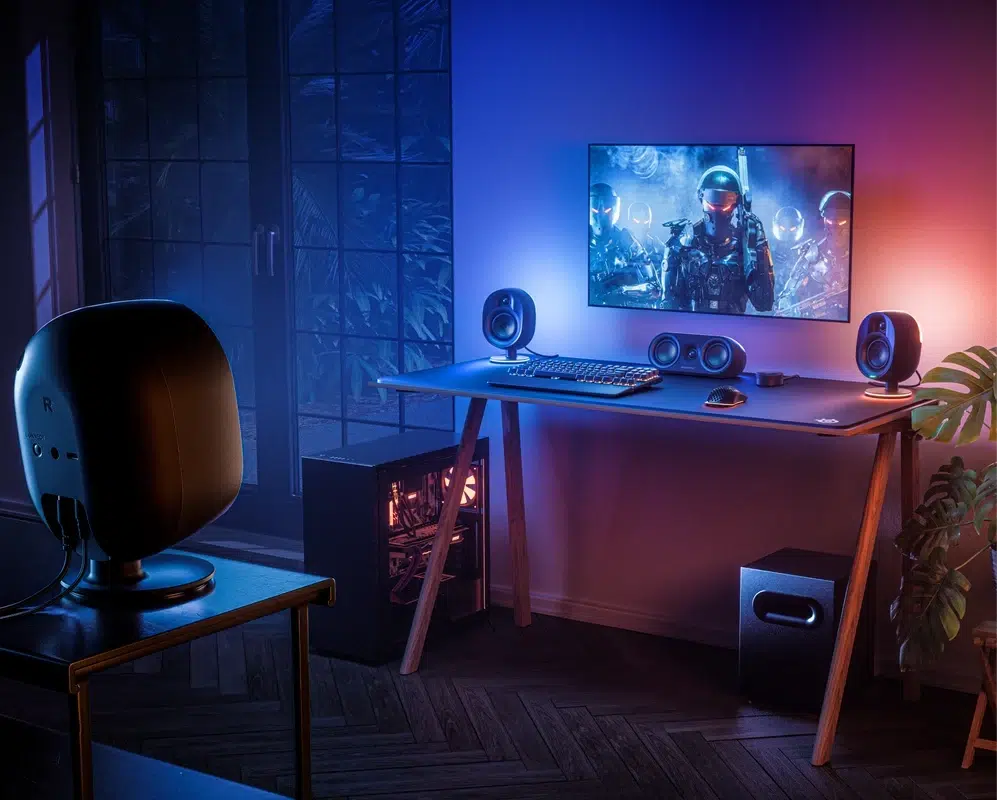
Build a Complete Surround Gaming Space
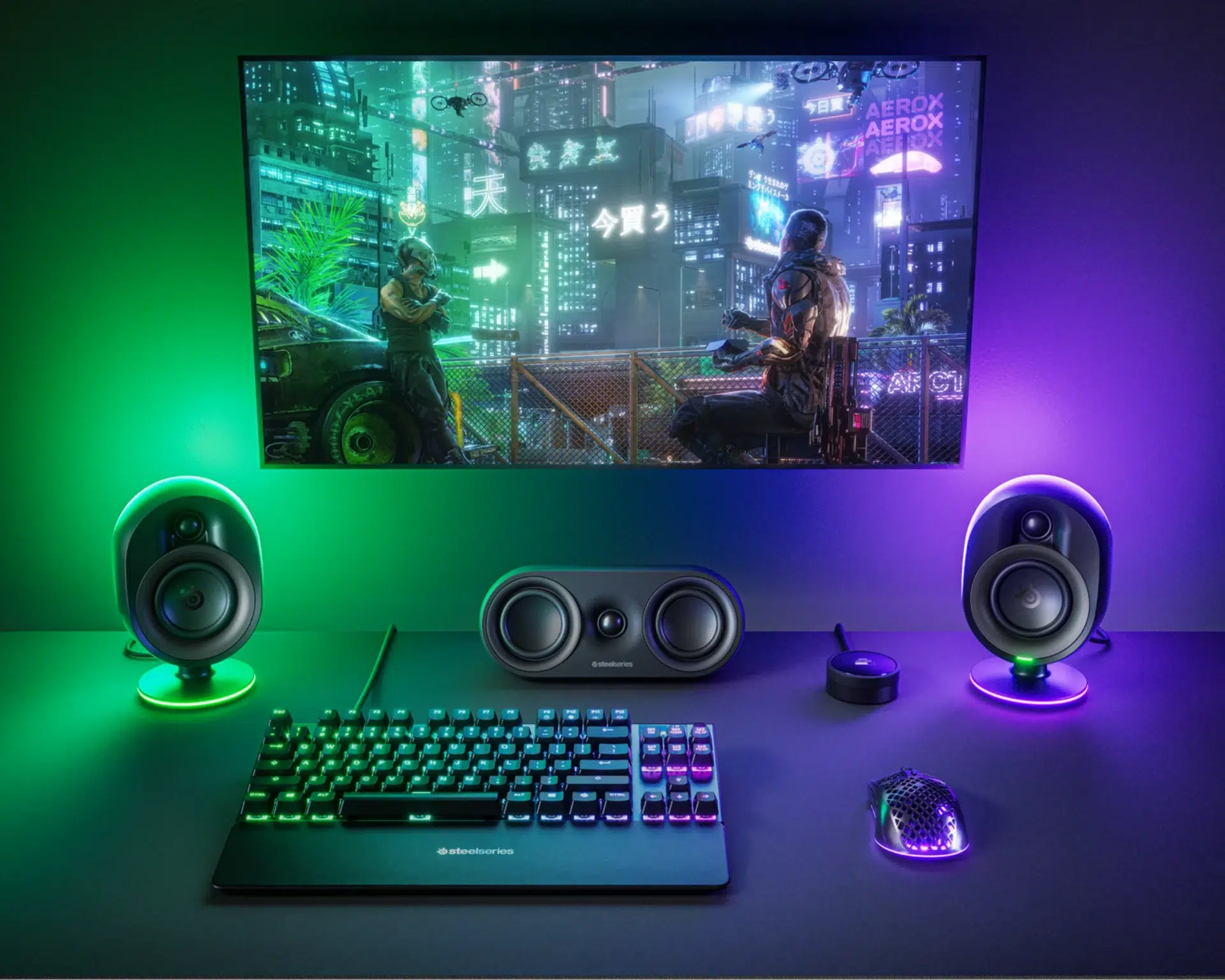
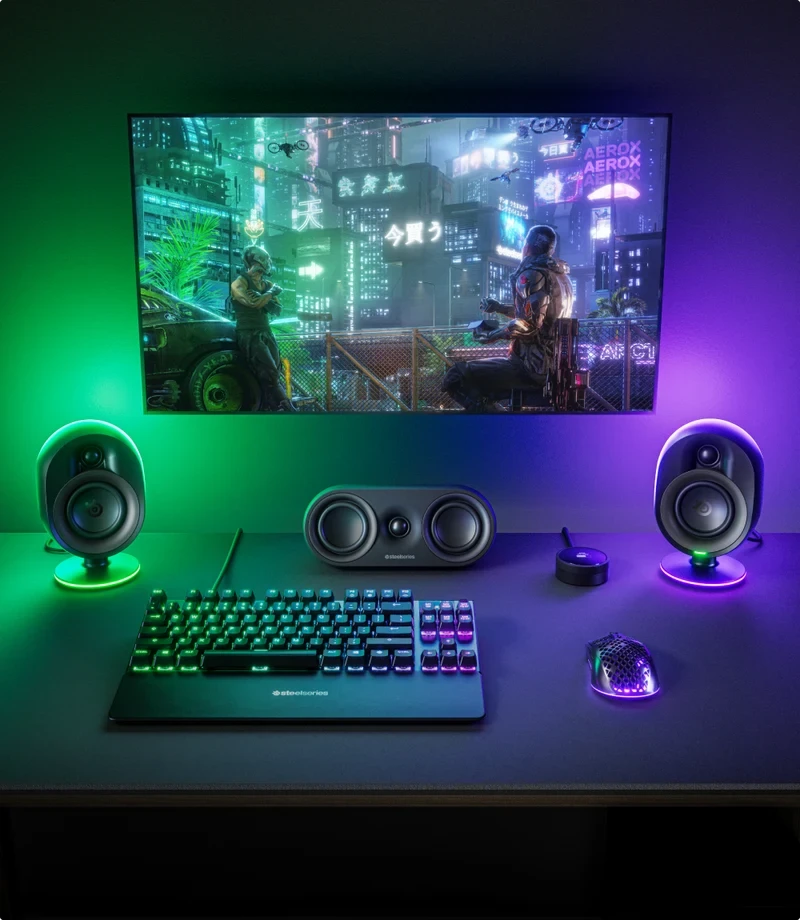
Position the left, center and right speakers in front of your seat, with the two rear speakers behind you and the subwoofer on the floor. Five speaker channels place dialogue and effects around the listening position, while the subwoofer reproduces the low end. The official setup shown also includes accessories that are sold separately.
TRUE SURROUND SOUND
True 5.1 Through One PC USB Connection
The front pair, center channel, rear pair and subwoofer work together from a single PC USB audio connection. Select Arena 9 as a 5.1 playback device in Windows and use games or applications with multichannel output. For stereo material, 5.1 Upmix can distribute the sound across the system.
FLEXIBLE PLACEMENT
Wireless Rear Audio with Flexible Placement
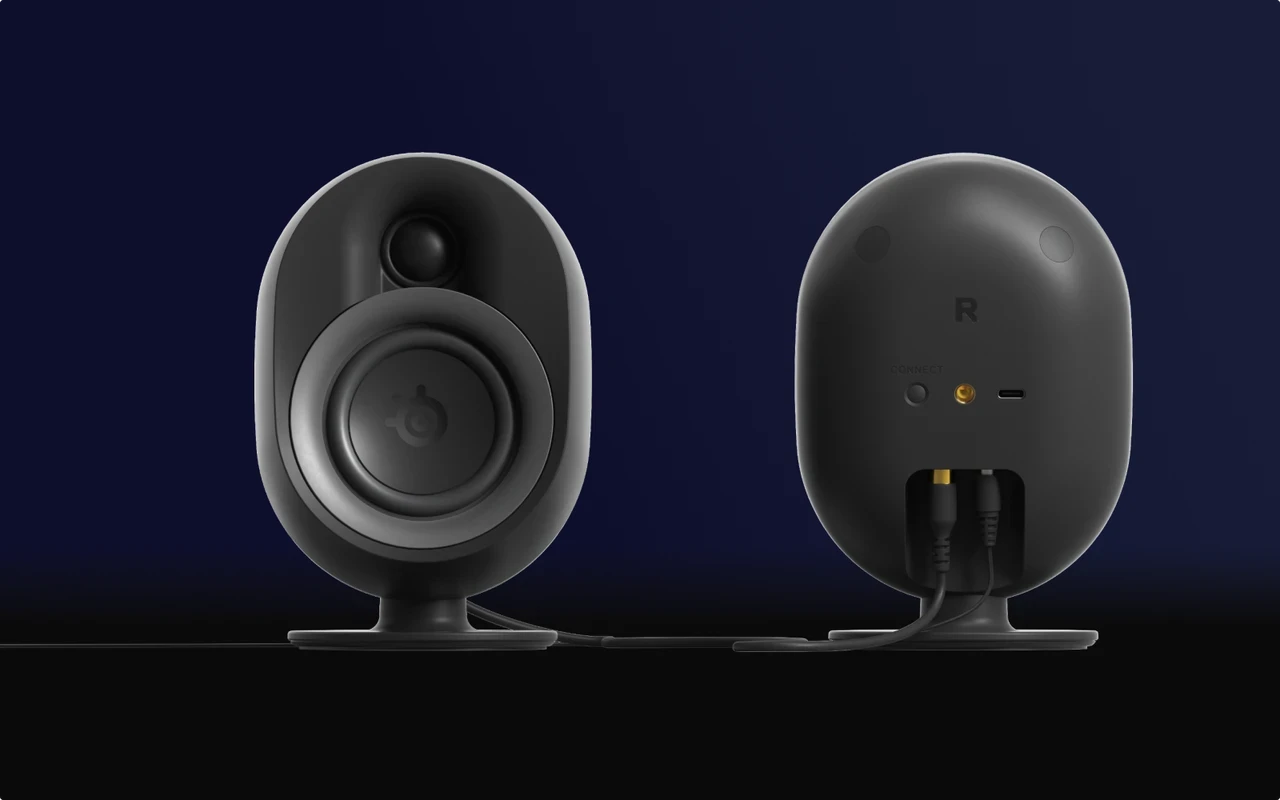
The rear speakers receive audio wirelessly from the subwoofer, avoiding a long audio cable from the front of the room to the rear. They still require the rear power adapter and a cable between the pair. Removable stands and threaded wall-mount connections support alternative placement; suitable wall-mount hardware is sold separately.
TWO-WAY DRIVERS
Separate Woofers and Silk-Dome Tweeters
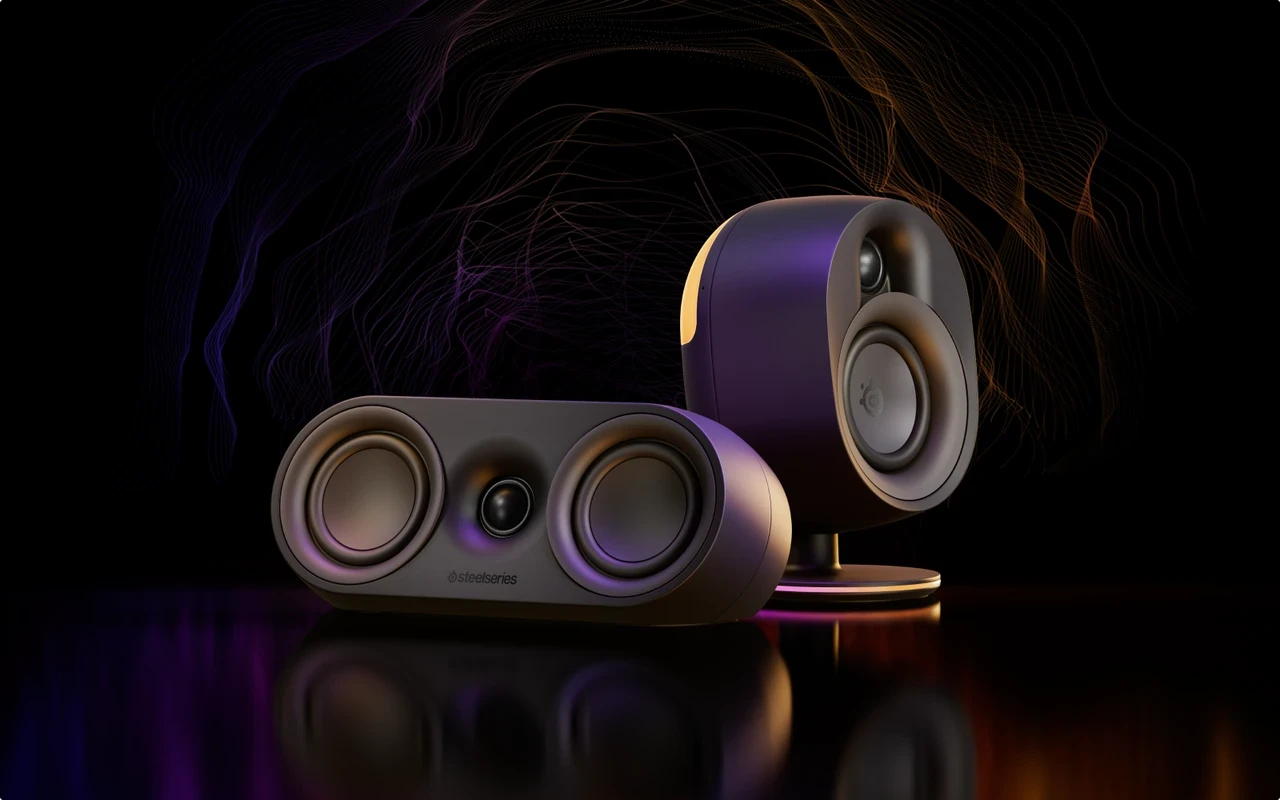
The front speakers use 3-inch woofers and 0.75-inch tweeters. The rear speakers use 2.75-inch woofers and 0.75-inch tweeters, while the center speaker combines two 2.75-inch woofers with a 0.75-inch tweeter. Organic-fiber and silk drivers divide midrange and high-frequency reproduction across the speaker system.
DEDICATED BASS
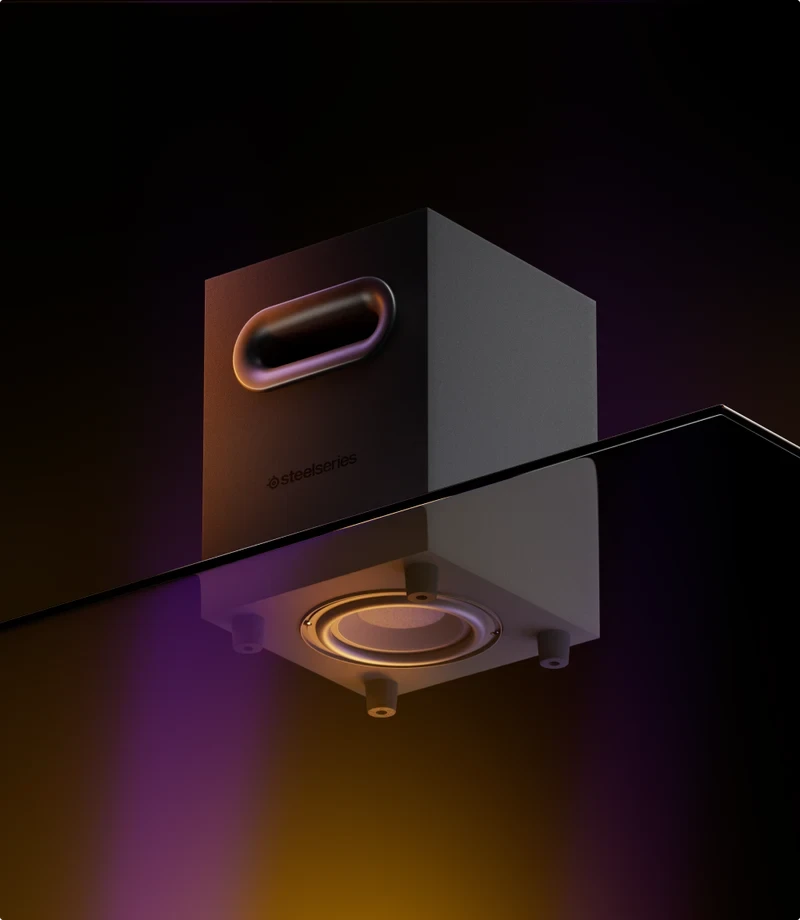
A Dedicated 6.5-inch Down-Firing Subwoofer
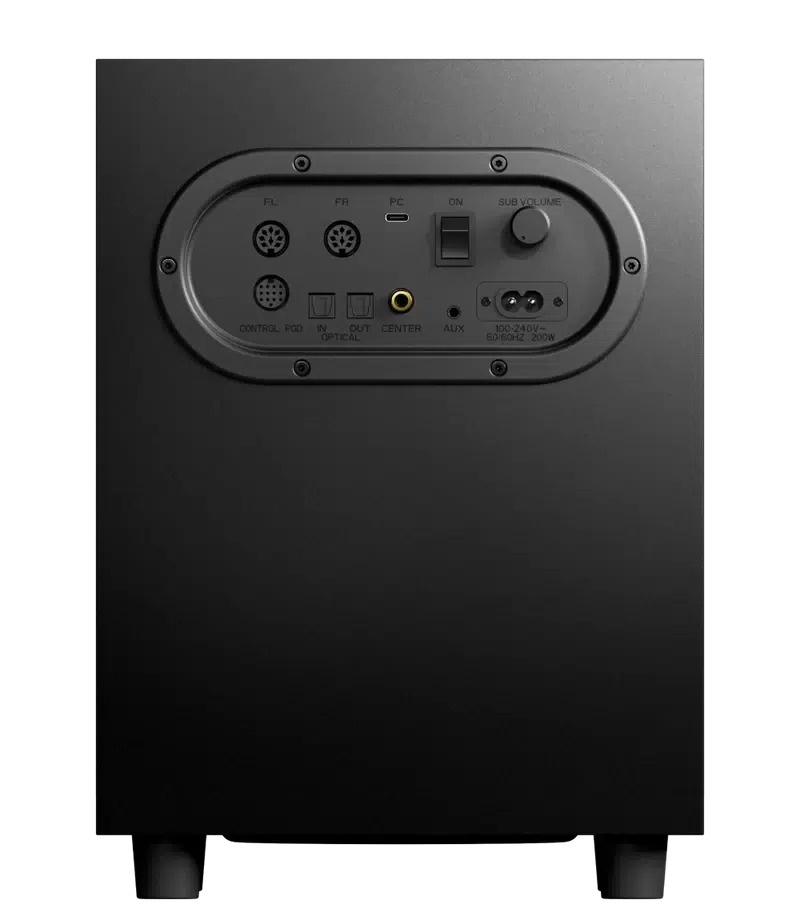
A separate 6.5-inch driver handles the bass channel. The complete system is rated by SteelSeries for a 35–20,000Hz frequency response, 89dB sensitivity and 100dB maximum SPL. Plan floor space for the subwoofer and allow access to its rear connections.
MULTIPLE CONNECTIONS
USB, Optical, Auxiliary and Bluetooth Inputs
Connect a PC or Mac through USB, an optical source through Toslink, or an analog source through the 3.5mm auxiliary input. Bluetooth 4.2 supports compatible wireless audio sources, and the inputs can mix together. Optical passthrough is also provided. PlayStation supports stereo/2.1 playback rather than native 5.1 over USB or optical; Upmix can spread stereo audio across the speakers.
PRISMSYNC RGB
Four-Zone Reactive PrismSync RGB
Configurable RGB lighting projects onto your desk and back wall to complement the system. Screen-reactive lighting is a PC feature. Adjust lighting through the supported SteelSeries software or switch the LEDs off using the OLED control pod.
OLED CONTROL POD
Keep Your Audio Controls Within Reach
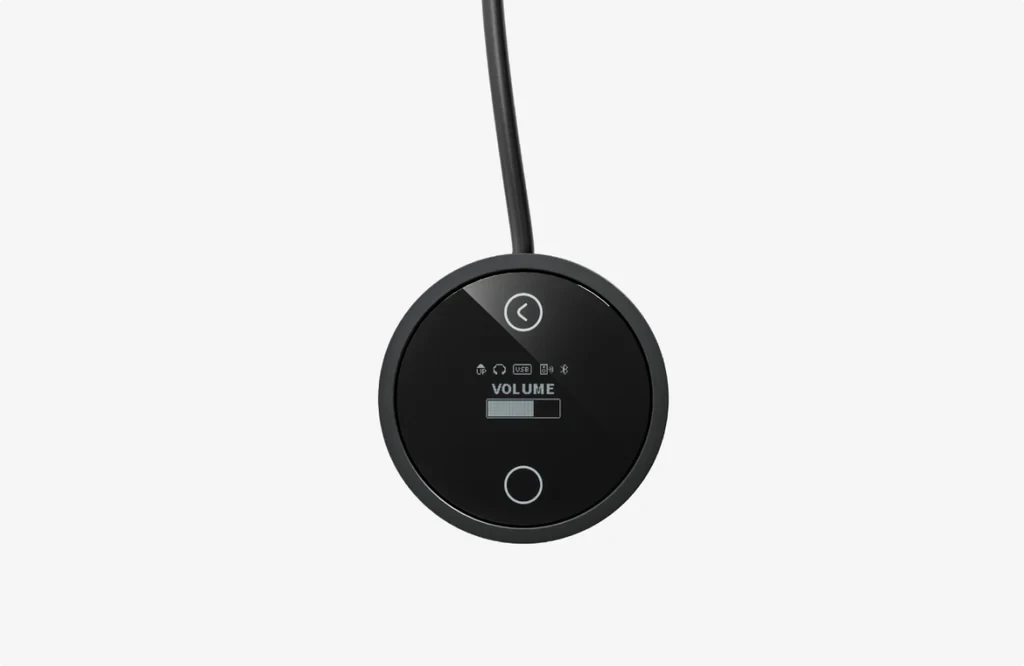
The OLED control pod provides a volume dial and access to mute, headset switching, 5.1 Upmix, Bluetooth pairing, lighting and system settings. Its 4-pole 3.5mm jack supports a wired headset, making it easy to move from room audio to private listening.
STEELSERIES SONAR
Fine-Tune Your Sound in Sonar
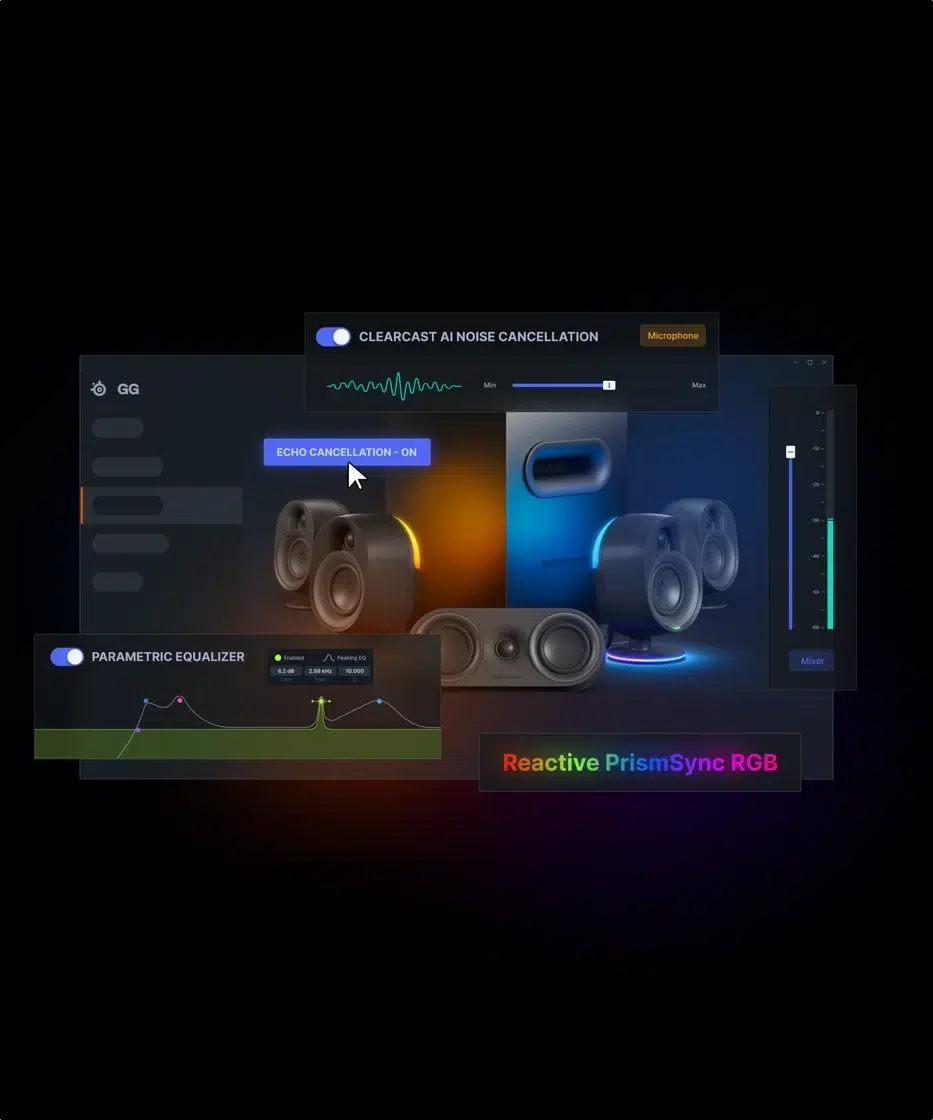
SteelSeries Sonar on a supported PC offers a 10-band parametric EQ, per-speaker output adjustment and surround upmix. Acoustical Echo Cancellation helps manage speaker sound entering voice chat. Use native 5.1 content with the correct channel configuration; Upmix is intended for stereo sources.
IN THE BOX
Included Components and Cables
The box includes front left/right speakers, a center speaker, rear left/right speakers, subwoofer, OLED control pod, power cable, rear power adapter with regional plug, USB-C to USB-A cable and product information guide. The listed USB and power cables are 2m. An optical cable and wall-mount hardware are separate purchases.
BEFORE YOU CHOOSE
A few useful answers
Does Arena 9 deliver true 5.1 on PlayStation?
PlayStation playback is stereo/2.1 over USB or optical. Native 5.1 surround is available through the supported computer USB setup. 5.1 Upmix can distribute a stereo source across the system.
Are the rear speakers completely cable-free?
They connect wirelessly for audio from the subwoofer, but the pair still needs mains power and the connection cable between the rear speakers.
How do I play stereo through all the speakers?
Enable 5.1 Upmix using the OLED control pod or SteelSeries GG. For native multichannel content, use the correct 5.1 configuration rather than stereo upmix.
Do I need a USB-C port on my computer?
No. The included USB-C to USB-A cable allows connection to a compatible USB-A computer port.
Can Bluetooth and USB audio play together?
Yes. The system mixes its inputs, including USB, optical, auxiliary and Bluetooth audio.
Can I turn off the RGB lighting?
Yes. Toggle the LEDs with the OLED control pod or the SteelSeries GG application. Screen-reactive RGB requires PC support.
Can I connect a wired headset?
Yes. Use the 4-pole 3.5mm headset jack on the control pod and the supported headset toggle controls.
Can the rear speakers be wall mounted?
The rear stands are removable and the speakers have threaded mounting connections. Use compatible mounting hardware, purchased separately.
Can I extend the rear or center speaker cables?
SteelSeries identifies standard RCA connectors for the rear-link and center-channel audio connections, which can be used with suitable extension cables.
EXPLORE THE SETUP
Complete Your Gaming Setup
Explore gaming speakers at AX Store Kuwait, or pair your audio with a keyboard, mouse and desktop lighting. A headset offers private listening when you need it. Recommended accessories are sold separately.
OFFICIAL GUIDES & SUPPORT
Read the SteelSeries Arena 9 product page and official setup guide for connection diagrams and controls. For help choosing your AX setup, contact AX Store Kuwait.
THE DETAILS
Technical specifications
Product
SteelSeries
Arena 9
61549
Black
5.1: front left/right, center, rear left/right and subwoofer
System Audio
35–20,000 Hz
89 dB
100 dB
Organic fiber and silk
USB to compatible PC / Mac, 2.1 / 5.1
Speaker Drivers
2-way; 3-inch woofer and 0.75-inch tweeter per speaker
2-way; 2.75-inch woofer and 0.75-inch tweeter per speaker
Two 2.75-inch woofers and one 0.75-inch tweeter
6.5-inch down-firing driver
Connectivity
USB, 2.1 / 5.1
Toslink, 2.1 / upmix to 5.1
Toslink
3.5mm
Version 4.2
4-pole 3.5mm on OLED control pod
Wireless connection from subwoofer; rear speakers linked by cable
Simultaneous input mixing, including Bluetooth and USB
Platform Compatibility
Windows, Mac OS X via USB, PlayStation, Bluetooth, optical and stereo 3.5mm audio devices
Stereo / 2.1 via USB; native 5.1 over USB or optical is not supported
5.1 Upmix via OLED control pod or SteelSeries GG
Auxiliary or Bluetooth, 2.1 / upmix to 5.1
Lighting, Controls & Mounting
4-zone reactive PrismSync RGB; screen-reactive features on PC only
Volume, mute, headset toggle, LED controls, Bluetooth pairing, audio customization, 5.1 Upmix and system functions
Adjustable vertical tilt
Removable stands; wall mountable with compatible hardware
10-band parametric EQ, per-speaker output adjustment, surround upmix and Acoustical Echo Cancellation on supported PC
Power & Included Cables
Subwoofer mains power and separate rear-speaker power adapter
USB-C to USB-A, 2m
2m
2m
Sold separately
Dimensions
104.9 × 126.2 × 196.1 mm
In the Box
Front speakers, left and right, Center speaker, Rear speakers, left and right, Subwoofer, OLED control pod, Power cable, Rear power adapter with regional plug, USB-C to USB-A cable, Product information guide
COMPLETE YOUR SETUP
Pairs well with