
Pulsar
Superglide 2 for Logitech G PRO X SUPERLIGHT
Pulsar Superglide 2 Type-C aluminosilicate-glass replacement skates for the original Logitech G PRO X SUPERLIGHT, with a micro-textured surface and rounded edges for balanced glide and stopping control. Not recommended for glass mousepads.
Color
Regular price
11.500 KWD
or 4 payments of 2.875 KWD with
Pay with card & save


11.000 KWD
Save 0.500 KWD
Overview
Pulsar Superglide 2 · Type-C · SUPERLIGHT 1
A Glass Glide with a More Controlled Surface
Pulsar Superglide 2 Type-C replacement skates bring a micro-textured glass surface to the original Logitech G PRO X SUPERLIGHT. The surface is designed to balance a smooth glide with stopping control, while rounded edges help the skates move across your mousepad. Choose the version that matches your exact mouse model.
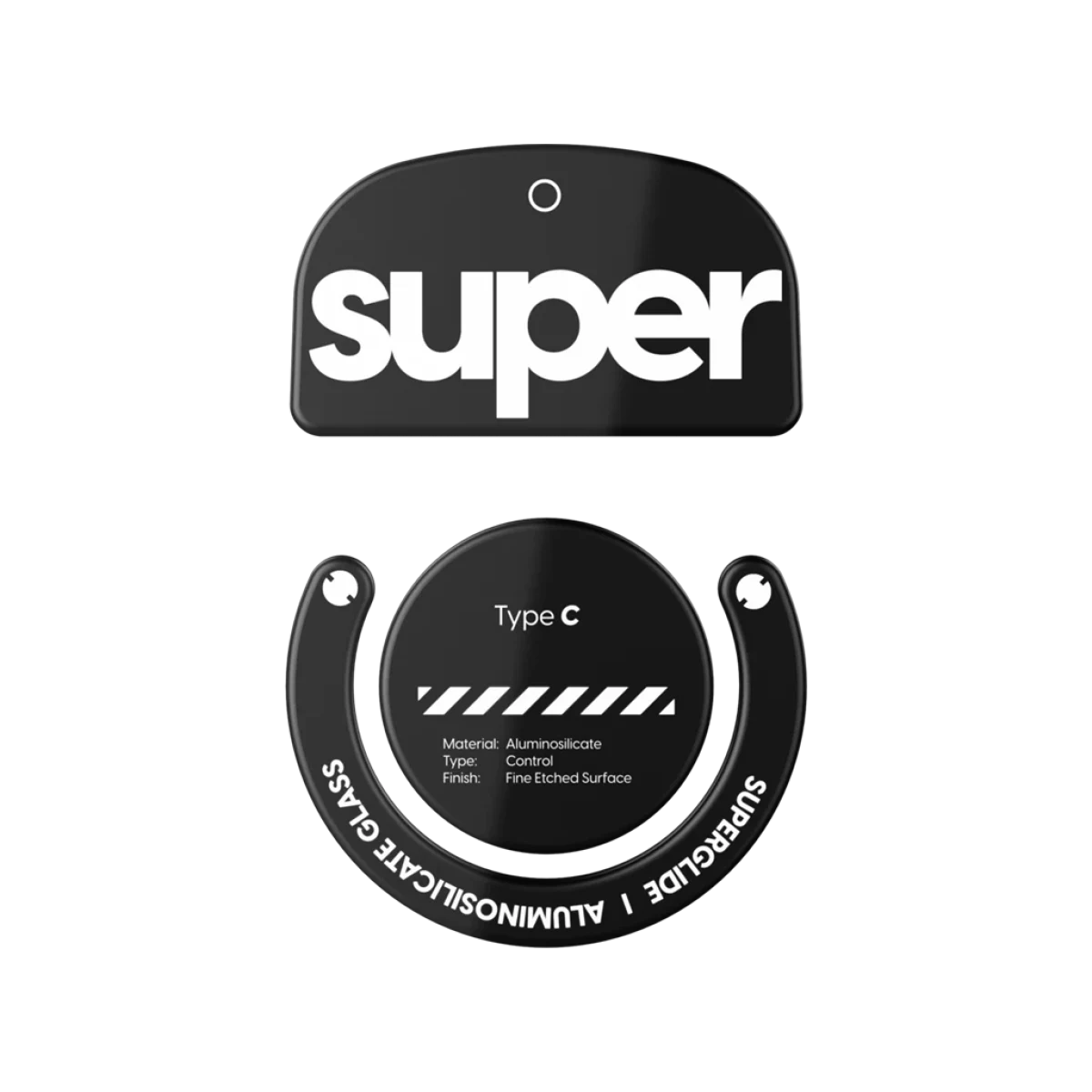
Micro-Textured Type-C Surface
The Type-C finish uses a fine etched texture across the glass contact surface, including its rounded edges. That texture is designed to combine glide speed with a more controlled stopping feel. It suits players who want to explore a glass-skate setup while keeping deliberate changes of direction and the end of a mouse movement in mind.
Aluminosilicate Glass Construction
The skates use aluminosilicate glass, providing a durable contact material for the mouse base. Their tempered-glass construction is intended to resist wear during regular use. When planning a skate change, consider the surface feel you want and the mousepad you already use, since those two parts work together whenever you move the mouse.
Smoothly Rounded Edges
Polished rounded edges help the skates travel smoothly over the pad as you move between quick sweeps and smaller corrections. The micro-surfaced texture extends around those edges, keeping the Type-C surface treatment part of the contact design. Try your usual movements after installation and give yourself time to become familiar with the changed glide feel.
Match the Exact Mouse Generation
This set is shaped for the original Logitech G PRO X SUPERLIGHT. It is not compatible with G PRO X SUPERLIGHT 2 and SUPERLIGHT 2 DEX. Check the full model name on your mouse before selecting replacement skates, particularly if you own more than one Superlight generation. Matching the shape to the correct base is an essential part of choosing the right accessory.
Plan Around Your Mousepad
Pulsar does not recommend using these glass skates on a glass mousepad. Consider your existing pad before changing the mouse feet, and use a suitable surface for the setup you are building. Once fitted, check how the mouse starts, tracks and stops across the area you normally use, then adjust your setup preferences if needed.
Refresh the Glide of Your Existing Mouse
Replacement skates offer a way to change the contact surface of a mouse you already know. They are relevant when you want to try a different glide character while keeping your familiar mouse shape and controls. Follow the product installation guidance and confirm the skate positions before returning the mouse to regular use on your chosen pad.
Complete Your Workspace
Browse gaming accessories and mousepads when planning your preferred mouse setup.
THE DETAILS
Technical specifications
Skate Design
Pulsar Superglide 2
Type-C; Control
Aluminosilicate tempered glass
Fine etched / micro-textured
Polished rounded edges; micro-texture extends across edges
Controllable speed; balanced glide and stopping control
Compatibility
original Logitech G PRO X SUPERLIGHT
G PRO X SUPERLIGHT 2 and SUPERLIGHT 2 DEX
Not recommended for glass mousepads
Replacement mouse skates
COMPLETE YOUR SETUP
Pairs well with