
Gaming Accessories
Tiger Gaming Mouse Skates Feet for Razer Viper
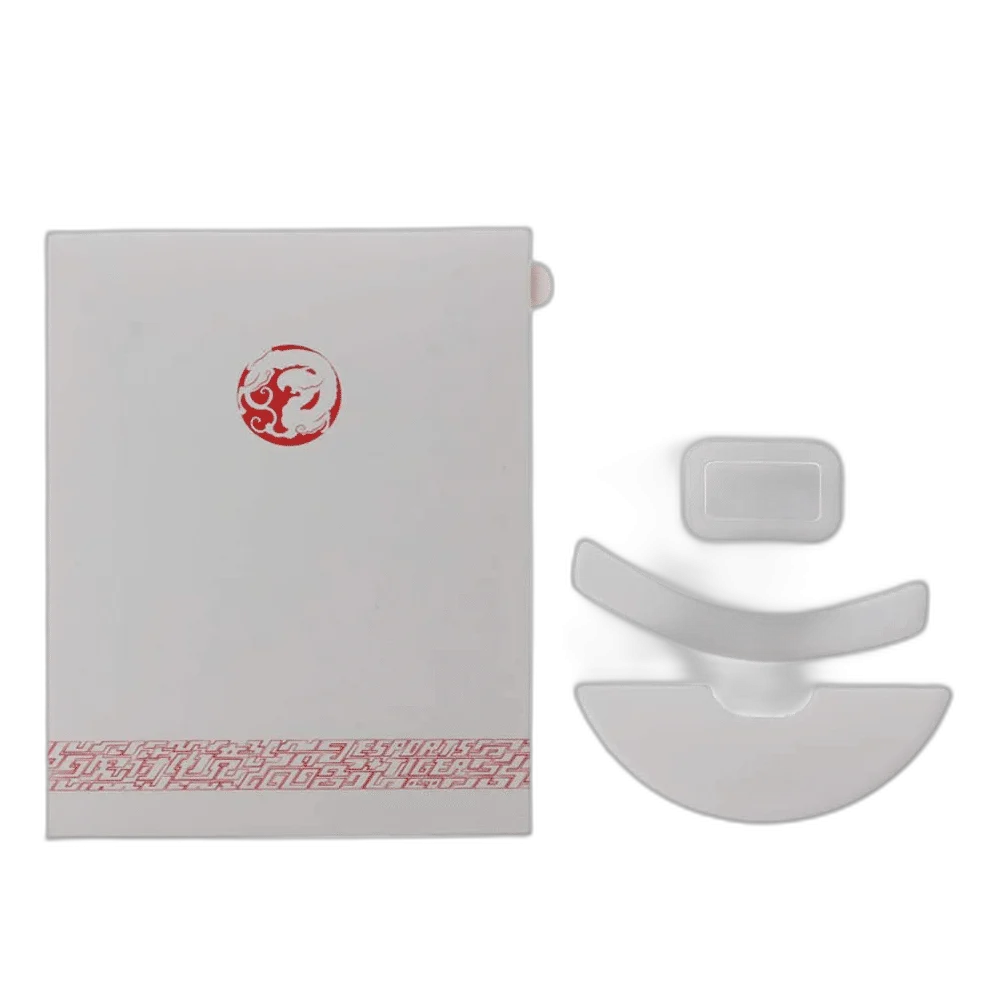
Tiger Gaming Mouse Skates for Razer Viper replaces the contact feet on the Original Razer Viper. PTFE provides the contact material, with compatibility determined by the mouse’s exact base shape rather than by a similar product name.
Regular price
8.500 KWD
or 4 payments of 2.125 KWD with
Pay with card & save


8.000 KWD
Save 0.500 KWD
Overview
TIGER GAMING MOUSE SKATES FOR RAZER VIPER
Replacement Glide Feet for the Original Razer Viper
Tiger Gaming Mouse Skates for Razer Viper replaces the contact feet on the Original Razer Viper. PTFE provides the contact material, with compatibility determined by the mouse’s exact base shape rather than by a similar product name.
Original Razer Viper
Mouse fit
PTFE
Contact material
Replacement
Accessory role
Viper
Model family
Check the Exact Mouse Model
These skates are intended for the Original Razer Viper. Match the base and foot cutouts to the supplied replacement pieces before installation. Do not assume that Viper Mini, Ultimate, V2 Pro or other Viper-family mice use the same foot shape.
The PTFE Contact Material
PTFE forms the glide surface beneath the mouse. The PTFE surface provides the physical contact layer between the mouse and pad. Movement feel depends on the complete pad, skate shape and contact pressure, so check the setup after fitting the pieces.
Choose a Suitable Mousepad
Choose a suitable mousepad and keep its contact surface clean when checking the new skates. The mouse feet and pad work together as a physical pair, while the mouse’s sensor and software settings remain separate from this replacement part.
Prepare the Mouse Base
Follow the mouse and skate installation instructions, remove the old contact feet where required and prepare the receiving areas for the replacement pieces. Check the matching shape before attaching them. Avoid stacking new feet over the old set unless the manufacturer specifically requires that arrangement, since extra layers can change the intended contact height.
Fit and Check the Replacement Pieces
Align each supplied piece with its matching base recess and apply it according to the supplied instructions. Keep adhesive surfaces clean and avoid repeatedly peeling and repositioning a fitted piece. Check that the mouse sits as intended on the pad, with no loose debris or remaining protective film affecting the contact surface.
Model
Tiger Gaming Mouse Skates for Razer Viper
Compatible mouse
Original Razer Viper
Accessory type
Replacement mouse skates / feet
Model Details and Everyday Use
This Tiger listing is for replacement Razer Viper feet; match the supplied cut shape rather than assuming a different Tiger series or Viper generation. Keep the pad and skates clean and check normal tracking after installation.
Complete Your Workspace
Explore Gaming Accessories to compare suitable options and complete your setup.
Frequently Asked Questions
Does a similar mouse name guarantee fit?
No. Match the exact mouse and foot cutouts.
Does this change DPI or polling?
No. It changes the physical contact feet.
Can glass skates be paired with a glass pad?
This is a PTFE set; check the chosen pad and model instructions.
Should new feet be stacked over old feet?
Follow the installation instructions and do not assume extra layers are appropriate.
What should be checked after fitting?
Contact, secure attachment and normal tracking on the intended pad.
Build Your Setup with AX Store Kuwait
Explore computers, displays and accessories for your workspace at AX Store Kuwait. For help choosing the right model or checking an accessory, contact AX Store.
THE DETAILS
Technical specifications
Product Specifications
Tiger Gaming Mouse Skates for Razer Viper
Original Razer Viper
Replacement mouse skates / feet
PTFE
Physical glide surface beneath mouse
Match actual mouse base and supplied cut shape
COMPLETE YOUR SETUP
Pairs well with