TP-Link
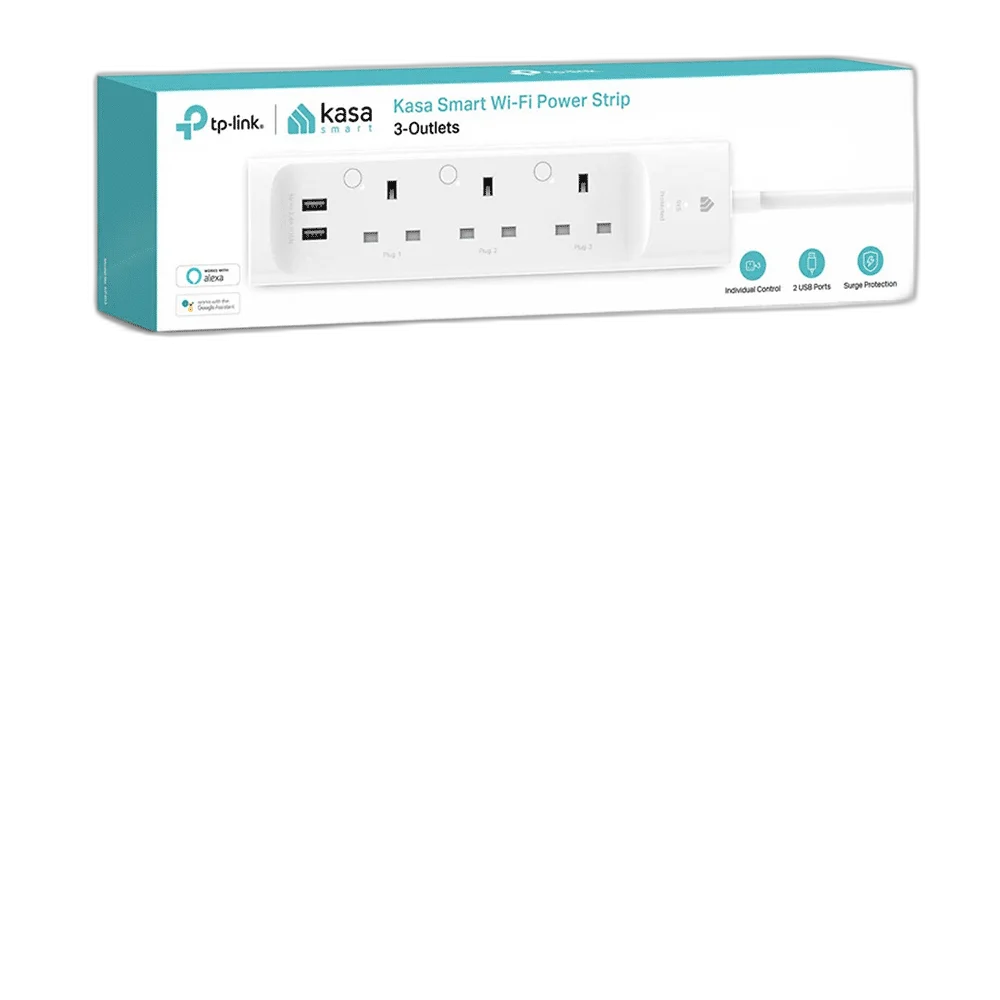
TP-Link Kasa WiFi Power Strip, 3 Outlets with 2 USB Ports
This TP-Link Kasa power strip combines three independently controlled smart outlets with two always-on USB charging ports. Connect through a compatible 2.4 GHz Wi-Fi network and use the Kasa Smart app to manage suitable plugged-in devices.
Regular price
15.500 KWD
or 4 payments of 3.875 KWD with
Pay with card & save


14.900 KWD
Save 0.600 KWD
Overview
TP-LINK KASA WI-FI POWER STRIP — 3 OUTLETS / 2 USB PORTS
Three Smart Outlets with Separate Switching and Two USB Ports
This TP-Link Kasa power strip combines three independently controlled smart outlets with two always-on USB charging ports. Connect through a compatible 2.4 GHz Wi-Fi network and use the Kasa Smart app to manage suitable plugged-in devices.
3
Smart AC outlets
2
Always-on USB ports
2.4 GHz
Wi-Fi band
Kasa Smart
Control app
Three Separately Controlled Outlets
The three smart AC outlets can be managed individually through Kasa Smart. This lets suitable devices share one physical strip while retaining separate on/off control. Match each connected device to the strip’s permitted electrical load and check how the appliance behaves when its supply is switched off and restored.
Two Always-On USB Charging Ports
Two USB ports provide charging connections for suitable portable devices. These USB ports are always on rather than independently switched smart outlets. Choose the appropriate charging leads and confirm that the available USB power suits the device; the strip’s USB connections are separate from a laptop USB-C PD charger.
Kasa Smart App Control
Use the Kasa Smart app to name and manage the supported smart outlets around the equipment connected to each one. A clear name for each outlet makes routines easier to use. Remote access depends on the required network, account and supported service, while the connected appliance still operates according to its own controls.
Schedules for Suitable Devices
Use supported schedules and timer functions to manage when a connected lamp or other suitable device receives power. Check the result with the actual device before relying on the routine. A scheduled power connection does not automatically operate an appliance that requires a separate manual start after power returns.
A Direct 2.4 GHz Wi-Fi Connection
The Kasa strip connects to a compatible secured 2.4 GHz wireless network without a separate smart hub for this Wi-Fi function. Follow the onboarding instructions and keep the strip within reliable wireless coverage. Plan the location around access to the sockets, individual controls and connected device leads.
Model
TP-Link Kasa Wi-Fi Power Strip — 3 Outlets / 2 USB Ports
AC outlet count
3
Smart outlet control
Independent on/off control
Match the Regional Electrical Rating
Check the actual strip’s socket type, supply rating and total permitted load before connecting equipment. Different regional power-strip versions can use different sockets and ratings. Arrange the strip where its controls remain accessible and the leads are free from strain, and follow the unit’s own instructions for its intended installation and use.
Complete Your Workspace
Explore Smart Home Accessories to compare suitable options and complete your setup.
Frequently Asked Questions
Can the three AC outlets be switched separately?
Yes.
Can the USB ports be independently switched in the app?
No. The USB ports are always on.
Which app is used?
Kasa Smart.
Is a separate smart hub needed?
No, for the supported direct Wi-Fi connection.
Should the regional electrical rating be checked?
Yes. Match the actual unit, socket type and total load to the connected equipment.
Build Your Setup with AX Store Kuwait
Explore computers, displays and accessories for your workspace at AX Store Kuwait. For help choosing the right model or checking an accessory, contact AX Store.
THE DETAILS
Technical specifications
Product Specifications
TP-Link Kasa Wi-Fi Power Strip — 3 Outlets / 2 USB Ports
3
Independent on/off control
2
Always on; not independently app switched
Kasa Smart
2.4 GHz Wi-Fi
Schedules and timer
Not required for the Wi-Fi connection
Use actual unit socket type, rating and total permitted load
COMPLETE YOUR SETUP
Pairs well with