UGREEN
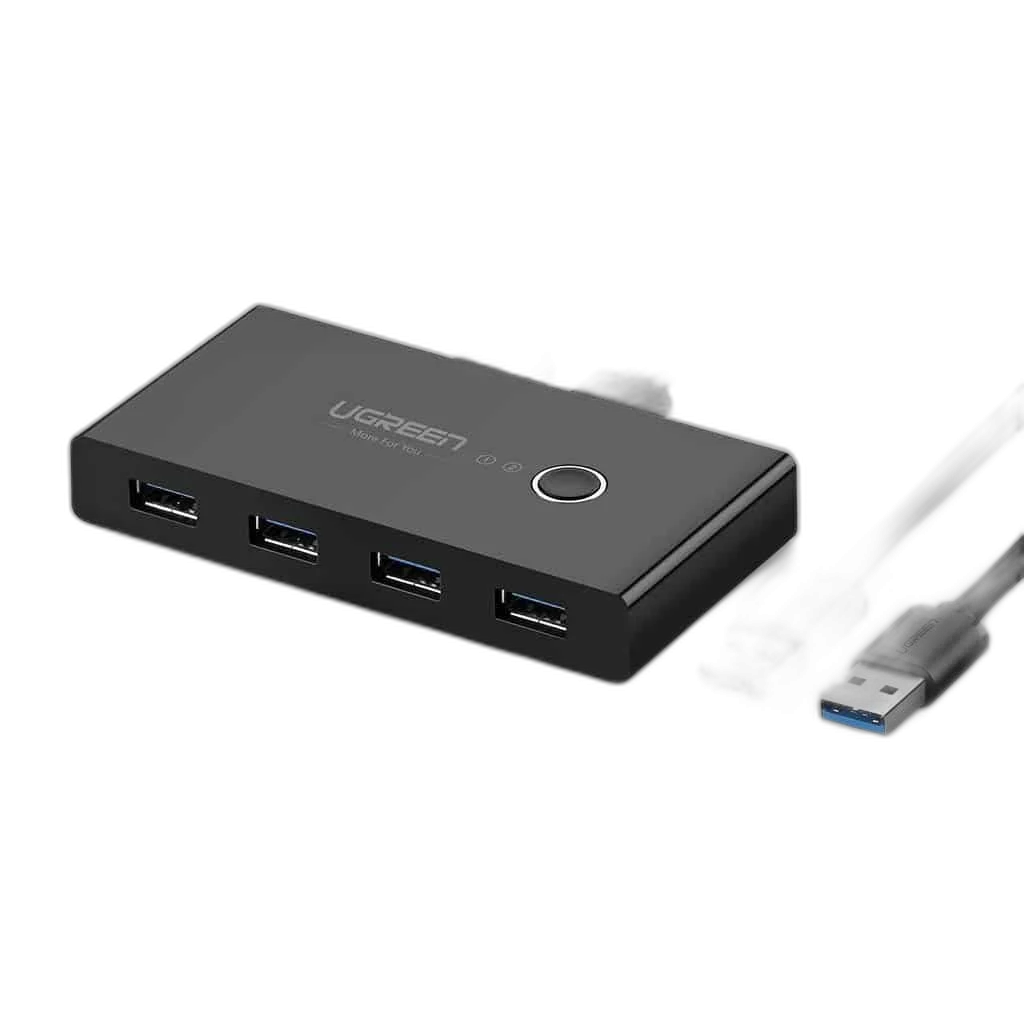
UGREEN USB 3.0 Switch, 2 In 4 Out
UGREEN’s two-computer, four-device USB 3.0 switch shares a group of USB peripherals with the selected host. A physical button changes the active computer, while the USB data connection supports up to 5 Gbps.
Regular price
12.500 KWD
or 4 payments of 3.125 KWD with
Pay with card & save


12.000 KWD
Save 0.500 KWD
Overview
UGREEN USB 3.0 SWITCH — 2 COMPUTERS / 4 USB DEVICES
Share Four USB Devices Between Two Computers
UGREEN’s two-computer, four-device USB 3.0 switch shares a group of USB peripherals with the selected host. A physical button changes the active computer, while the USB data connection supports up to 5 Gbps.
2
Computer connections
4
Shared USB device ports
5 Gbps
Maximum USB link rate
Button
Host selection
Two Computers, One Peripheral Group
Connect the two computer-side links and attach up to four USB peripherals to the shared device ports. The switch selects which host can use those devices, allowing a desk keyboard, mouse and other suitable peripherals to move between computers without repeatedly unplugging each peripheral from the desk.
Select the Active Computer
The physical switching button changes the active host, and an LED indicates the selected connection. Shared peripherals are presented to that computer rather than to both computers at once. Allow the operating system to recognise a newly selected device before continuing work that depends on it.
USB 3.0 at Up to 5 Gbps
The switch supports a USB 3.0 data link rated up to 5 Gbps and is backward compatible with USB 2.0 and USB 1.1 peripherals. Actual performance depends on the host, connected device and shared USB activity. A slower peripheral continues to operate at its supported USB rate.
Extra Power for Demanding Peripherals
UGREEN provides a Micro USB connection for an additional 5 V power supply when the shared equipment requires extra power. Use a suitable supply and cable for the actual connection. High-draw storage devices may need that auxiliary input rather than relying on the host-side USB power alone.
A USB Sharing Setup for the Desk
The shared connections are intended for USB peripherals such as a keyboard, mouse, printer or suitable external storage device. Match each device’s operating-system support and power requirements to the selected host. This unit switches USB access; a display connection is arranged separately through the computer’s video outputs.
Model
UGREEN USB 3.0 Switch — 2 Computers / 4 USB Devices
Host connections
2 computers
Shared peripheral connections
4 USB devices
Switch Storage Devices Carefully
Complete file transfers and use the operating system’s safe-removal procedure before moving a connected storage drive to the other computer. A host change can interrupt access to a device in use. Keep both computers’ USB connections accessible and check that the LED identifies the host expected to receive the peripherals.
Complete Your Workspace
Explore Cables & Adapters to compare suitable options and complete your setup.
Frequently Asked Questions
Can both computers use a shared device simultaneously?
No. The switch selects one host at a time.
Does it switch HDMI video?
No. This is a USB peripheral switch.
What speed is specified?
Up to 5 Gbps for the USB 3.0 link.
When is auxiliary power useful?
When suitable high-draw peripherals require additional power; use the 5 V Micro USB input.
Should a drive be safely removed before switching?
Yes. Finish transfers and safely remove storage first.
Build Your Setup with AX Store Kuwait
Explore computers, displays and accessories for your workspace at AX Store Kuwait. For help choosing the right model or checking an accessory, contact AX Store.
THE DETAILS
Technical specifications
Product Specifications
UGREEN USB 3.0 Switch — 2 Computers / 4 USB Devices
2 computers
4 USB devices
USB 3.0
5 Gbps
USB 2.0; USB 1.1
Physical button
LED
Micro USB; 5 V supply
One selected computer at a time
30768
COMPLETE YOUR SETUP
Pairs well with