UGREEN
UGREEN USB C Hub, Slim Type C to USB 3.0 Adapter
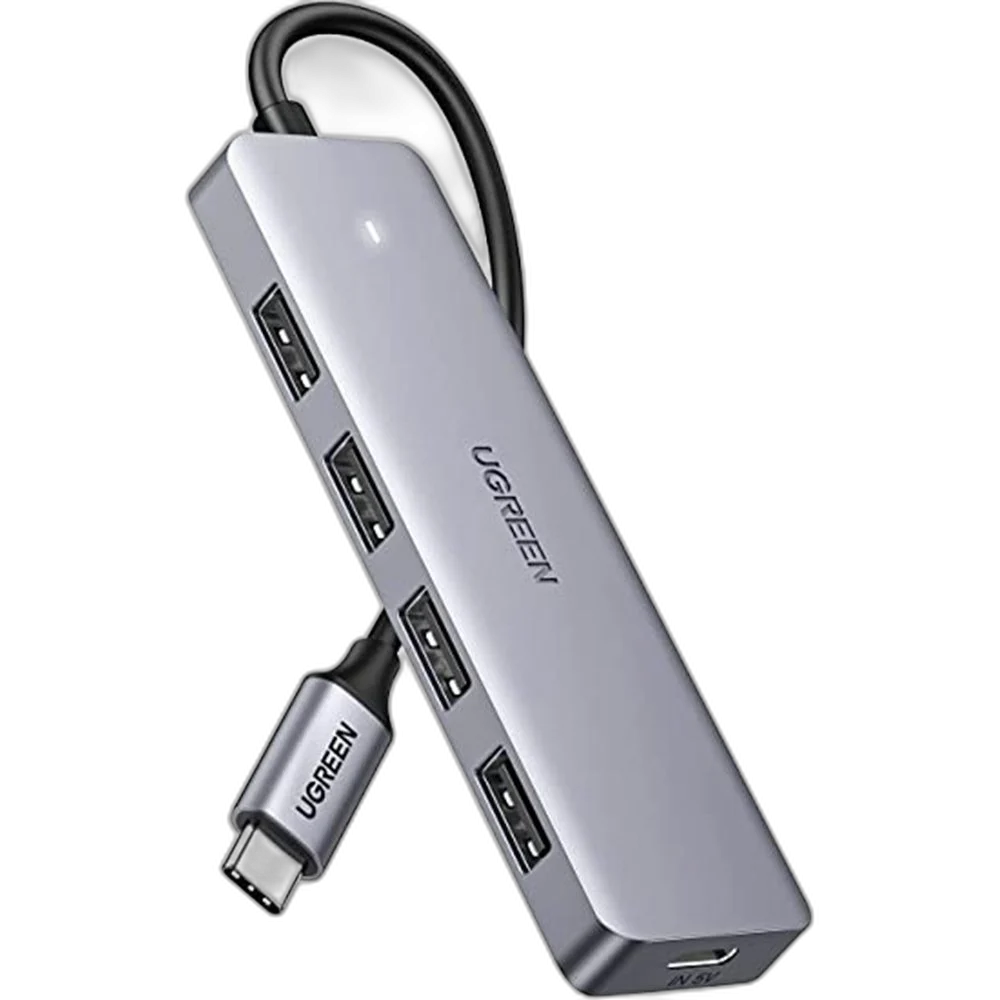
This UGREEN USB-C hub expands a compatible USB-C computer connection into four USB-A ports. Its USB 3.0 data link is rated up to 5 Gbps, providing a practical connection point for suitable everyday USB peripherals.
Regular price
6.500 KWD
or 4 payments of 1.625 KWD with
Pay with card & save


6.000 KWD
Save 0.500 KWD
Overview
UGREEN USB-C TO FOUR-PORT USB 3.0 HUB
Four USB-A Data Ports from a USB-C Computer
This UGREEN USB-C hub expands a compatible USB-C computer connection into four USB-A ports. Its USB 3.0 data link is rated up to 5 Gbps, providing a practical connection point for suitable everyday USB peripherals.
4
USB-A peripheral ports
USB-C
Computer connection
5 Gbps
Maximum shared link rate
USB 3.0
Data interface
Four USB-A Ports in One Hub
Connect the hub to a compatible USB-C host and use the four USB-A ports for appropriate peripherals. The hub groups several devices around one computer connection, making a keyboard, mouse or other USB equipment easier to arrange when the computer has limited built-in USB-A ports.
USB 3.0 Data at Up to 5 Gbps
The hub supports a USB 3.0 link rated up to 5 Gbps. That rating applies to the host connection shared by the connected devices, rather than five gigabits of dedicated throughput for every port simultaneously. Storage performance and the host’s USB capability also affect actual transfer speeds.
A USB-C Host Connection
The host side uses USB-C, while the expanded peripheral side uses USB-A. A USB-C connector can provide different functions on different products, so use this hub for its USB data role. A computer’s video or laptop-charging capability is not created by the shape of the hub’s host plug.
Keyboard, Mouse and Storage Connections
Choose peripherals that work with the computer’s operating system and fit within the available USB power. A keyboard and mouse typically use modest bandwidth, while storage devices can create a heavier data and power load. Follow a peripheral’s own power requirements when it needs an independent supply.
Arrange the Leads Around the Desk
Place the hub where its USB-A ports are easy to reach, allowing clearance for neighbouring plugs and enough slack in the host lead. Keep the unit supported by the desk. Avoid pulling the computer’s USB-C port sideways when changing a peripheral or moving the laptop.
Model
UGREEN USB-C to Four-Port USB 3.0 Hub
Host connector
USB-C
Peripheral connections
4 × USB-A
Check the Complete USB Setup
After connecting the hub, confirm that the intended devices are recognised in the operating system and work in their usual applications. Finish transfers and safely remove storage before unplugging it. If several high-demand devices are used together, consider their combined bandwidth and power requirements when planning the connection.
Complete Your Workspace
Explore Cables & Adapters to compare suitable options and complete your setup.
Frequently Asked Questions
How many USB-A devices can be connected?
Up to four suitable devices.
Does every port have a dedicated 5 Gbps host link?
No. Connected devices share the host connection.
Can this hub add an HDMI output?
No HDMI output is specified.
Does it provide laptop PD charging?
PD passthrough is not specified for this listing.
Can a storage drive need its own power?
Yes. Follow the device’s power requirements and safely remove it before disconnecting.
Build Your Setup with AX Store Kuwait
Explore computers, displays and accessories for your workspace at AX Store Kuwait. For help choosing the right model or checking an accessory, contact AX Store.
THE DETAILS
Technical specifications
Product Specifications
UGREEN USB-C to Four-Port USB 3.0 Hub
USB-C
4 × USB-A
USB 3.0
5 Gbps
USB data expansion
Compatible host operating system and sufficient USB power
No HDMI or DisplayPort output specified
No USB-C PD passthrough specified
COMPLETE YOUR SETUP
Pairs well with