Gaming Cables & Adapters
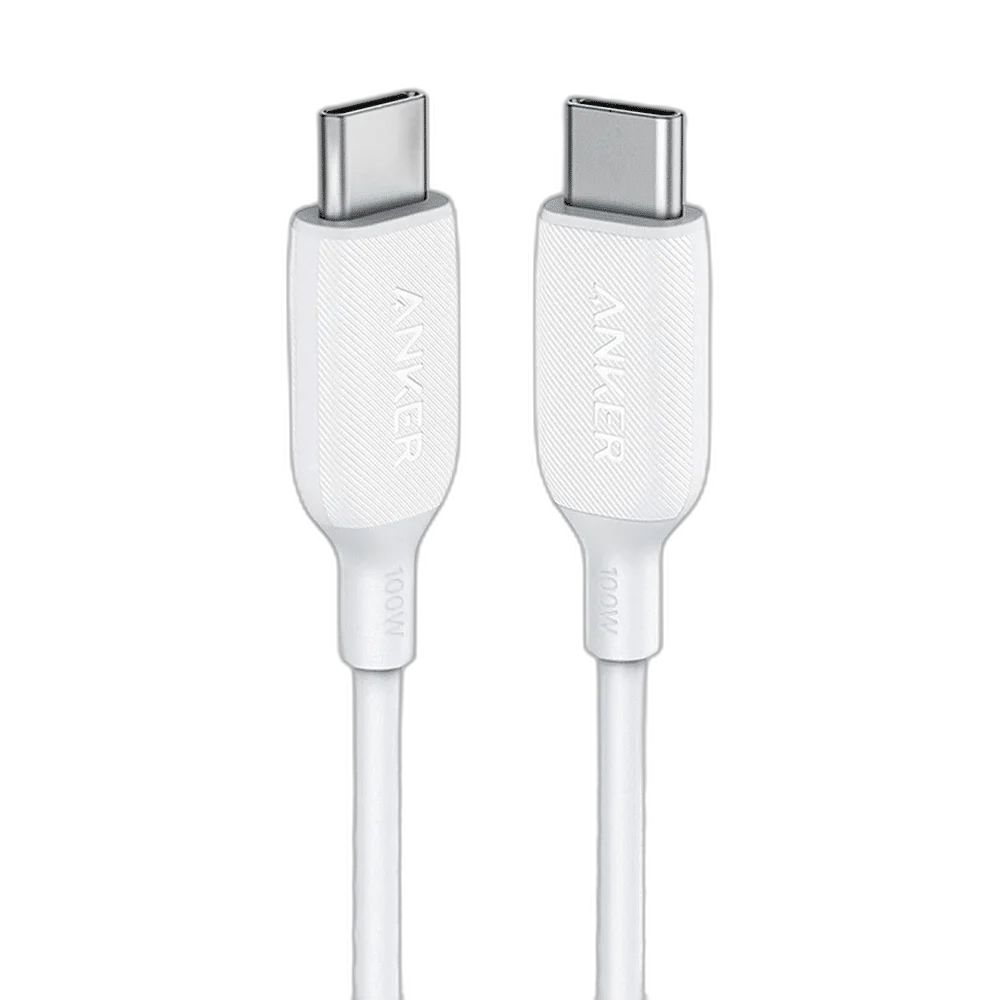
Anker Powerline III USB C to USB C Cable, 100W 1.8m
Anker PowerLine III USB-C to USB-C 100W Cable — 1.8 m connects USB-C to USB-C. Its 1.8 m length supports a practical desk connection. The connection is designed for usb-c charging and usb 2.0 data, with 480 Mbps as its maximum stated USB data-link rate.
Regular price
10.500 KWD
or 4 payments of 2.625 KWD with
Pay with card & save


10.000 KWD
Save 0.500 KWD
Overview
ANKER POWERLINE III USB-C TO USB-C 100W CABLE — 1.8 M
USB-C to USB-C for USB-C Charging and USB 2.0 Data
Anker PowerLine III USB-C to USB-C 100W Cable — 1.8 m connects USB-C to USB-C. Its 1.8 m length supports a practical desk connection. The connection is designed for usb-c charging and usb 2.0 data, with 480 Mbps as its maximum stated USB data-link rate.
USB-C
Source-side connector
USB-C
Device-side connector
480 Mbps
Maximum USB data-link rate
1.8 m
Cable length
The Right Connector at Each End
Use the USB-C end at a suitable computer, hub or power source and match the USB-C end to the connected device. This is a USB 2.0 data cable; display video output is not supported. Check the socket shape before connecting, and insert the plugs straight without forcing a connector into a different USB type.
A 480 Mbps USB Data Link
The cable provides a USB connection rated up to 480 Mbps. This describes the link capability rather than a guaranteed file-copy speed. The host port, connected device, storage performance and operating conditions determine the actual transfer result, so use a compatible data-capable port when moving files or communicating with a peripheral.
Power and Charging Compatibility
The cable supports up to 100 W USB Power Delivery with a suitable USB-C PD charger and compatible device. Its electronic marker supports the high-current cable identification needed for the appropriate charging configuration. A cable does not create additional power beyond the source or add a charging protocol that the connected equipment lacks. Match the charger, device and cable together, and use the device’s charging indication to confirm that the intended charging connection has been established.
Cable Length and Desk Placement
The 1.8 m length allows a route between nearby equipment without changing the cable’s connector arrangement. Allow some slack at both sockets and include the path around a monitor, laptop stand or desk edge. Avoid tight bends and tension at the plugs when moving connected equipment.
Construction for Everyday Connections
The PowerLine III design provides a slim cable and shaped connector housings for a direct USB-C connection. Support the connector housing when plugging in or disconnecting the cable rather than pulling on the wire. Route the lead clear of chair wheels, sharp edges and moving furniture, and keep the connection accessible if the connected device is frequently removed from the desk.
Model
Anker PowerLine III USB-C to USB-C 100W Cable — 1.8 m
Host / source connector
USB-C
Device connector
USB-C
Choose It for USB-C Charging and USB 2.0 Data
Anker PowerLine III USB-C to USB-C 100W Cable — 1.8 m is intended for usb-c charging and usb 2.0 data. Select this connector combination for equipment that actually uses those ports. A matching device name alone is not enough when different generations use different USB sockets; check the particular unit, then confirm charging or data operation in the application that will use it.
Complete Your Workspace
Explore Cables & Adapters to compare suitable options and complete your setup.
Frequently Asked Questions
Which connectors does this cable use?
USB-C to USB-C.
What is the maximum stated USB data rate?
Up to 480 Mbps; the complete connection determines actual throughput.
How should the device socket be checked?
This is a USB 2.0 data cable; display video output is not supported.
Does the cable set the charging power by itself?
No. The source, device and supported charging protocol determine the operating power.
What is the intended connection?
USB-C Charging and USB 2.0 Data.
Build Your Setup with AX Store Kuwait
Explore computers, displays and accessories for your workspace at AX Store Kuwait. For help choosing the right model or checking an accessory, contact AX Store.
THE DETAILS
Technical specifications
Product Specifications
Anker PowerLine III USB-C to USB-C 100W Cable — 1.8 m
USB-C
USB-C
Up to 480 Mbps
USB-C Charging and USB 2.0 Data
1.8 m
The cable supports up to 100 W USB Power Delivery with a suitable USB-C PD charger and compatible device. Its electronic marker supports the high-current cable identification needed for the appropriate charging configuration.
USB 2.0
100 W with compatible PD equipment
E-marker
Not supported
COMPLETE YOUR SETUP
Pairs well with