Brand
G.SKILL
12 PRODUCTS
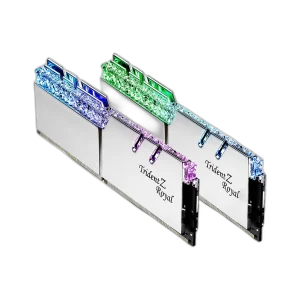
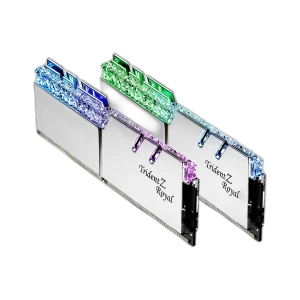
G.SKILL Trident Z Royal DDR4 and Trident Z5 RGB DDR5 memory kits in 16GB to 64GB. High-speed RAM with a premium look.


OUT OF STOCK
110.500 KWD
or 4 × 27.625 KWD with


WITH CARD

OUT OF STOCK
115.500 KWD
or 4 × 28.875 KWD with
WITH CARD

OUT OF STOCK
131.500 KWD
or 4 × 32.875 KWD with
WITH CARD

OUT OF STOCK
114.500 KWD
or 4 × 28.625 KWD with
WITH CARD

OUT OF STOCK
69.500 KWD
or 4 × 17.375 KWD with
WITH CARD
OUT OF STOCK
81.000 KWD
or 4 × 20.250 KWD with
WITH CARD
OUT OF STOCK
55.500 KWD
or 4 × 13.875 KWD with
WITH CARD

OUT OF STOCK
93.500 KWD
or 4 × 23.375 KWD with
WITH CARD

OUT OF STOCK
72.500 KWD
or 4 × 18.125 KWD with
WITH CARD

OUT OF STOCK
131.500 KWD
or 4 × 32.875 KWD with
WITH CARD

OUT OF STOCK
146.000 KWD
or 4 × 36.500 KWD with
WITH CARD
Showing 12 of 12 products
G.SKILL AT AX
High-speed memory, premium finish.
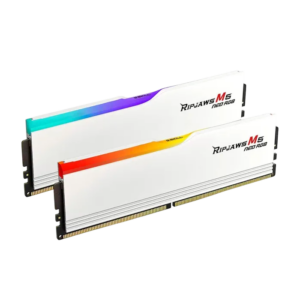
Shop G.SKILL in Kuwait: Trident Z Royal DDR4 3600MHz kits in 16GB and 32GB, Trident Z5 RGB DDR5 kits in 32GB at 6400MHz and 64GB at 6000MHz in silver and black, and the Ripjaws M5 Neo RGB 32GB DDR5-6000 kit in white. Start with your motherboard: DDR4 boards need a DDR4 kit and DDR5 boards need DDR5, as the two are not interchangeable.
32GB covers gaming and streaming, while 64GB suits editing, 3D work and heavy multitasking. Enable the memory profile (XMP or EXPO) in the BIOS to run a kit at its rated speed.
In stock now: the G.SKILL Ripjaws M5 Neo RGB 32GB (2x16GB) DDR5-6000 CL36.
Trident Z Royal · Z5 RGB
DDR4 and DDR5 kits
6000 · 6400MHz
DDR5 rated speeds
16GB to 64GB
kit capacities
G.SKILL FAQ
Before you buy.
Straight answers to the questions we hear most about G.SKILL memory.
Trident Z Royal or Trident Z5 RGB: which G.SKILL memory do I need?
It depends on your motherboard. The Trident Z Royal kits are DDR4 for DDR4 boards, while the Trident Z5 RGB kits are DDR5 for DDR5 boards. The two types are not interchangeable, so check your motherboard's supported memory before choosing.
32GB or 64GB: how much G.SKILL memory should I get?
32GB, like the Trident Z5 RGB 32GB (2x16GB) kit, comfortably covers gaming and streaming. A 64GB kit such as the Trident Z5 RGB 64GB (2x32GB) suits heavy video editing, 3D work, large projects and many apps open at once.
What do 6000MHz and 6400MHz mean on Trident Z5 RGB kits?
That is the rated memory speed. To run a kit at its rated speed, enable the XMP profile in your motherboard BIOS, otherwise it runs at a slower default speed. Reaching higher speeds also depends on your CPU and motherboard support.
Should I install G.SKILL memory as a kit of two sticks?
Yes. Two matched sticks from one kit run in dual channel, which performs better than a single stick, and mixing different kits can cause instability. Install them in the slots your motherboard manual recommends, usually the second and fourth slots.