Brand
T-FORCE
6 PRODUCTS
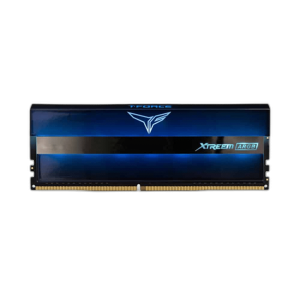
T-FORCE XTREEM ARGB, XCALIBUR RGB and NIGHT HAWK RGB 16GB DDR4 4000MHz gaming memory kits. Fast DDR4 with lighting to match your build.

OUT OF STOCK
224.500 KWD
or 4 × 56.125 KWD with


WITH CARD

OUT OF STOCK
49.500 KWD
or 4 × 12.375 KWD with
WITH CARD
OUT OF STOCK
47.500 KWD
or 4 × 11.875 KWD with
WITH CARD

OUT OF STOCK
50.000 KWD
or 4 × 12.500 KWD with
WITH CARD
Showing 6 of 6 products
T-FORCE AT AX
Fast DDR4, three different looks.
Shop T-FORCE in Kuwait: DDR5 DELTA RGB kits in 32GB, 48GB and 64GB, plus 16GB DDR4 4000MHz kits in the XTREEM ARGB, XCALIBUR RGB and NIGHT HAWK RGB designs. Match the memory type to your motherboard, as DDR4 and DDR5 are not interchangeable, and check that the module height clears your CPU cooler.
The DDR4 kits share the same speed and capacity, so choose by heatspreader and lighting style. On DDR5, compare speed and CL on each listing: the DELTA RGB kits run from DDR5-6000 to DDR5-7200. Enable the memory profile (XMP or EXPO) in the BIOS to run a kit at its rated speed.
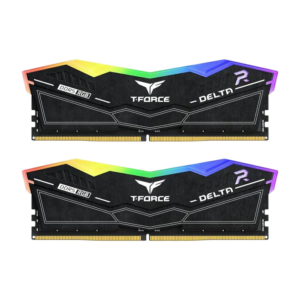
In stock now: the TEAMGROUP T-FORCE DELTA RGB 32GB (2x16GB) DDR5-6000 CL30 and the TEAMGROUP T-FORCE DELTA RGB 64GB (2x32GB) DDR5-6000 CL38. More in Memory (RAM).
16GB DDR4
gaming memory kits
4000MHz
with XMP enabled
XTREEM · XCALIBUR · NIGHT HAWK
three heatspreader designs
T-FORCE FAQ
Before you buy.
Straight answers to the questions we hear most about T-FORCE gaming memory.
XTREEM ARGB, XCALIBUR RGB or NIGHT HAWK RGB: what is the difference?
All three are 16GB DDR4 4000MHz kits, so the main difference is the heatspreader design and lighting style. Choose the look that fits your build and check that the module height clears your CPU cooler.
Will T-FORCE DDR4 memory work in my PC?
These kits are DDR4, so they only fit motherboards with DDR4 slots; DDR4 and DDR5 are not interchangeable. Check your motherboard's supported memory list and speed before buying.
How do I run T-FORCE memory at 4000MHz?
Memory runs at a lower default speed until you enable the XMP profile in your motherboard BIOS. Whether 4000MHz is stable also depends on your CPU's memory controller and motherboard, so check that both support that speed.