Alienware
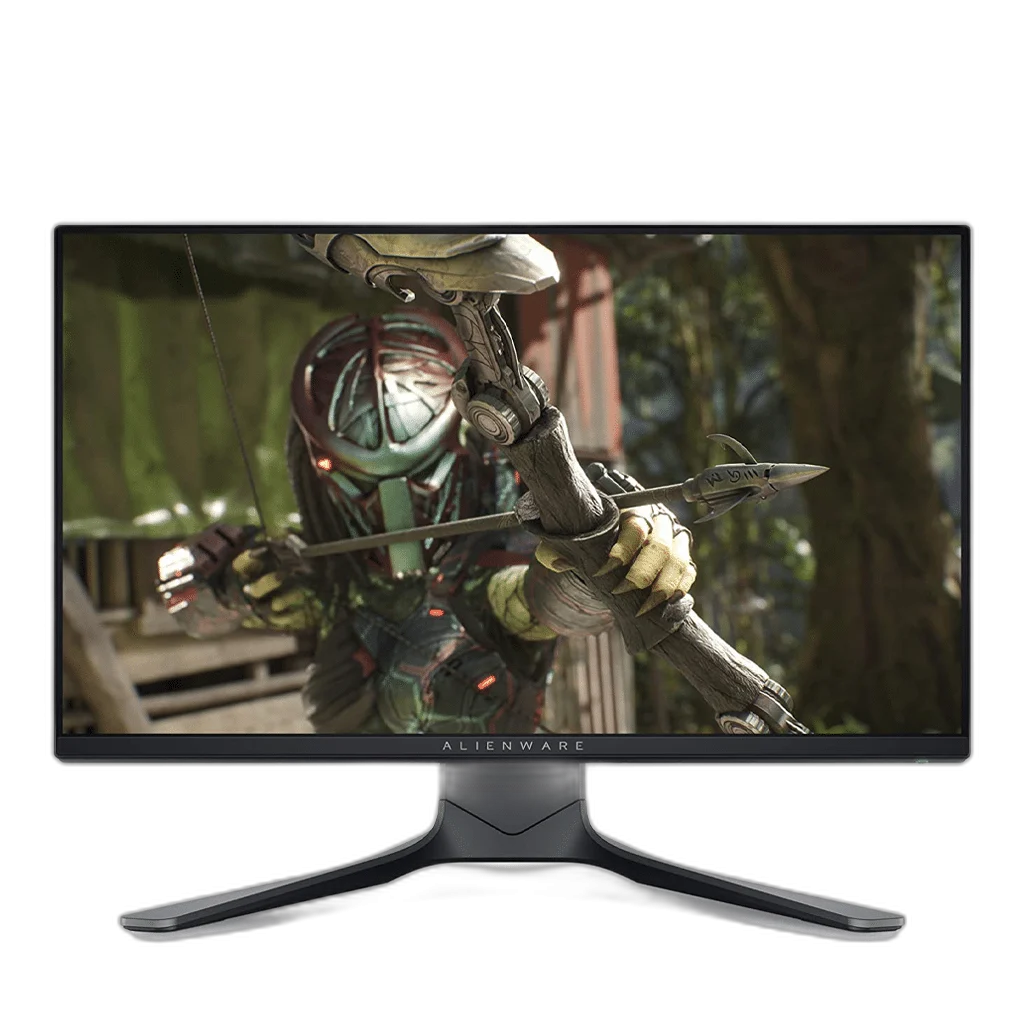
Alienware AW2521HF 25 Inch FHD Fast IPS 240Hz Gaming Monitor
Alienware AW2521HF 24.5-inch Fast IPS Full HD gaming monitor with up to 240 Hz refresh, 1 ms GtG in Extreme mode, FreeSync Premium and G-SYNC Compatible support. Includes DisplayPort 1.2, two HDMI 2.0 inputs, a four-port USB 3.0 hub and a height-adjustable pivoting stand.
Regular price
135.500 KWD
or 4 payments of 33.875 KWD with
Pay with card & save


129.000 KWD
Save 6.500 KWD
Overview
ALIENWARE AW2521HF 24.5-INCH 240HZ GAMING MONITOR
Alienware AW2521HF
The Alienware AW2521HF combines a 24.5-inch Fast IPS panel with Full HD resolution and a 240 Hz maximum refresh rate. Adaptive refresh support, multiple video inputs and a built-in USB hub make it a practical center for a gaming desk. Adjust the stand for height, tilt, swivel and pivot, then choose the display mode that suits your games and everyday work. Explore this model at AX Store in Kuwait.
24.5 inch
Display Diagonal
FHD
Resolution
240 Hz
Maximum Refresh
IPS
Panel Type
24.5-Inch Fast IPS Display
The focused 24.5-inch screen uses a 1920 × 1080 native resolution in a 16:9 format. Fast IPS technology, wide viewing angles and 99% sRGB coverage give it a useful foundation for games and ordinary content. Compare the screen size with your viewing distance and desk space before choosing its final position.
240 Hz Refresh and Response Modes
Both DisplayPort and HDMI support Full HD operation up to 240 Hz with a suitable source. The monitor offers several response settings, including a stated 1 ms gray-to-gray Extreme mode. Try the available modes and choose the image you prefer; faster overdrive can introduce visible artifacts, so the best choice depends on the content and your setup.
FreeSync Premium and G-SYNC Compatibility
AMD FreeSync Premium and NVIDIA G-SYNC Compatible certification give suitable graphics systems adaptive-refresh options. Enable the feature through the supported display and graphics settings, then check the refresh rate selected by the operating system. A compatible connection and source are needed to use the monitor’s available synchronization features.
DisplayPort, HDMI and USB Connections
One DisplayPort 1.2 input and two HDMI 2.0 inputs provide connection choices for compatible sources. The USB 3.0 hub adds one upstream connection and four downstream ports for suitable peripherals. Connect the USB upstream cable to the computer to enable the hub, and route the video and peripheral cables so they stay clear of the stand movement.
Adjust the Stand around Your Desk
The stand provides up to 130 mm of height adjustment, tilt from -5 to 21 degrees, swivel and a portrait pivot. Set the screen position alongside your chair and desk height, leaving space for the base and cables. A removable stand and 100 × 100 mm VESA pattern also support an appropriate alternative mount.
Keep Display and Audio Controls Accessible
A headphone output and separate audio line-out give you options for connected listening equipment. The on-screen menu provides picture and gaming presets, including space for custom game settings. Begin with a familiar image mode, then adjust the brightness and response settings for the room and the games or applications you use most.
Plan the Display and the Rest of Your Desk
Compare resolution, refresh rate, screen size and the input you will actually use. Match the computer or console output to the chosen display mode, and leave room for the monitor stand and mouse movement. Compare related options such as ASUS ROG Swift OLED PG27AQWP-W 27 inch 540Hz Gaming Monitor or AOC CQ27G3Z 27 Inch 240Hz QHD Curved Gaming Monitor, keeping the exact model and configuration in the decision. For the wider setup, explore Logitech G PRO X SUPERLIGHT 2 LIGHTSPEED Wireless Gaming Mouse - Black and check the connection, size or mounting requirements before pairing accessories. Browse the Alienware range at AX for more choices.
Alienware AW2521HF Setup Choices
Compare resolution, refresh rate, screen size and the input you will actually use. Match the computer or console output to the chosen display mode, and leave room for the monitor stand and mouse movement.
Frequently Asked Questions
Which display size, panel and resolution does it use?
This configuration has a 24.5-inch IPS display with FHD resolution and a flat screen. The exact viewable diagonal and native pixel resolution are listed in the specifications below.
What refresh rate does this model support?
Maximum refresh rate: 240 Hz via DisplayPort or HDMI.
How is its response time specified?
Response time: 1 ms gray-to-gray in Extreme mode; 2 ms Super Fast; 4 ms Fast. Extreme mode may introduce visible artifacts; choose the preferred mode for your setup.
Can it be attached to a compatible monitor arm?
VESA mount: 100 × 100 mm. Check the mounting pattern, monitor weight and the arm’s supported load before choosing a mount.
Build Your Setup with AX Store
Explore computers, displays and accessories for your workspace at AX Store. For help choosing the right model or checking an accessory, contact AX Store.
Compare Alienware AW2721D 27 Inch QHD 240Hz IPS Gaming Monitor. Match the exact model, connection and configuration to your setup.
THE DETAILS
Technical specifications
Model and Display
AW2521HF
24.5 in
1920 × 1080
240 Hz via DisplayPort or HDMI
NVIDIA G-SYNC Compatible; AMD FreeSync Premium
100 × 100 mm
Display Specifications
Active matrix - TFT LCD
Fast IPS
16:9
622.28 mm (24.5 in.)
543.744 mm (21.41 in.)
302.616 mm (11.91 in.)
164545.63 mm2 (255.04 in2)
0.2832 mm x 0.2802 mm
90
178° (typical)
178° (typical)
400 cd/m² (typical)
1000 to 1 (typical)
Anti-glare treatment of the front polarizer (Haze 25%, 3H)
WLED
1 ms gray-to-gray in Extreme mode; 2 ms Super Fast; 4 ms Fast. Extreme mode may introduce visible artifacts; choose the preferred mode for your setup.
16.78 million colors
sRGB 99% (typical)
• USB 3.0 Super-Speed hub (with 1 USB 3.0 upstream port) • 4 x USB 3.0 downstream port (including 1 port which supports power-charging)
• 1 x DisplayPort version 1.2 (rear) • 2 x HDMI port version 2.0 (rear) • 1 x USB 3.0 upstream port (rear) • 3 x USB 3.0 downstream ports (bottom: 1; rear: 2) • 1 x USB 3.0 downstream port with BC1.2 charging capability at 2 A (maximum) (bottom) • 1 x headphone port (bottom) • 1 x audio line-out port (rear)
Stand Adjustment
0–130 mm
-5° to21°
-20° to20°
-90° to90°
Physical Specifications
• Digital: HDMI, 19 pins • Digital: DisplayPort, 20 pins • Universal Serial Bus: USB, 9 pins
526.08 mm (20.71 in.)
421.21 mm (16.58 in.)
556.29 mm (21.90 in.)
251.92 mm (9.92 in.)
328.24 mm (12.92 in.)
556.29 mm (21.90 in.)
72.95 mm (2.87 in.)
436.80 mm (17.20 in.)
421.21 mm (16.58 in.)
465.30 mm (18.32 in.)
251.92 mm (9.92 in.)
11.72 kg (25.84 lb)
7.46 kg (16.45 lb)
4.15 kg (9.15 lb)
3.21 kg (7.08 lb)
17 + 3 (only front chin)
COMPLETE YOUR SETUP
Pairs well with