
Apple
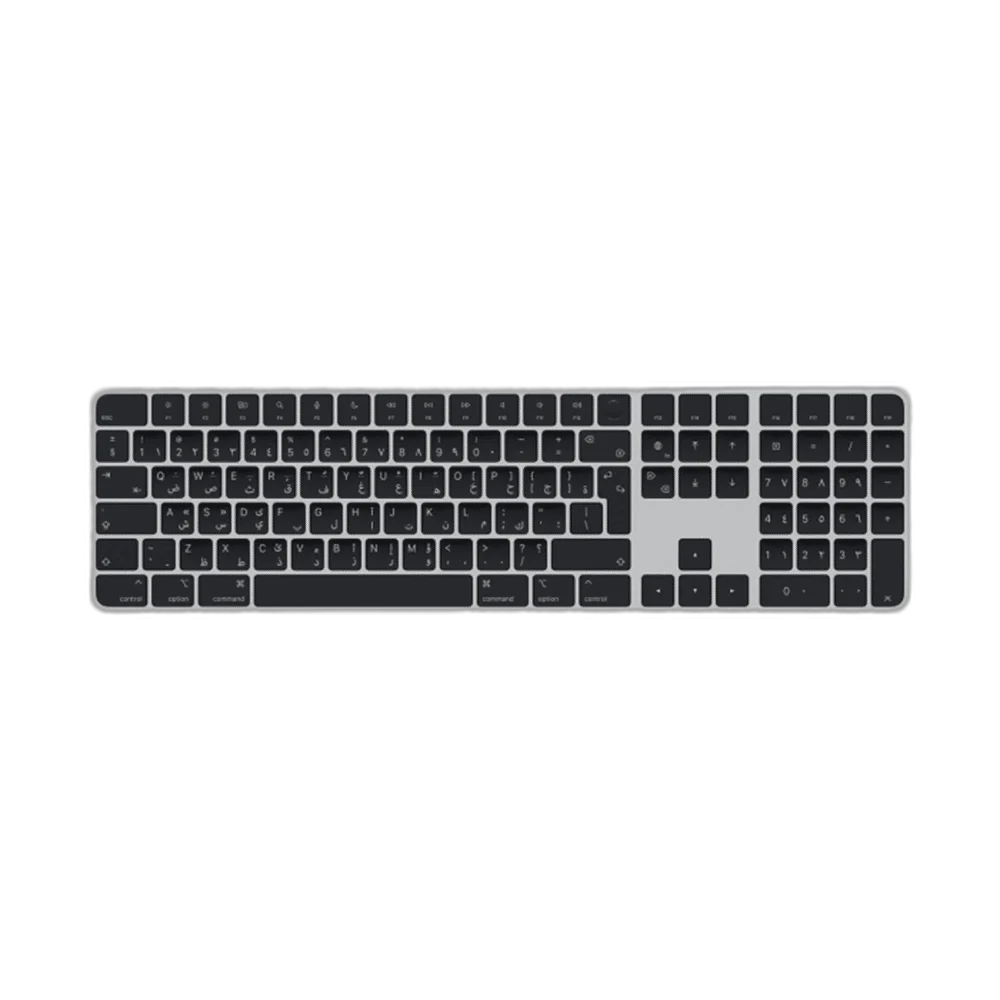
Apple Magic Keyboard with Touch ID and Numeric Keypad, Space Gray
This Magic Keyboard combines Arabic black keys, Touch ID and an extended numeric-keypad layout. Bluetooth keeps the desk connection wireless, while the Lightning charging connection supports the rechargeable keyboard’s pairing and charging workflow with a compatible Mac.
Regular price
72.500 KWD
or 4 payments of 18.125 KWD with
Pay with card & save


69.000 KWD
Save 3.500 KWD
Overview
APPLE MAGIC KEYBOARD WITH TOUCH ID AND NUMERIC KEYPAD — ARABIC BLACK KEYS
Fingerprint Authentication and a Dedicated Number Pad for Mac
This Magic Keyboard combines Arabic black keys, Touch ID and an extended numeric-keypad layout. Bluetooth keeps the desk connection wireless, while the Lightning charging connection supports the rechargeable keyboard’s pairing and charging workflow with a compatible Mac.
Touch ID
Mac authentication
Numeric keypad
Extended layout
Arabic
Physical key layout
Bluetooth
Wireless connection
Touch ID on a Compatible Apple Silicon Mac
Use the Touch ID key to unlock a compatible Mac and authorise supported actions after setting up a fingerprint. Apple requires a Mac with Apple silicon for this keyboard’s Touch ID function. The biometric function is distinct from ordinary typing and remains subject to the Mac’s security settings.
A Dedicated Numeric Keypad
The extended layout adds a separate numeric keypad for entering figures, alongside document-navigation and full-size arrow keys. It suits spreadsheets, data entry and a wider desktop arrangement where a compact keyboard’s layout is less convenient. Leave enough desk space for the keyboard and mouse to sit comfortably together.
Arabic Keys with a Black-Key Finish
The Arabic layout provides the corresponding physical key arrangement, while the black keys give the keyboard its darker typing surface. Select the appropriate input language in macOS to match the intended typing workflow. Physical layout and software input language work together when switching between languages.
Bluetooth Typing Without a Desk Cable
The wireless keyboard pairs with the Mac for Bluetooth operation. Apple’s setup guidance also uses a USB-C-to-Lightning connection to pair the keyboard directly when needed, after which the cable can be disconnected for wireless use. Keep the keyboard’s power switch and charging connection accessible on the desk.
Recharge Through the Lightning Port
The keyboard uses a rechargeable battery and Lightning charging connection. Use the correct charging lead for this keyboard, and connect it according to Apple’s pairing and charging instructions. Charging behaviour and battery life depend on use and conditions, so check the keyboard’s battery status as part of the working setup.
Brand and family
Apple Magic Keyboard with Touch ID and Numeric Keypad
Stock part reference
MMMR3AB/A
Physical layout
Arabic; extended layout with numeric keypad
Keyboard Controls for Everyday Mac Use
The Touch ID key also provides a convenient lock control, with system-function and keyboard-language controls supporting daily work. A password is still required in some situations, including after restarting the Mac. Set up the keyboard through macOS and keep both keyboard and system software within their supported requirements.
Complete Your Workspace
Explore Apple Accessories to compare suitable options and complete your setup.
Frequently Asked Questions
Will Touch ID work on an Intel Mac?
Apple requires a Mac with Apple silicon for the Touch ID function.
Which charging port does this model use?
Lightning.
Is there a numeric keypad?
Yes, this is the extended numeric-keypad layout.
Can a cable help pair it with the Mac?
Apple’s guide uses USB-C to Lightning for direct pairing and charging.
Does Touch ID replace every password prompt?
No. macOS still requires the password in certain security situations.
Build Your Setup with AX Store Kuwait
Explore computers, displays and accessories for your workspace at AX Store Kuwait. For help choosing the right model or checking an accessory, contact AX Store.
Compare Apple Magic Keyboard Arabic with Numeric Keypad, White. Match the exact model, connection and configuration to your setup.
THE DETAILS
Technical specifications
Specifications
Apple Magic Keyboard with Touch ID and Numeric Keypad
MMMR3AB/A
Arabic; extended layout with numeric keypad
Black keys
Bluetooth
Built-in rechargeable
Lightning
USB-C to Lightning
Mac with Apple silicon
macOS Big Sur 11.4 or later
Touch ID; lock and supported system-function controls
COMPLETE YOUR SETUP
Pairs well with