ASUS
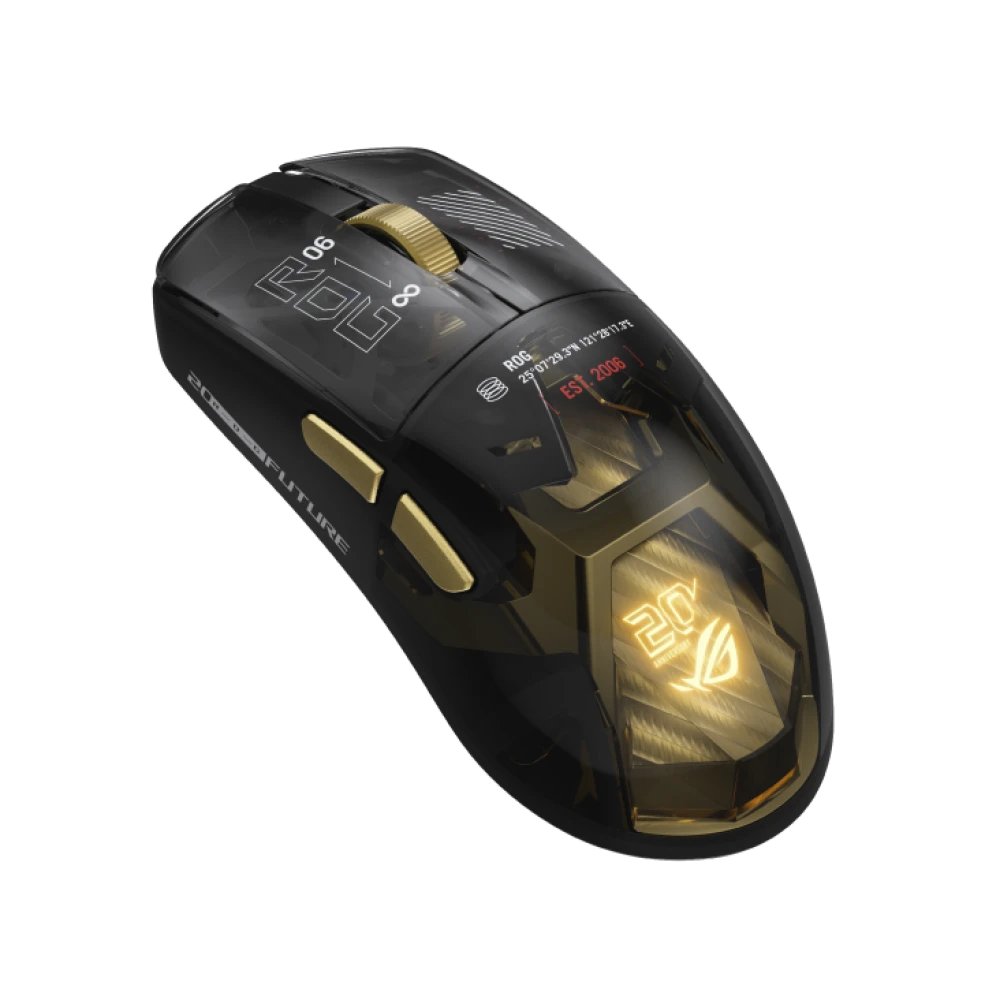
ASUS ROG Harpe II Extreme Edition 20 Wireless Mouse - Black
ASUS ROG Harpe II Extreme Edition 20 wireless mouse with a 65,000 DPI sensor, 8000 Hz USB and wireless polling, optical switches, tri-mode connectivity and authentic 24K gold-plated accents.
Regular price
94.500 KWD
or 4 payments of 23.625 KWD with
Pay with card & save


90.000 KWD
Save 4.500 KWD
Overview
ASUS ROG HARPE II EXTREME EDITION 20 WIRELESS GAMING MOUSE
65K tracking meets ROG’s 20th-anniversary design.
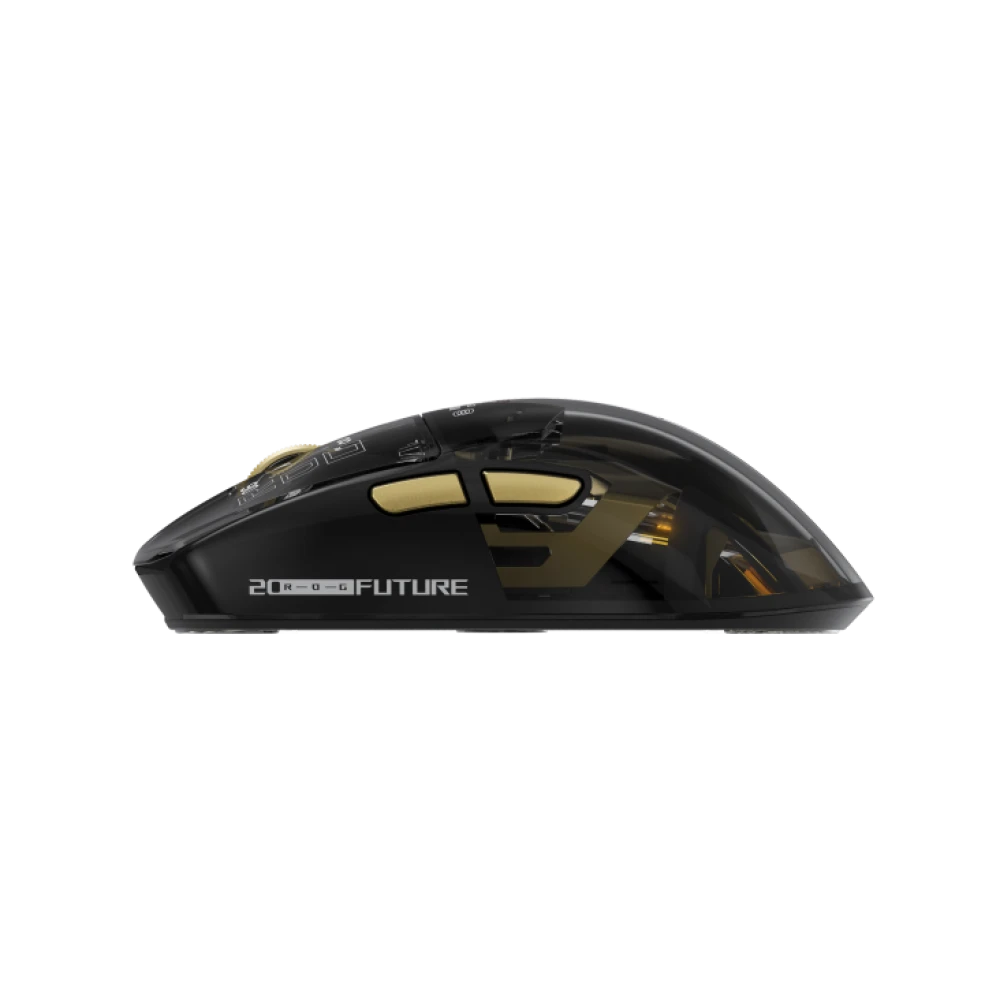
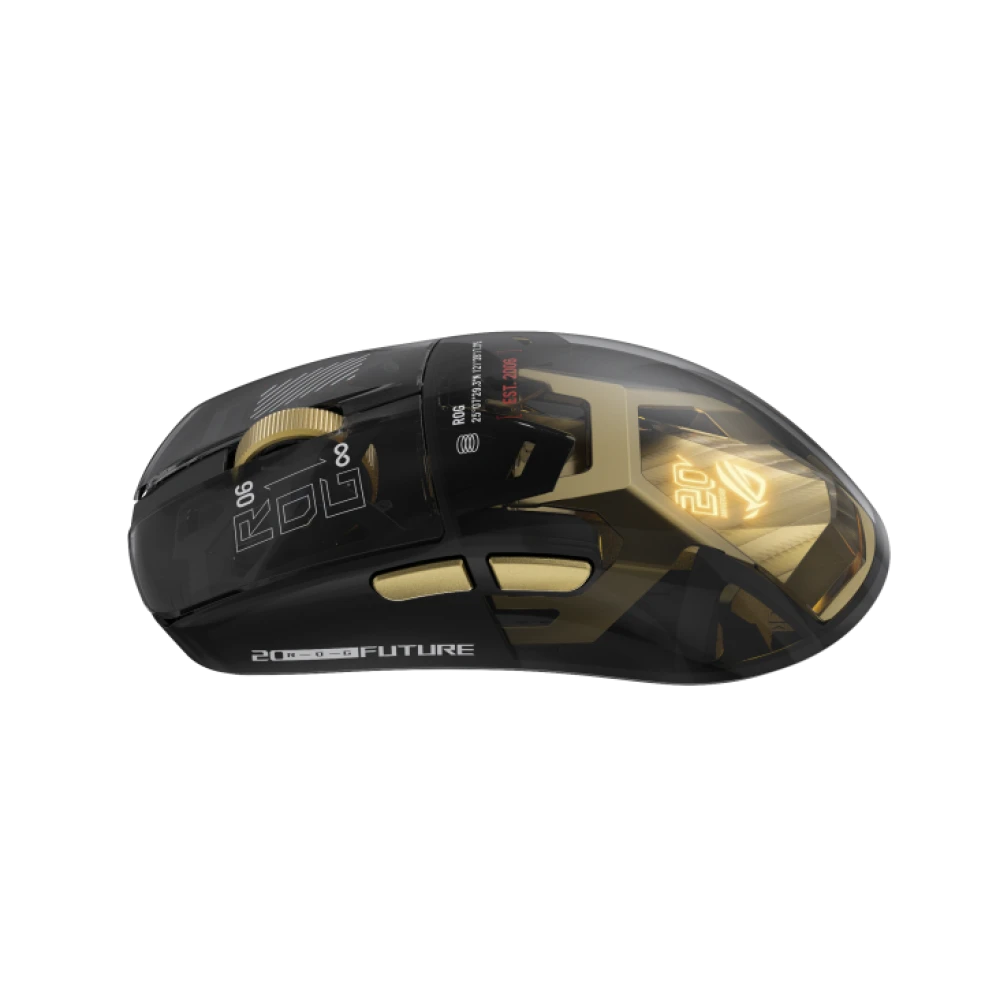
The ASUS ROG Harpe II Extreme Edition 20 combines a pro-developed shape with a translucent black shell, authentic 24K gold-plated accents and the ROG AimPoint Pro 65K optical sensor. ROG SpeedNova 8K delivers up to 8000 Hz wireless polling, while wired USB and Bluetooth provide two more connection options. Optical main switches, browser-based Gear Link configuration and a presentation display case complete this commemorative edition.
65,000 DPI
ROG AimPoint Pro 65K sensor
8000 Hz
USB and 2.4 GHz reporting
82 g
Manufacturer-listed mouse weight
24K
Authentic gold-plated accents
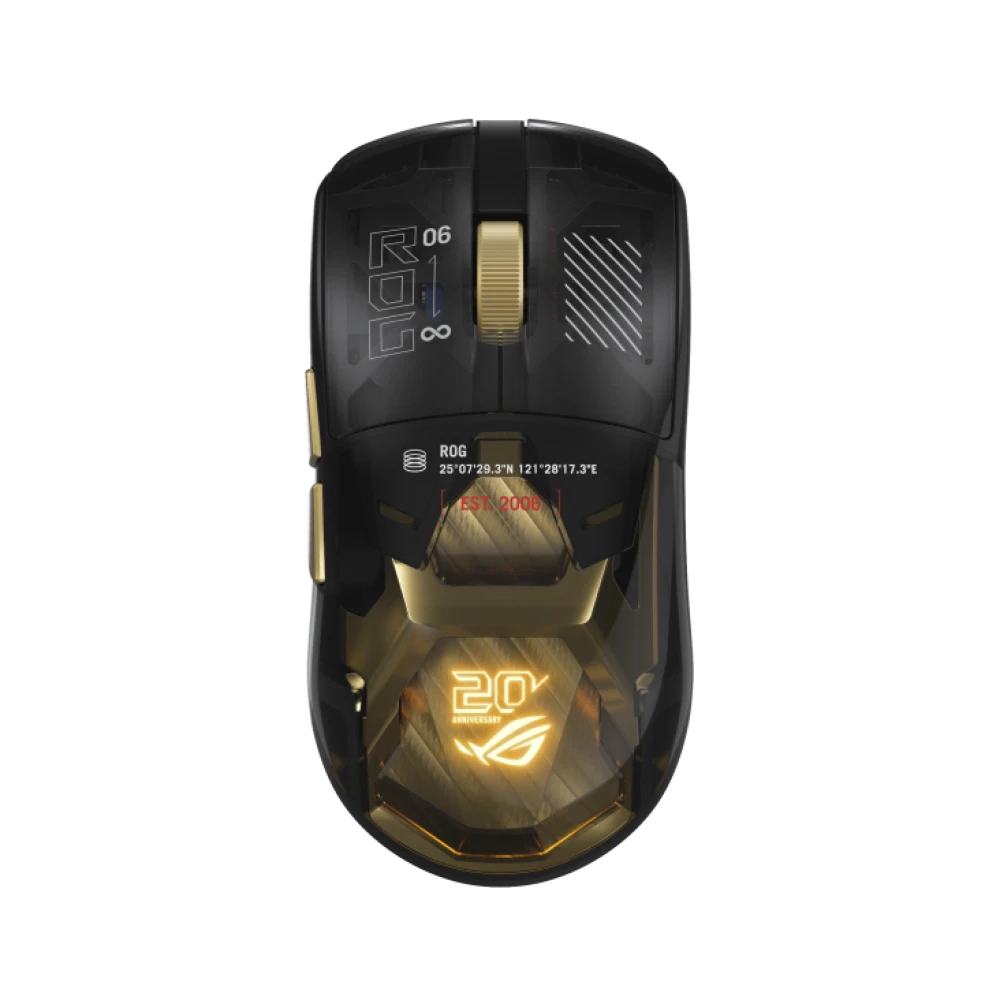
ASUS ROG Harpe II Extreme Edition 20: a commemorative shell and familiar control
Created to mark two decades of ROG, this edition uses a black translucent shell that exposes its internal detailing, with authentic 24K gold-plated accents and an illuminated anniversary identity. Its shape builds on the Harpe II Ace design and was developed with input from esports professionals. ASUS specifies a 126.1 mm length, 63.9 mm width and 39.7 mm height, with a weight of 82 g. Consider those measurements when comparing the fit with your current mouse. The lighting system uses a Light Guide Plate and supports ASUS Aura Sync.
ROG AimPoint Pro 65K tracking
The optical sensor supports sensitivity up to 65,000 DPI, maximum tracking speed of 800 IPS and maximum acceleration of 70 g. ASUS also specifies Track-on-Glass technology. These are sensor capability figures; configure sensitivity for your own aiming style rather than treating the highest DPI as a required gaming setting.
Fine lift-off distance adjustment
Adjust lift-off distance in 0.1 mm steps within the manufacturer-listed 0.7–2.0 mm range. This lets you tune the point at which tracking stops when lifting and repositioning the mouse, helping match its behavior to your preferred surface and movement technique.
ROG 100M optical main switches
ROG Optical Micro Switches provide optical actuation and are rated by ASUS for 100 million clicks. The rating describes switch durability, while the optical switching system supplies the crisp actuation used for primary mouse inputs. It does not define the local warranty period.
8000 Hz wireless performance and three connection modes
ROG SpeedNova 8K supports a true 8000 Hz wireless polling rate without a separate polling-rate booster. Use the supplied receiver for 2.4 GHz RF operation, or connect the included 2-meter ROG Paracord for USB 2.0 Type-C-to-Type-A wired use; ASUS lists 8000 Hz reporting for both USB and RF. Bluetooth 6.0 adds another connection option for compatible devices. The USB dongle extender is included for receiver placement. ASUS officially lists Windows 10 and Windows 11; use a supported configuration for setup and customization.
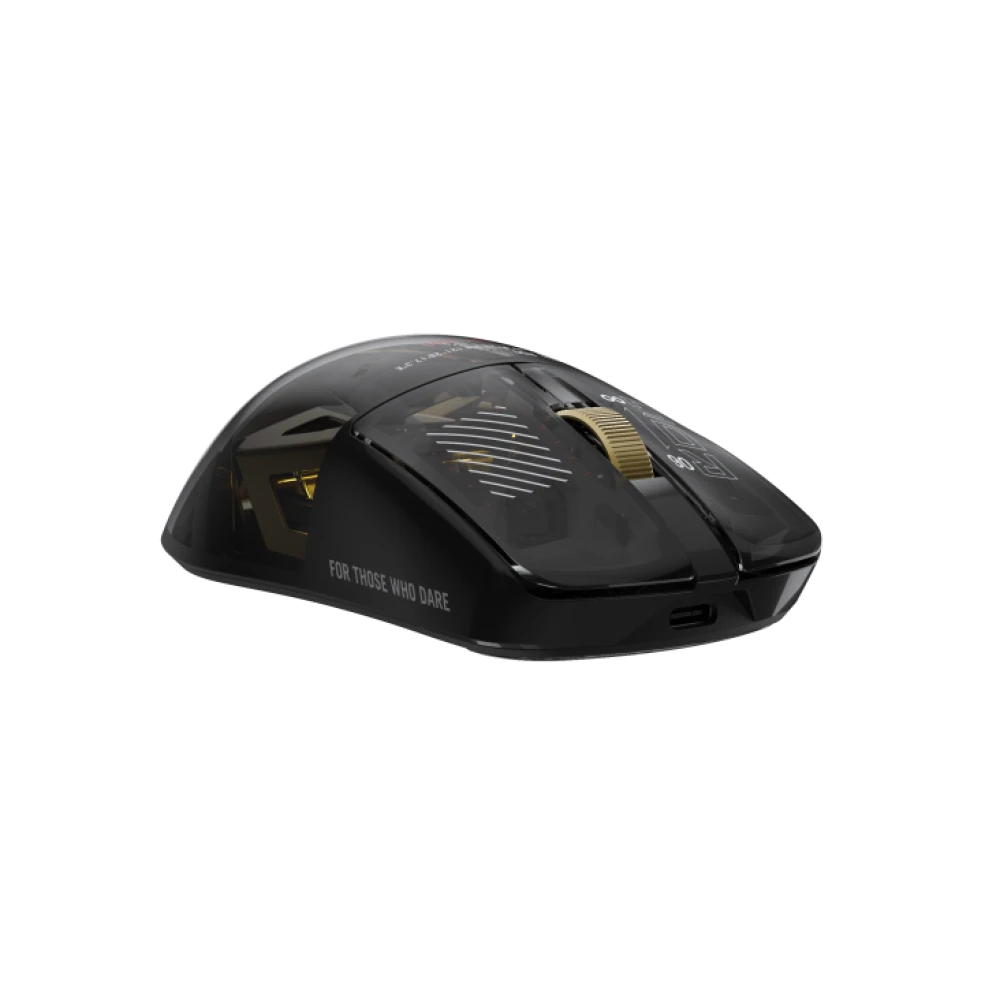
Gear Link configuration and Zone Mode shortcuts
Configure the mouse directly in a web browser with Gear Link, without downloading a separate configuration application. Zone Mode offers a button-combination shortcut to competitive hardware settings: press the DPI button and both side buttons simultaneously until the scroll wheel LED blinks red to enable it. Repeat the combination until the LED blinks blue to disable it. ASUS notes that onboard memory does not support macros or Windows shortcuts, so those actions should not be assumed to remain available from onboard storage.
Battery figures for Bluetooth and 2.4 GHz
ASUS lists up to 98.5 hours over Bluetooth with lighting switched off and up to 79 hours with default lighting on. For 2.4 GHz RF, the stated figures are up to 90 hours without lighting and up to 70 hours with default lighting. These are manufacturer maximums, not fixed runtimes for every configuration. Lighting, reporting settings and use affect battery consumption; the figures should not be interpreted as a guaranteed 8000 Hz runtime.
In the box
ROG Harpe II Extreme Edition 20 mouse, display case, wireless receiver, USB dongle extender, mouse grip tape set, glass mouse feet set, 2-meter ROG Paracord, warranty booklet, Quick Start Guide, ROG sticker, thank you card, cleaning kit. The display case is intended for presentation and storage; the receiver and Paracord provide the included connection options. The grip tape, glass feet and cleaning kit are supplied accessories.
Complete Your Gaming Setup
Match the anniversary theme with the ASUS ROG Scabbard II XXL Edition 20 Mouse Pad - Black, or choose the ASUS ROG Sheath II XXL Gaming Mouse Pad - Black for a large desk surface. Complete the controls with the ASUS M602 ROG Falchion Ace 65% RGB Mechanical Gaming Keyboard, Black and White or Keychron K10 HE Standard Magnetic Keyboard - Black (English-Arabic). Browse more gaming mice and explore ASUS products.
Frequently Asked Questions
Does the ASUS ROG Harpe II Extreme Edition 20 need a separate 8000 Hz booster?
No. ROG SpeedNova 8K provides up to 8000 Hz wireless polling with the supplied wireless receiver. ASUS also specifies 8000 Hz USB reporting. These rates apply to supported USB and 2.4 GHz operation; the Bluetooth connection is a separate mode.
What are the weight and dimensions of this Edition 20 mouse?
ASUS lists 82 g and 126.1 × 63.9 × 39.7 mm (length × width × height). This is the commemorative Harpe II Extreme Edition 20, with a translucent black shell and gold-plated detailing.
How do I connect and configure the mouse?
Connect the supplied receiver to the PC for 2.4 GHz wireless use, pair through Bluetooth, or use the Type-C-to-Type-A ROG Paracord for wired USB. ASUS lists Windows 10 and Windows 11 support. Gear Link provides browser-based configuration without a downloaded configuration application.
What battery life does ASUS specify?
ASUS states up to 98.5 hours over Bluetooth with lighting off, or 79 hours with default lighting. Over 2.4 GHz RF, the listed figures are up to 90 hours with lighting off and 70 hours with default lighting. Actual runtime depends on use and settings; these figures are not a guarantee of runtime at 8000 Hz.
How do I enable or disable Zone Mode?
Press the DPI button and both side buttons together until the scroll wheel LED blinks red to turn Zone Mode on. Repeat the same combination until the LED blinks blue to turn it off. Zone Mode provides quick access to the competitive hardware settings described by ASUS.
Can I save macros in the mouse's onboard memory?
ASUS notes that onboard memory does not support macros or Windows shortcuts. Plan your configuration around that limitation rather than assuming all customized actions can travel with the mouse.
What accessories are included?
ASUS lists a display case, wireless receiver, USB dongle extender, grip tape set, glass mouse feet set, 2-meter ROG Paracord, warranty booklet, Quick Start Guide, ROG sticker, thank you card and cleaning kit, alongside the mouse.
Build Your Setup with AX Store Kuwait
Need help choosing the right model or a compatible accessory? Contact AX Store and our team will help you build the right setup.
THE DETAILS
Technical specifications
Product
ASUS ROG
ROG Harpe II Extreme Edition 20 Gaming Mouse
90MP04Q0-BMUA00
ROG 20th-anniversary commemorative edition
Black; translucent shell with authentic 24K gold-plated accents
Pro-developed Harpe II Ace-based shape; listed by ASUS in its ambidextrous mouse range
Sensor and Performance
ROG AimPoint Pro 65K optical sensor
65,000 DPI
800 IPS
70 g
0.7–2.0 mm; adjustable in 0.1 mm steps
Track-on-Glass technology
ROG 100M Optical Micro Switch
100 million clicks (manufacturer rating)
8000 Hz
8000 Hz
ROG SpeedNova 8K; separate polling-rate booster not required
Connectivity and Compatibility
USB 2.0 (Type-C to Type-A), RF 2.4 GHz, Bluetooth 6.0
Windows 10, Windows 11
Gear Link; browser-based configuration
Onboard memory does not support macros or Windows shortcuts.
Press DPI and both side buttons simultaneously until the scroll wheel LED blinks red.
Repeat the same button combination until the scroll wheel LED blinks blue.
Lighting
Light Guide Plate
Yes
Battery Life
Up to 98.5 hours
Up to 79 hours
Up to 90 hours
Up to 70 hours
Manufacturer maximums; runtime varies with settings and use. Not a guaranteed 8000 Hz runtime.
Physical
126.1 × 63.9 × 39.7 mm
82 g
2-meter ROG Paracord
In the Box
1 × ROG Harpe II Extreme Edition 20 mouse
1 × display case
1 × wireless receiver
1 × USB dongle extender
1 × mouse grip tape set
1 × glass mouse feet set
1 × 2-meter ROG Paracord
1 × warranty booklet
1 × Quick Start Guide
1 × ROG sticker
1 × thank you card
1 × cleaning kit
Local Distributor Warranty
1 Year
Local distributor warranty, subject to the distributor's warranty policy.
COMPLETE YOUR SETUP
Pairs well with