ASUS
ASUS ROG Strix XG279CNS 27" FHD Gaming Monitor - 380Hz / 0.3ms
ASUS ROG Strix XG279CNS with a 27-inch viewable Fast IPS panel, 1920 × 1080 resolution and up to 380 Hz refresh. Features a anti-glare surface, video inputs and a height-adjustable stand with 100 × 100 mm VESA mounting.
Regular price
145.000 KWD
or 4 payments of 36.250 KWD with
Pay with card & save


138.000 KWD
Save 7.000 KWD
Overview
ASUS ROG STRIX XG279CNS
ROG Strix XG279CNS
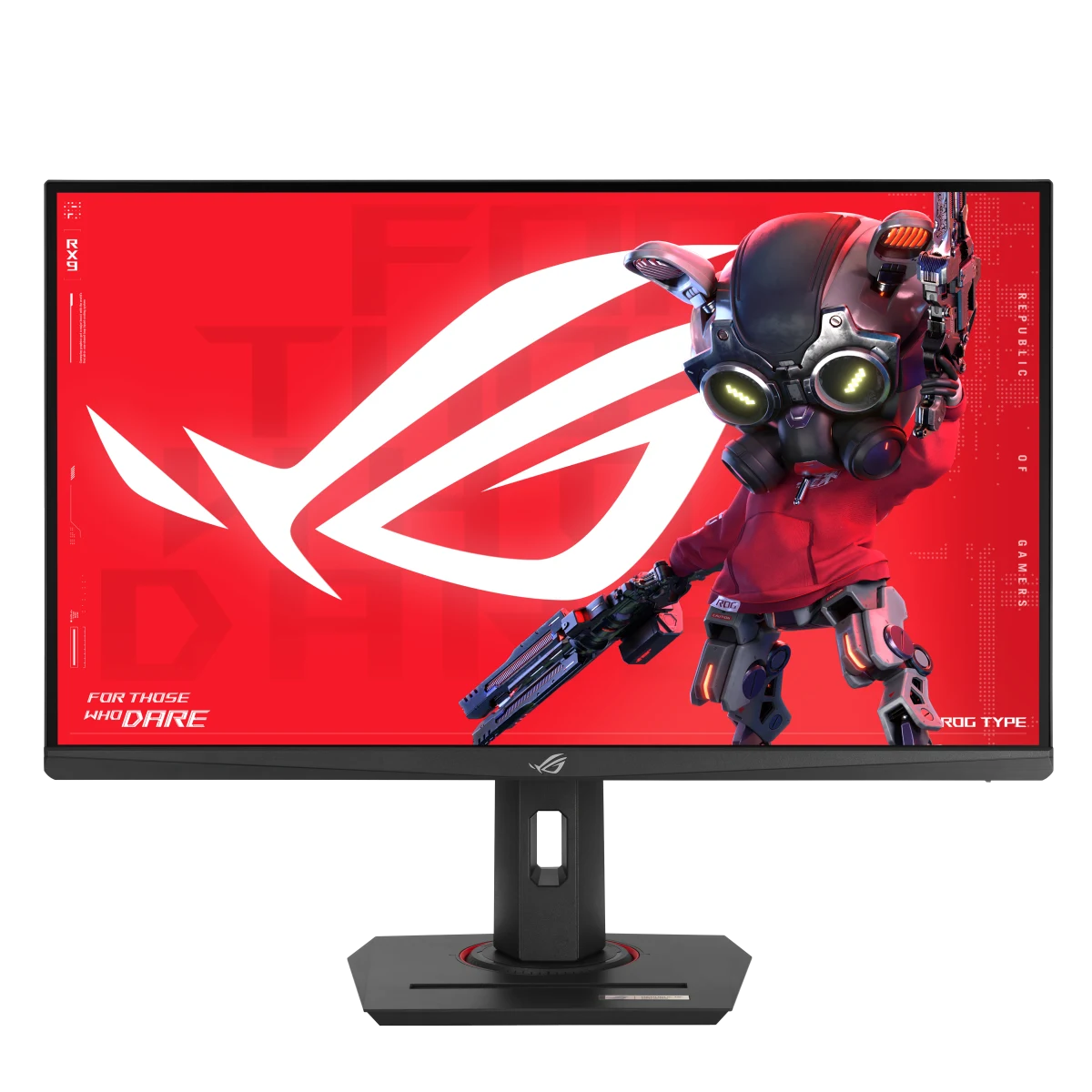
ASUS ROG Strix XG279CNS combines a 27-inch viewable Fast IPS screen with a 1920 × 1080 resolution and a anti-glare surface. Its display modes, video inputs and adjustable stand give you concrete choices when arranging a gaming desk. Compare the exact resolution, refresh combinations and connection requirements below, then configure the monitor around your compatible computer and the way you prefer to play. Available from AX Store in Kuwait.
27 inch
Display Diagonal
1920 × 1080
Resolution
380Hz
Listed Maximum Refresh
Fast IPS
Panel Technology
Panel, Resolution and Surface
The 27-inch Fast IPS panel combines a 1920 × 1080 resolution with a 16:9 shape and an anti-glare surface. Its published specifications include 400 cd/m² typical brightness and VESA DisplayHDR 400 certification. This configuration suits a setup centered on Full HD rendering and a larger screen area than a compact 24-inch-class esports monitor.
Refresh Modes and Response Time
The maximum 380 Hz setting is an overclocked mode. ASUS specifies a 1 ms gray-to-gray response and a separate 0.3 ms minimum response figure. The signal ranges list DisplayPort up to 380 Hz and HDMI up to 360 Hz, so select the appropriate connection and supported mode when configuring the monitor with your own gaming system.
Motion Settings for Compatible Systems
Adaptive-Sync support works with compatible graphics hardware, while ASUS ELMB Sync combines its motion-blur reduction feature with variable-refresh operation in supported modes. These are settings to configure around your system and game. Review the available display options after choosing the resolution and refresh rate, then compare the motion settings using the games you normally play.
Connections for Your Desk
The connection layout includes DisplayPort 1.4, HDMI 2.1 and USB-C with DisplayPort Alt Mode, plus an earphone output. USB-C Power Delivery is listed at 7.5 W, making its exact power specification useful when connecting a compatible device. Review the input and signal ranges together as you arrange your computer or other gaming source around the display.
Position the Screen Around You
The stand offers up to 120 mm of height adjustment, tilt and swivel up to 45° in each direction. Pivot adjustment is also listed for changing the screen orientation. A 100 × 100 mm VESA mounting pattern provides an alternative when using a suitable mount. Check the published dimensions and weight when planning the screen position and available desk space.
Display Controls and Daily Setup
GamePlus, GameVisual and Shadow Boost provide gaming-oriented display adjustments. DisplayWidget Center gives software access to supported settings, complementing the monitor’s on-screen controls. Use the available picture modes as a starting point, then adjust the image for the game, room lighting and everyday desktop work that share the same display.
Plan the Display and the Rest of Your Desk
Compare resolution, refresh rate, screen size and the input you will actually use. Match the computer or console output to the chosen display mode, and leave room for the monitor stand and mouse movement. Compare related options such as ASUS ROG Strix OLED XG27AQDNG 27" QHD QD-OLED Gaming Monitor - 360Hz / 0.03ms or ASUS ROG Strix OLED XG27AQDMGR 27 inch QHD OLED 240Hz Gaming Monitor, keeping the exact model and configuration in the decision. For the wider setup, explore ASUS ROG Strix Impact III Wireless Gaming Mouse, 57g and check the connection, size or mounting requirements before pairing accessories. Browse the ASUS range at AX for more choices.
ROG Strix XG279CNS Setup Choices
Compare resolution, refresh rate, screen size and the input you will actually use. Match the computer or console output to the chosen display mode, and leave room for the monitor stand and mouse movement.
Frequently Asked Questions
What size, panel and resolution does it use?
The display measures 27 inches diagonally and uses Fast IPS panel technology. Resolution: 1920x1080.
What refresh modes and input limits should I check?
Listed maximum refresh: 380Hz. Digital Signal Frequency: HDMI: 27~404 KHz (H) / 48~360 Hz (V) DP: 470~470 KHz (H) / 48~380 Hz (V).
How is the response time specified?
Response Time: 1ms(GTG), 0.3ms(min.).
Which display inputs and USB connections are listed?
DisplayPort 1.4: x 1 (HBR3). HDMI (v2.1): x 1 (FRL). USB-C: x 1 (DP Alt Mode). USB-C Power Delivery: 7.5W.
What stand adjustment and mounting details are specified?
Tilt: Yes (+20° ~ -5°). Swivel: Yes (+45° ~ -45°). Pivot: Yes (+90° ~ -90°). Height Adjustment: 0~120mm. VESA Wall Mounting: 100x100mm.
What brightness and HDR support are specified?
Brightness (Typ.): 400cd/㎡. Brightness (HDR, Peak) *: 400 cd/㎡.
Build Your Setup with AX Store
Explore computers, displays and accessories for your workspace at AX Store. For help choosing the right model or checking an accessory, contact AX Store.
THE DETAILS
Technical specifications
Display
27
16:9
110%
Fast IPS
1920x1080
596.736(H) × 335.664 (V)
Anti-Glare
0.311mm
400cd/㎡
400 cd/㎡
1000:1
178°/ 178°
1ms(GTG), 0.3ms(min.)
16.7M
Yes
380Hz
FEATURES
Yes
Yes
Yes (Adaptive-Sync)
Yes
Yes, DisplayWidget Center
Yes
Yes
Yes
Yes, via DisplayWidget Center
I/O Ports
x 1 (HBR3)
x 1 (FRL)
x 1 (DP Alt Mode)
Yes
7.5W
Audio
No
Signal Frequency
HDMI: 27~404 KHz (H) / 48~360 Hz (V) DP: 470~470 KHz (H) / 48~380 Hz (V)
Power Consumption
20W
0.5W
<0.3W
100-240V, 50/60Hz
Mechanical Design
Yes
Yes (+20° ~ -5°)
Yes (+45° ~ -45°)
Yes (+90° ~ -90°)
0~120mm
100x100mm
Yes
Dimensions (Esti.)(vary by regions)
61.41 x 21.88 x 51.03 cm (24.18" x 8.61" x 20.09")
61.42 x 6.58 x 36.67 cm (24.18" x 2.59" x 14.44")
82.8 x 17.6 x 47.6 cm (32.60" x 6.93" x 18.74")
Weight (Esti.)(vary by regions)
6.5 kg (14.33 lbs)
3.9 kg (8.60 lbs)
9.0 kg (19.84 lbs)
Accessories (vary by regions)
DisplayPort cable
Power cord
Quick start guide
ROG pouch
ROG sticker
Warranty Card
Certificate
TÜV Flicker-free
TÜV Low Blue Light
VESA AdaptiveSync Display 380Hz
VESA DisplayHDR 400
AMD FreeSync Premium
G-SYNC Compatible
COMPLETE YOUR SETUP
Pairs well with
EVE Spectrum