ASUS
ASUS ROG Swift Pro PG248QP 24 inch FHD 540Hz Gaming Monitor
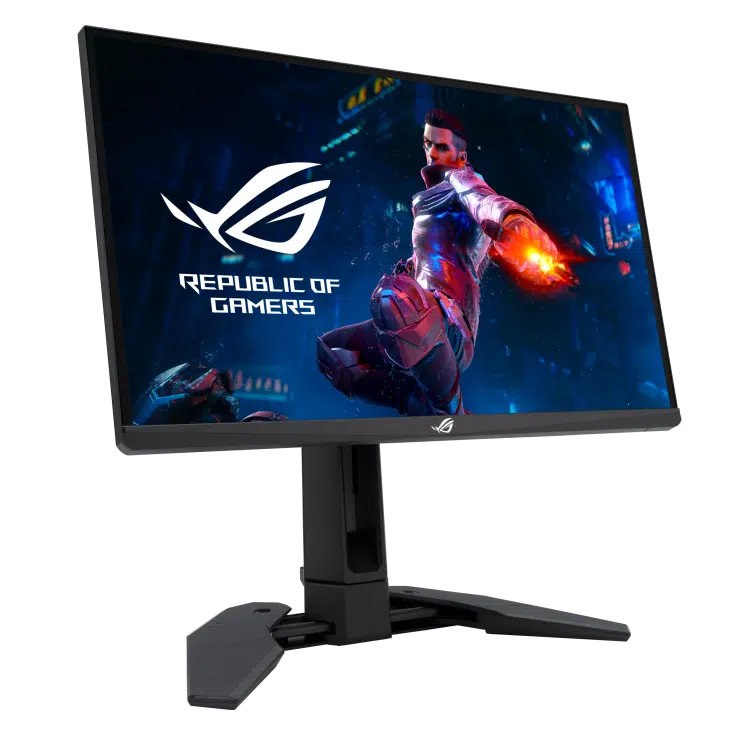
The ASUS ROG Swift Pro PG248QP is a 24.1-inch Full HD E-TN esports monitor with up to 540Hz overclocked refresh, NVIDIA G-SYNC and ULMB 2. Its retractable stand claws help free up mouse space, while the Reflex Analyzer measures system latency.
Regular price
312.900 KWD
or 4 payments of 78.225 KWD with
Overview
ASUS ROG SWIFT PRO PG248QP 24 INCH FHD 540HZ GAMING MONITOR
ASUS ROG Swift Pro PG248QP
ASUS ROG Swift Pro PG248QP: The ROG Swift Pro PG248QP puts a 24.1-inch Full HD E-TN panel on a compact, adjustable base. Its focus is clear: fast refresh, controlled motion and space for your mouse. Explore this model at AX Store in Kuwait.
24.1 inch
Viewable Display Diagonal
1920 × 1080
Native Resolution
540Hz overclocked
Listed Refresh and Input Conditions
TN
Panel Technology
Follow fast action
Up to 540Hz overclocked refresh and a specified 0.2ms GtG response support fast-paced PC play. Enabling 540Hz requires compatible NVIDIA RTX 20-series or newer graphics and a supported Windows configuration.
More space for your setup
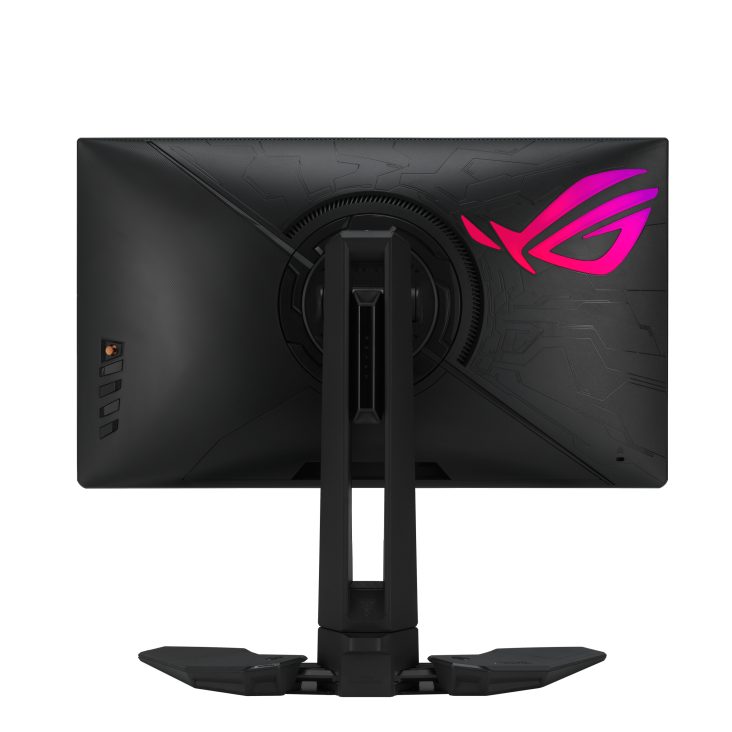
Retractable stand claws reduce the footprint. Adjust height, tilt and swivel to suit your seating position, or use the 100 × 100mm VESA mount. Keep the supported display input and settings with this exact monitor when arranging your normal desktop setup.
Connect and measure
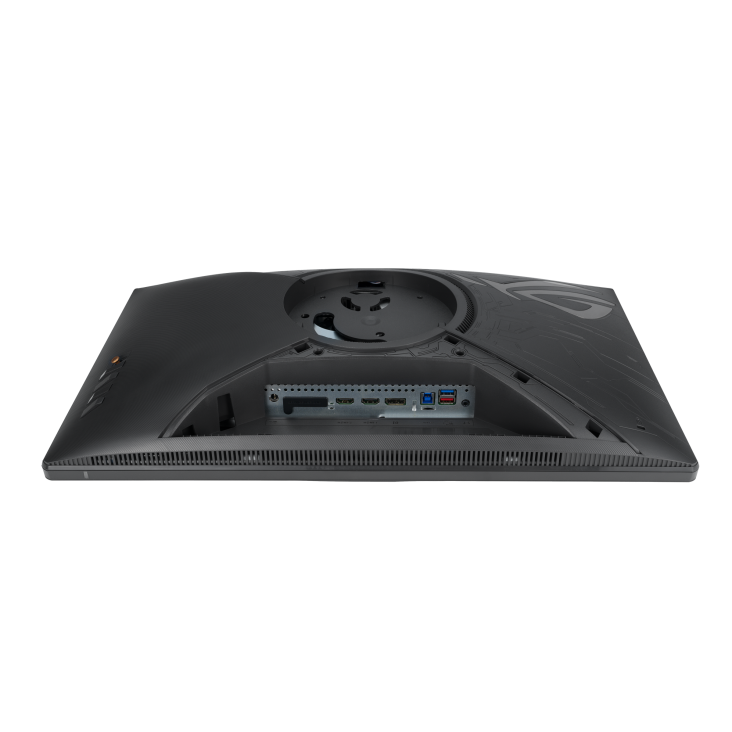
DisplayPort 1.4 with DSC handles the high-refresh PC connection. Two HDMI 2.0 inputs, a USB hub and headphone output add flexibility; NVIDIA Reflex Analyzer helps evaluate end-to-end latency.
Plan Your Screen Area
The display specification is 24.1-inch E-TN; anti-glare, with 1920 × 1080; 16:9 resolution. Compare the screen area and aspect ratio with your usual games and desktop work, leaving room on the desk for a comfortable viewing position.
Arrange the Display on Your Desk
Height: 0–110mm. Tilt: -5° to +20°. Swivel: -30° to +30°. VESA: 100 × 100mm. Use the listed stand adjustments to position the display for your desk and chair. If you choose an arm or wall mount, check the stated VESA pattern and the mounting hardware requirements.
Use Supported Variable-Refresh Settings
The listed adaptive-refresh support is NVIDIA G-SYNC. Check your graphics source, input and driver settings for the supported feature you want to use, keeping variable refresh separate from the monitor’s maximum fixed refresh specification.
Plan the Display and the Rest of Your Desk
Compare resolution, refresh rate, screen size and the input you will actually use. Match the computer or console output to the chosen display mode, and leave room for the monitor stand and mouse movement. Compare related options such as ASUS ROG Strix OLED XG27AQDPG 27 inch QD-OLED 500Hz Gaming Monitor or ASUS ProArt PA328QV 31.5 Inch 75Hz WQHD IPS Monitor, keeping the exact model and configuration in the decision. For the wider setup, explore ASUS P709 ROG Keris Wireless AimPoint Gaming Mouse, 75 g and check the connection, size or mounting requirements before pairing accessories. Browse the ASUS range at AX for more choices.
ASUS ROG Swift Pro PG248QP Setup Choices
Compare resolution, refresh rate, screen size and the input you will actually use. Match the computer or console output to the chosen display mode, and leave room for the monitor stand and mouse movement. Explore ASUS ROG HARPE ACE EXTREME Wireless Gaming Mouse.
Frequently Asked Questions
What size, panel and resolution does this display use?
24.1-inch E-TN; anti-glare. TN panel technology. Native resolution: 1920 × 1080; 16:9.
What refresh modes and input limits apply?
Maximum Refresh: 540Hz overclocked. Available modes also depend on your source, input, cable and supported settings.
Which video and USB connections are listed?
DisplayPort: 1 × DisplayPort 1.4 DSC. HDMI: 2 × HDMI 2.0. USB Hub: 2 × USB 3.2 Gen 1 Type-A.
What stand adjustment and mounting options are specified?
Height: 0–110mm. Tilt: -5° to +20°. Swivel: -30° to +30°. VESA: 100 × 100mm.
How is response time specified?
0.2ms GtG.
What HDR support is listed?
HDR10; VESA DisplayHDR 400.
Build Your Setup with AX Store
Explore computers, displays and accessories for your workspace at AX Store. For help choosing the right model or checking an accessory, contact AX Store.
THE DETAILS
Technical specifications
Display
ASUS ROG
Swift Pro PG248QP
90LM08T0-B01370
24.1-inch E-TN; anti-glare
1920 × 1080; 16:9
540Hz overclocked
0.2ms GtG
400cd/m² typical
1000:1 typical
16.7 million
HDR10; VESA DisplayHDR 400
Gaming and Connections
NVIDIA G-SYNC
NVIDIA ULMB 2
NVIDIA Reflex Analyzer
1 × DisplayPort 1.4 DSC
2 × HDMI 2.0
2 × USB 3.2 Gen 1 Type-A
Headphone output; no speakers
Compatible NVIDIA RTX 20-series or later GPU and supported Windows configuration
Stand and Dimensions
0–110mm
-5° to +20°
-30° to +30°
100 × 100mm
557 × 502 × 255mm (W × H × D)
7.5kg
COMPLETE YOUR SETUP
Pairs well with

