ASUS
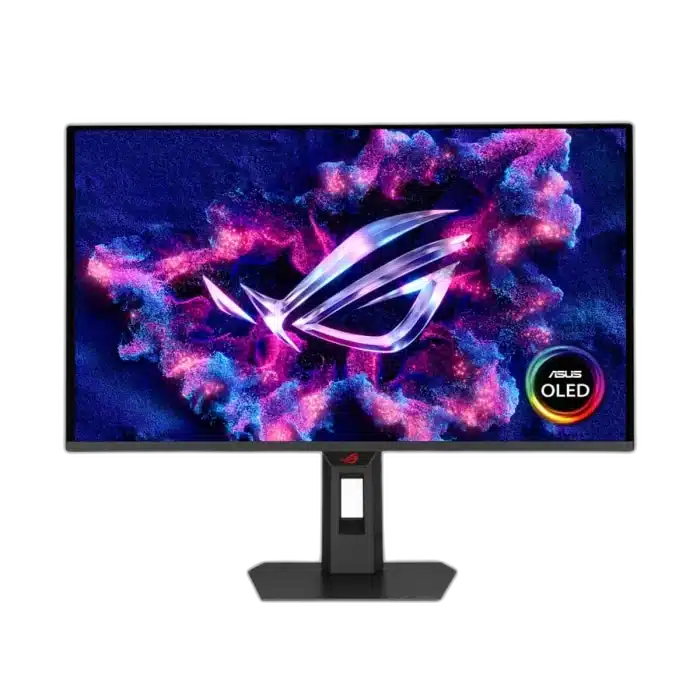
ASUS ROG Strix OLED XG27AQDPG 27 inch QD-OLED 500Hz Gaming Monitor
Built for high-frame-rate competitive play, the XG27AQDPG puts QHD detail and exceptionally fast refresh into a compact 27-inch class display.
Overview
ASUS ROG STRIX OLED XG27AQDPG 27 INCH QD-OLED 500HZ GAMING MONITOR
ASUS XG27AQDPG
ASUS XG27AQDPG: Built for high-frame-rate competitive play, the XG27AQDPG puts QHD detail and exceptionally fast refresh into a compact 27-inch class display. Available from AX Store in Kuwait.
27-inch Class
Display Size
2560 × 1440
Native Resolution
Up to 500Hz
Supported Refresh Mode
QD-OLED
Panel Technology
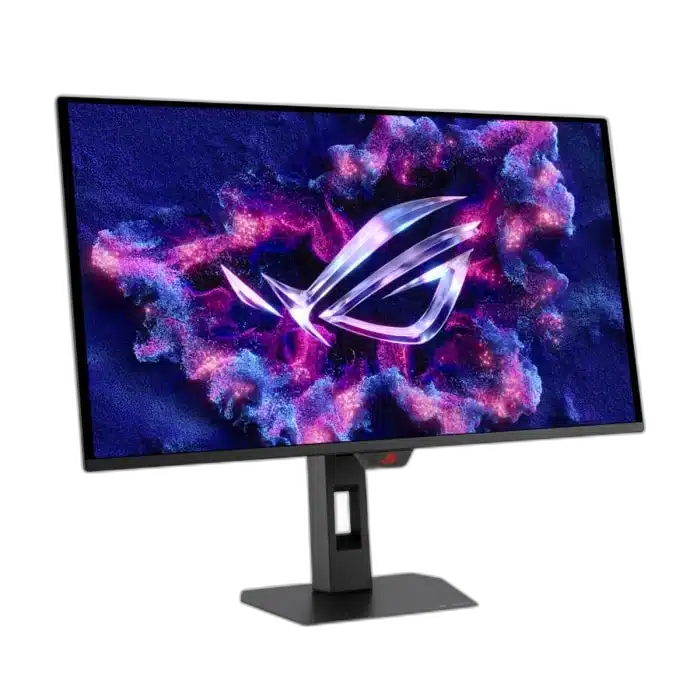
Track the action
Up to 500Hz refresh and 0.03ms gray-to-gray response help fast-moving scenes stay readable on a PC capable of delivering the frames. Check the available space and choose the viewing or storage position that suits the actual desk.
Colour with depth
QD-OLED pixels produce deep blacks, while 99% DCI-P3 coverage gives games and media a broad colour range. Match the actual device connections and the supported setup before using the product in the workspace.
Choose the Mode for the Actual Setup
The QHD QD-OLED panel supports up to 500 Hz with compatible graphics hardware and settings. The monitor refreshes the image it receives; actual game frames still depend on the computer, resolution and game configuration.
Connect the Ports for Their Stated Roles
The connection arrangement includes DisplayPort: 1 × DisplayPort 1.4 DSC; HDMI: 2 (FRL) × HDMI 2.1. Select the correct video input and source output for the intended mode, keeping USB data, charging and display functions tied to the actual port specification.
Set the Viewing Position for the Desk
Use the supplied stand’s supported adjustments for the desk and seating position. If choosing another support, match the actual monitor size, load and mounting arrangement, leaving enough space for the display and its connected cables.
Balance Source Performance with the Display Mode
The supported monitor mode and the computer’s rendered frame rate are different parts of the setup. Select the appropriate resolution, graphics options and available refresh setting for the intended application or game on the connected host.
Plan the Display and the Rest of Your Desk
Compare resolution, refresh rate, screen size and the input you will actually use. Match the computer or console output to the chosen display mode, and leave room for the monitor stand and mouse movement. Compare related options such as ASUS ProArt PA279CV 27 inch 4K UHD IPS Monitor or ASUS ROG Strix OLED XG27AQDNG 27" QHD QD-OLED Gaming Monitor - 360Hz / 0.03ms, keeping the exact model and configuration in the decision. For the wider setup, explore ASUS ROG HARPE II ACE Wireless Gaming Mouse, 48g, 42000 DPI and check the connection, size or mounting requirements before pairing accessories. Browse the ASUS range at AX for more choices.
ASUS XG27AQDPG Setup Choices
Compare resolution, refresh rate, screen size and the input you will actually use. Match the computer or console output to the chosen display mode, and leave room for the monitor stand and mouse movement. Explore Wooting 60HE v2 60% Gaming Keyboard, Aluminium, Pulsar Pro Series Susanto-X Wireless Gaming Mouse Size 2, 50g, ARTISAN NINJA FX ZERO Gaming Mousepad – SOFT/XSOFT, XL/XXL.
Frequently Asked Questions
What native resolution is specified?
2560 × 1440.
What should I check for the refresh mode and connection?
The QHD QD-OLED panel supports up to 500 Hz with compatible graphics hardware and settings. The monitor refreshes the image it receives; actual game frames still depend on the computer, resolution and game configuration.
Which video and port details are listed?
DisplayPort: 1 × DisplayPort 1.4 DSC; HDMI: 2 (FRL) × HDMI 2.1.
What mounting pattern should an arm match?
100x100mm. Match the actual screen size, weight and clearance as well as the hole pattern.
Build Your Setup with AX Store
Explore computers, displays and accessories for your workspace at AX Store. For help choosing the right model or checking an accessory, contact AX Store.
Compare ASUS ROG Strix OLED XG32UCWG 32" 4K Gaming Monitor - 165Hz / FHD 330Hz. Match the exact model, connection and configuration to your setup.
Complete Your Setup
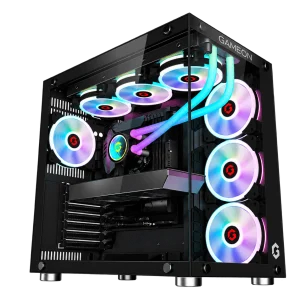
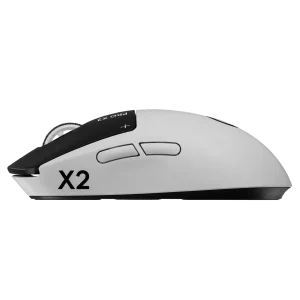
Explore equipment for your workspace: RX 9060 XT 16GB Gaming PC – Ryzen 7 9700X – Emperor Arctic II Black, Logitech G PRO X2 SUPERSTRIKE Wireless Gaming Mouse, beyerdynamic DT 990 PRO 80 Ohm Open-Back Studio Headphones.
THE DETAILS
Technical specifications
ASUS
ROG Strix OLED
XG27AQDPG
90LM0C50-B01971
QD-OLED Gaming Monitor
26.5 inches
QD-OLED
Anti-Reflection
2560 × 1440
16:9
Up to 500Hz
0.03ms(GTG)
0.229mm
300cd/m²
Up to 1,000cd/m²
1,500,000:1
178° / 178°
99%
145%
Delta E < 2
1.0737 Billion / True 10-Bit
HDR10 / VESA DisplayHDR 500 True Black
AMD FreeSync Premium Pro / NVIDIA G-SYNC Compatible
Extreme Low Motion Blur
OLED Anti-Flicker 2.0
ASUS OLED Care Pro / Neo Proximity Sensor
Custom Heatsink / Internal Airflow Design
GamePlus / GameVisual / GameFast Input / Shadow Boost / Aspect Control / AI Visual / Dynamic Crosshair / Dynamic Shadow Boost
DisplayWidget Center
1 × DisplayPort 1.4 DSC
2 (FRL) × HDMI 2.1
2 × USB 3.2 Gen 1 Type-A
USB-B
Earphone Jack
No
1/4-Inch
0~110mm
-5° to +20°
-45° to +45°
-90° to +90°
100x100mm
Aura Sync
Yes
61.03 × 50.21 × 16.94cm
61.03 × 36.92 × 6.65cm
6.6kg
4.6kg
Less Than 65W
Monitor / Stand and Base / DisplayPort Cable / USB-B to USB-A Cable / Power Cord / Quick Start Guide / Warranty Card
3 Years, Including Panel Burn-In
Product identification
ASUS
90LM0C50-B01971
COMPLETE YOUR SETUP
Pairs well with