Logitech
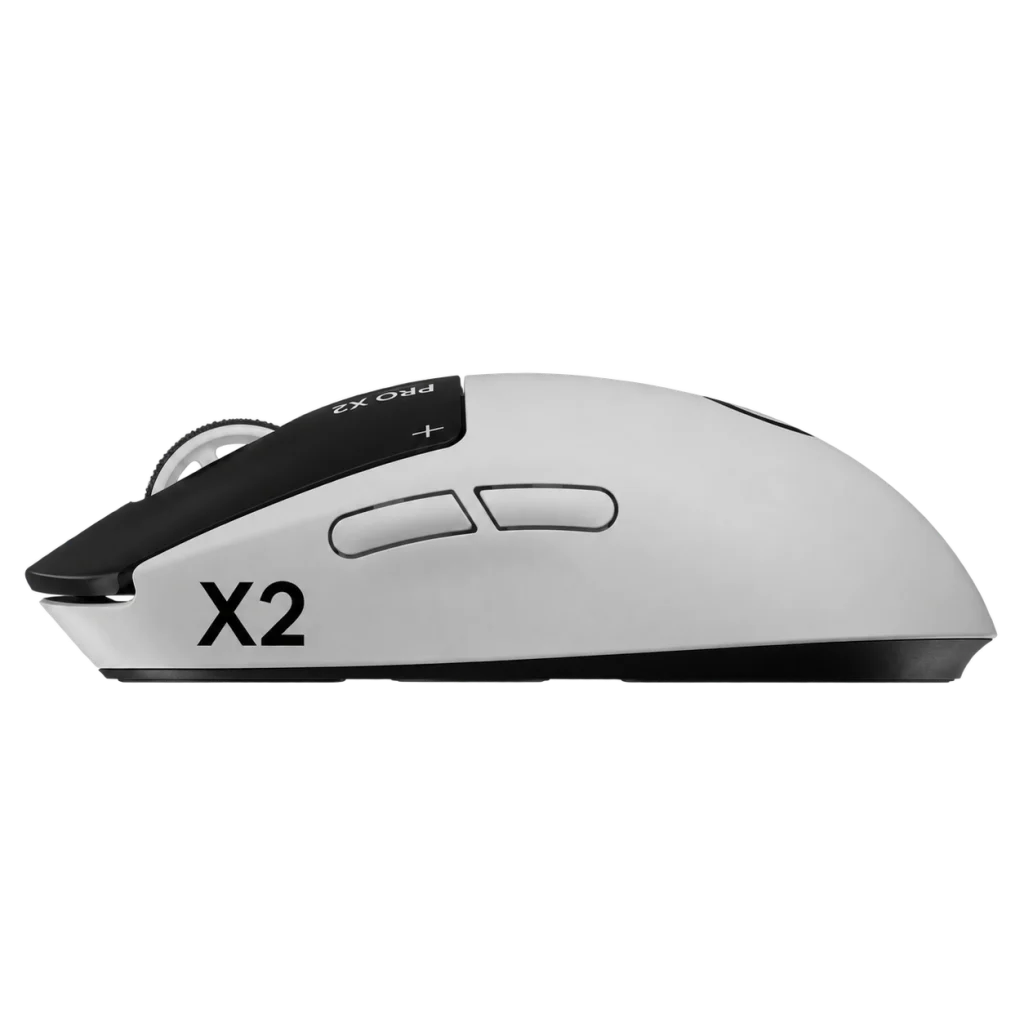
Logitech G PRO X2 SUPERSTRIKE Wireless Gaming Mouse
The Logitech G PRO X2 SUPERSTRIKE combines 8000Hz LIGHTSPEED wireless, a HERO 2 sensor with up to 44,000 DPI and a lightweight 61g design. Its Haptic Inductive Trigger System provides adjustable actuation, Rapid Trigger and customisable click feedback. Finished in Lunar Eclipse, it offers up to 90 hours of battery life, USB-C charging and POWERPLAY compatibility.
Overview
LIGHTSPEED WIRELESS GAMING MOUSE
Logitech G PRO X2 SUPERSTRIKE
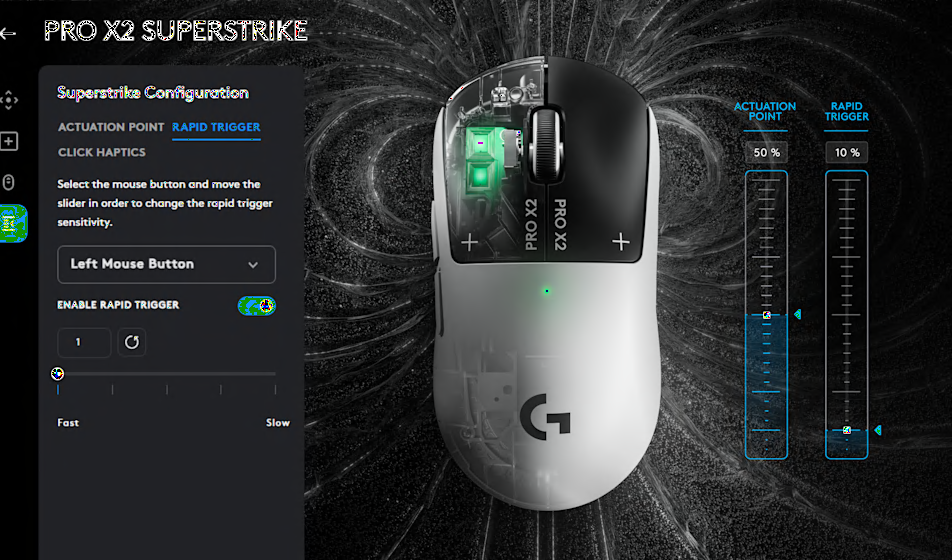
Choose when your clicks register, how quickly they reset and how they feel. The PRO X2 SUPERSTRIKE brings adjustable inductive sensing and haptic feedback to both main mouse buttons through Logitech G's Haptic Inductive Trigger System.
A HERO 2 optical sensor, up to 8000Hz LIGHTSPEED wireless polling and a 61g body complete the setup. The Lunar Eclipse finish pairs a white shell with black main buttons for a distinctive look.
8000Hz
Maximum Wireless Polling
44,000 DPI
HERO 2 Optical Sensor
61g
Lightweight Design
90 Hours
Up to, Depending on Use
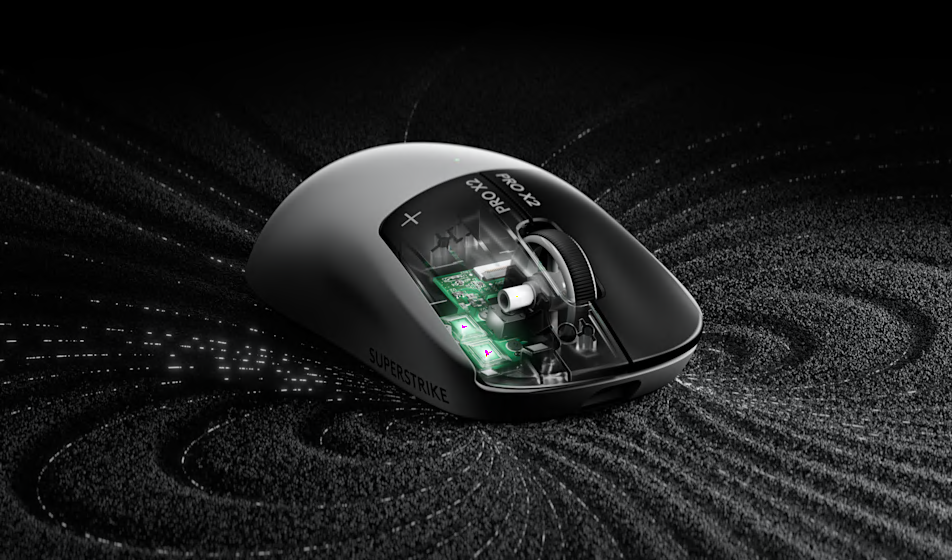
A Click You Can Configure
The Haptic Inductive Trigger System, or HITS, uses inductive sensing to detect movement of the two main buttons. Haptic feedback supplies the tactile click response.
This gives you separate control over the point where a press registers, the movement needed to reset it and the strength of the feedback you feel.
Tune Both Main Buttons
10 Actuation Positions
Choose the button travel required to register a click. A lower setting responds earlier in the press; a higher setting requires a more deliberate movement.
5 Rapid Trigger Settings
Adjust how far the button must rise to release a click. Rapid Trigger can reset the input before the button returns to its original actuation point.
6 Haptic Levels
Set the strength of the tactile response to suit your preference. The six settings include 0, which turns click haptics off.
Set Your Own Press and Reset Behaviour
Open the HITS configuration in Logitech G HUB to adjust the left and right buttons individually. You can give each button its own actuation, Rapid Trigger and haptic settings.
Experiment with the settings during practice to find a response that suits repeated clicks, controlled bursts and your usual finger pressure.
HERO 2 Precision
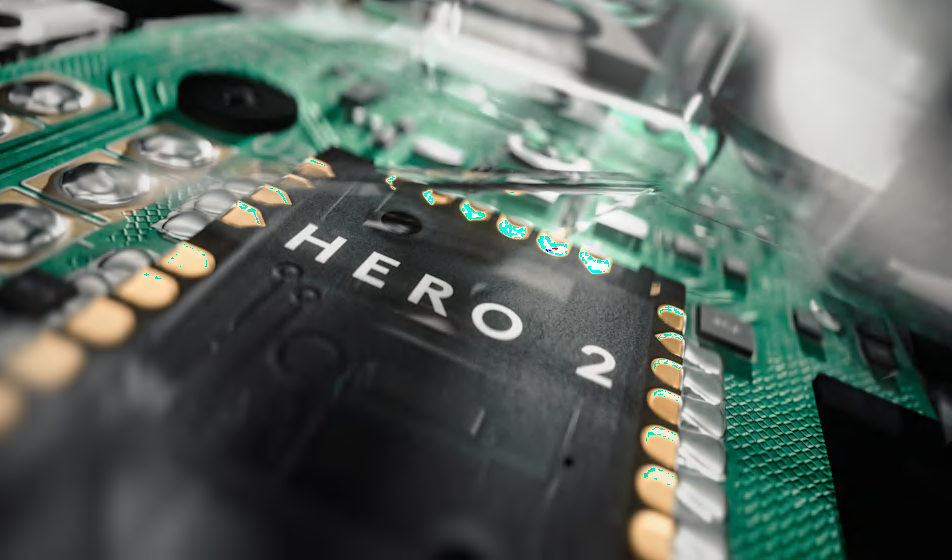
The HERO 2 optical sensor offers an adjustable range of 100–44,000 DPI. Set your preferred sensitivity through G HUB to match your aiming style and available mousepad space.
Maximum tracking speed reaches 888 IPS, with acceleration up to 88 G. These tracking figures are tested on a Logitech G640 gaming mouse pad.
8000Hz LIGHTSPEED Wireless
Wireless: Up to 8000Hz
Connect through the included LIGHTSPEED receiver for wireless polling up to 8000Hz. At that setting, the report interval is 0.125ms.
Wired: Up to 1000Hz
Use the included USB charging and data cable for wired operation. The maximum wired polling rate is 1000Hz, corresponding to a 1ms report interval.
Configure report rates and advanced settings through Logitech G HUB. Report intervals describe how frequently data is sent, rather than total system or game latency.
61g in Lunar Eclipse
The 61g body keeps weight low for repeated aiming movements and repositioning. It measures 125mm long, 63.5mm wide and 40mm high.
Five buttons provide the main clicks, scroll-wheel click and two side controls. Optional grip tape is included for players who prefer additional surface grip.
USB-C Charging and POWERPLAY Support
Battery life reaches up to 90 hours of constant motion. Actual runtime depends on your use and settings, and stronger haptic feedback consumes more power.
Recharge through USB-C with the included cable, or use a compatible POWERPLAY charging system to support a wireless desk setup.
POWERPLAY charging systems are sold separately.
Make It Yours with Logitech G HUB

Use G HUB to adjust HITS, sensitivity, report rate and button assignments. Save supported settings to onboard memory so your configuration can travel with the mouse.
The mouse supports Windows or macOS with an available USB 2.0 or higher port. Internet access is needed to download G HUB, and advanced configuration requires the software.
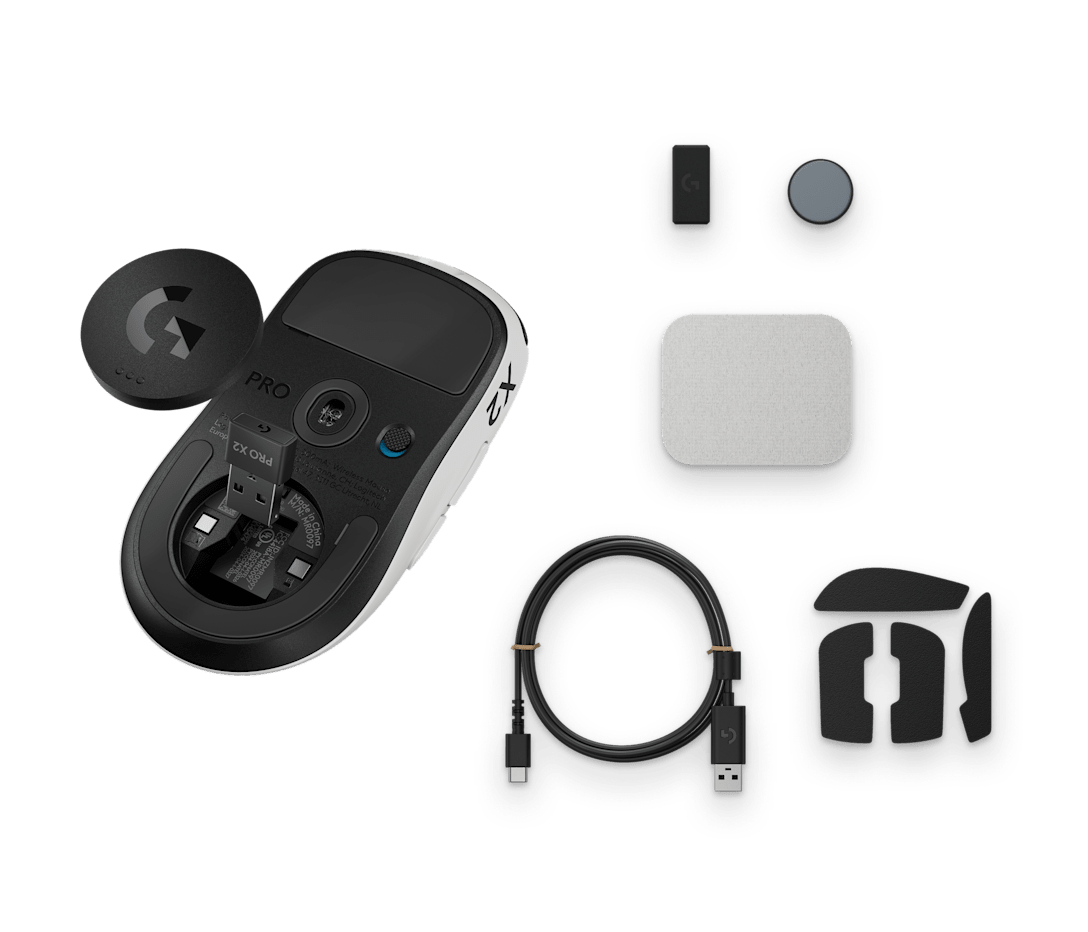
What's in the Box
- PRO X2 SUPERSTRIKE wireless gaming mouse
- LIGHTSPEED wireless receiver
- USB-A to USB-C charging and data cable
- Receiver extension adapter
- Alternate POWERPLAY aperture cover with glide foot
- Optional grip tape
- Cleaning cloth
- User documentation
Complete Your Gaming Setup
- Gaming Mousepads — choose a surface and size that suit your aiming style.
- Gaming Keyboards — complete your keyboard and mouse setup.
- Gaming Mice — browse more shapes, weights and connection options.
Frequently Asked Questions
What makes HITS different?
HITS uses inductive sensing and haptic feedback for the two main mouse buttons. It allows you to adjust actuation, Rapid Trigger reset behaviour and click feel in Logitech G HUB.
What click settings can I customise?
Each main button offers 10 actuation positions, five Rapid Trigger reset positions and six haptic feedback levels, including 0 (Off).
Does it support 8000Hz polling in both modes?
No. The maximum polling rate is 8000Hz over LIGHTSPEED wireless and 1000Hz over a wired USB connection. Configure the report rate through Logitech G HUB.
Which sensor does the mouse use?
It uses the HERO 2 optical sensor with an adjustable sensitivity range of 100–44,000 DPI.
How long does the battery last?
Battery life is rated at up to 90 hours of constant motion. Actual runtime varies with use and settings, and stronger haptic feedback consumes more power.
How do I charge the PRO X2 SUPERSTRIKE?
Charge it through USB-C using the included USB-A to USB-C cable, or use a compatible POWERPLAY charging system, sold separately.
Can I save my settings to the mouse?
Yes. Logitech G HUB can save HITS settings, DPI profiles and button assignments to the mouse's onboard memory.
Is it compatible with Windows and macOS?
Yes. It supports Windows or macOS with an available USB 2.0 or higher port. Logitech G HUB is required to configure advanced features.
Build Your Setup with AX Store Kuwait
Explore gaming mice, keyboards and mousepads at AX Store Kuwait. For help choosing your next accessory, contact AX Store.
Technical Specifications
| Brand | Logitech G |
|---|---|
| Model | PRO X2 SUPERSTRIKE |
| Product Type | Wireless Gaming Mouse |
| Colour | Lunar Eclipse (Black/White) |
| Sensor | HERO 2 Optical |
| Sensitivity Range | 100–44,000 DPI |
| Maximum Tracking Speed | 888 IPS; tested on Logitech G640 mouse pad |
| Maximum Acceleration | 88 G; tested on Logitech G640 mouse pad |
| Connectivity | LIGHTSPEED Wireless / Wired USB-C |
| Maximum Wireless Polling | 8000Hz / 0.125ms report interval |
| Maximum Wired Polling | 1000Hz / 1ms report interval |
| Main Button System | Haptic Inductive Trigger System (HITS) |
| Actuation Positions | 10 per main button |
| Rapid Trigger Reset Positions | 5 per main button |
| Haptic Feedback | 6 levels, including 0 (Off) |
| Number of Buttons | 5 |
| Onboard Memory | Yes; configurable through Logitech G HUB |
| Software | Logitech G HUB; required for advanced configuration |
| Battery Life | Up to 90 hours of constant motion; varies with use and settings |
| Charging Port | USB-C |
| POWERPLAY | Compatible; charging system sold separately |
| Included Cable | USB-A to USB-C charging and data cable |
| Compatibility | Windows or macOS with an available USB 2.0 or higher port |
| Dimensions (L × W × H) | 125 × 63.5 × 40mm |
| Weight | 61g |
THE DETAILS
Technical specifications
General Specifications
5
Tracking
HERO 2
100 – 44,000 DPI
88 G; tested on Logitech G640 Gaming Mouse Pad
888 IPS; tested on Logitech G640 Gaming Mouse Pad
Responsiveness
1000 Hz (1ms); advanced features require Logitech G HUB Software available for download at logitechg.com/ghub
8000 Hz (0.125 ms); advanced features require Logitech G HUB Software available for download at logitechg.com/ghub
Yes
Battery
90 h; battery life varies with use conditions
System Requirements
(Optional) Internet access for Logitech G HUB Software ; advanced features require Logitech G HUB Software available for download at logitechg.com/ghub
Windows or macOS with an available USB 2.0 (or higher) port
Dimensions
4.92 in (125 mm)
2.5 in (63.5 mm)
1.57 in (40 mm)
2.15 oz (61 g)
Click System and Connection
HITS: Haptic Inductive Trigger System
10
5
6
LIGHTSPEED wireless and wired USB-C
Supported; configure through Logitech G HUB
Compatible charging system sold separately
COMPLETE YOUR SETUP
Pairs well with

