Cable Matters
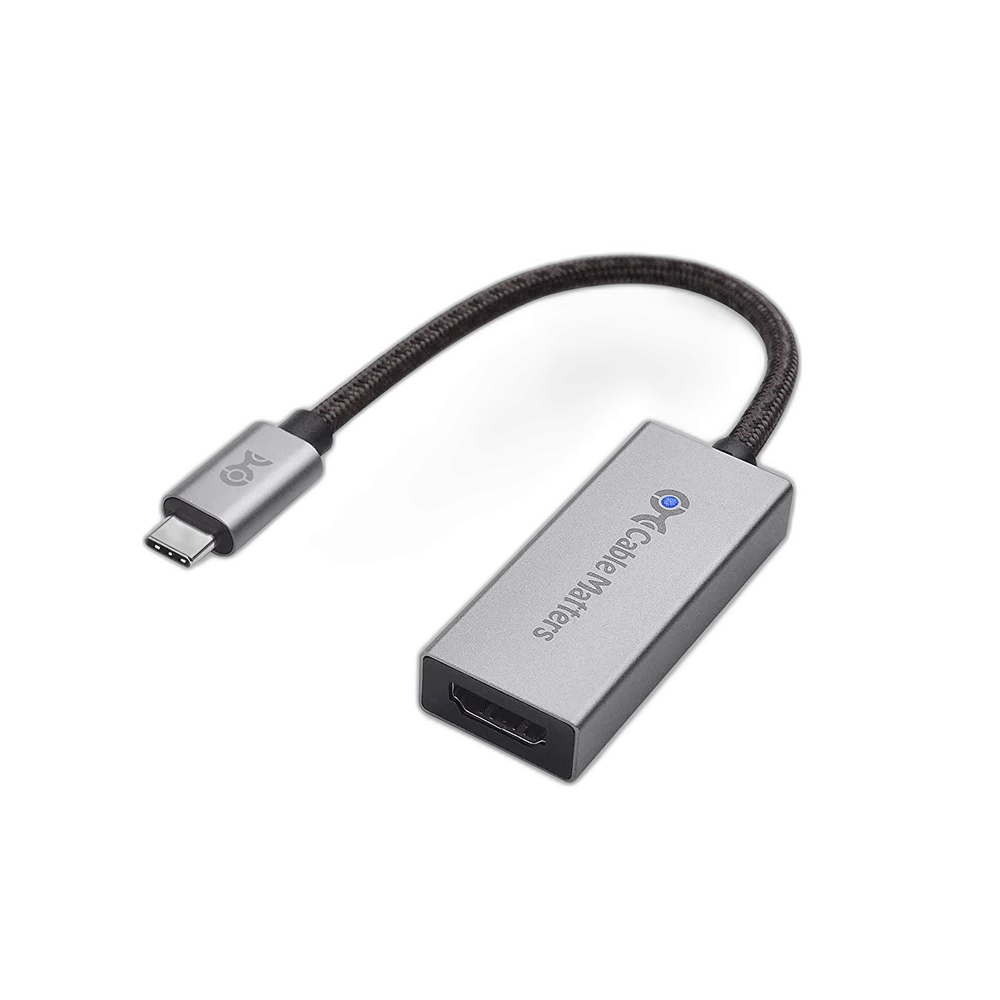
Cable Matters USB C to HDMI Adapter, 4K 120Hz Support
This Cable Matters adapter connects a video-capable USB-C source to an HDMI screen. The 4K at 120 Hz application requires suitable source and display capabilities, including the required DisplayPort video and compression support; the referenced standard adapter family is limited to 4K at 60 Hz on macOS.
Regular price
17.000 KWD
or 4 payments of 4.250 KWD with
Pay with card & save


16.000 KWD
Save 1.000 KWD
Overview
CABLE MATTERS USB-C TO HDMI 4K 120 HZ ADAPTER
HDMI Video from a Compatible USB-C Display Output
This Cable Matters adapter connects a video-capable USB-C source to an HDMI screen. The 4K at 120 Hz application requires suitable source and display capabilities, including the required DisplayPort video and compression support; the referenced standard adapter family is limited to 4K at 60 Hz on macOS.
USB-C
Video-capable source
HDMI
Screen connection
4K 120 Hz
Compatible setup application
4K 60 Hz
Standard-family macOS limit
USB-C Source to HDMI Screen
Connect the adapter to the video-capable USB-C source and use a suitable HDMI cable to the display input. This is the USB-C-to-HDMI signal direction. It does not provide the reverse conversion from an HDMI console or computer output to a USB-C monitor, so match the two device roles before selecting the adapter.
Plan a 4K 120 Hz Connection
A four-kilopixel display mode at one hundred and twenty hertz requires the correct capabilities throughout the setup. The source GPU, USB-C video implementation, adapter, HDMI cable and screen input all affect the available mode. Confirm the actual supported combination rather than assuming the refresh rate from the USB-C plug shape alone.
DisplayPort Alternate Mode and DSC
The USB-C host must support DisplayPort Alternate Mode video output. Higher-bandwidth modes in this adapter family also require the appropriate DisplayPort 1.4 and Display Stream Compression support from the source. A host port that provides only USB data or charging does not provide the necessary video signal for the HDMI output.
macOS Display Limits Matter
Cable Matters states that the standard referenced adapter family is limited to 4K at sixty hertz on macOS. A separate firmware-enhanced macOS product is a different model. Match this adapter to the supported host and required mode, with particular care when a Mac setup needs a refresh rate above sixty hertz.
Choose a Suitable HDMI Cable
The adapter needs a separate HDMI cable between its output socket and the screen. Choose a cable appropriate for the intended video mode and use the correct input on the display. Allow clearance around the adapter and HDMI plugs, keeping the connected lead supported rather than pulling sideways on the computer’s USB-C socket.
Model
Cable Matters USB-C to HDMI 4K 120 Hz Adapter
Signal direction
USB-C source to HDMI display
Source connector
USB-C male
Confirm the Operating Mode
After connecting, select the required resolution and refresh rate in the host display settings and check the display’s selected input mode. The manufacturer notes that some screens require their high-bandwidth modes to be enabled. Audio and HDR also depend on support across the connected equipment, source content and operating settings.
Complete Your Workspace
Explore Gaming Cables & Adapters to compare suitable options and complete your setup.
Frequently Asked Questions
Will a data-only USB-C port work?
No. DisplayPort Alternate Mode video output is required.
Can 4K 120 Hz be assumed on a Mac?
No. The referenced standard family is limited to 4K 60 Hz on macOS.
Is a separate HDMI cable needed?
Yes.
Can it connect an HDMI source to a USB-C monitor?
No. It works in the opposite signal direction.
Do higher modes require source compression support?
Use the required DisplayPort 1.4 and DSC capabilities for the intended high-bandwidth mode.
Build Your Setup with AX Store Kuwait
Explore computers, displays and accessories for your workspace at AX Store Kuwait. For help choosing the right model or checking an accessory, contact AX Store.
THE DETAILS
Technical specifications
Product Specifications
Cable Matters USB-C to HDMI 4K 120 Hz Adapter
USB-C source to HDMI display
USB-C male
HDMI output; separate HDMI cable required
4K at 120 Hz with the required compatible source and display setup
DisplayPort Alternate Mode
Appropriate DisplayPort 1.4 and DSC support
Up to 4K at 60 Hz
Not supported
COMPLETE YOUR SETUP
Pairs well with