
Brand
Cable Matters
11 PRODUCTS
Cable Matters DisplayPort 1.4 and 2.1, Mini DisplayPort to DisplayPort, HDMI and USB 3.0 cables. Reliable connections for high refresh monitors and desk setups.


OUT OF STOCK
6.500 KWD
or 4 × 1.625 KWD with


WITH CARD

OUT OF STOCK
13.500 KWD
or 4 × 3.375 KWD with
WITH CARD
OUT OF STOCK
6.500 KWD
or 4 × 1.625 KWD with
WITH CARD
OUT OF STOCK
10.500 KWD
or 4 × 2.625 KWD with
WITH CARD
OUT OF STOCK
7.500 KWD
or 4 × 1.875 KWD with
WITH CARD
OUT OF STOCK
4.000 KWD
or 4 × 1.000 KWD with
WITH CARD

OUT OF STOCK
17.000 KWD
or 4 × 4.250 KWD with
WITH CARD

OUT OF STOCK
9.500 KWD
or 4 × 2.375 KWD with
WITH CARD

OUT OF STOCK
8.500 KWD
or 4 × 2.125 KWD with
WITH CARD
Showing 11 of 11 products
CABLE MATTERS AT AX
The right cable for the port.
Shop Cable Matters in Kuwait: DisplayPort 1.4 and DisplayPort 2.1 cables, an 8K Mini DisplayPort to DisplayPort cable, a 15FT ultra slim 4K HDMI cable and a SuperSpeed USB 3.0 Type A to B cable. Match the cable to your ports, and check the version and length on each listing before you order.
DisplayPort 1.4 covers most high refresh 1440p and 4K monitors; DisplayPort 2.1 is for newer DP 2.1 graphics cards and monitors. Use Mini DisplayPort to DisplayPort when your device has a Mini DP output. HDMI suits consoles and TVs, and USB 3.0 Type B links monitor hubs and docks.
In stock now: the Cable Matters 8K Mini DisplayPort to DisplayPort Cable and the Cable Matters SuperSpeed USB 3.0 Type A to B Cable (2M). More in Gaming Cables & Adapters.
DP 1.4 · DP 2.1
high refresh display cables
Mini DP · HDMI
laptops, consoles and TVs
USB 3.0 Type B
hubs, docks and drives
CABLE MATTERS FAQ
Before you buy.
Straight answers to the questions we hear most about Cable Matters display and USB cables.
DisplayPort 1.4 or DisplayPort 2.1: which cable do I need?
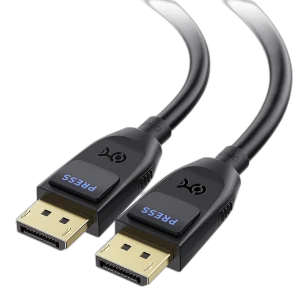
A DisplayPort 1.4 cable like the Cable Matters Braided 8K DisplayPort 1.4 Cable covers most high-refresh 1440p and 4K monitors. The Cable Matters DisplayPort 2.1 Cable is for newer monitors and graphics cards with DP 2.1 ports that need more bandwidth at very high resolutions and refresh rates.
When do I need a Mini DisplayPort to DisplayPort cable?
Use the Cable Matters 8K Mini DisplayPort to DisplayPort Cable when your laptop, graphics card or other device has a Mini DisplayPort output and your monitor has a full-size DisplayPort input. One direct cable is cleaner and more reliable than stacking an adapter on a standard cable.
What is a USB 3.0 Type A to B cable used for?
The Cable Matters SuperSpeed USB 3.0 Type A to B Cable connects devices with a USB 3.0 Type B port, such as monitor USB hubs, docking stations and some external drives, to a USB-A port on your PC. A USB 3.0 Type B plug is shaped differently from USB 2.0 Type B, so check the port on your device first.
HDMI or DisplayPort: which cable should I use for my screen?
On a gaming PC, DisplayPort is usually the first choice for high refresh rates. HDMI suits consoles, TVs and longer runs, such as the Cable Matters 15FT Ultra Slim HDMI Cable for 4K setups. For 4K at 120Hz, both your devices and the cable need HDMI 2.1 support.