Cable Matters
Cable Matters USB C to DisplayPort 1.4 Adapter, 8K@60Hz
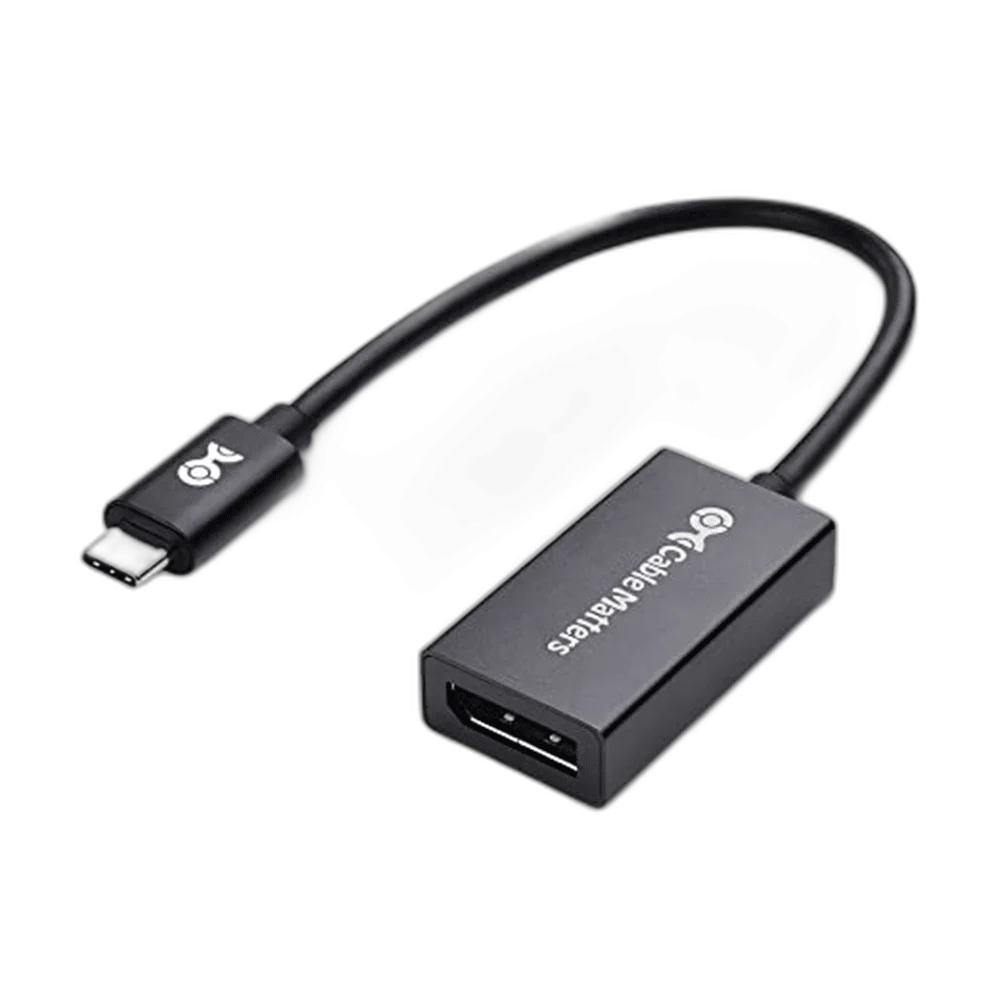
Cable Matters USB-C to DisplayPort 1.4 Adapter provides an adapter connection using USB-C male to DisplayPort female. It supports the DisplayPort 1.4 family with an advertised maximum mode of 8K at 60 Hz when the complete source and display configuration supports the required features.
Regular price
4.000 KWD
or 4 payments of 1.000 KWD with
Pay with card & save


4.000 KWD
Overview
CABLE MATTERS USB-C TO DISPLAYPORT 1.4 ADAPTER
A DisplayPort 1.4 Connection for Compatible Screens
Cable Matters USB-C to DisplayPort 1.4 Adapter provides an adapter connection using USB-C male to DisplayPort female. It supports the DisplayPort 1.4 family with an advertised maximum mode of 8K at 60 Hz when the complete source and display configuration supports the required features.
8K 60 Hz
Maximum advertised mode
DP 1.4
Display interface family
USB-C
Source-side connector
Adapter
Connection format
Match the Source and Display Ports
The connection uses USB-C male to DisplayPort female. The USB-C host must support DisplayPort Alternate Mode video output; a data-only USB-C port is insufficient. Check the actual ports before planning the route.
Up to 8K at 60 Hz
The maximum advertised resolution is 7680 × 4320 at 60 Hz under the appropriate DisplayPort 1.4 conditions. High-bandwidth modes can require Display Stream Compression support in the source and display. The adapter or cable does not add a resolution or refresh rate that either connected device cannot support.
DisplayPort 1.4 and the Complete Signal Path
DisplayPort 1.4 provides the connection framework for this product family. The USB-C source must expose the required DisplayPort video capabilities through its USB-C port. A monitor with a lower maximum resolution or an older source continues to operate within the capabilities shared by the complete setup.
Plan the Cable and Connection Route
A separate suitable DisplayPort cable is required between the adapter and the screen. Allow space around the adapter and the attached display lead. Include clearance at the sockets and avoid tightly bending the connection behind the screen or laptop.
Audio and Display Features
DisplayPort can carry digital audio alongside the video signal when the source and receiving equipment support it. Select the display as the audio output if that is the intended listening route. HDR and other display functions also depend on the source, screen, settings and content; the physical connection alone does not add missing display hardware.
Model
Cable Matters USB-C to DisplayPort 1.4 Adapter
Connector arrangement
USB-C male to DisplayPort female
Display interface family
DisplayPort 1.4
Direction, Compatibility and Setup
This USB-C connection is used from a video-capable USB-C source to a DisplayPort screen; do not assume a reverse DisplayPort-to-USB-C monitor connection. Confirm the resolution and refresh rate in the host display settings after installation.
Complete Your Workspace
Explore Gaming Cables & Adapters to compare suitable options and complete your setup.
Frequently Asked Questions
Does it make any screen an 8K display?
No. The source and display must support the selected mode.
Can 8K 60 Hz require DSC?
Yes. The complete connection must provide the required DisplayPort and compression support.
What is the connector arrangement?
USB-C male to DisplayPort female.
Does a USB-C port need video support?
Yes, for the USB-C versions. A data-only USB-C port does not supply DisplayPort video.
Is an extra DisplayPort cable required?
Yes, for this adapter.
Build Your Setup with AX Store Kuwait
Explore computers, displays and accessories for your workspace at AX Store Kuwait. For help choosing the right model or checking an accessory, contact AX Store.
THE DETAILS
Technical specifications
Product Specifications
Cable Matters USB-C to DisplayPort 1.4 Adapter
USB-C male to DisplayPort female
DisplayPort 1.4
7680 × 4320 at 60 Hz; suitable source, display and DSC support as required
Supported with compatible source and receiving equipment
Determined by complete source, connection and display capabilities
USB-C DisplayPort Alternate Mode
Video-capable USB-C source to DisplayPort display
Suitable DisplayPort cable to the screen
COMPLETE YOUR SETUP
Pairs well with