
Gameon
GAMEON 27 inch FHD 180Hz IPS Gaming Monitor
GAMEON Artic Pro GOA27FHD180IPS — White combines a 27-inch flat Fast IPS screen with 1920 × 1080 resolution and 180 Hz maximum refresh. The Full HD pixel canvas pairs a familiar widescreen layout with a fast display mode for games and everyday applications.
Regular price
47.500 KWD
or 4 payments of 11.875 KWD with
Pay with card & save


45.000 KWD
Save 2.500 KWD
Overview
GAMEON ARTIC PRO GOA27FHD180IPS — WHITE
GAMEON Artic Pro GOA27FHD180IPS — White
GAMEON Artic Pro GOA27FHD180IPS — White combines a 27-inch flat Fast IPS screen with 1920 × 1080 resolution and 180 Hz maximum refresh. The Full HD pixel canvas pairs a familiar widescreen layout with a fast display mode for games and everyday applications. Explore this model at AX Store in Kuwait.
27 inch
Viewable diagonal
180 Hz
Maximum refresh
Full HD
Native resolution
Fast IPS
Panel technology
A 27-Inch Full HD Canvas
GAMEON Artic Pro GOA27FHD180IPS — White provides 1920 × 1080 resolution across a 27-inch flat screen. The 16:9 picture format suits games, video and everyday desktop applications. Plan the viewing position around this screen size and the available desk depth, keeping the main image comfortably within the intended seating position.
Up to 180 Hz Refresh
The display supports 180 Hz maximum refresh with a suitable source and selected display mode. This is the monitor refresh specification, while the frames produced by a game depend on the computer and its workload. Check the resolution and refresh settings after connection so that the chosen input operates in the intended mode.
Fast IPS Panel and 1000:1 Contrast
The Fast IPS panel has a listed typical contrast ratio of 1000:1 and 300 cd/m² typical brightness. These panel characteristics help define the screen alongside its size and pixel count. Its 82% NTSC, manufacturer-listed figure gamut figures describe the manufacturer’s listed colour range; actual colour appearance also depends on settings and source material.
Response Modes and Picture Controls
The response specification is 0.5 ms MPRT; 1 ms GTG. MPRT and grey-to-grey figures describe different response measurements and should be selected and compared on that basis. HDR10 support and Adaptive Sync are listed display functions. Their operation depends on the source, connection and chosen monitor settings.
Connections for the Desktop
Video connections comprise 2 × DisplayPort 1.4; HDMI 2.0. The audio arrangement is 3.5 mm audio output; no built-in speakers. Choose the video and sound connections around the actual source device. Match the cable, source output and selected monitor input, then confirm the operating mode in the computer’s display controls.
Model
GAMEON Artic Pro GOA27FHD180IPS — White
Viewable diagonal
27 inch
Screen class
27 inch
Stand Adjustment and VESA Mounting
The supplied stand provides 100 mm ±10 mm height adjustment; tilt -5° to +15°; swivel ±45°; pivot 0–90°. A 100 × 100 mm VESA pattern provides an alternative mounting route. The listed mass is 4.85 kg without stand. Select an arm around screen size, mounting access and the weight without the original stand; allow space for connected cables throughout the intended adjustment range.
Plan the Display and the Rest of Your Desk
Compare resolution, refresh rate, screen size and the input you will actually use. Match the computer or console output to the chosen display mode, and leave room for the monitor stand and mouse movement. Compare related options such as ASUS ROG Strix OLED XG27AQDPG 27 inch QD-OLED 500Hz Gaming Monitor or ASUS ROG Strix XG27ACDNG 27 inch QD-OLED 360Hz Gaming Monitor, keeping the exact model and configuration in the decision. For the wider setup, explore Logitech G PRO Wireless LIGHTSPEED Gaming Mouse - Black and check the connection, size or mounting requirements before pairing accessories. Browse the Gameon range at AX for more choices.
GAMEON Artic Pro GOA27FHD180IPS — White Setup Choices
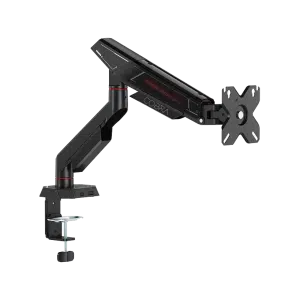
Compare resolution, refresh rate, screen size and the input you will actually use. Match the computer or console output to the chosen display mode, and leave room for the monitor stand and mouse movement. Explore SADES Cobra Single Monitor Arm - Up to 40 Inch / 12KG, Logitech Z407 Bluetooth Speakers with Subwoofer.
Frequently Asked Questions
What resolution and screen size does it use?
1920 × 1080 on a 27-inch panel.
What is the maximum refresh mode?
180 Hz maximum refresh. The source, cable, input and display settings must support the selected mode.
What adjustments are available on the original stand?
100 mm ±10 mm height adjustment; tilt -5° to +15°; swivel ±45°; pivot 0–90°.
Can it use a separate monitor arm?
Yes, through the 100 × 100 mm VESA pattern. Match the arm to the screen-only weight and size.
What is the sound arrangement?
3.5 mm audio output; no built-in speakers.
Build Your Setup with AX Store
Explore computers, displays and accessories for your workspace at AX Store. For help choosing the right model or checking an accessory, contact AX Store.
Compare Gameon 27 Inch FHD IPS 180Hz Gaming Monitor. Match the exact model, connection and configuration to your setup.
THE DETAILS
Technical specifications
Display Specifications
GAMEON Artic Pro GOA27FHD180IPS — White
27 inch
27 inch
Fast IPS
Flat
16:9
1920 × 1080
180 Hz maximum refresh
300 cd/m² typical
1000:1
0.5 ms MPRT; 1 ms GTG
16.7 million colours
HDR10 support
Adaptive Sync
2 × DisplayPort 1.4; HDMI 2.0
3.5 mm audio output; no built-in speakers
100 mm ±10 mm height adjustment; tilt -5° to +15°; swivel ±45°; pivot 0–90°
100 × 100 mm
12 V / 4 A DC; listed 48 W
4.85 kg without stand
615 × 535 × 240 mm, W × H × D
615 × 365 × 54 mm, W × H × D
White
82% NTSC, manufacturer-listed figure
COMPLETE YOUR SETUP
Pairs well with
