Gigabyte
GIGABYTE GeForce RTX 5080 AERO OC SFF 16GB GDDR7 – White
The GIGABYTE GeForce RTX 5080 AERO OC SFF combines 16GB GDDR7 memory and a 2730 MHz factory-overclocked core with a white AERO design. Triple-fan WINDFORCE cooling, Performance/Silent Dual BIOS and customizable RGB lighting let you tailor the card to your build, while NVIDIA Blackwell supports advanced gaming and creative features.
Regular price
626.000 KWD
or 4 payments of 156.500 KWD with
Pay with card & save


596.000 KWD
Save 30.000 KWD
Overview
GIGABYTE AERO / GEFORCE RTX 50 SERIES
GeForce RTX 5080 AERO OC SFF
White AERO styling. Room to play and create.
Bring RTX 5080 graphics and 16GB of GDDR7 memory into a white PC build. This AERO OC SFF model combines factory-overclocked performance with adjustable cooling and lighting, giving a setup used for games, editing and everyday work a consistent finish.
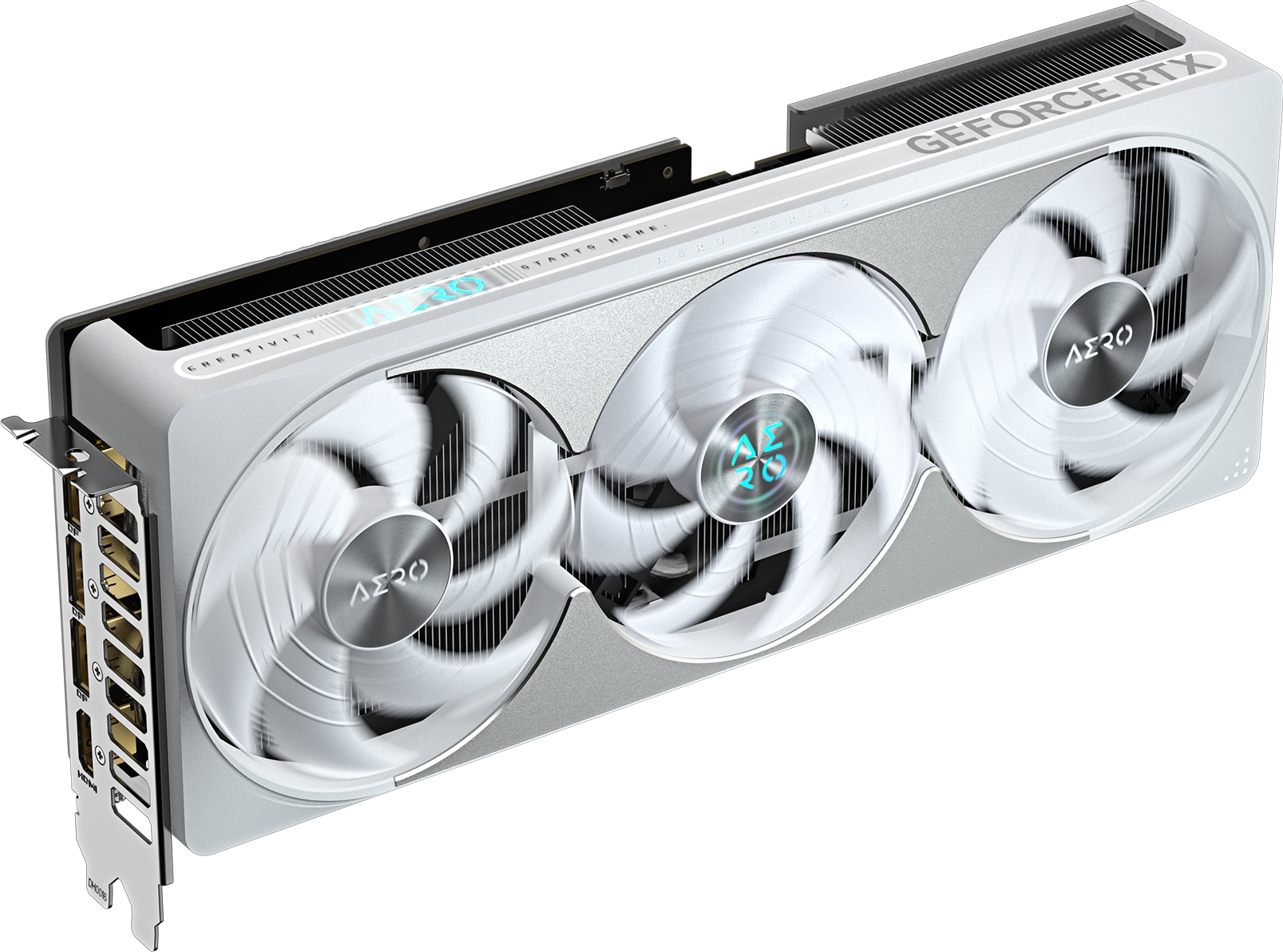
16GB GDDR7
Dedicated graphics memory
2730 MHz
Factory OC core clock
Dual BIOS
Performance and Silent modes
850W
Recommended system PSU
NVIDIA BLACKWELL AND DLSS
Choose the detail and responsiveness you want
NVIDIA Blackwell supports ray-traced lighting and AI-assisted graphics. DLSS can improve frame rates, with Multi Frame Generation available in supported games, while NVIDIA Reflex helps reduce PC latency in compatible titles.
Adjust each game's settings around your monitor and preferred balance of detail and smoothness. Available features and performance depend on the game, resolution and the rest of your system.
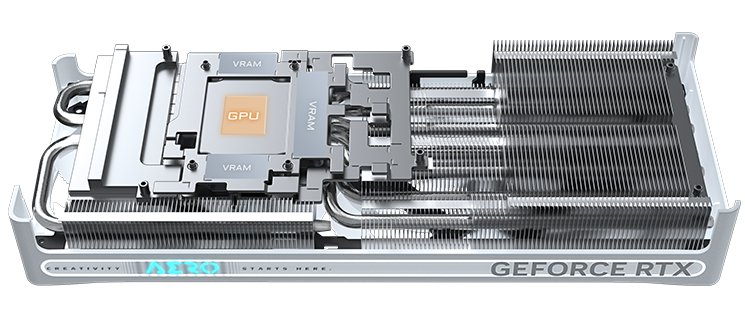
WINDFORCE COOLING
Move heat away as the workload grows
Three Hawk fans work with a large vapor chamber, copper heat pipes and thermal gel to cool the GPU and surrounding components.
The semi-passive fan system can stop the fans during light workloads. Air also passes through the extended heatsink and rear opening.
DUAL BIOS AND RGB LIGHTING
Set the sound and lighting to suit your desk
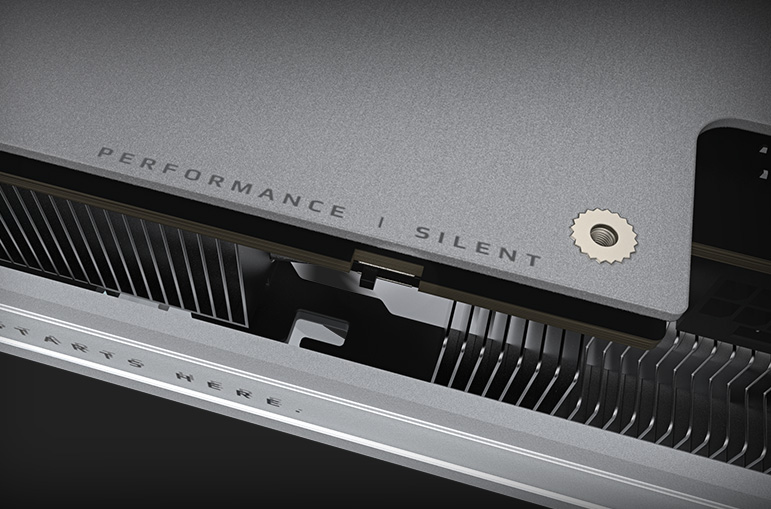
Performance mode is enabled by default. The onboard Dual BIOS switch also offers a Silent mode for quieter operation.
Customize the RGB lighting through GIGABYTE Control Center, including synchronization with supported devices. A steady color can complement the white finish without distracting from the rest of your build.

SFF-READY DESIGN
Plan the fit before you build
This NVIDIA SFF-Ready model measures 304 × 126 × 50 mm. A reinforced metal backplate supports the card, and an included VGA holder helps support it after installation.
Compare those dimensions with your case's available space, including any front radiator or fans. Leave room for the power cable and clear airflow around the cooler.
DISPLAY CONNECTIONS
Give each screen a place in your setup
Three DisplayPort 2.1b outputs and one HDMI 2.1b output support up to four displays. Keep your main screen for gaming or editing, with additional screens for chat, timelines and reference material.
Match the connection and cable to your monitor. Available resolution and refresh-rate combinations depend on the complete display connection.

NVIDIA STUDIO AND BROADCAST
Move from playing to making
NVIDIA Studio supports accelerated video editing, 3D rendering and creative effects in compatible applications. NVIDIA's video encoder also helps with recording, streaming and video exports in supported software.
For calls and streams, NVIDIA Broadcast offers microphone noise removal and webcam background tools. Game Ready and Studio Drivers provide options tailored to games and creative applications.
POWER AND SETUP
Choose power for the complete PC
GIGABYTE recommends an 850W system power supply. The card uses one 16-pin power connector, and the package includes a 12V-2x6 to three PCIe 8-pin adapter.
Account for your processor and other components when selecting the PSU. Confirm the available power connections and cable clearance before installation.
BEFORE YOU CHOOSE
A few useful answers
Does SFF-Ready mean it fits every small case?
Fit still depends on your case. Check the card's listed dimensions, available expansion space and room for the power cable.
What power supply should I use?
GIGABYTE recommends 850W for the system. You also need a compatible connection for the card's single 16-pin power input.
What does Dual BIOS change?
It provides Performance and Silent operating modes. Performance is the factory default; Silent mode prioritizes quieter operation.
Do the fans run all the time?
No. The semi-passive cooling system can stop the fans during light workloads when operating conditions allow.
Can I connect several monitors?
Yes. The card supports up to four displays through its three DisplayPort outputs and one HDMI output.
Are DLSS and frame generation available in every game?
Support varies by title. Check each game's graphics settings for available DLSS modes, frame generation, ray tracing and NVIDIA Reflex.
EXPLORE THE SETUP
THE DETAILS
Technical specifications
General
GIGABYTE
GeForce RTX 5080 AERO OC SFF 16G
GV-N5080AERO OC-16GD
Graphics Processor
GeForce RTX 5080
2730 MHz (reference: 2617 MHz)
10752
PCI Express 5.0
DirectX 12 API
4.6
Memory
30 Gbps
16 GB
GDDR7
256-bit
Display Outputs
7680 x 4320
4
3 x DisplayPort 2.1b; 1 x HDMI 2.1b
Power
850 W
1 x 16-pin
Dimensions and Form Factor
304 x 126 x 50 mm
ATX
Yes
Cooling and Construction
WINDFORCE
Hawk fans; alternate spinning; 3D Active Fan semi-passive cooling
Graphene nano lubricant
Server-grade thermal conductive gel
Large vapor chamber; composite copper heat pipes; screen cooling
Reinforced metal backplate and structure
Dual BIOS: Performance / Silent; factory default Performance
RGB Lighting; GIGABYTE CONTROL CENTER
Software
GIGABYTE CONTROL CENTER
Accessories
VGA manual; warranty notice; 1 x 12V-2x6 to 3 x PCIe 8-pin adapter; versatile VGA holder; versatile VGA holder manual
Manufacturer Warranty
4 years with online registration, subject to GIGABYTE regional eligibility and terms
COMPLETE YOUR SETUP
Pairs well with