Govee
Govee TV LED Backlight for 46-60 Inch TVs RGB Smart Lighting
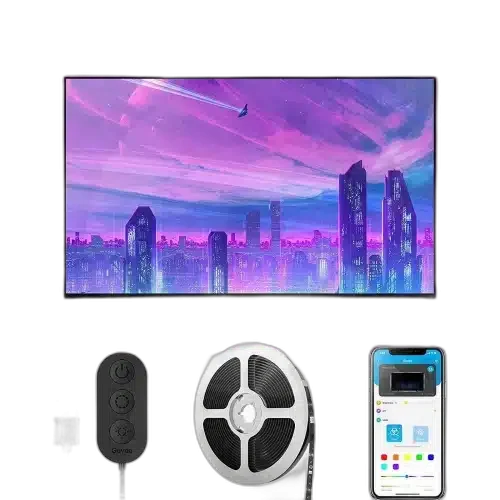
Govee H6178 RGB TV LED Backlight adds a controllable colour accent behind a television using a three-metre strip powered over USB. Bluetooth pairing with Govee Home lets you choose the lighting from a phone, while the control unit keeps direct operation close to the installation.
Regular price
5.900 KWD
or 4 payments of 1.475 KWD with
Overview
GOVEE H6178 RGB TV LED BACKLIGHT
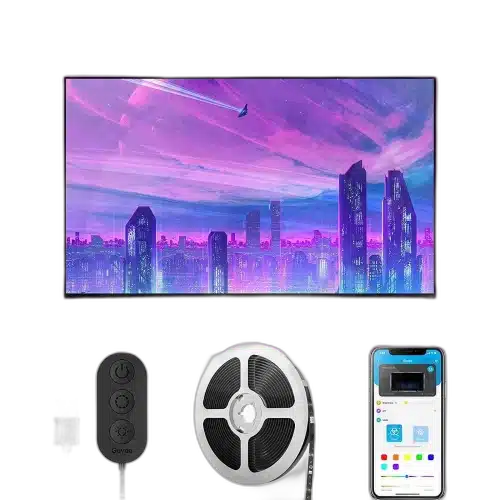
A Three-Metre RGB Outline behind the TV
Govee H6178 RGB TV LED Backlight adds a controllable colour accent behind a television using a three-metre strip powered over USB. Bluetooth pairing with Govee Home lets you choose the lighting from a phone, while the control unit keeps direct operation close to the installation.
3 m
Total strip length
RGB
Ambient colour lighting
5 V USB
Power connection
Bluetooth
Phone connection
Colour behind the Screen
RGB lighting creates a chosen colour around the television’s rear mounting area. It provides an ambient backdrop for the room, separate from the picture displayed on the screen. Choose a colour that suits the surroundings or the evening’s viewing, then adjust the arrangement around the actual television and wall position.
Four Sections around the TV
The strip arrangement uses two 50 cm sections and two 100 cm sections, totalling three metres. Check the available rear surface and route the sections according to the supplied fitting guide. Keep the television’s vents, ports and stand clear when planning where the lighting and connecting sections will sit.
USB-Powered Lighting
A 5 V USB power connection supplies the backlight. Confirm that the intended USB source can power the lighting correctly and allow room for the cable to reach it. The H6178 guide identifies a USB adapter as a separate item. Test the complete strip before attaching it to the television.
Bluetooth and Govee Home
Enable Bluetooth on a compatible phone, open Govee Home and add the H6178 to complete pairing. Keep the phone close to the lighting during the initial connection. The app gives the backlight its own controls, so the room’s colour accent can be managed without changing the television’s picture settings.
Direct Controls near the Installation
The control unit provides another way to operate the lighting. Place the controls where they can be reached after the television is returned to its viewing position. Planning this access at the start makes ordinary lighting changes easier once the rear mounting area is less accessible.
Model
H6178
Light colour
RGB
Total strip length
3 m
A Clean, Dry Mounting Surface
Prepare the television’s rear surface before attaching the strip and press the adhesive into position as the guide directs. Avoid bending directly across the LED components. This backlight is intended for a dry indoor installation; arrange the strip, controls and USB cable neatly around the available rear surface.
Complete Your Workspace
Explore Smart Lighting to compare suitable options and complete your setup.
Frequently Asked Questions
How long is the strip?
Three metres in a two-by-50 cm and two-by-100 cm arrangement.
How is it powered?
Through a 5 V USB connection with a suitable power source.
Which app is used?
Govee Home, paired through Bluetooth.
Does this model use a camera to copy the TV picture?
This RGB Bluetooth backlight provides selectable ambient colours; it is not a camera-based screen-colour capture kit.
Build Your Setup with AX Store Kuwait
Explore computers, displays and accessories for your workspace at AX Store Kuwait. For help choosing the right model or checking an accessory, contact AX Store.
THE DETAILS
Technical specifications
TV Backlight
H6178
RGB
3 m
2 ×50 cm; 2 ×100 cm
USB 5 V
Bluetooth
Govee Home
Control unit
Indoor; not waterproof
Not included, according to model guide
COMPLETE YOUR SETUP
Pairs well with