Logitech
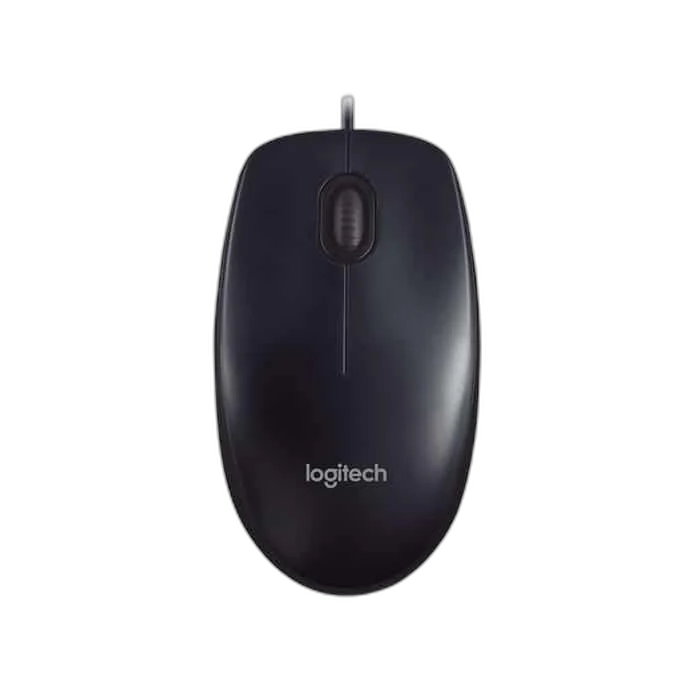
Logitech M90 USB Wired Mouse, 1000 DPI
The Logitech M90 is a full-size wired mouse for everyday computer use. Its ambidextrous shape, 1,000 DPI optical tracking and simple USB connection make it an easy fit for home, study and office desks.
Regular price
1.000 KWD
or 4 payments of 0.250 KWD with
Pay with card & save


0.900 KWD
Save 0.100 KWD
Overview
LOGITECH M90
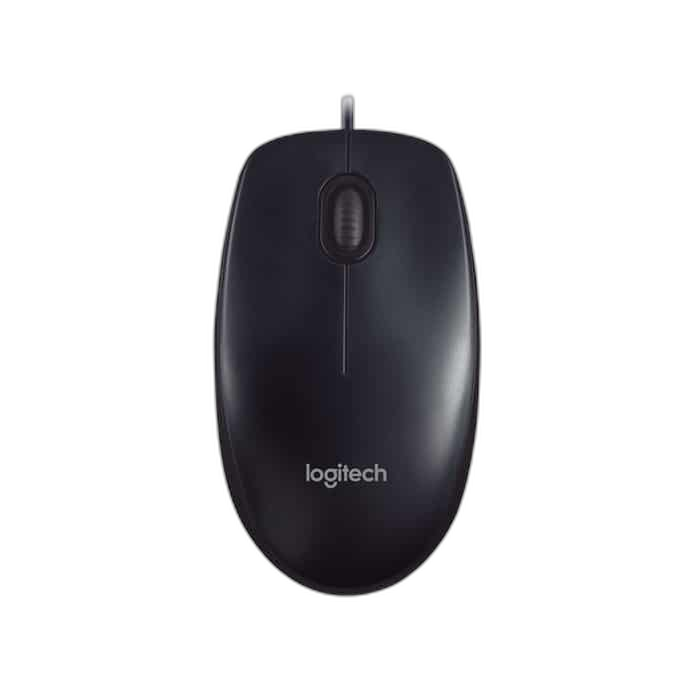
Logitech M90
The Logitech M90 is a full-size wired mouse for everyday computer use. Its ambidextrous shape, 1,000 DPI optical tracking and simple USB connection make it an easy fit for home, study and office desks. Available from AX Store in Kuwait.
Approx. 1000 DPI
Optical Resolution
1.8 m
USB Cable
3
Mouse Buttons
Wired USB
Connection

Simple USB setup
Connect the 1.8-metre cable to a USB port and start working without a separate battery or wireless receiver. Three buttons and line-by-line scrolling provide straightforward navigation.
Comfort for either hand
The full-size symmetrical design supports left- and right-handed use. A 113 × 62 × 38 mm body gives you a familiar grip, with compatibility across Windows, macOS and Linux.
Tracking for Your Pointer Settings
This model uses Optical sensing. Its resolution reference is Approximately 1,000 DPI. Compare these hardware figures with your own pointer settings and available movement space. A maximum sensor figure and the sensitivity you normally choose are different settings to consider.
Match Software and Computer Support
Compatibility: Windows; macOS; Linux; USB port required. Use the stated platform and connection requirements for the computer where you plan to use this mouse. Keep any basic-function limitations with those requirements.
Compare the Controls You Use
Buttons: 3 — left, right and middle click. Scrolling: Line-by-line. Compare the control layout with the navigation and scrolling actions you use most often in documents, web pages and your everyday applications.
Keep the Package Tied to the Model
The listed package contains Mouse; user documentation. Keep these supplied accessories with the exact model when arranging your desk or comparing the package with a different edition. Match any separate accessory to the listed connection requirements.
Match the Mouse to Your Grip and Desk
Compare shell size, grip and connection before choosing a mouse. Check the receiver or cable arrangement for the exact model and leave enough mousepad area for your normal movement. Compare related options such as Logitech G PRO X2 SUPERSTRIKE Wireless Gaming Mouse or Logitech G PRO Wireless LIGHTSPEED Gaming Mouse - Black, keeping the exact model and configuration in the decision. For the wider setup, explore Logitech G240 Gaming Mouse Pad - Small and check the connection, size or mounting requirements before pairing accessories. Browse the Logitech range at AX for more choices.
Logitech M90 Setup Choices
Compare shell size, grip and connection before choosing a mouse. Check the receiver or cable arrangement for the exact model and leave enough mousepad area for your normal movement. Explore ARTISAN NINJA FX ZERO Gaming Mousepad – SOFT/XSOFT, XL/XXL, ARTISAN NINJA FX TYPE-99 SOFT XL Mousepad – Matcha, Pulsar Superglide V3 Glass Mousepad - Type S.
Frequently Asked Questions
Which connection modes are listed for this model?
Wired USB.
Which software or computer requirements are listed?
Compatibility: Windows; macOS; Linux; USB port required.
What tracking hardware and resolution are specified?
Optical. Approximately 1,000 DPI.
What body and cable details are specified?
Dimensions: 113 × 62 × 38 mm. Weight: 90 g. Cable length: 1.8 m.
Build Your Setup with AX Store
Explore computers, displays and accessories for your workspace at AX Store. For help choosing the right model or checking an accessory, contact AX Store.
THE DETAILS
Technical specifications
Product specifications
Logitech
M90
Wired USB
Optical
Approximately 1,000 DPI
3 — left, right and middle click
Line-by-line
Full-size, ambidextrous
113 × 62 × 38 mm
90 g
1.8 m
Windows; macOS; Linux; USB port required
Mouse; user documentation
COMPLETE YOUR SETUP
Pairs well with