Logitech
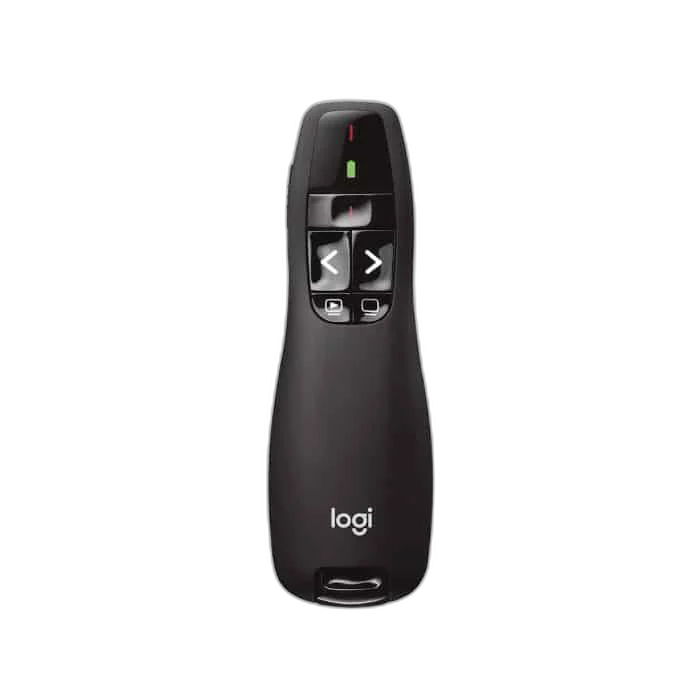
Logitech R400 Laser Wireless Presentation Remote
Logitech R400 wireless presentation remote with a red laser pointer, a USB receiver, dedicated slide controls and up to 15 m range.
Regular price
8.000 KWD
or 4 payments of 2.000 KWD with
Pay with card & save


7.500 KWD
Save 0.500 KWD
Overview
LOGITECH R400 LASER WIRELESS PRESENTATION REMOTE
Keep your presentation moving
Control your slides from up to 15 metres away with a compact wireless presenter. A red laser helps draw attention to details on a projection screen.
Up to 15 m
Environment-Dependent Range
2.4 GHz
USB Receiver Connection
Red Laser
Class 2
2 × AAA
Replaceable Batteries
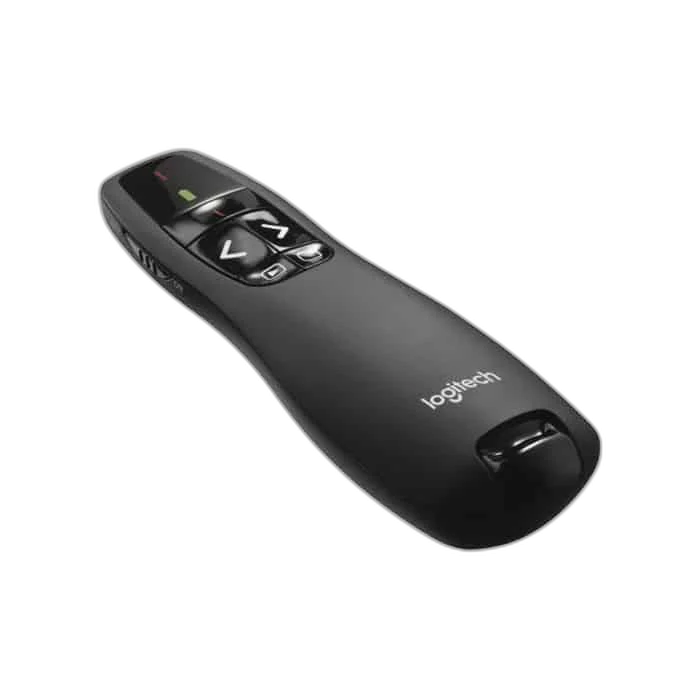
Find controls by touch
Dedicated previous, next, start/exit and blank-screen buttons let you manage slides without returning to your keyboard. Plan the position and connections around your normal equipment, checking the relevant host requirements before completing the setup.
A simple USB connection
Use the USB receiver for a 2.4 GHz wireless connection. Replaceable AAA batteries and a battery indicator help you prepare for your next presentation. Range varies with the environment.
Match the Receiver to the Presentation Computer
Check the available computer port and listed operating-system requirements before the presentation. Use the receiver or supported wireless mode supplied for this exact model, then confirm slide-control behaviour in the application you plan to show.
Plan the Range for the Actual Room
The published range is a maximum under suitable conditions. Test the intended position in the room with its normal furniture and equipment, leaving access to the computer if the environment affects wireless performance.
Use the Laser with a Suitable Display Surface
A physical red laser helps point to details on an appropriate projection surface. Check visibility in the intended room before the session, since the appearance of a laser point differs between projection screens and television or LCD panels.
Prepare the Controls before the Session
Check battery condition and practise the controls with the actual presentation file. Keep the remote and its receiver together between sessions, and configure only the software features supported for the host and model you use.
Complete Your Workspace
Explore accessories, monitors for your setup. Suggested products are sold separately. Check each device’s host ports, supported software and physical fit. Desk peripherals and listening equipment are independent additions; they do not replace a proprietary cable, receiver, lighting controller or power supply.
Frequently Asked Questions
How does it connect?
2.4 GHz USB receiver.
Which batteries are used?
2 × replaceable AAA alkaline batteries.
What range is listed?
Up to 15 m; environment dependent.
Which systems are listed?
Windows 10, 11 or later.
Build Your Setup with AX Store Kuwait
Explore computers, displays and accessories for your workspace at AX Store Kuwait. For help choosing the right model or checking an accessory, contact AX Store.
THE DETAILS
Technical specifications
Product specifications
Logitech
R400
2.4 GHz USB receiver
Up to 15 m; environment dependent
Red, Class 2; 640–660 nm
2 × replaceable AAA alkaline batteries
Laser, previous, next, start/exit and blank screen
Battery/power and laser
115.5 × 37.8 × 27.4 mm
Windows 10, 11 or later
COMPLETE YOUR SETUP
Pairs well with