nonda
nonda USB-C to USB Adapter, 2 Pack
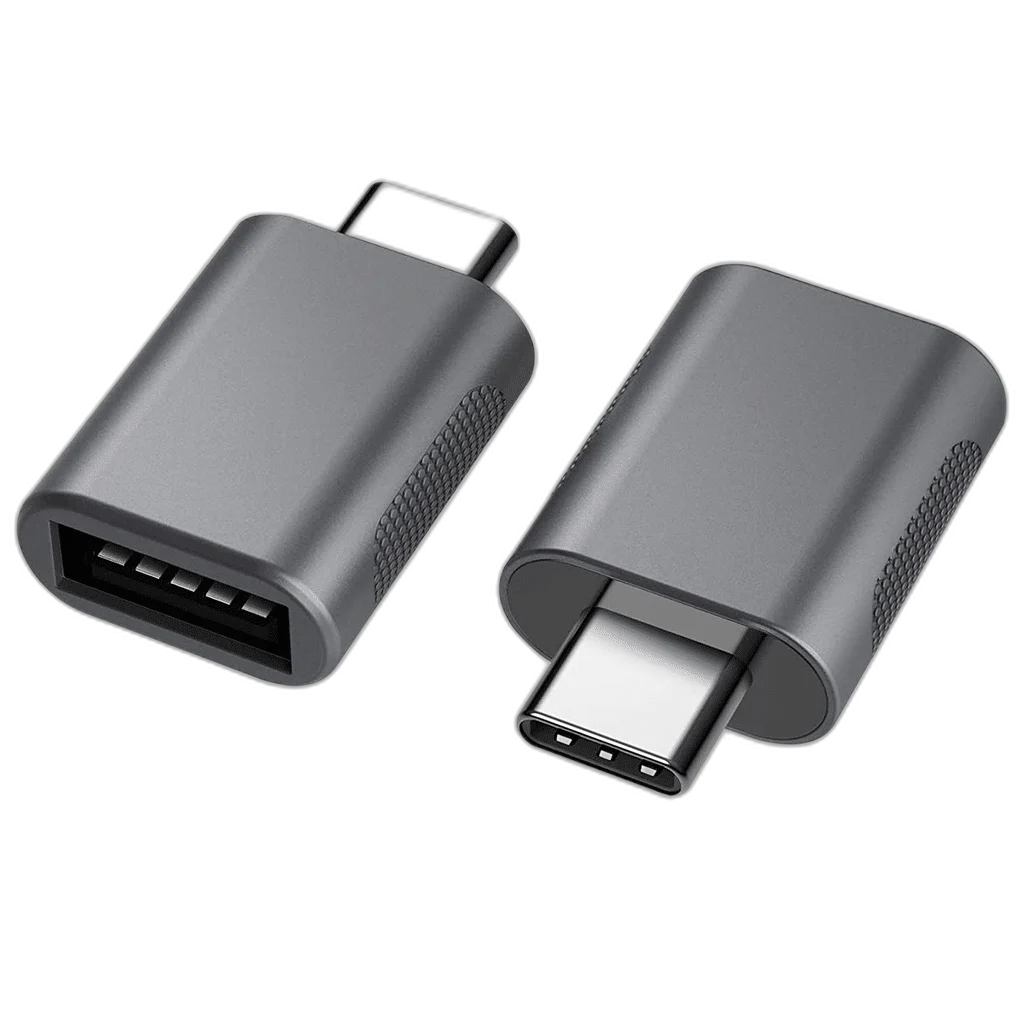
nonda USB-C to USB-A 3.0 Adapter — 2 Pack uses a USB-C male host plug and a USB-A female peripheral socket. The 2-adapter pack supports separate connection points. Its maximum USB data-link rating is 5 Gbps.
Regular price
6.500 KWD
or 4 payments of 1.625 KWD with
Pay with card & save


6.000 KWD
Save 0.500 KWD
Overview
NONDA USB-C TO USB-A 3.0 ADAPTER — 2 PACK
nonda USB-C to USB-A 3.0 Adapter — 2 Pack
nonda USB-C to USB-A 3.0 Adapter — 2 Pack uses a USB-C male host plug and a USB-A female peripheral socket. The 2-adapter pack supports separate connection points. Its maximum USB data-link rating is 5 Gbps. Available from AX Store in Kuwait.
USB-C
Male host plug
USB-A
Female peripheral socket
5 Gbps
Maximum USB data-link rate
2 Pack
Pack quantity
The Correct Adapter Direction
Insert the USB-C male plug into a compatible host or source port, then connect the appropriate USB-A peripheral lead to the female socket. This arrangement connects an existing USB-A peripheral to a compatible USB-C host. The opposite plug-and-socket adapter serves a different physical connection.
USB Data at Up to 5 Gbps
The adapter provides a USB 3.0 data connection rated up to 5 Gbps. Actual results depend on the host port, connected device and task. It uses ordinary USB data functionality when fitted to a compatible USB-C, USB4 or Thunderbolt host port; it does not provide a Thunderbolt data link.
Connect Suitable Everyday Peripherals
Use the adapter with peripherals and cables that match the receiving socket and work with the host operating system. A keyboard, mouse or suitable storage device still needs the correct host support and sufficient power. Phones and tablets must support the required USB host or OTG function when acting as the computer-side device.
Charging Depends on the Complete Connection
The source, adapter and connected device determine the available charging arrangement. A physical connector change does not create a charging protocol that the source lacks. Check the connected peripheral’s power requirement and the USB-C host’s supported output before relying on the adapter for a powered accessory.
A Compact Connection Accessory
The pack contains 2 adapters, allowing separate connection points to be equipped without treating the pack as a multiport hub. Leave space around neighbouring sockets and avoid placing sideways strain on the host plug. Side-by-side fit depends on the actual computer’s port spacing.
Model
nonda USB-C to USB-A 3.0 Adapter — 2 Pack
Host / source plug
USB-C male
Peripheral socket
USB-A female
Check the Device After Connecting
Seat the adapter and peripheral connection securely, then confirm that the operating system recognises the connected USB equipment. Use the device in its normal application to check operation. Finish transfers and safely remove storage before unplugging, and keep the adapter accessible when peripherals are frequently changed.
Check the Ports and Signal Before Choosing a Cable
Match both devices, the connector type and the signal or data mode you intend to use. Physical fit alone does not establish supported resolution, charging or data capability. Compare related options such as Cable Matters SuperSpeed USB 3.0 Type A to B Cable, 2M or Cable Matters 8K Mini DisplayPort to DisplayPort Cable, keeping the exact model and configuration in the decision. For the wider setup, explore Gator Frameworks Clamp Mounted Headphone Hanger for Desk and check the connection, size or mounting requirements before pairing accessories.
nonda USB-C to USB-A 3.0 Adapter — 2 Pack Setup Choices
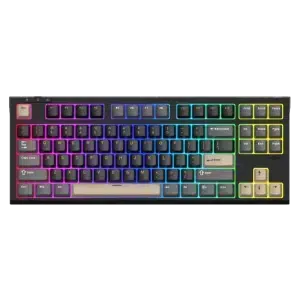
Match both devices, the connector type and the signal or data mode you intend to use. Physical fit alone does not establish supported resolution, charging or data capability. Explore SADES Bate Wolf 87 TKL Tri-Mode Mechanical Gaming Keyboard - Hot-Swappable RGB.
Frequently Asked Questions
Which side plugs into the host?
USB-C male.
Which socket is provided?
USB-A female.
What is the maximum data-link rate?
5 Gbps.
Does it add USB-C PD or display output?
No. Connector conversion does not add unsupported charging or video functions.
Will every phone work as the USB host?
No. The phone and operating system must support the required host or OTG role.
Build Your Setup with AX Store
Explore computers, displays and accessories for your workspace at AX Store. For help choosing the right model or checking an accessory, contact AX Store.
THE DETAILS
Technical specifications
Product Specifications
nonda USB-C to USB-A 3.0 Adapter — 2 Pack
USB-C male
USB-A female
USB 3.0
5 Gbps
USB peripheral data and supported USB power
Compatible USB port; mobile host / OTG support where required
No DisplayPort or HDMI video conversion
Does not create USB-C PD capability
2 adapters
COMPLETE YOUR SETUP
Pairs well with